Upgrading to Academy Plus
Contents4 sections
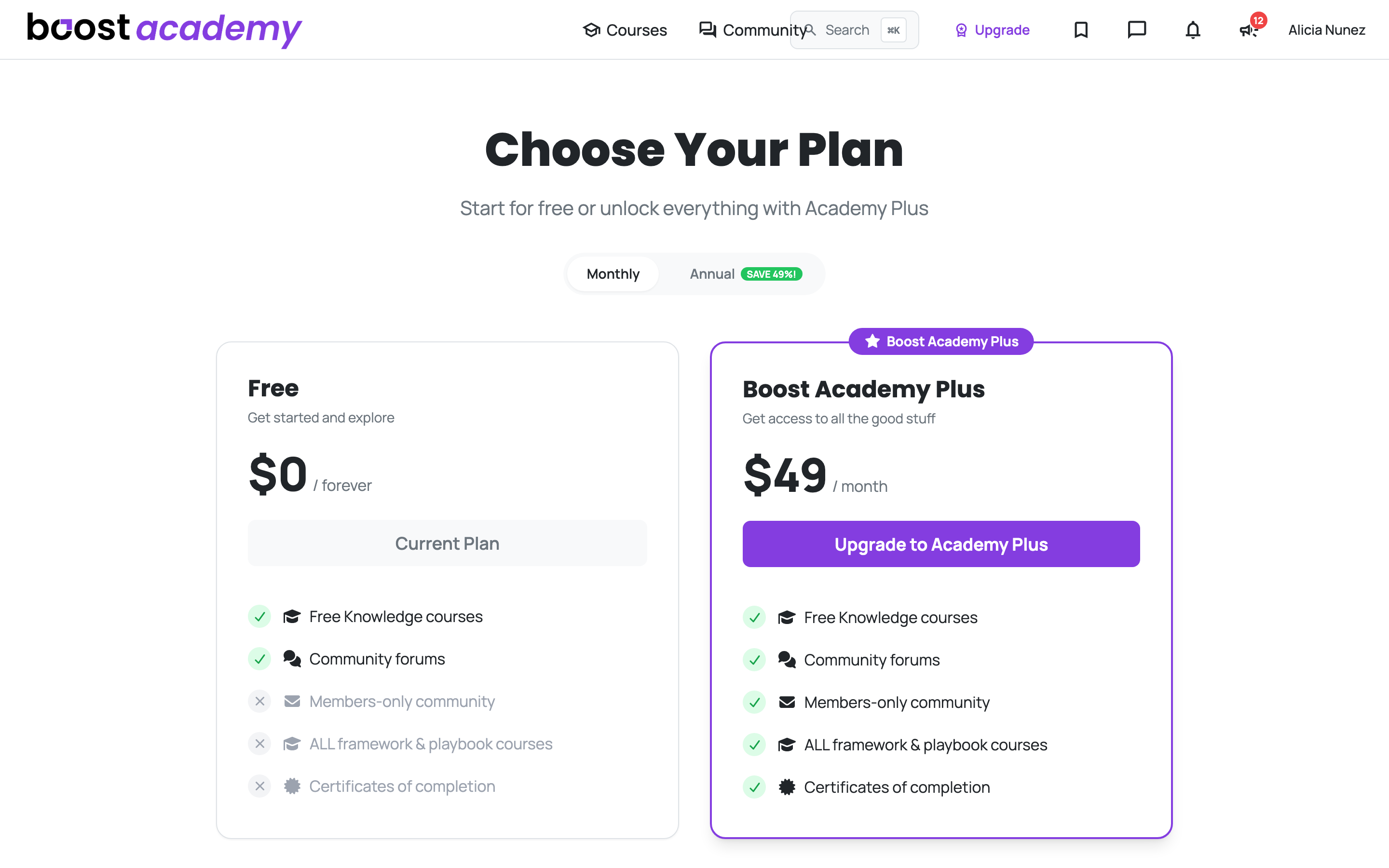
Start Where You Can See Both Options: Pricing is always reachable, and it puts the free tier next to Academy Plus with the same feature rows on each. Signed in on a free account you will also see an Upgrade link in the top bar.
Monthly or annual
The Saving Is the Real One: Switch between Monthly and Annual at the top of the page. The percentage on the annual badge is worked out from the actual prices on the plan rather than being a fixed marketing number, and the page shows you in currency terms what annual saves against paying month to month.
Annual is the cheaper route if you are confident you will still be learning in six months. Monthly is the lower-commitment one. Both unlock exactly the same thing.
What unlocks
Everything the Free Tier Does Not Have:
- The members-only community, where the more candid numbers get discussed
- All framework and playbook courses, not just the standalone lessons
- Certificates of completion for what you finish
- Every paid course included, for as long as your membership is active
A note on what you keep
Purchases Are Permanent, Membership Access Is Not: A course you bought outright stays with your account whatever happens to your membership. A paid course you got because you are a Plus member is a membership benefit, so it goes away if you stop being one. If you had already bought a course before upgrading, that purchase still stands.
Managing It Later: Once you are a member, the same pricing page shows your member status and a Manage Subscription link instead of an upgrade button.
Ready to dig in?
Log in to Boost Academy and open Pricing to compare the two.
Access: Upgrading is available to any registered member.