Joining a Workshop
Contents9 sections
A Workshop is a free, month-long program where a group of operators works on the same problem at the same time, about 30 minutes each weekday. This walks you through finding one, joining it, and keeping up once it starts.
Before you start
You need a Boost Academy account, free or Academy Plus. Creating an account does not enroll you in a Workshop, so the enroll step below is the one that counts.
Finding a Workshop
Open Workshops in the main navigation. The page shows whatever is running or coming up, plus a library of Workshops that have already finished.
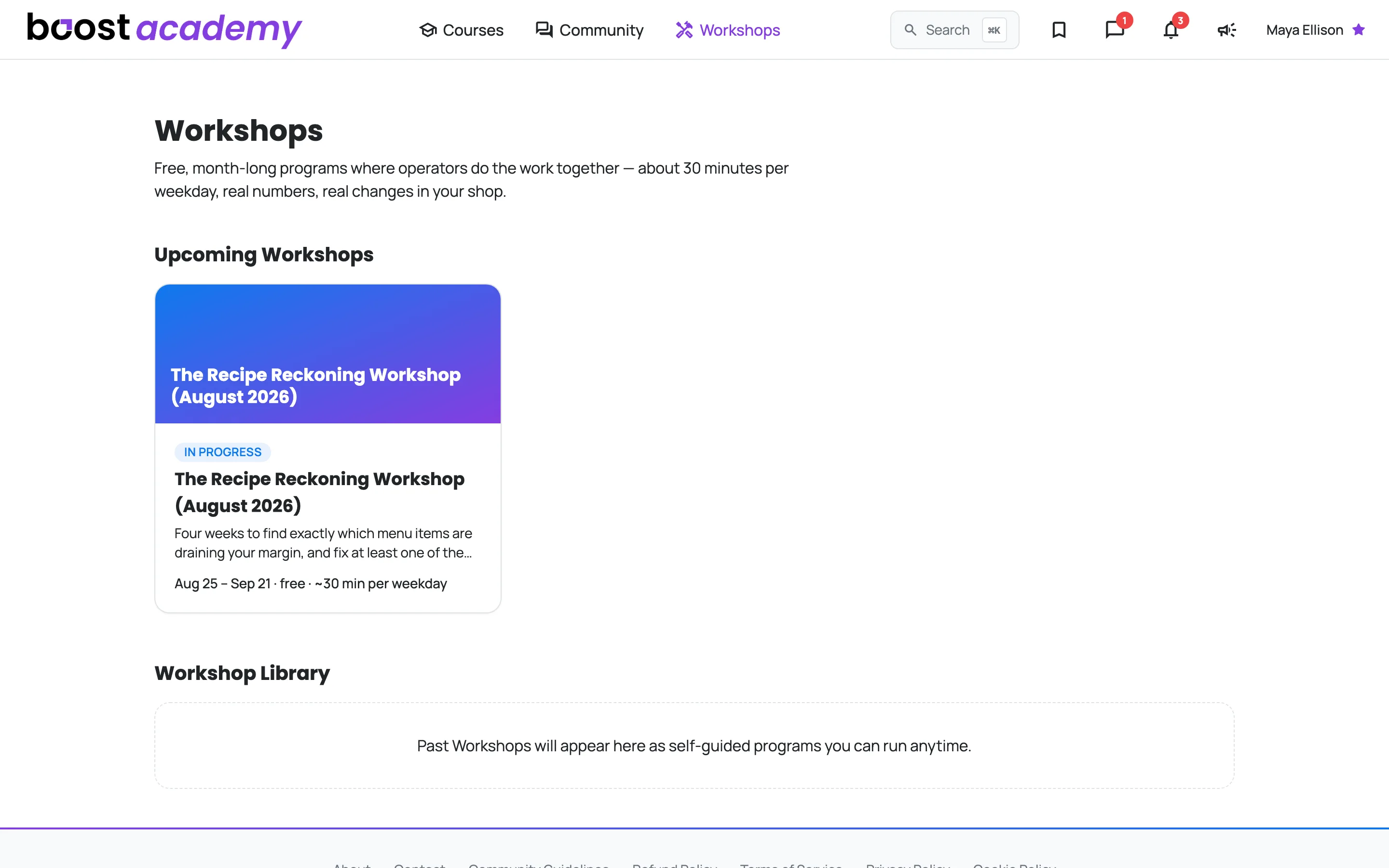
If you are already enrolled in something, that Workshop sits at the top with your current day, your progress, and the next thing you owe it.
Deciding whether to join
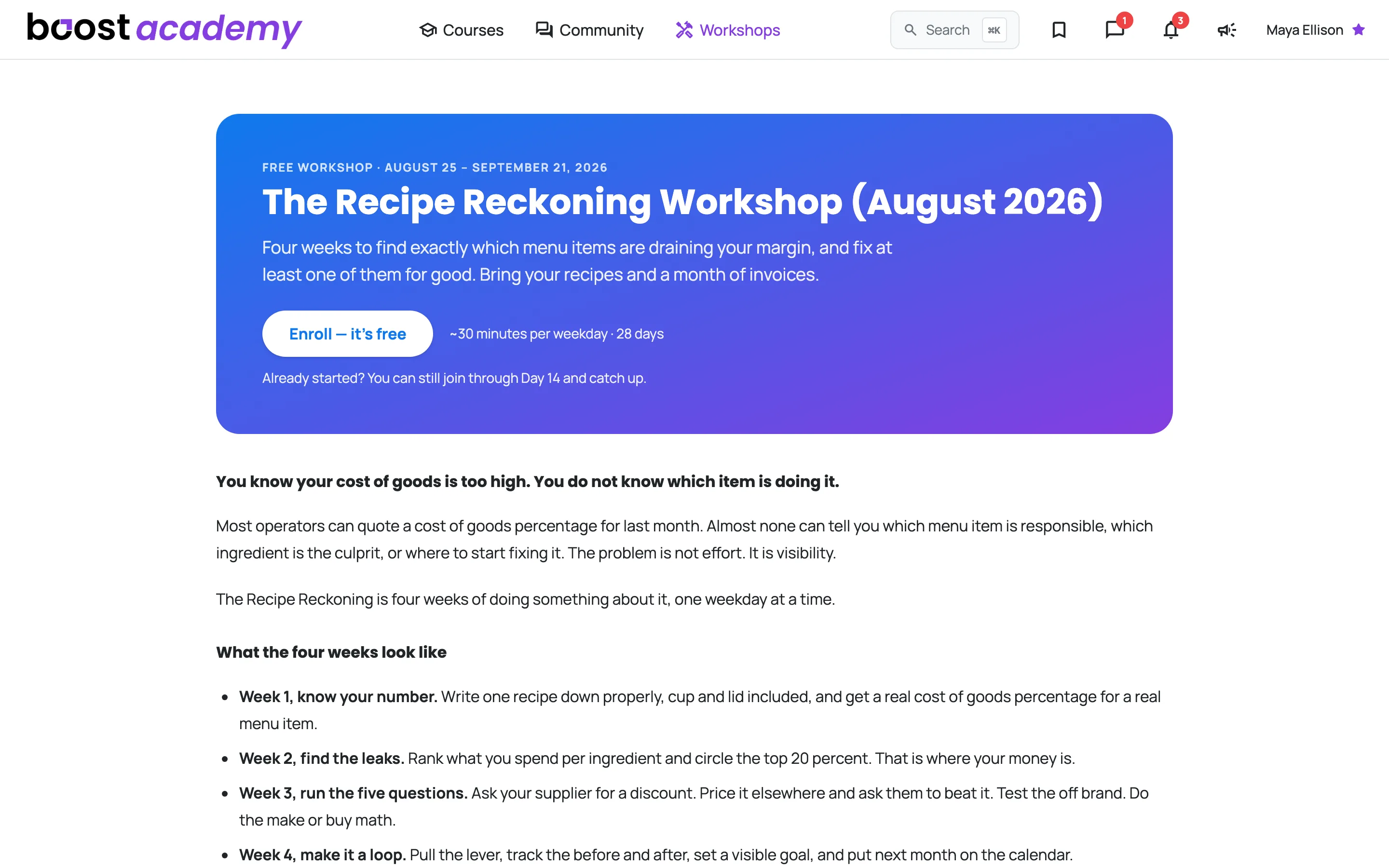
Open a Workshop to see the dates, what it costs you in time, and what comes with it. Every Workshop states the same three things up front: it is free, it runs for about a month, and it asks for roughly 30 minutes on weekdays only.
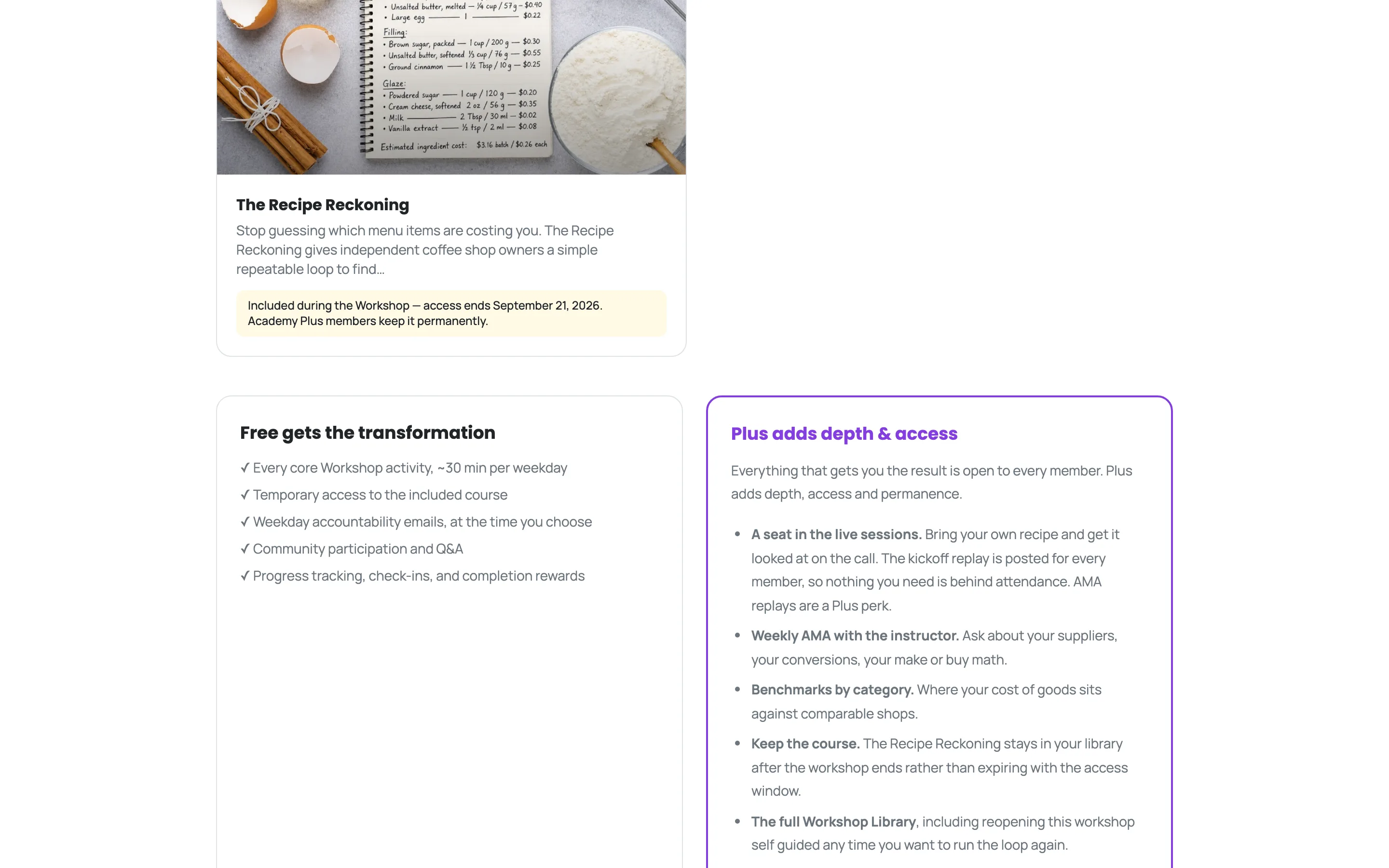
The Included while the Workshop runs section is the part worth reading twice. Workshops bundle the course they are built on, and the card names the exact date your access to it ends.
Careful
Free members keep the included course only while the Workshop is running. Academy Plus members keep it permanently. If you bought the course separately, nothing here touches that. It stays yours either way.
Further down, a side-by-side lays out what free covers and what Academy Plus adds: the live AMA and hot-seat sessions, the recordings, and permanent access to the course and the Workshop archive.
Enrolling
-
Press Enroll on the Workshop page.
-
Pick the time of day you want your weekday prompt. Boost uses your own timezone, which the form shows you, so pick 7 AM before the rush or 7 PM after close, whichever you will actually read.
-
Confirm you understand that live sessions are recorded.
-
Press Enroll - free.
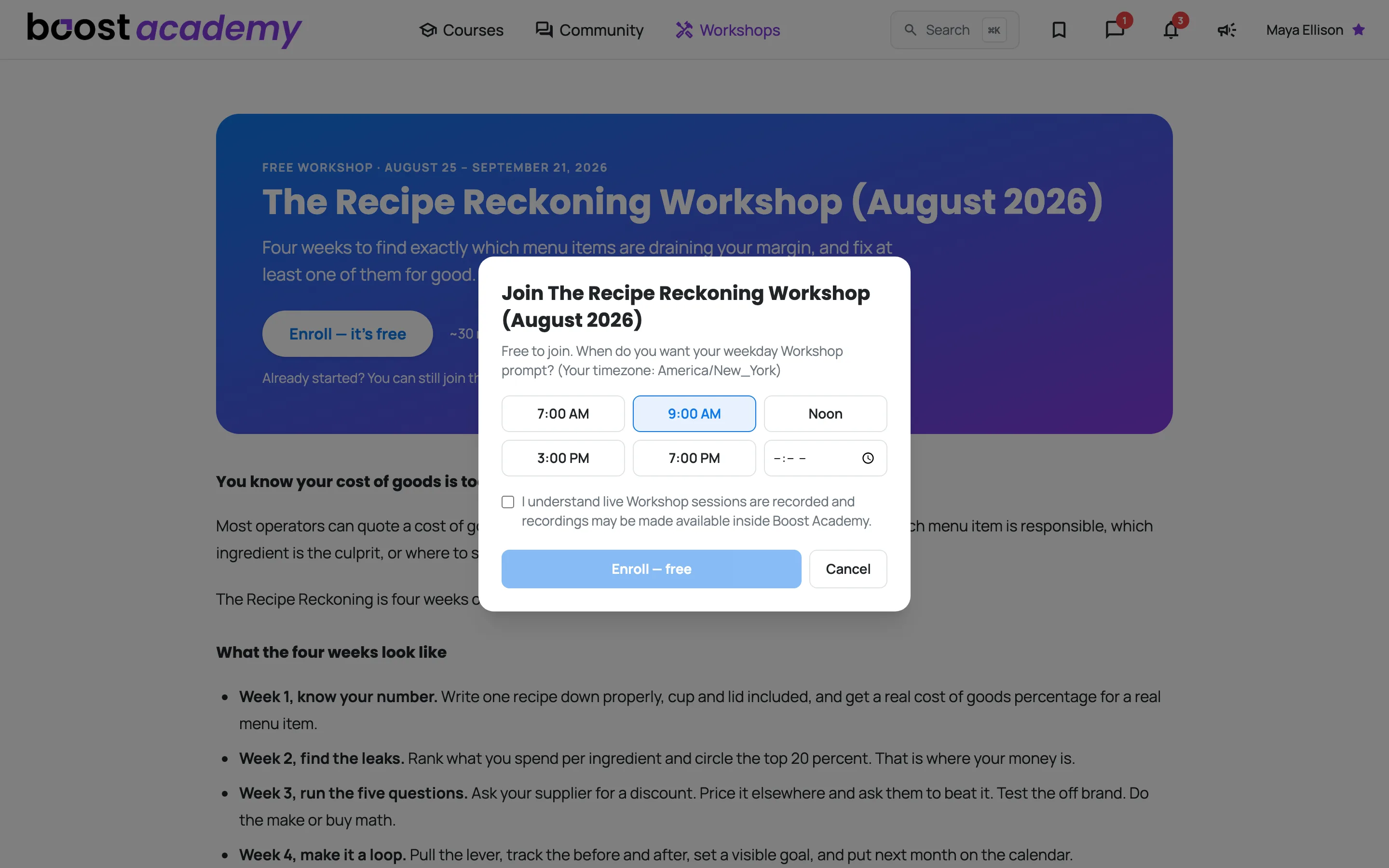
That is the whole thing. There is nothing to pay and nothing to schedule.
Tip
Missed the start? You can usually still join for the first couple of weeks. The Workshop page says whether late enrollment is still open, and you join at the day the group is actually on, not back at Day 1.
Your daily 30 minutes
Once you are in, the page stops selling and starts working. The day counter and your progress sit across the top, and the work is split into tabs so you are only ever looking at one thing at a time. Today is the one you want most mornings, and it comes in two halves: Still open today is what you owe, with a time estimate on each one, and Everything you've done so far underneath it is the record of what you have already finished.
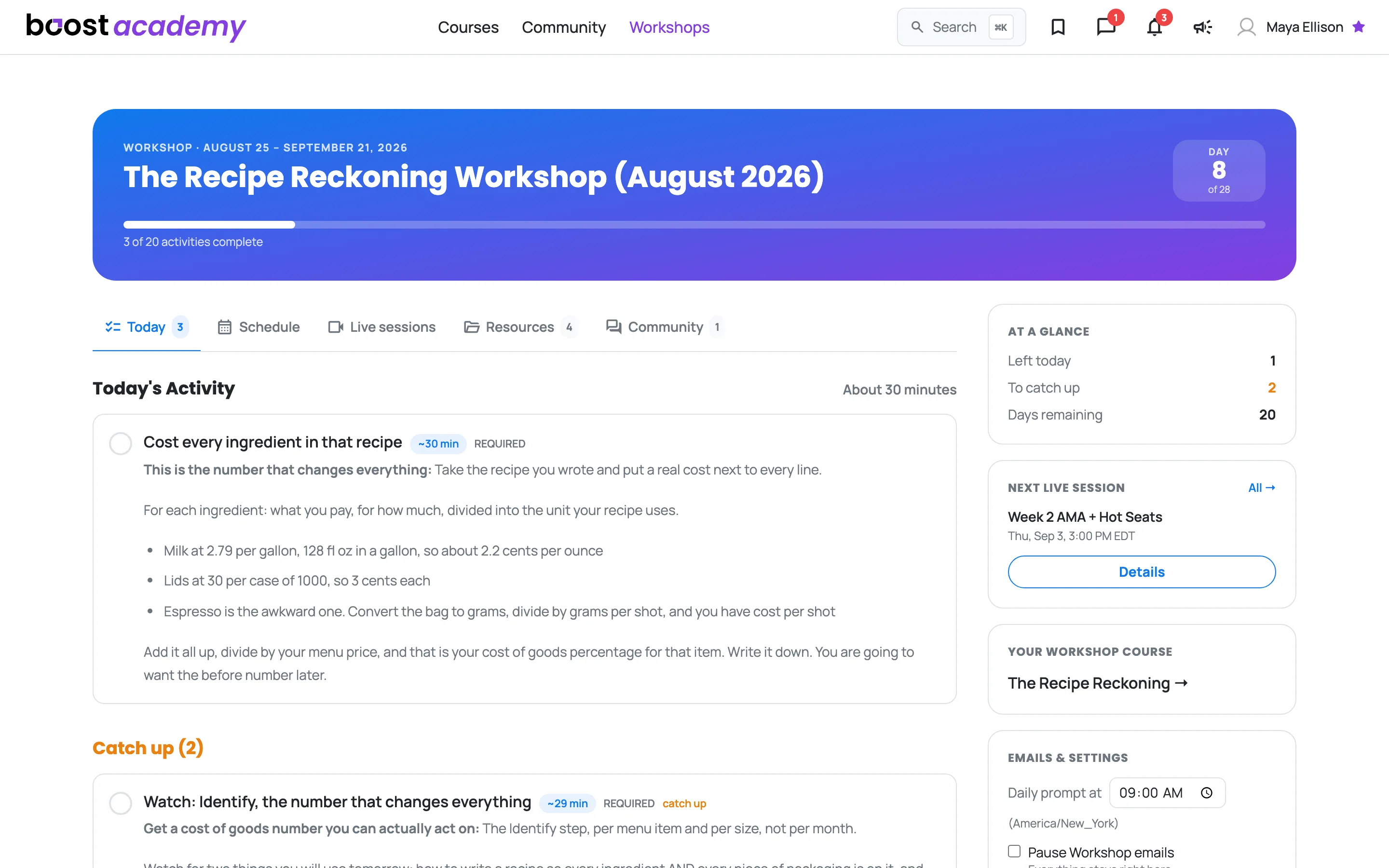
The number on the Today tab is what you actually owe right now: today's activities, anything you are catching up on, and a check-in if one is due. If it reads 3, there are three things between you and done.
Work down the list and you are finished. Each thing you tick leaves the top half and lands in the record below it, on the same screen, so the top half can empty out to a green confirmation that the day is done, without any of your work disappearing off the page. The record keeps your finished activities, the check-ins you have submitted and the sessions that have happened, grouped by day, and an activity or a check-in re-opens where it sits. Tomorrow's activity stays locked until tomorrow, so the page only ever asks you for the day you are actually in.
Down the right-hand side sits everything you consult rather than do: how you are tracking, the next live session, the course that comes with the Workshop, and your email settings.
Seeing the whole run
The Schedule tab is the map. Headed What's coming up, it lists every activity in the run, the ones you have unlocked and the ones you have not, with the day each lands on and whether you have finished it.
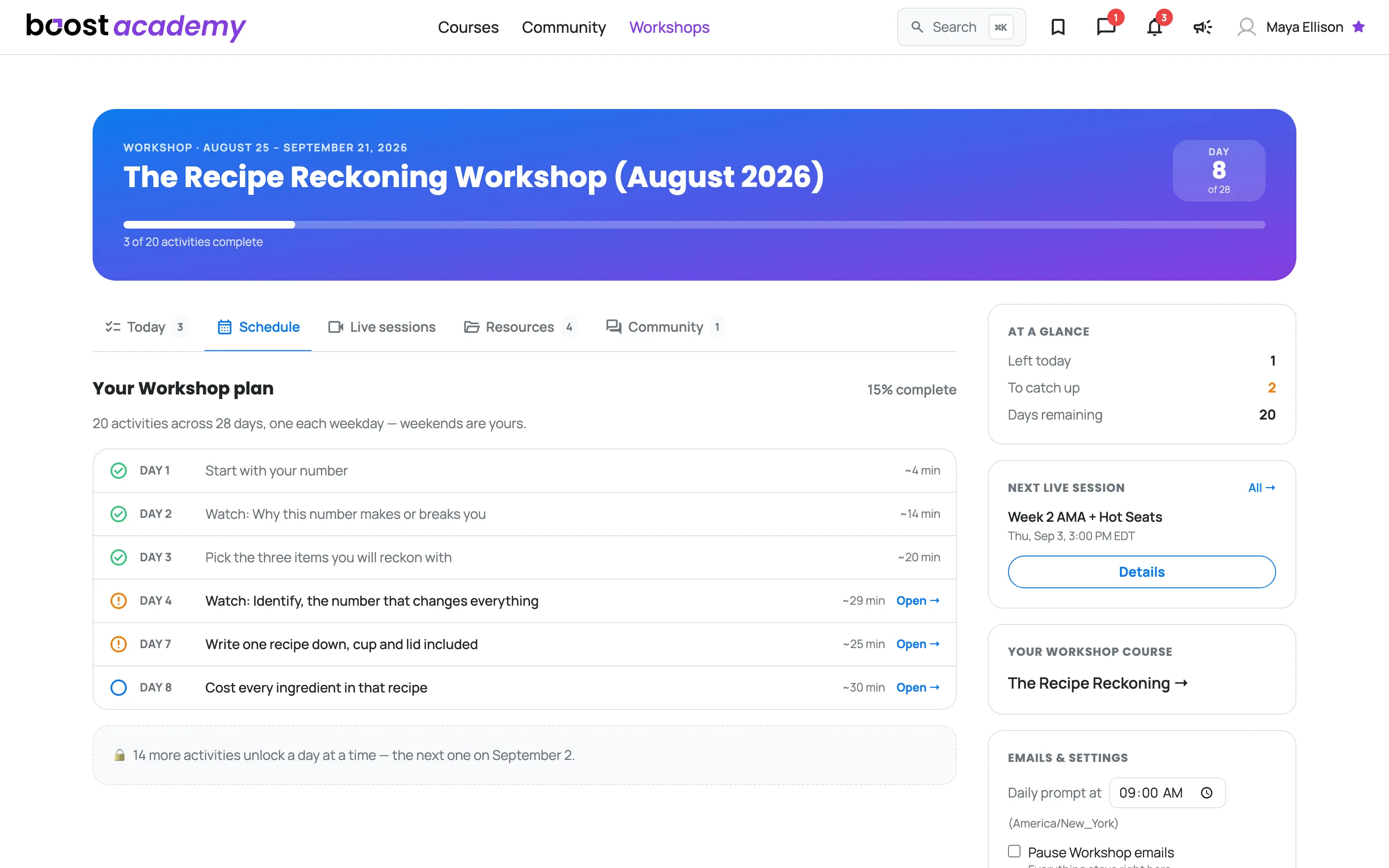
It is a map and not a second checklist, so nothing on it can be opened, ticked or read. Seeing a future title is the point. The instructions behind it stay shut until its day arrives, and the work itself always happens on Today.
If you miss a day
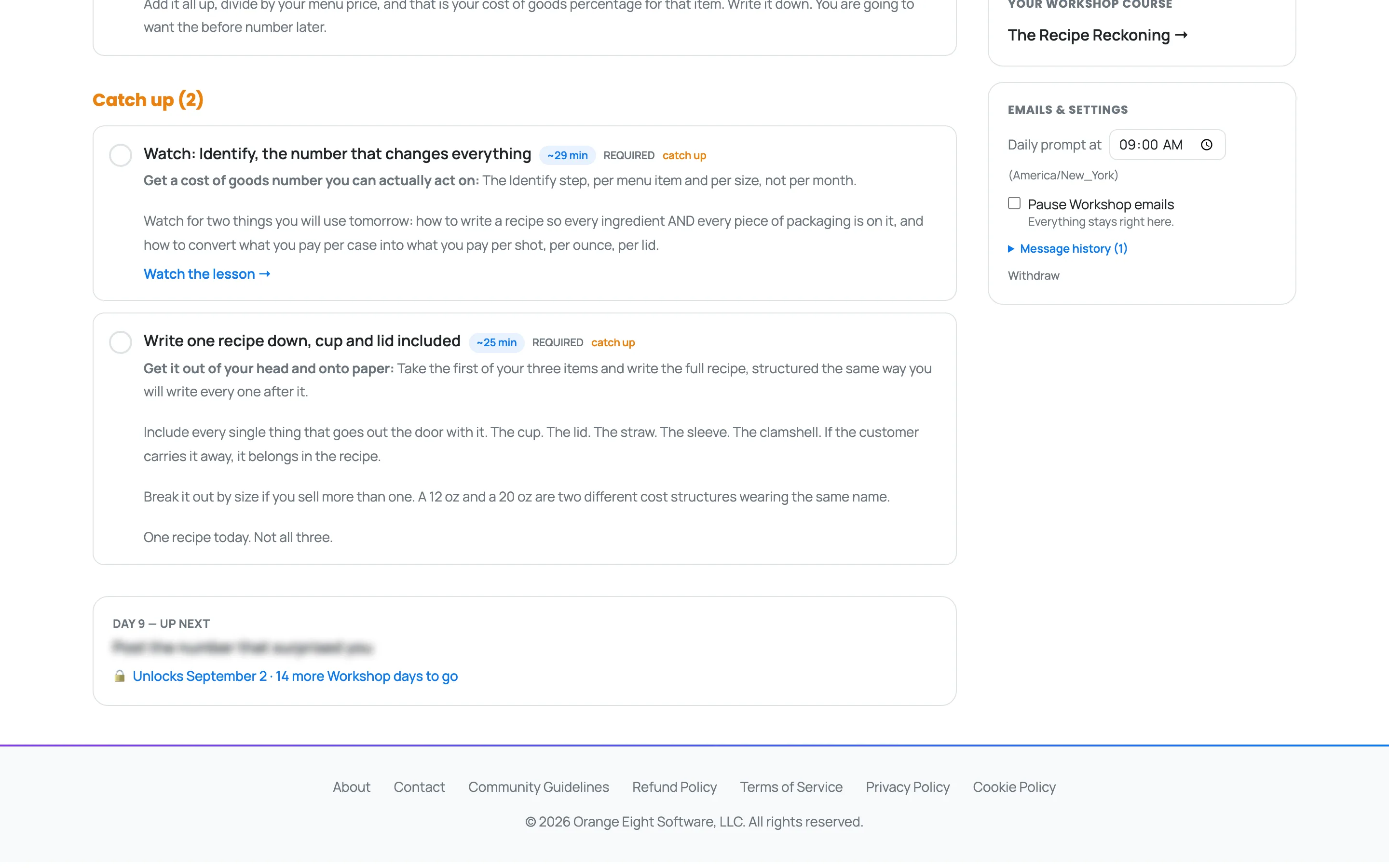
Nothing disappears. Anything you did not get to moves into a Catch up list on the same Today tab, which you can clear whenever the shop lets you. Each item says which day it was for, and the list runs oldest first, so two days behind reads as two days behind instead of an undated pile.
Everything else the Workshop comes with
Three more tabs, and a Workshop only shows the ones it actually has:
- Live sessions - the AMA and hot-seat calls, with a Join button that opens shortly before each one starts, and the replays afterwards.
- Resources - the Workshop's worksheets and templates, yours to download.
- Community - the discussions from this Workshop, and a box to start your own.
Changing when Boost emails you
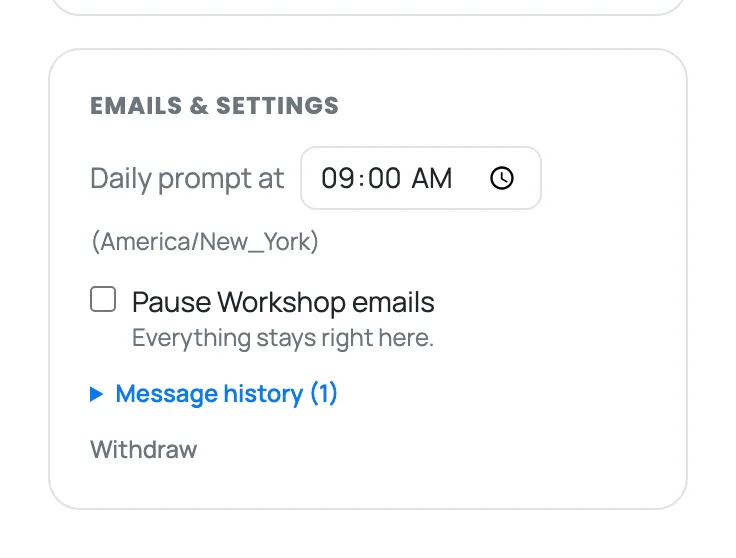
Find Emails & settings in the sidebar on the right. You can move your daily prompt to a different time, or pause Workshop emails entirely.
Note
Pausing costs you nothing. Every message Boost sends also appears in Message history on this page, so the Workshop page is always the complete picture.
What happens when it ends
Your record stays put. Your progress, your completion and badge, your check-in answers, and links to the discussions you started all remain on the Workshop, and those discussions stay on the regular community boards with the operators you met. The worksheets marked yours to keep stay downloadable too.
What closes at the end is the borrowed access: the included course, the full activity sequence, and the session recordings. Academy Plus members keep all of it, and can reopen any past Workshop from the Workshop Library to run it again at their own pace.
Ready to dig in? Log in to Boost Academy and open Workshops to see what is next.