Your Personalized Dashboard
Contents4 sections
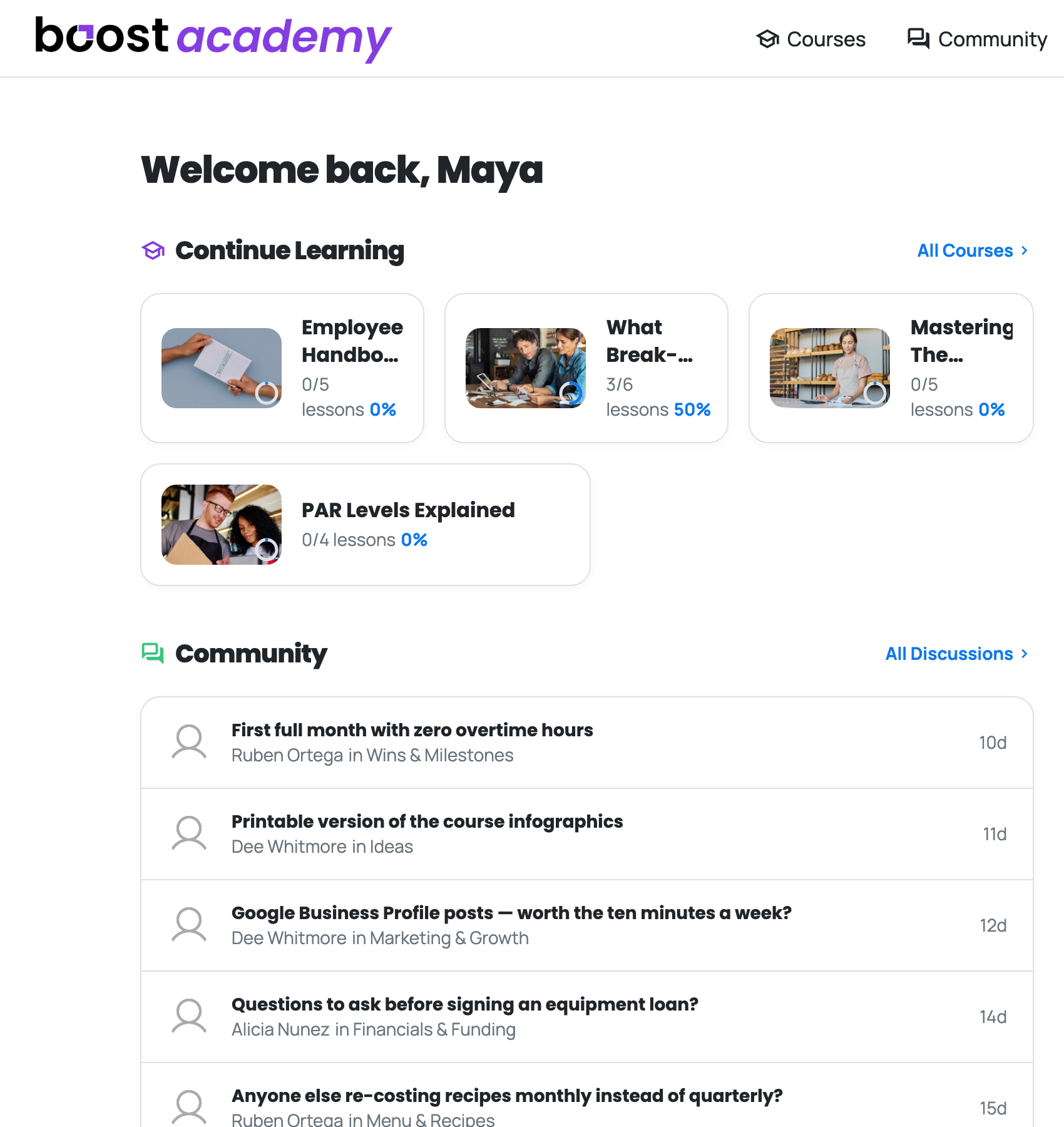
Straight Back to Work: Once you are signed in, the Boost Academy home page stops being a marketing page and becomes your dashboard. It opens with your name and, right underneath, the courses you have on the go.
Continue Learning
The Half-Finished One Is Obvious: Every course you are enrolled in appears with how far through you are, shown both as a lesson count and a percentage. A course sitting at 3/6 lessons and 50% is a lot harder to quietly abandon than one buried in a list somewhere.
Click any card and you land exactly where you stopped.
What the room is talking about
Drop Into a Conversation Without Going Looking: The Community block pulls the latest threads with who wrote them and which board they are in. You get the title, the operator, and how long ago, which is enough to decide whether it is worth your next five minutes.
What to learn next
Recommended: Alongside your active courses, the dashboard suggests what to pick up next, tagged by area so you can see at a glance whether it is a menu problem, a marketing problem, or an operations one.
Ready to dig in?
Log in to Boost Academy. You are already there.
Access: All members