

Getting Started with Onboarding
Contents5 sections
Two Minutes That Set You Up: When you first join, Boost Academy asks five short questions. They are not admin for the sake of it: they tell us where you are, what you run, and what you are trying to fix, and your stage and concept become part of the profile you share with the Operator Underground.
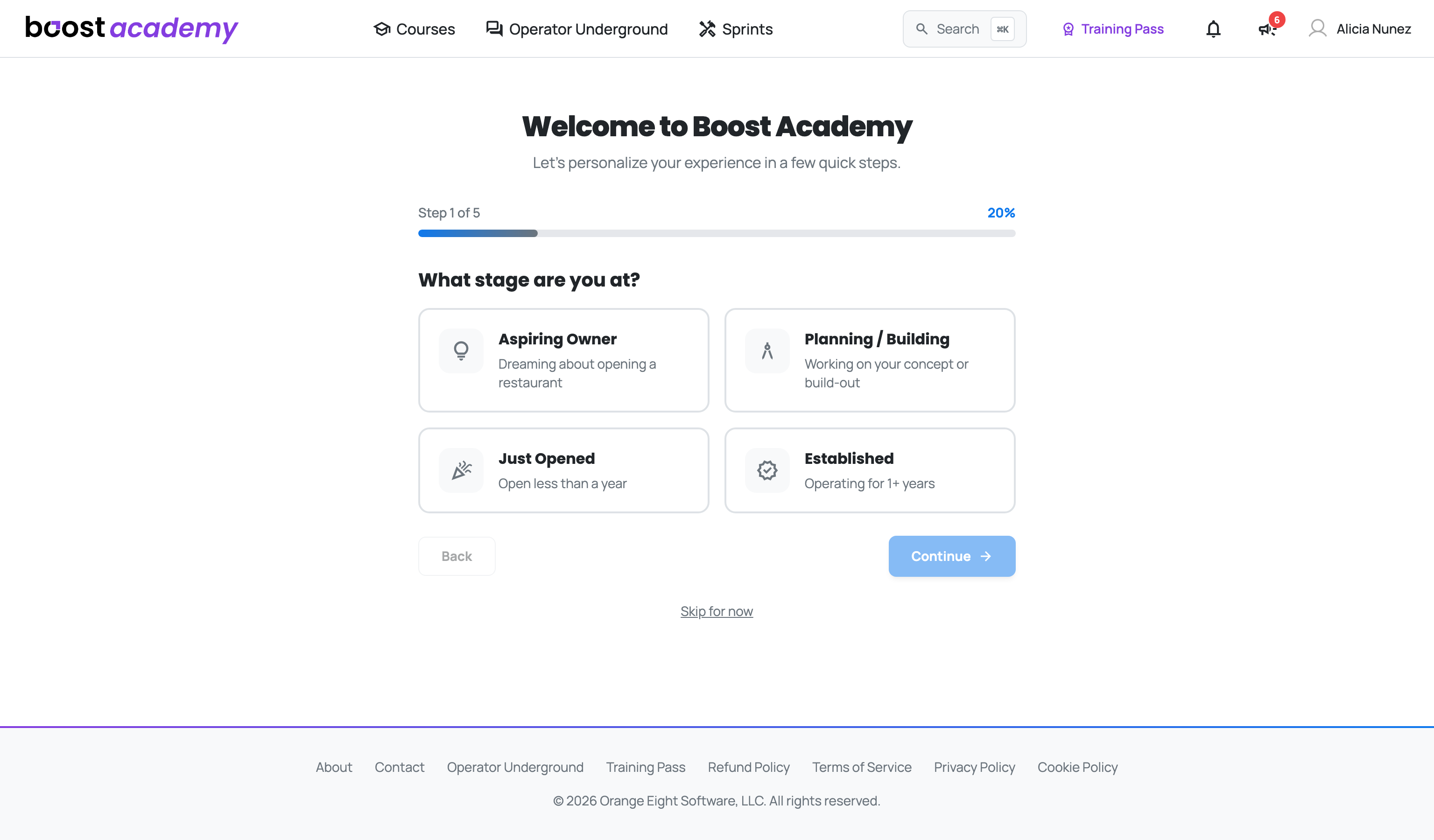
Where you are right now
Pick the Stage That Fits:
- Aspiring Owner, still dreaming about opening
- Planning / Building, working on the concept or the build-out
- Just Opened, under a year in
- Established, running for a year or more
Be honest with this one. The advice a pre-opening owner needs and the advice an established operator needs barely overlap.
What you run
Concept and Verticals: Next you pick your restaurant concept and the formats you operate in.
What you are working on
Goals and Topics: Then you choose what you want to get better at (growing revenue, reducing costs, hiring and keeping staff, and so on, or your own goal) and the topics that interest you. Complete Setup on the last step takes you to your dashboard.
Nothing here is locked in
Skip What You Are Not Sure About: A progress bar tracks you through all five steps, and Back lets you change an earlier answer. Skip for now sits under every step: it saves whatever you have answered so far and finishes setup, so you can get straight to the courses.
You can change your stage and concept any time from your profile on the Operator Underground (Edit profile), and plenty of people update their stage the week they finally open.
Ready to dig in?
Log in to Boost Academy, answer the five questions, and start your first course.
Access: All members