Setting Up Your Profile
Contents4 sections
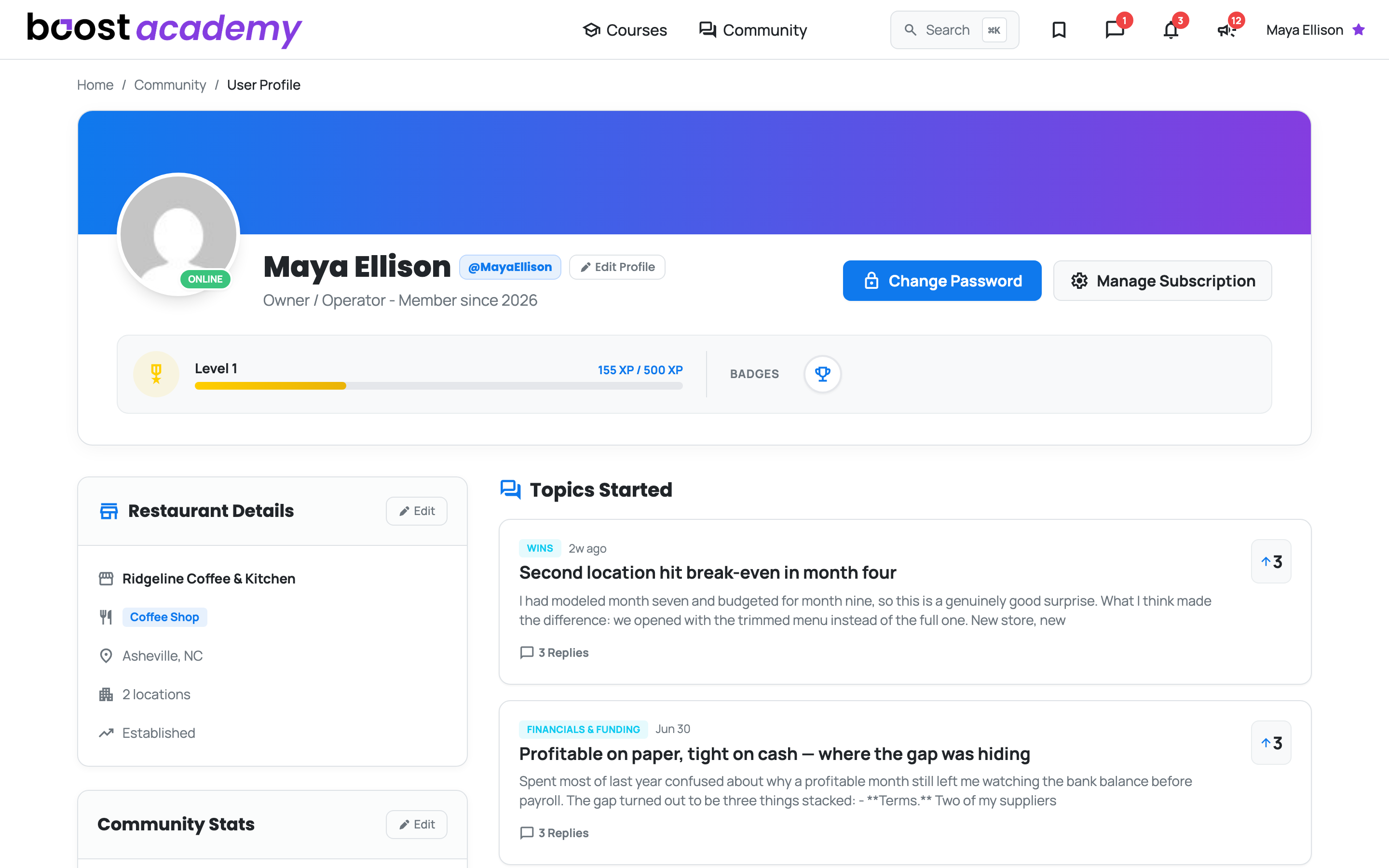
Two Minutes That Change How People Read You: Account is your side of Boost Academy. Half of it is private, half of it is what other operators see when you answer their question. The public half is worth filling in properly, because "I just opened" and "I have run this twelve years" are completely different answers to the same question, and nobody can tell which one you are giving without it.
Tell people what you actually run
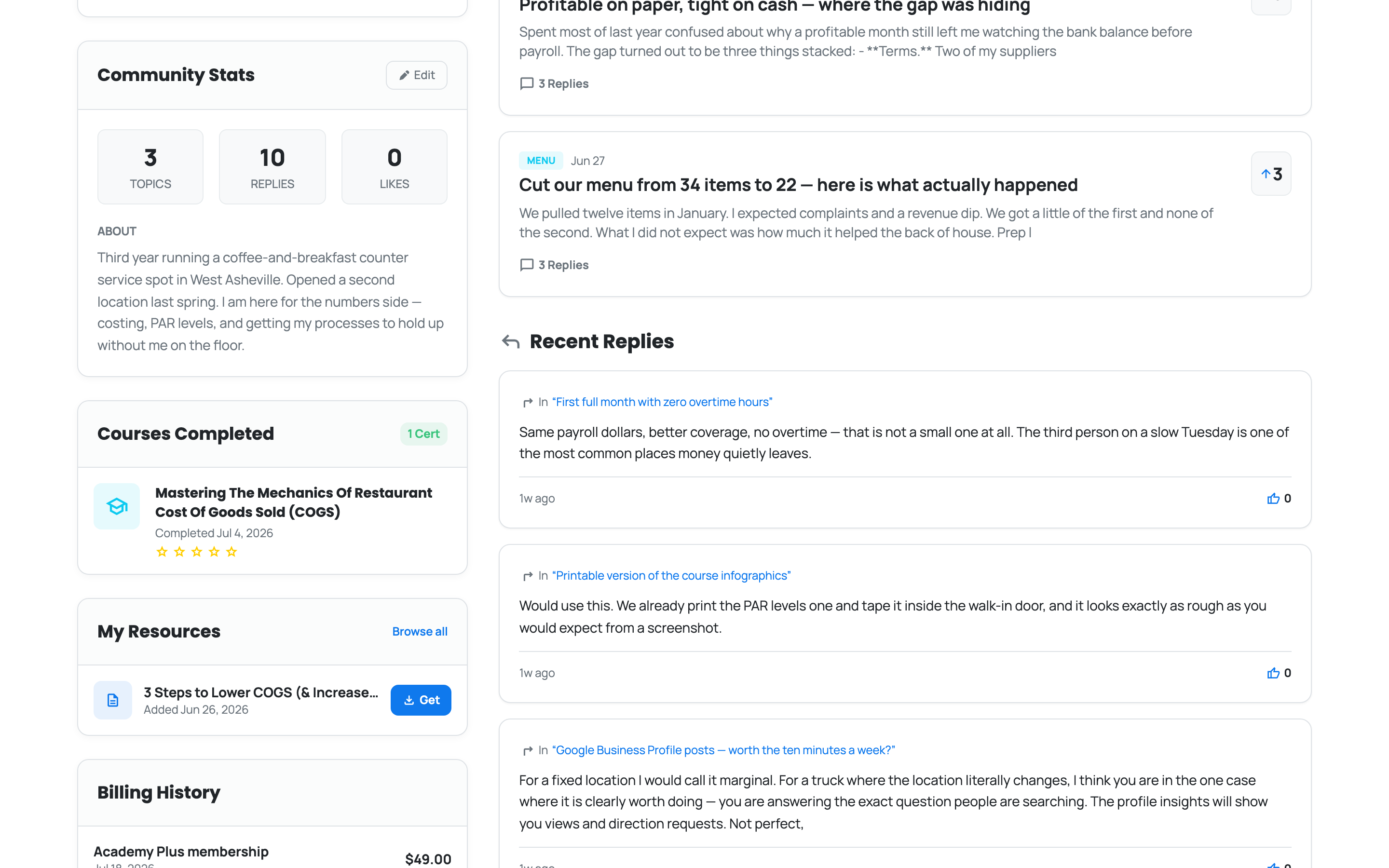
Edit Profile Is Where It Happens: Set your bio, your concept, how many locations you run, and your Operator Stage: aspiring owner, planning and building, just opened, or established operator. Your topic, reply, and like counts sit alongside it, so people can see you are a participant and not a lurker.
Your record of what you have finished
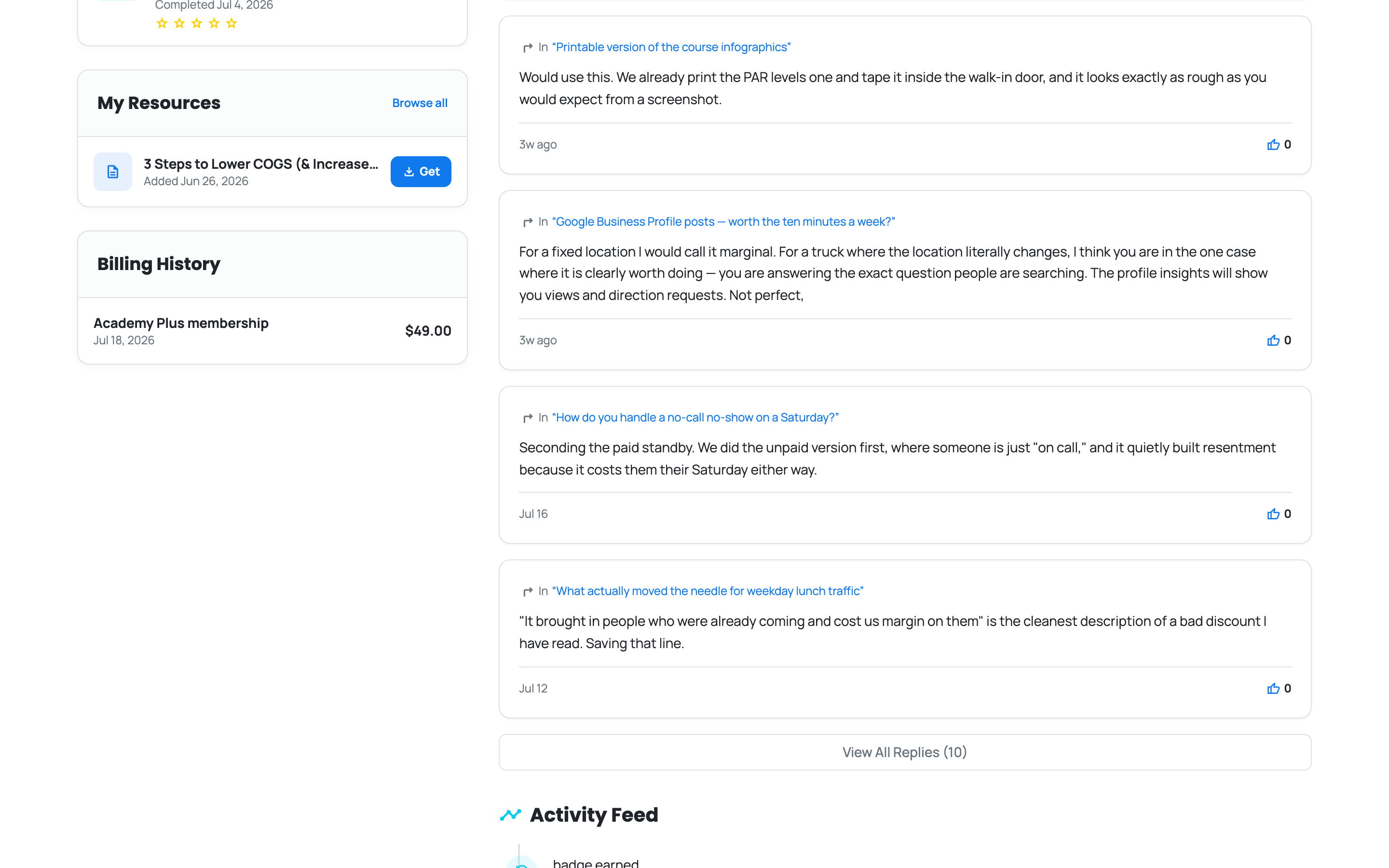
Proof, Not Just Progress: Courses you have completed are listed with the certificates you earned and the rating you left, and anything you claimed from Resources sits just below under My Resources.
Further down, Topics Started collects the threads you have opened in the community with their reply and vote counts, so you can pick up conversations you started weeks ago.
What you have paid
All in One Place: Billing History lists every payment against your account with its date and amount, and shows refunds struck through so the record reads straight.
Private to You: Billing history and your claimed resources never appear to anyone else viewing your profile. Only the public half is public.
Ready to dig in?
Log in to Boost Academy, open Account, and give your bio the two minutes.
Access: All members