

Checking Whether Checklists Get Done
Contents4 sections
Writing the checklist is the easy half. The reports are how you find out whether it is being worked or waved through.
Completion at a glance
Go to Checklists > Checklists > Dashboard. It answers the daily question in four windows: today, yesterday, the current week, and the current month.
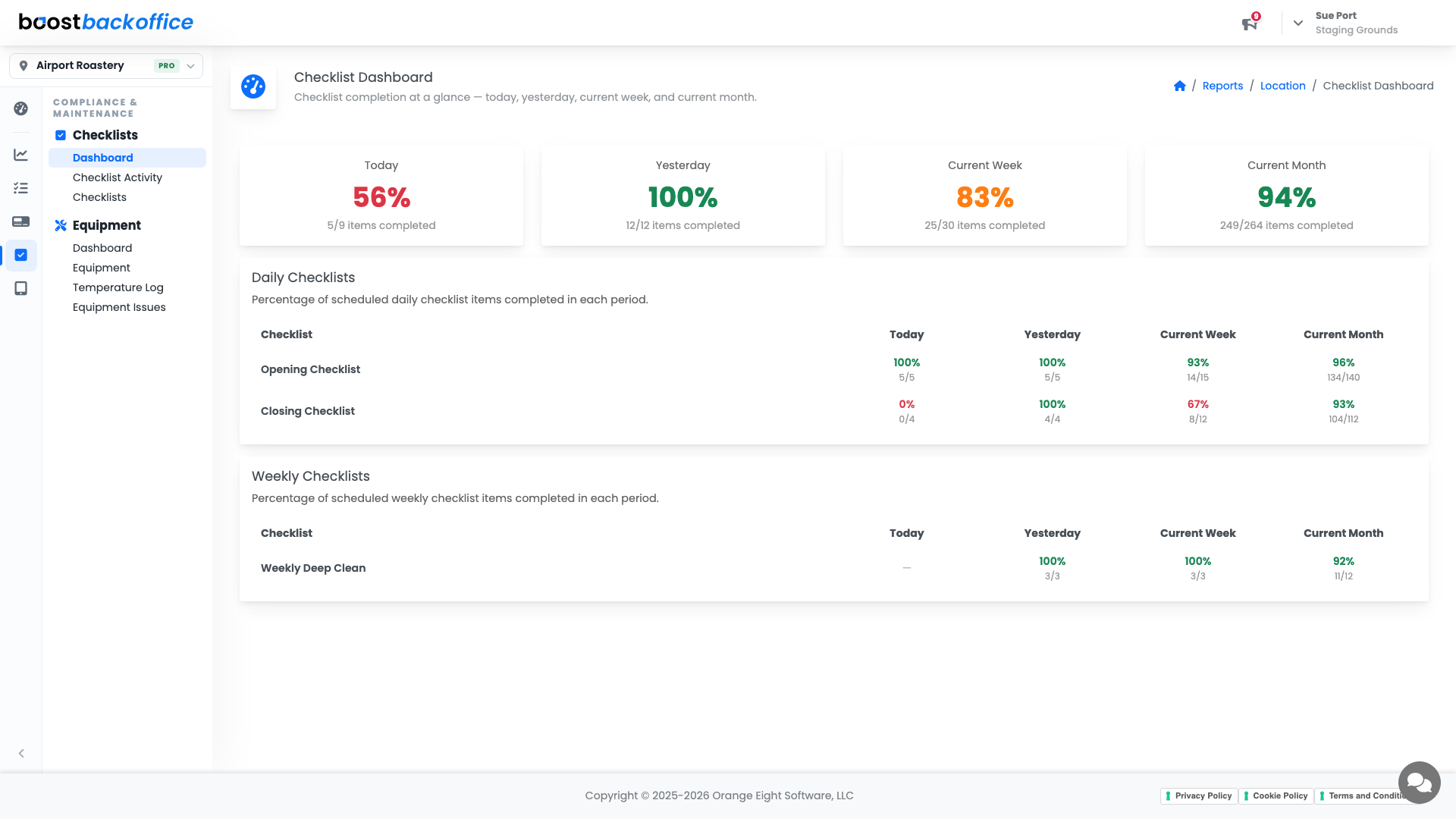
Today tells you about this shift. The month tells you whether you have a habit or a hope. A routine that is at ninety percent for the month and forty percent yesterday is usually about who was on rather than about the list.
Who is doing the work
Checklists > Checklists > Checklist Activity reads the initials your team enters at sign-off and shows who is completing the work.
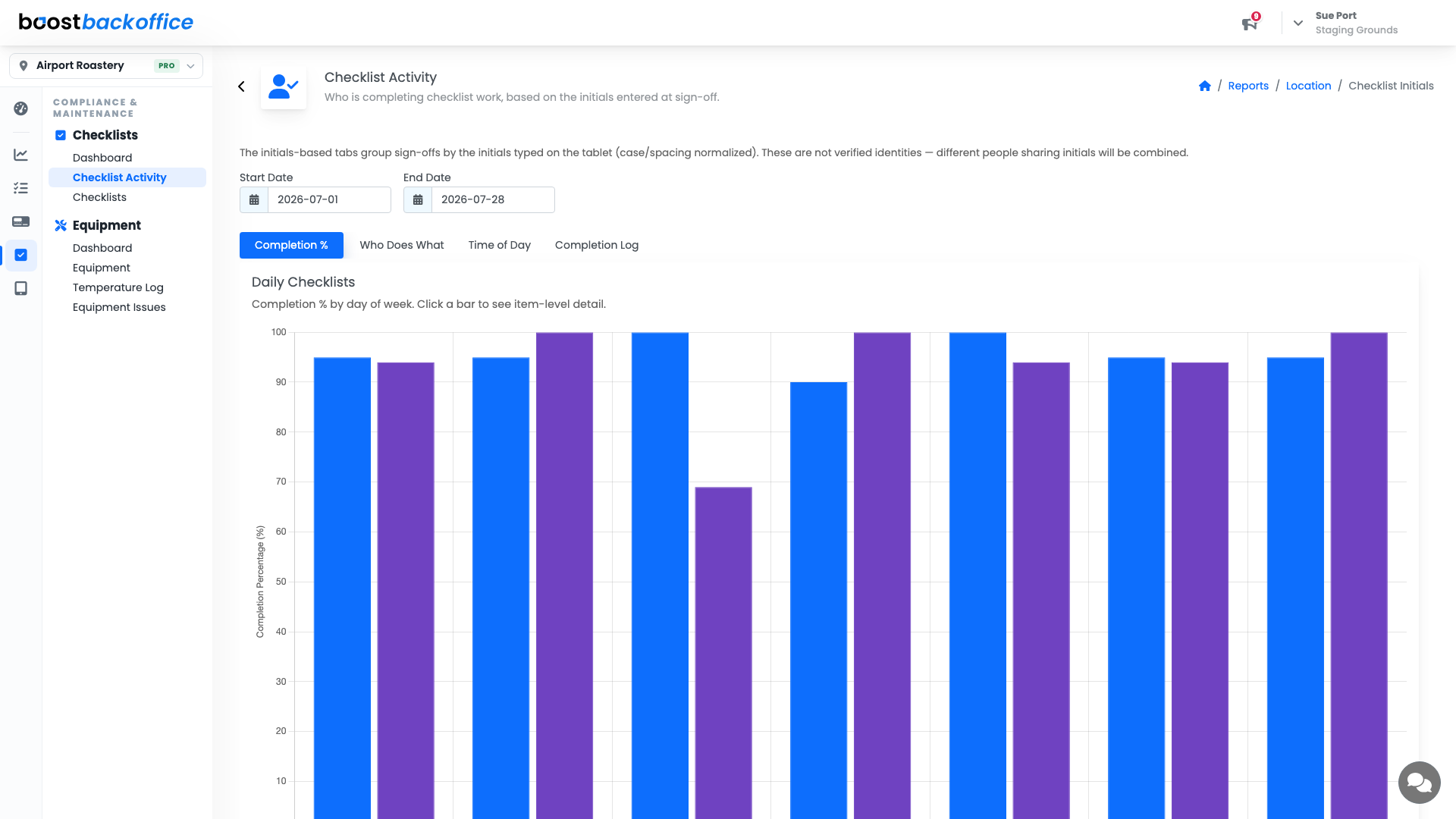
Use it to spot two things: the person carrying more than their share, and sign-offs that arrive in an implausible burst at the end of a shift.
Note
Initials identify who signed off, not who is at fault. Read a pattern as a training or scheduling signal before you read it as a performance one.
Down to a single checklist
The per-checklist completion view breaks one list down by day of week or start hour, which is where a recurring gap shows itself. A closing checklist that is reliably missed on Sundays is a rota problem with a name and a day attached, and that is a much easier conversation than "we need to be better at closing".
Tip
Check the item-level view before you rewrite a checklist. Usually it is one or two items being skipped, not the whole routine, and those items are normally either unclear or genuinely impossible in the time allowed.
What you should see
Completion in the nineties across the month, no single day or hour standing out as a hole, and sign-offs spread across the team rather than landing on one person.
Account Level: KDS & Pro