

Reading Equipment Health and the Temperature Log
Contents4 sections
Two screens cover equipment after it is set up: one for whether things are healthy right now, and one for proving what happened.
Equipment health at a glance
Go to Checklists > Equipment > Dashboard for the overview: equipment health, recent temperature readings, and open issues in one place.
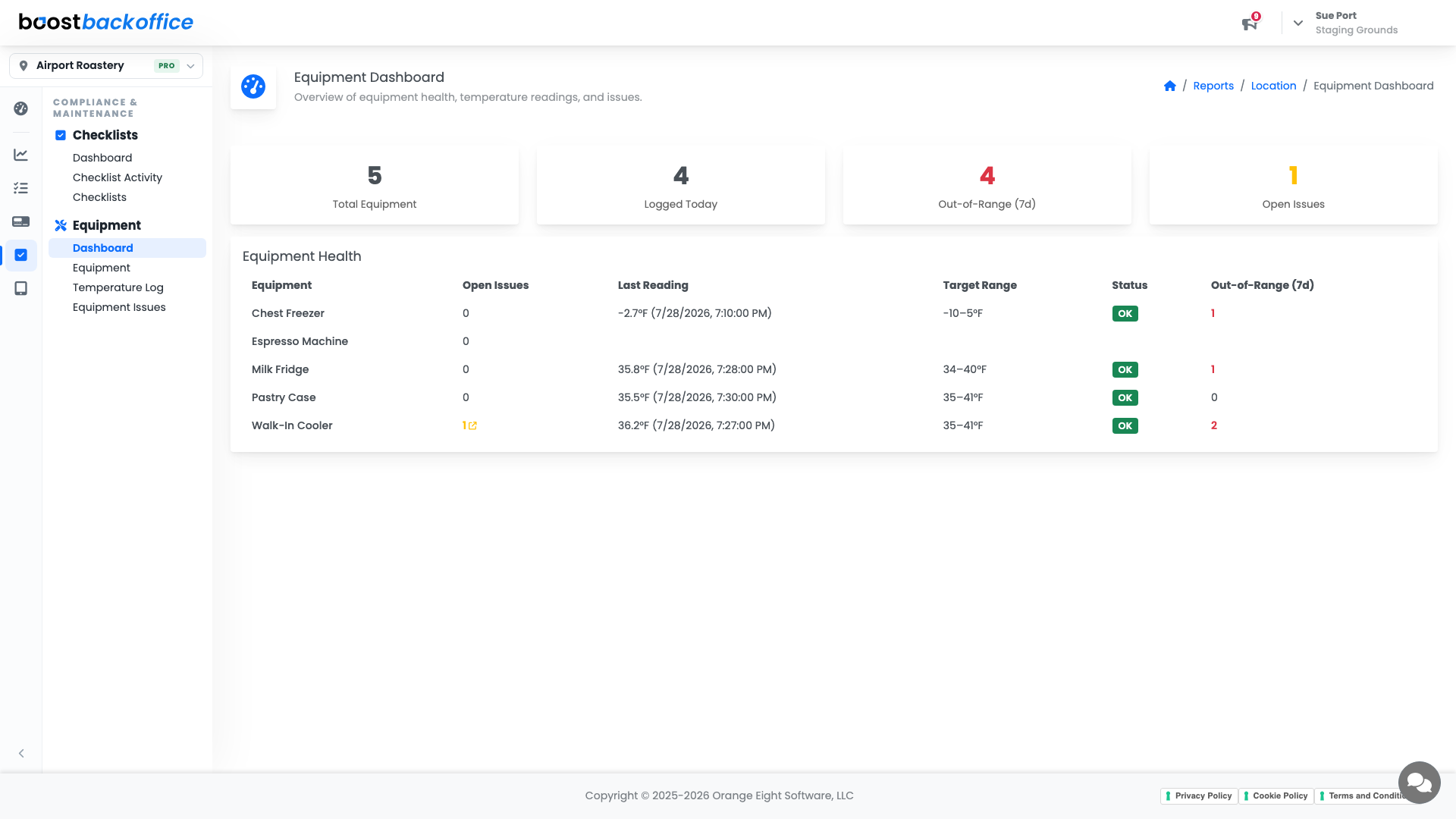
The same counts appear on the Equipment Health card on your Operations Dashboard, so a problem is visible from the home screen whether or not anyone opens this report.
Read it in this order:
- Currently out of range is a right-now problem, and usually product at risk.
- Out of range in the last seven days is a pattern. One reading is a door left open; five is a failing unit.
- Logged today tells you whether the checks are actually happening.
- Open issues is what is waiting on a repair.
The temperature record
Checklists > Equipment > Temperature Log is the history: the readings your team recorded against each piece of equipment.
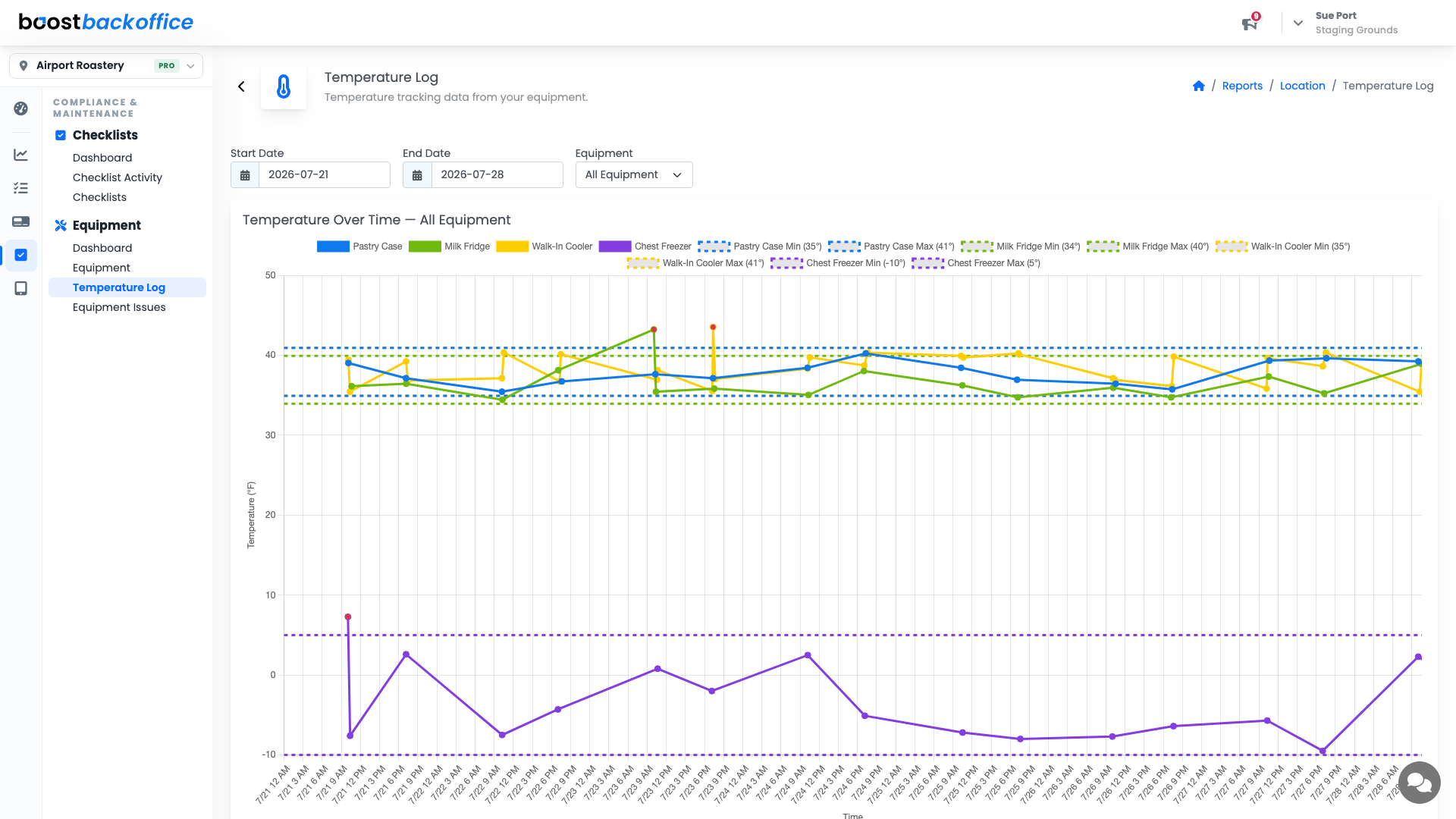
This is what you reach for when somebody asks you to show that a fridge held its temperature over a weekend. It is worth knowing where it lives before you need it in a hurry.
Important
The log only contains what your team recorded. A gap in it is a gap in the checks, and it will read as a gap to anybody who asks. Logged today on the dashboard is the number that keeps it honest.
Turning readings into action
An out-of-range reading should end with the corrective action you wrote on the equipment and, when it needs a repair, an entry in Equipment Issues so the fix gets chased rather than remembered.
What you should see
Nothing currently out of range, a seven-day count of zero or explained, checks logged every day you trade, and a temperature log with no unexplained gaps.
Account Level: Pro