

Setting Up Equipment and Logging Issues
Contents4 sections
Temperature logs are only worth keeping if somebody knows what to do when a number is wrong. Equipment setup is where you put the safe range and the corrective action in the same place as the check itself.
List your equipment
Go to Checklists > Equipment > Equipment. Every fridge, freezer, oven, and machine your team checks lives here with the range it should hold.
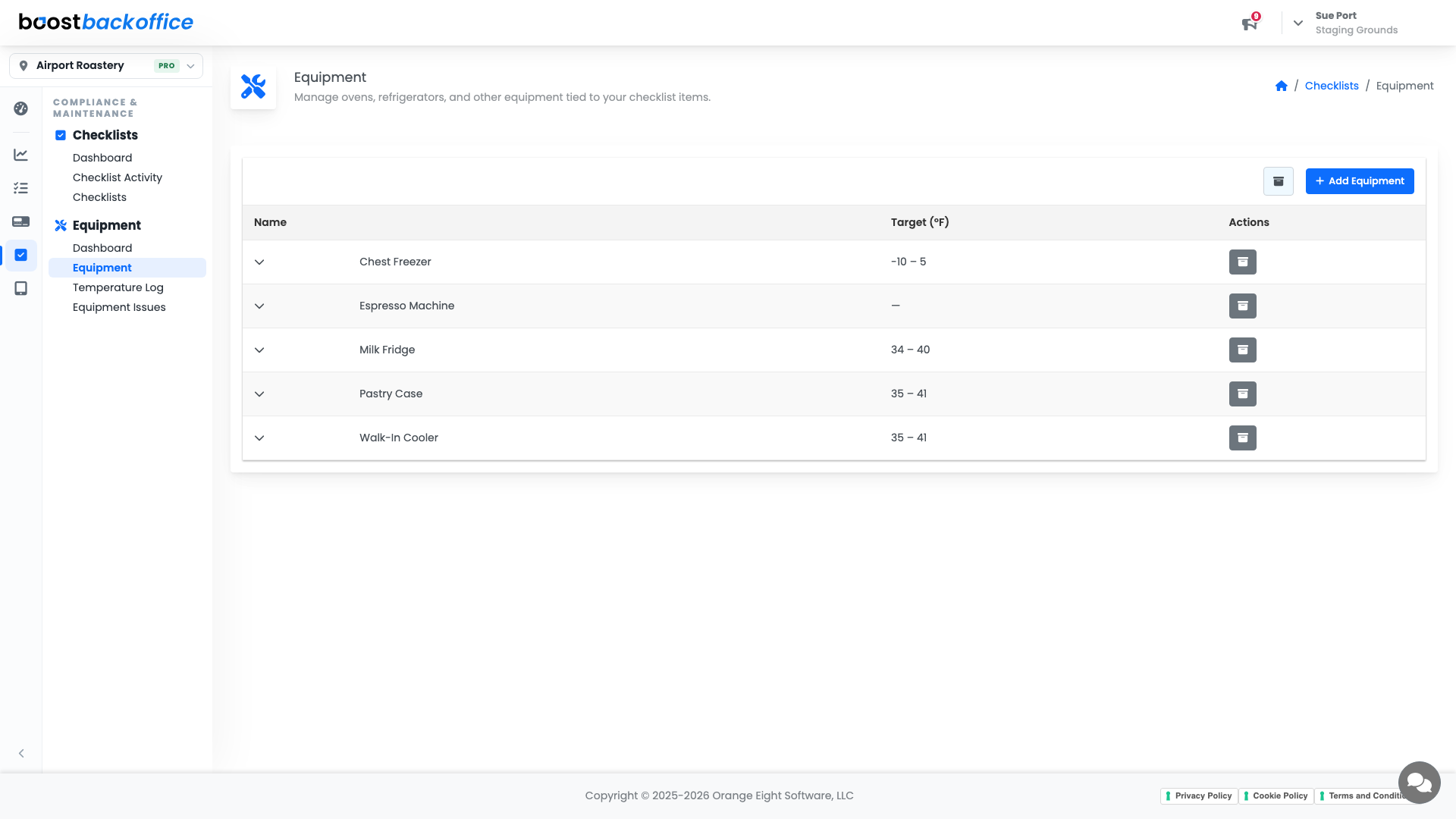
Press Add Equipment to add one. The Target (°F) column is the range a reading has to fall inside; equipment that has no range to hold, like an espresso machine you check for cleanliness rather than temperature, simply has none.
What each piece of equipment carries
Expand a row and you can set:
- Target range, the low and high your reading must sit between.
- Instructions, what the person checking should actually do.
- Check point name, so a walk-in with two probes records two clearly labelled readings.
- Corrective action label, what to do when the reading is out of range.
Important
The corrective action is the part people skip and the part that matters. "Move product to the walk-in and call maintenance" turns an out-of-range reading into a fixed problem rather than a logged one.
Track what is broken
Checklists > Equipment > Equipment Issues is the maintenance log. When something is out of range, making a noise, or waiting on a part, it gets reported and tracked here rather than on a sticky note by the till.
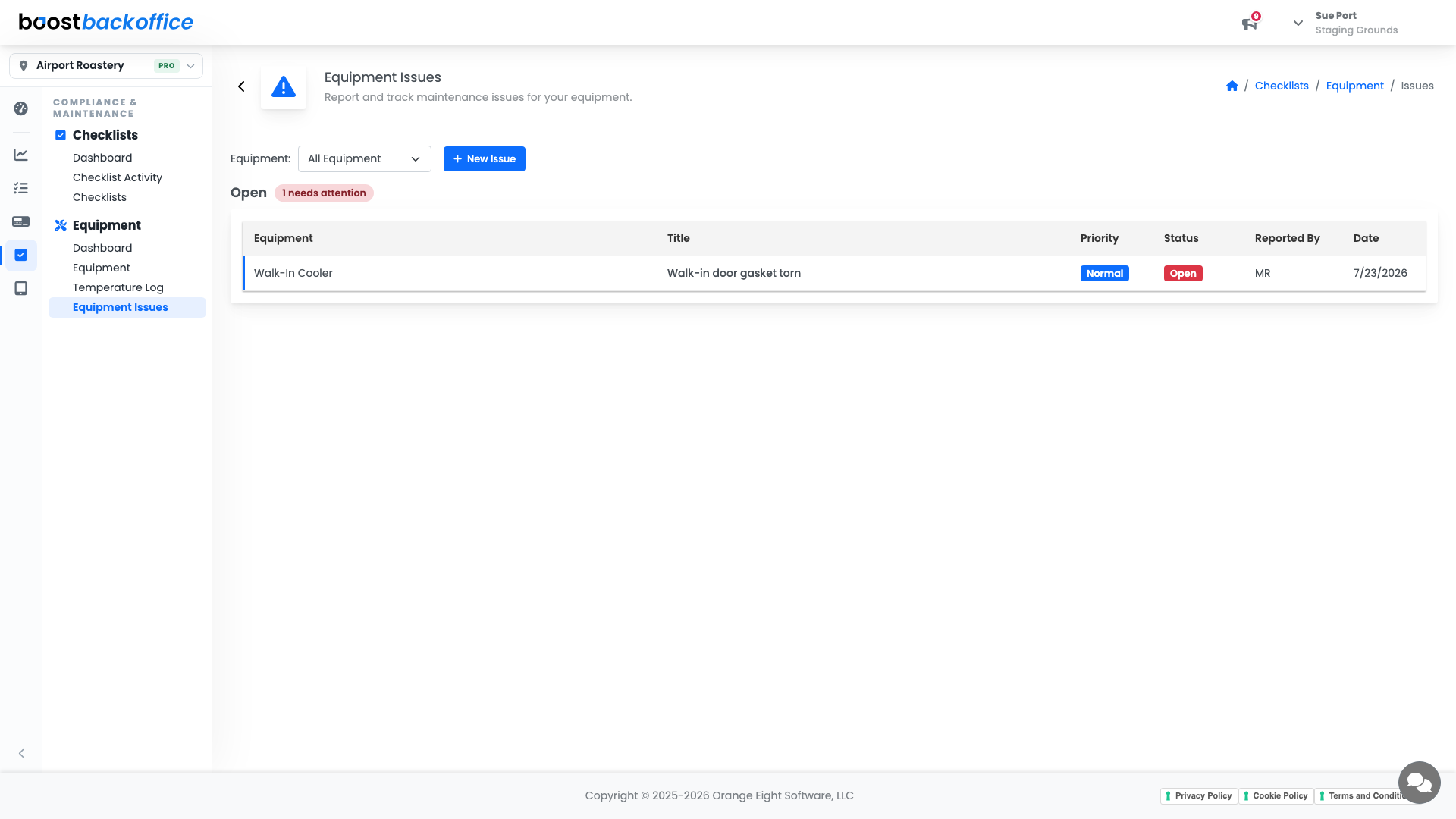
Open issues also surface on the Equipment Health card on your Operations Dashboard, so a repair nobody chased does not stay invisible.
What you should see
Every piece of equipment your team checks, each with an honest range and a corrective action written in plain language, and an issues list that gets shorter rather than longer.
Account Level: Pro