

Inviting an operator to the Underground
Contents3 sections
You know an operator who is fighting the same fires you are. The room gets better with every operator who brings real problems and real numbers, so send them your link.
Get your link
Your Own Way In: Open Settings from your account menu and pick the Referrals tab.
- The first time, press Get your link.
- Press Copy link. It reads Copied for a moment.
- Paste it into a text, an email or a DM to the operator you have in mind.
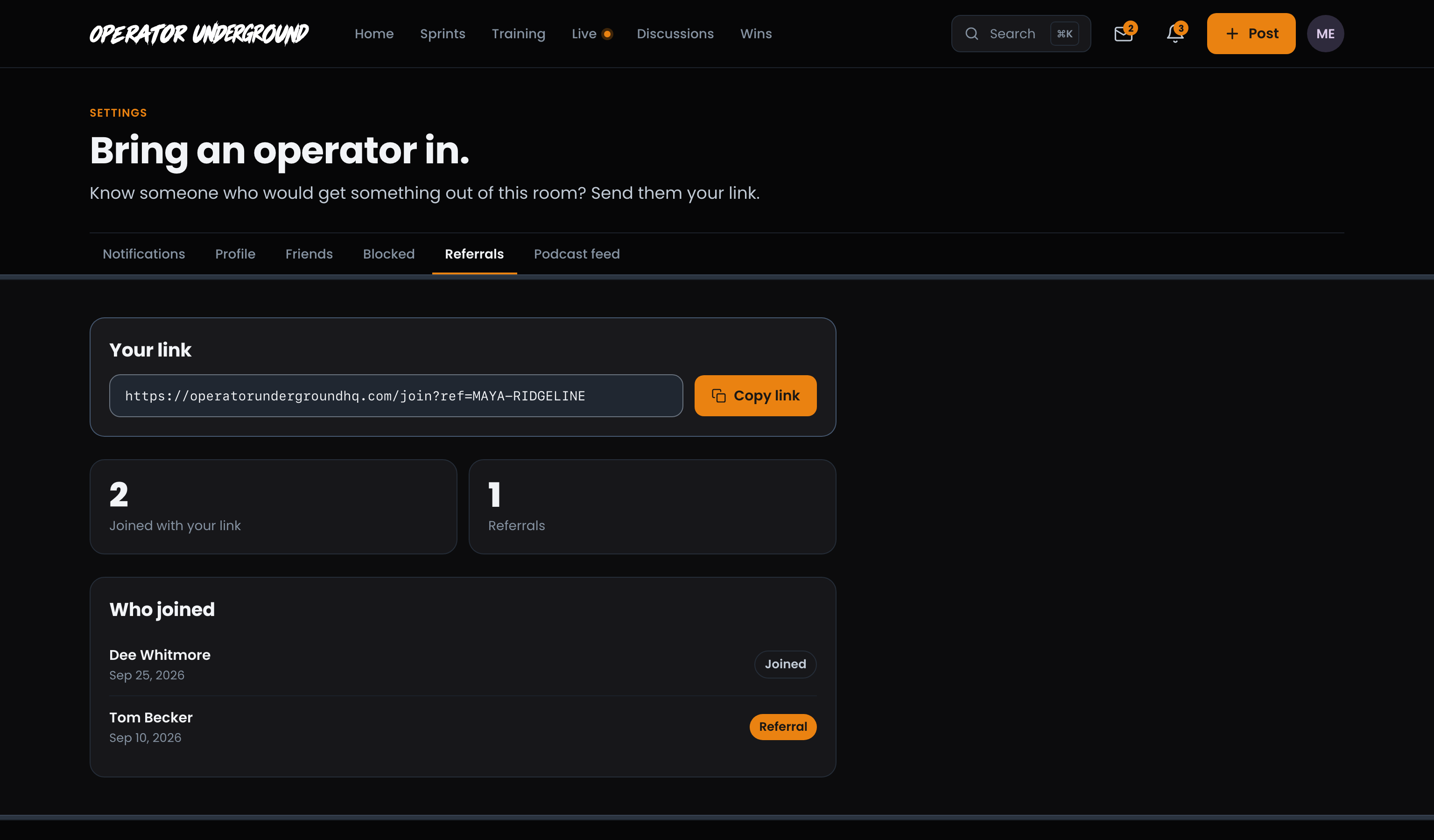
Your link stays the same, so you can send it to as many operators as you like.
What they see
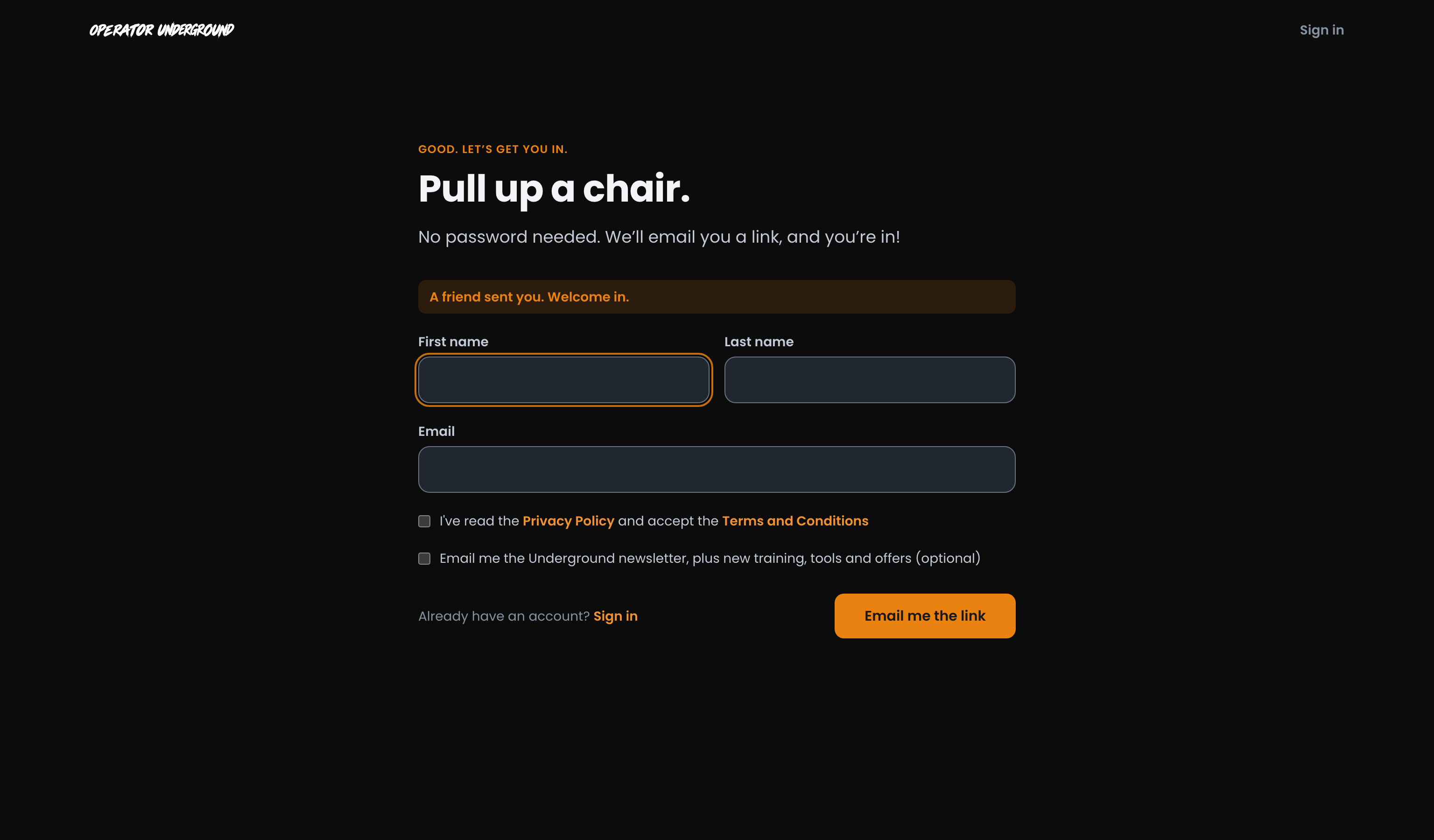
A Warm Welcome: Your link opens the Underground's Join page. They hear what the Underground is about and decide whether it sounds like them, just like anyone else. When they press I'm in, the form tells them A friend sent you. Welcome in. They add their name and email and we send them a link to finish. No password. Joining the Operator Underground walks through the rest of their first few minutes.
Note
Only a brand-new account counts. If the person you send already has a Boost Academy or Underground account, they just sign in, and they will not show up on your list. Your own link does not count for you, either.
See who joined
Keep Score of the Room You Built: Back on Referrals:
- Joined with your link counts everyone who made a new account from it.
- Referrals counts the people who joined with your link and went on to buy the Training Pass, on the Underground, in the App Store or on Google Play. A pass given as a Sprint reward or by the team does not count.
- Who joined lists each person, newest first, with the date they joined and Joined or, once they buy the pass, Referral.
A friend who joined shows up here once they finish signing up from the email we send them. If they never open it, they are not counted yet. Once someone counts as a Referral, they stay one, even if their pass later ends.
Note
Referrals is a count of the operators you brought in who went all in. It does not add pass time or anything else to your account, and nobody gets a notification when it goes up.
Ready to dig in? Sign in to the Operator Underground, open Settings → Referrals and send your link to an operator who should be in the room.
Access: All members