

Your Underground Account
Contents3 sections
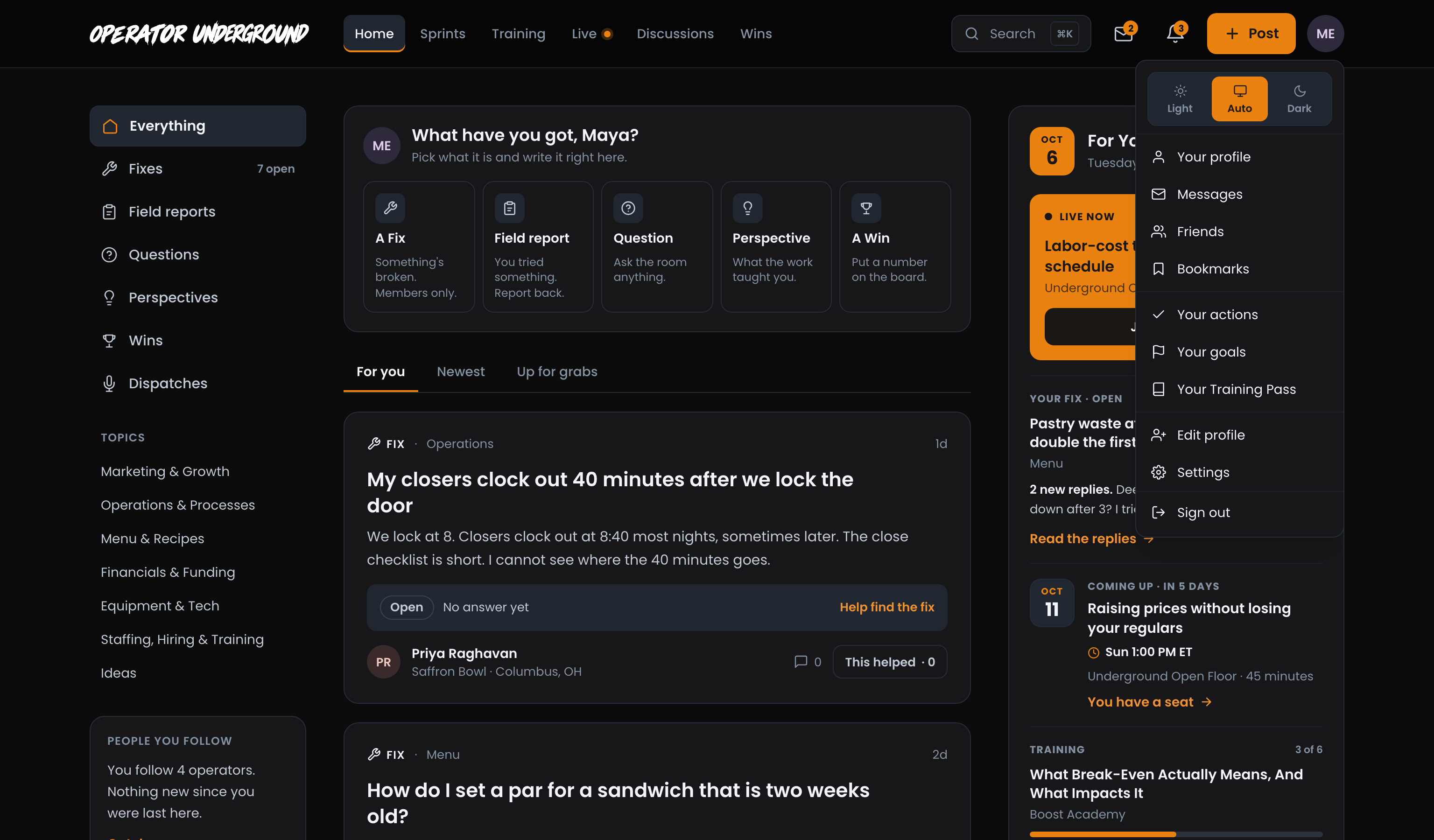
Everything about your account lives on the Operator Underground. Press your initials at the top right to open your account menu: the theme switch sits at the top, with Edit profile and Settings at the bottom. Settings has six tabs: Notifications, Profile, Friends, Blocked, Referrals and Podcast feed.
What you can do here
- Signing in to the Underground: get in with your email and no password, by link or by the 6-digit code. One account covers Boost Academy and the Underground.
- Your profile and settings on the Underground: your profile and shop, what reaches you, your bookmarks and goals, and deleting your account.
- Light and dark mode on the Underground: bright office or dark back office, pick Light, Dark or Auto. Signed in, the choice follows you to every device.
- Inviting an operator to the Underground: bring an operator into the room with your link from Settings → Referrals, and see who joined.
- Your podcast feed on the Underground: turn the drive to the shop into learning time, with course audio and Underground episodes in the podcast app you already use.
Who sees it
- Before you sign in: the sign-in page, and the light and dark switch in the header (your choice is kept on that device until you sign in).
- All members: everything else here. Settings, its tabs, Bookmarks and Your goals ask you to sign in first, then bring you straight back to the page you wanted.
- The Underground Training Pass: the private podcast feed. Without the pass, Settings → Podcast feed offers Get the Training Pass instead. Once you hold it, your account menu shows Your Training Pass.
Related
- Messaging and friends on the Underground: the Friends and Blocked tabs, and your messages.
- Notifications on the Underground: what the Notifications tab controls, in the bell and by email.
- The Underground Training Pass: what the pass adds, and where to manage or cancel it.
- The Operator Underground at a Glance: everything else you can do on the Underground.