

Your podcast feed on the Underground
Contents4 sections
The drive to the shop, the walk-in inventory, the slow hour before close: good time to learn. Your private podcast feed puts your course audio and the Underground's episodes in the podcast app you already use.
Important
The private podcast feed comes with the Underground Training Pass. Without the pass you can't make a feed, and a feed link plays only while the account it belongs to holds the pass. The Underground Training Pass covers how to get it.
What is in your feed
Learn Between Shifts: Your feed carries two things:
- Audio lessons from your courses. Every audio lesson in a course you are enrolled in, titled with the course and the lesson. Enroll in another course with audio and its lessons join the feed.
- Operator Underground episodes. The Underground's own episodes from its open topics, each linking back to its discussion so you can jump in after you listen.
In your app it shows up as Operator Underground - Your Training Feed. New episodes arrive on their own the next time your app checks for them.
Set it up
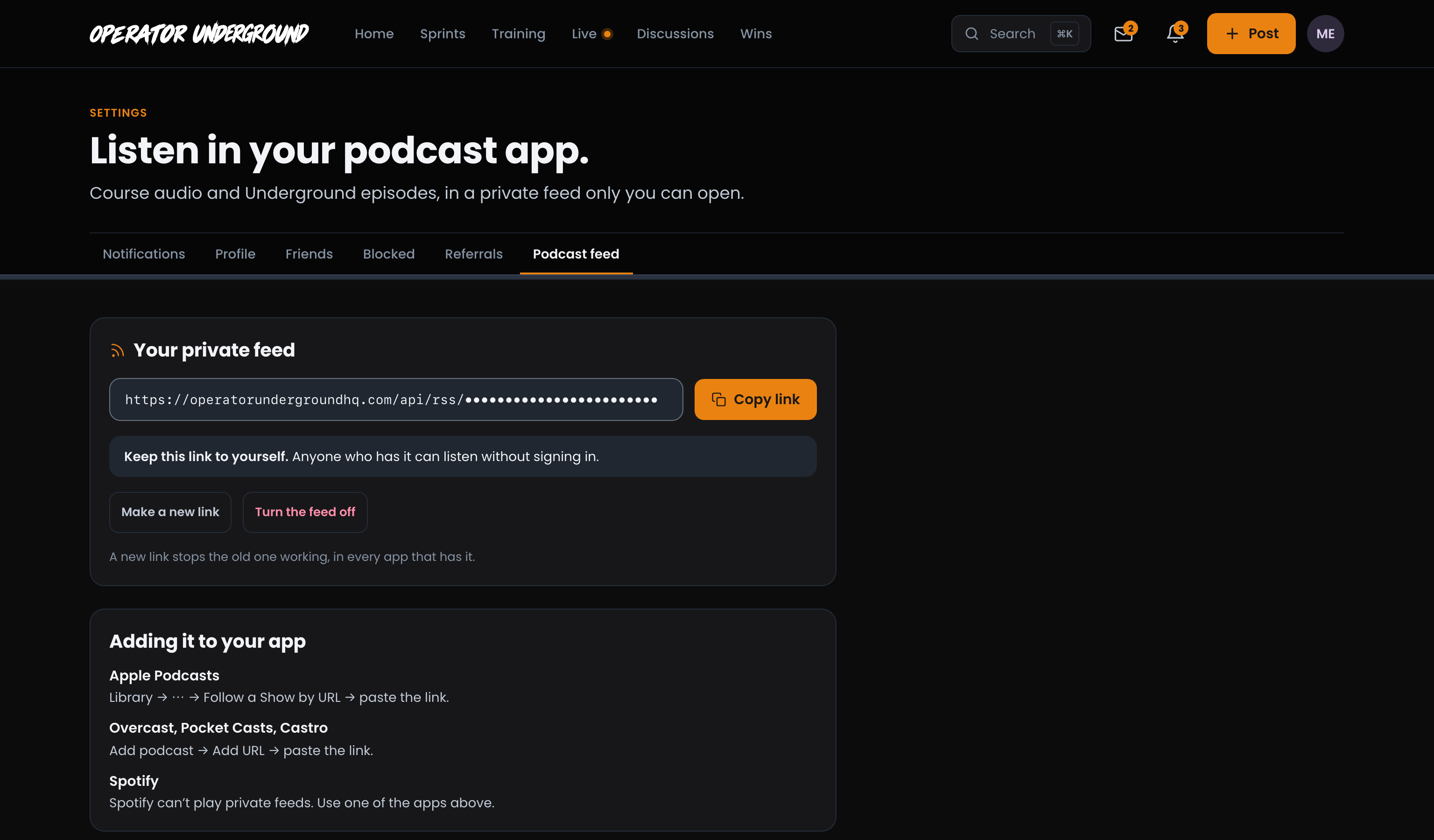
Two Minutes, Once: Open Settings from your account menu and pick the Podcast feed tab.
- Press Make my feed.
- Press Copy link.
- Add it to your podcast app:
- Apple Podcasts: Library, then the ⋯ menu, then Follow a Show by URL, and paste the link.
- Overcast, Pocket Casts or Castro: Add podcast, then Add URL, and paste the link.
Note
Spotify can't play private feeds, so it can't play this one. Use one of the apps above.
Keep it private
Your Link Is Your Key: Anyone who has the link can listen without signing in, so keep it to yourself. Do not post it in a discussion or share it with your team.
- Make a new link if the old one got out. The old link stops working in every app that has it, so paste the new one into your own app afterwards.
- Turn the feed off if you are done with it. The link stops working, and Make my feed is there if you want it back.
Without the Training Pass
One Click to Get It: Without the pass, Settings → Podcast feed says Your private podcast feed comes with the Training Pass, with Get the Training Pass.
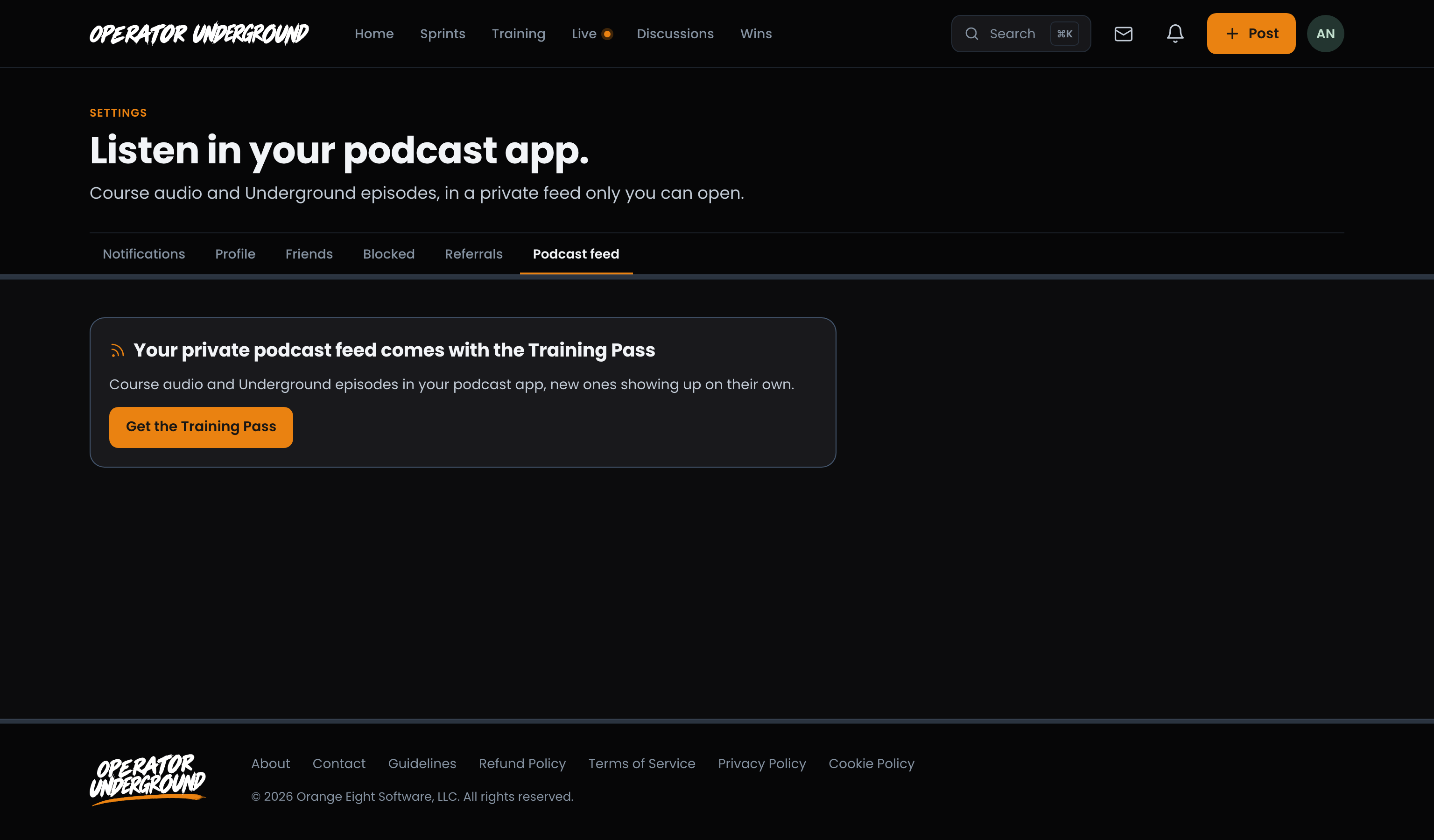
If Your Pass Ends: Your feed link is kept, but it is paused. Your podcast app stops getting episodes, and the page tells you the link is paused until you have the Training Pass again. Get the pass back and the same link plays again, with nothing to set up.
Tip
Set up your feed on Boost Academy before it moved here? It keeps working as it is while you hold the Training Pass, and your app will not list the episodes twice. There is nothing to redo.
Ready to dig in? Sign in to the Operator Underground, open Settings → Podcast feed and press Make my feed.
Access: Training Pass