Reporting Content in the Community
Contents4 sections
Keeping the Room Worth Being In: The Boost Academy community works because operators are candid about numbers they would not post publicly anywhere else. That only holds while the room stays civil. If you see something that does not belong, reporting it takes about ten seconds.
Finding the flag
It Is on Everything: Every thread and every individual reply carries a small flag control alongside the reply and share actions. You will find it on the community hub, on board pages, and on the thread itself, so you can report from wherever you happened to see the thing rather than having to navigate to it.
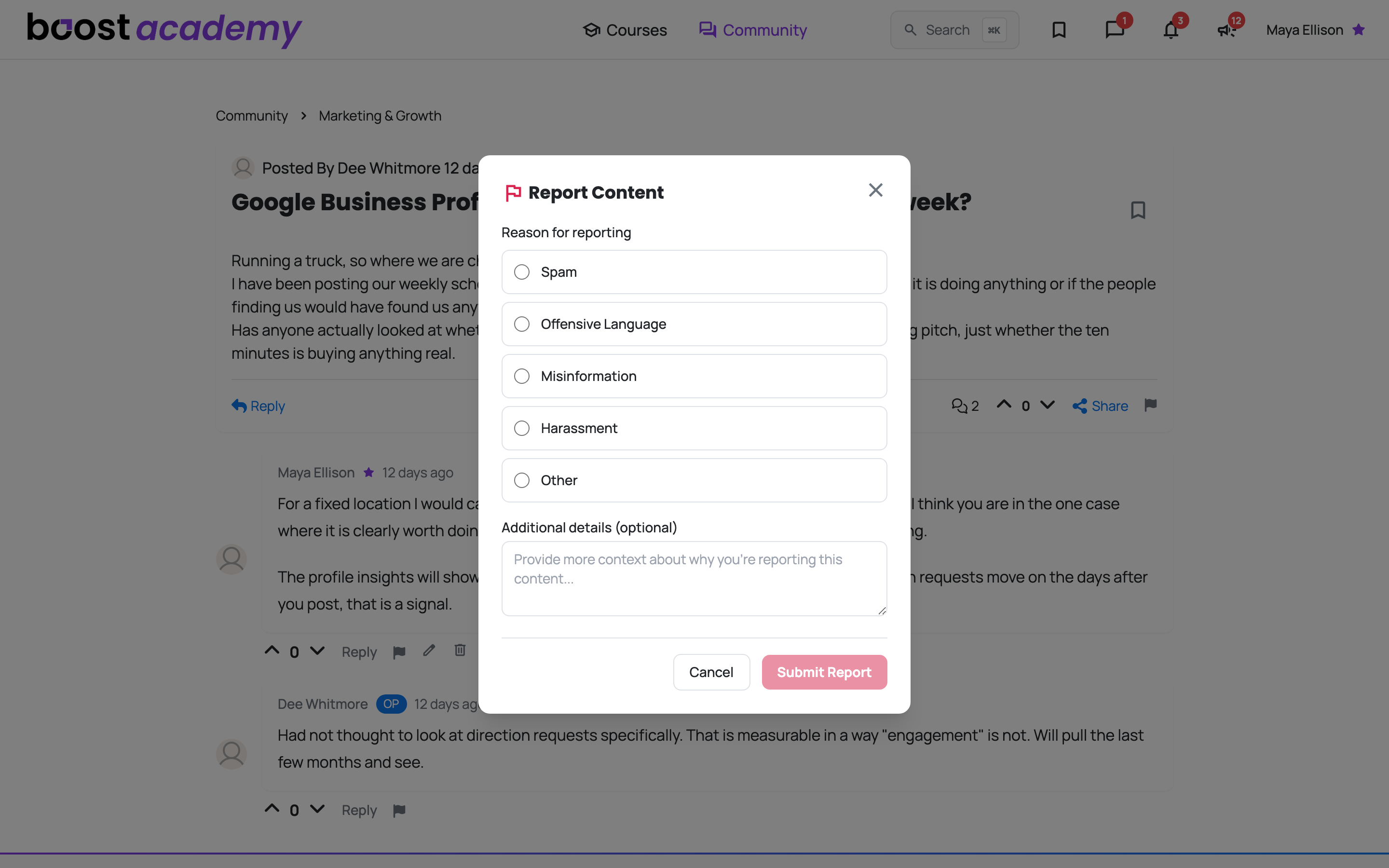
Picking a reason
Five Options: Choose the one that fits.
- Spam, promotional posts and link-dumping
- Offensive Language
- Misinformation, which in this community usually means advice that would actively cost another operator money
- Harassment, anything aimed at a person rather than an argument
- Other, for anything the four above do not cover
You have to pick a reason before the report can be submitted. That is deliberate: it keeps the queue useful for whoever reviews it.
Add Context If It Helps: The Additional details box is optional, but a sentence explaining what is actually wrong makes a report far quicker to action. It matters most when you have chosen Other, since otherwise the reviewer is guessing.
Then hit Submit Report.
Reporting is not the same as blocking
Two Different Tools:
- Reporting flags a specific post for review. Use it when the content is the problem.
- Blocking hides a person from you everywhere in the community, and is managed from Account > Friends > Blocked Users. Use it when you would simply rather not see someone again.
They are independent. You can do either, both, or neither.
Ready to dig in?
Log in to Boost Academy and open Community. Hopefully you never need this one.
Access: All members