Starting a Discussion
Contents4 sections
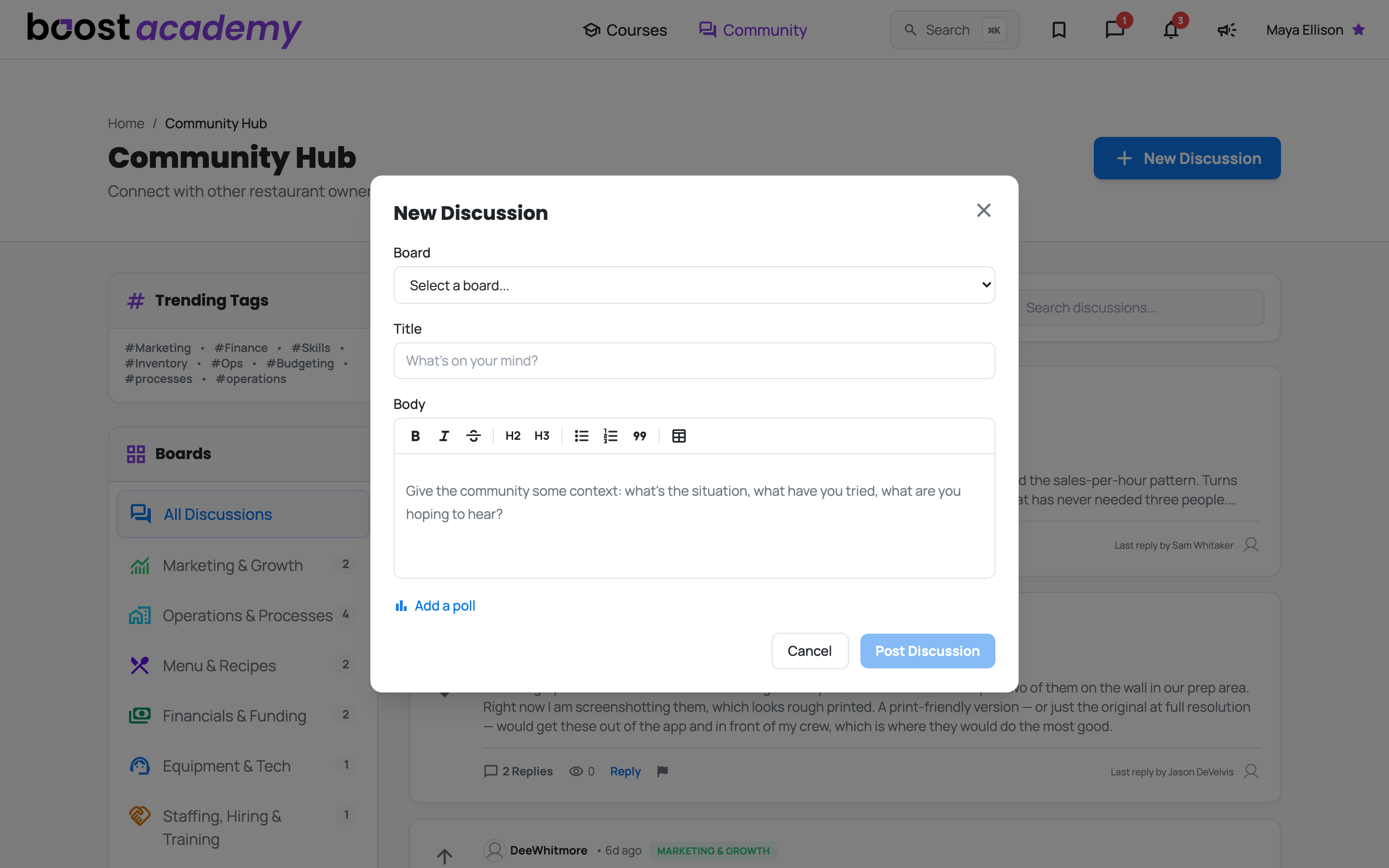
Ask the Room: When the search box and Answered Questions have not got you there, ask. New Discussion sits at the top right of the community hub, and every board page has its own Start New Discussion button that pre-selects that board for you.
Three fields
Board: Pick where the question belongs from the dropdown. Getting this right matters more than it looks, because the operators who follow Staffing are not the same ones watching Financials & Funding.
Title: The question itself. A title that states the actual problem gets opened; a vague one does not.
Body: Required, and this is where the good answers come from. Post Discussion stays greyed out until the title and the body are both filled in, so every thread arrives with enough context for someone to actually answer it.
Write it like a document, not a text message
Format As You Type: The body is a real editor. The toolbar gives you bold, italic, headings, bullet and numbered lists, quotes, and tables, and the post reads exactly the way it looks while you write it.
Paste a Recipe, Get a Recipe: This is the one to remember. Copy a recipe or a spec out of the tool you keep it in and paste it into the body: the headings arrive as headings, the steps as a numbered list, and the ingredient grid as a real table with its columns intact. No cleanup pass, no wall of symbols.
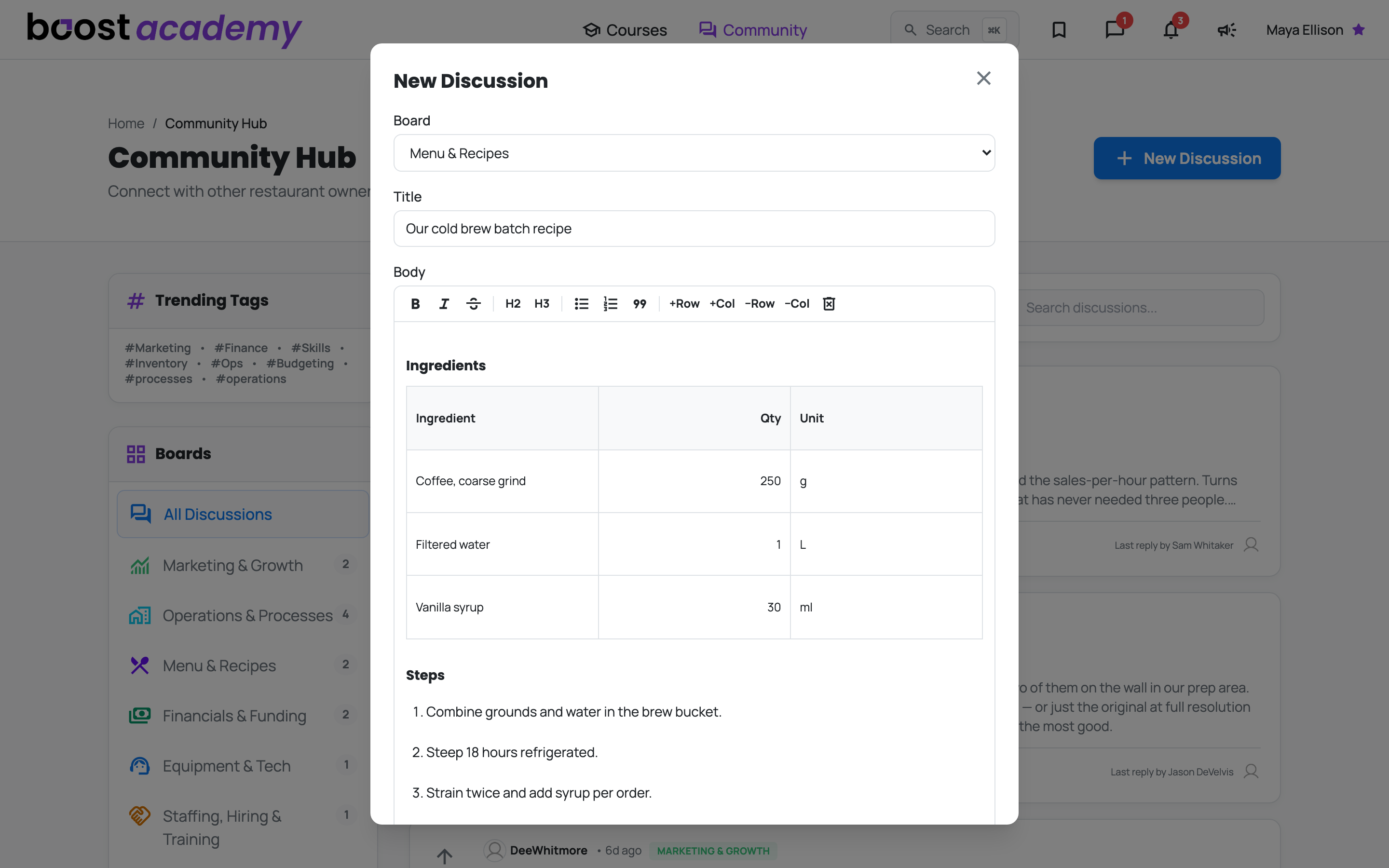
Tables Without the Fight: You can also build a table from scratch with the table button. Put the cursor inside one and the toolbar switches to row and column controls, so adding an ingredient line is one click.
How to get a useful answer
Put Your Numbers In It: The difference between a thread that gets three replies and one that gets none is almost always specificity. Compare:
- "How do I get my food cost down?"
- "Food cost sitting at 31.4%, mostly dairy. Re-costing the top ten items monthly. What am I missing?"
The second one tells other operators what you have already tried and what your actual situation is, so they can skip the basics and tell you the thing you do not know. It also means the thread is useful to the next person who searches for it.
Say What You Have Already Ruled Out: It saves everyone the first three replies.
Then Open It: The moment it posts, your thread sits at the top of the feed under your own name. Click its title or the preview to open the thread page, which is where the replies and votes happen.
Ready to dig in?
Log in to Boost Academy, open Community, and post the thing you have been chewing on.
Access: All members. Some boards are Academy Plus only.