

Courses on Boost Academy
Contents3 sections
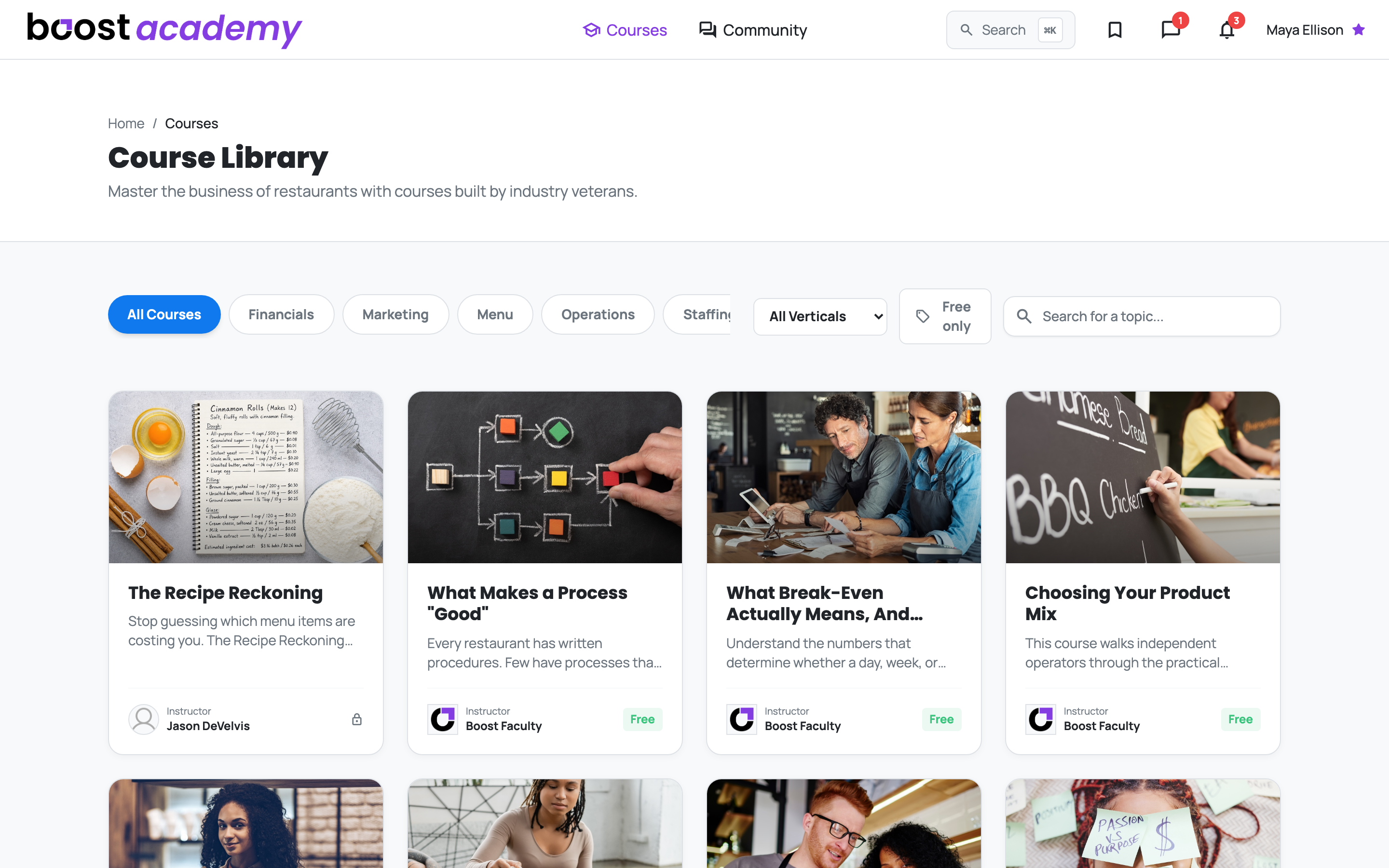
Boost Academy is where you learn the business from operators who have run it: short, practical courses on financials, marketing, menu, operations and staffing, each ending in a certificate. It all starts at Courses in the top menu. Hover it for a shortcut straight to a category.
What you can do here
- Browsing the Course Library: find the course for this week's problem by topic, by your kind of shop, or by keyword.
- Exploring an Instructor Profile: see what an instructor has actually run, and everything they teach, before you commit an evening.
- Enrolling in a Course: join a free or members-only course in one click and start the first lesson.
- Buying a Single Course: keep a paid course for good with a one-time purchase, or compare it against the Training Pass first.
- Taking a Lesson and Tracking Your Progress: pick up where you stopped, with your progress counted in the lesson rail.
- Earning and Sharing a Certificate: finish a course and share a certificate anyone can check.
Journeys and concepts
- Following a Learning Track: handpicked sequences of courses that take a subject in the order it builds.
- Your First Course, Start to Certificate: the whole path, from a new account to a shareable certificate.
- How Course Access Works: free, members-only and paid courses, what the Training Pass includes, and why a purchase lasts.
- When a Lesson Counts as Complete: the 95% rule for videos, courses taken in order, and what finishing gets you.
Who sees it
Anyone Can Look: The Course Library, every course page and every certificate page open without signing in, so you can read a curriculum, watch a free preview lesson, or check a certificate before you have an account.
Enrolling Takes an Account: A free Boost Academy account enrolls in free and members-only courses at no cost. A paid course needs a one-time purchase, or comes included with the Underground Training Pass for as long as the pass is active.
Ready to dig in? Log in to Boost Academy, open Courses, and pick the one thing you want to be better at by the end of the week.
Access: All members. Paid courses need a purchase or the Training Pass.