

Your First Course, Start to Certificate
Contents8 sections
New to Boost Academy? This is the whole path from signing up to holding a certificate you can show a lender, a franchisor or your own team. A free account covers every step on a free or members-only course.
Before you start
- An email address you can open, on any device. Boost Academy signs you in with a link or a code, never a password.
1. Create your account
Register From the Top Bar: Give your name, the display name other members see, and your email. There is no password to pick. The link we email you creates the account and signs you in, and if you read the mail on another device, the 6-digit code in the same email finishes it in the browser you started in.
Step-by-step: Creating Your Account
2. Answer the setup questions
Two Minutes That Set You Up: Five short questions: your stage as an owner, your concept, the formats you run, what you want to get better at, and the topics you care about. Until you finish or skip it, Boost Academy brings you back here, and Skip for now saves what you've answered and lets you through. Your stage and concept become part of the profile you share with the Operator Underground.
Step-by-step: Getting Started with Onboarding
3. Pick a course
Start With This Week's Problem: Open Courses and narrow the library by the part of the business you're working on (Financials, Marketing, Menu, Operations, Staffing), by your kind of shop, or by keyword.
Step-by-step: Browsing the Course Library
4. Enroll
One Click and You're In: The course page shows what you'll learn, the run time, and what you get for finishing, with the full curriculum listed. Press Enroll. Free and members-only courses cost nothing with any account, and the page switches straight to your first lesson. A paid course works differently: buy it once, or hold the Underground Training Pass and it's included.
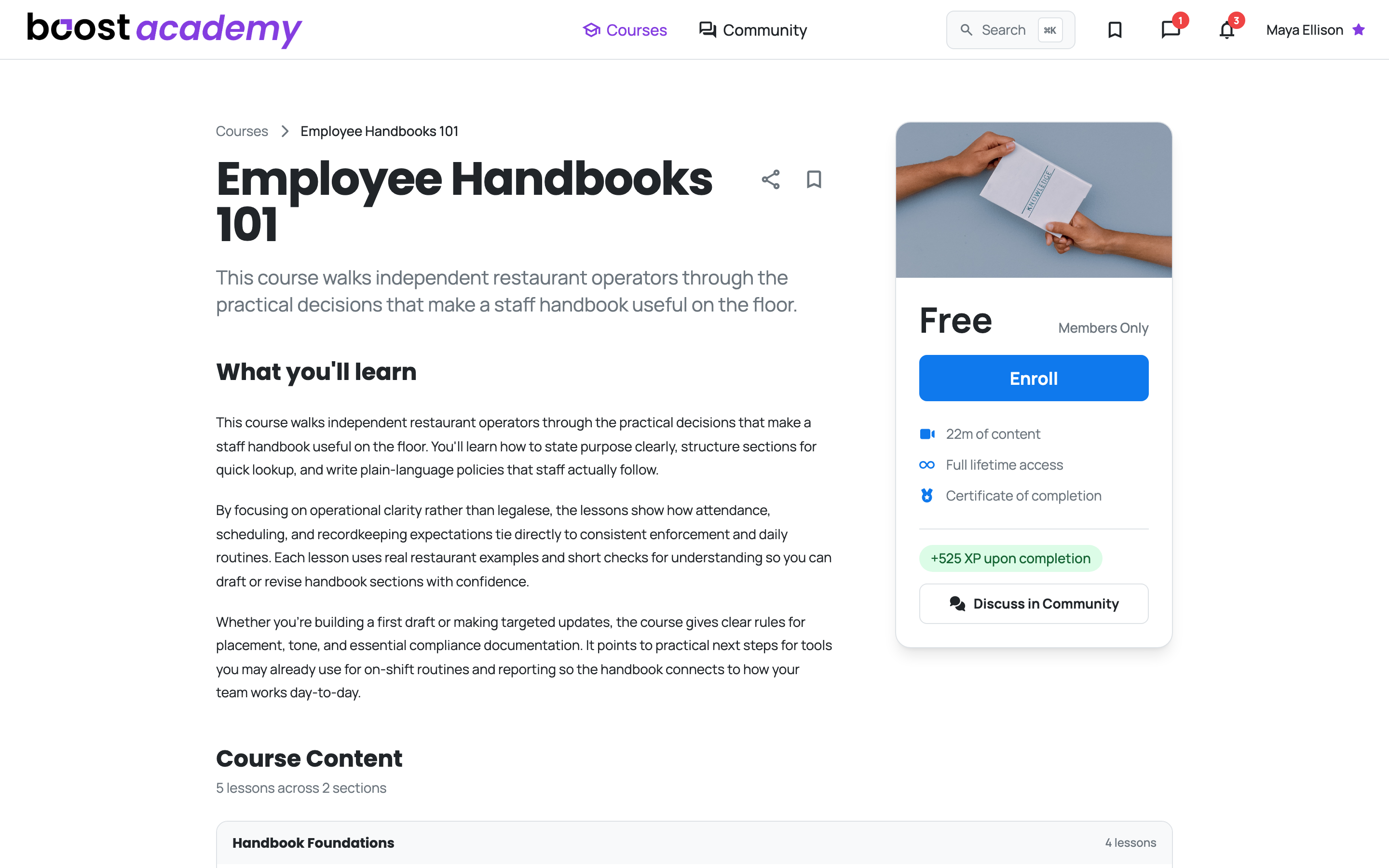
Step-by-step: Enrolling in a Course. For a paid course, see Buying a Single Course and How Course Access Works.
5. Work through the lessons
Pick Up Where You Left Off: The rail beside the player counts Your progress and checks off each lesson as it completes. A video lesson completes once you've played 95% of it (skipped stretches don't count), and a reading lesson completes when you press Mark as Complete. Close the tab whenever a shift calls you away: next time the course opens on the first lesson you haven't finished.
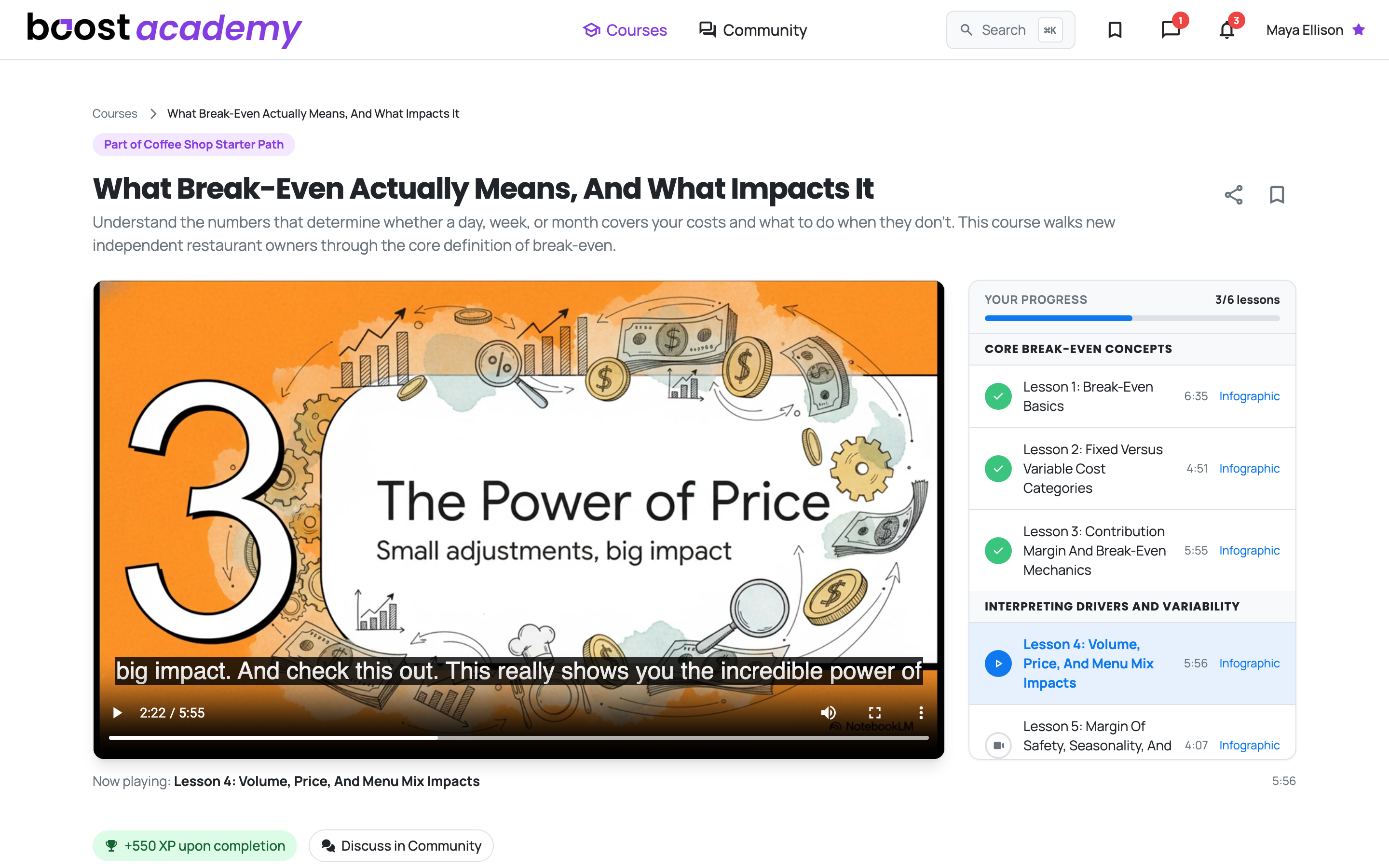
Step-by-step: Taking a Lesson and Tracking Your Progress. The exact rules: When a Lesson Counts as Complete.
6. Get your certificate
Something to Show for It: Finish the last lesson and Boost Academy issues your certificate of completion, with the course's XP on top. The certificate page is public, so anyone you send the link to can check it without an account, and it stays listed on your account page.
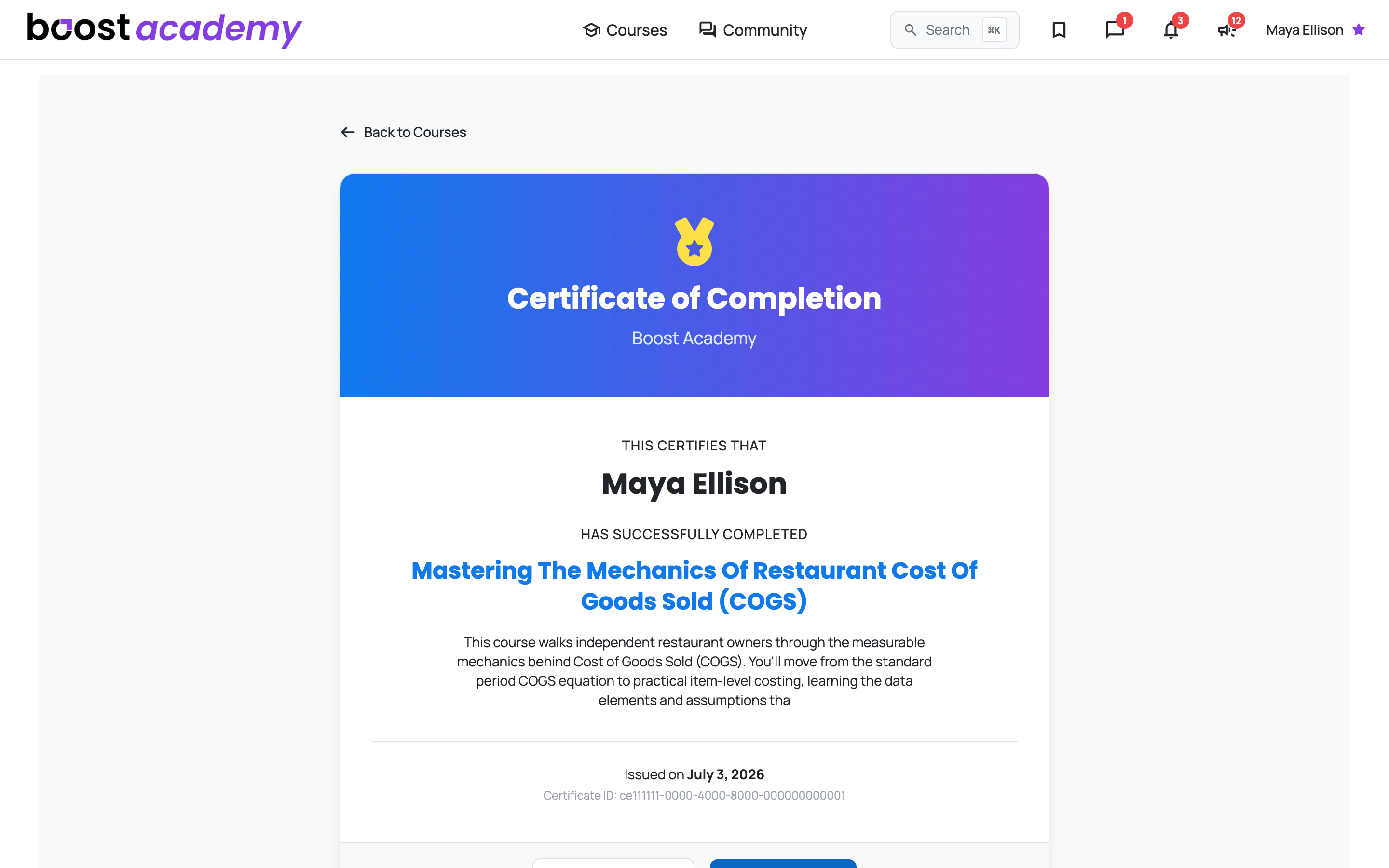
Step-by-step: Earning and Sharing a Certificate
Related
- Courses on Boost Academy: everything you can do with courses.
- How Course Access Works: free, members-only and paid courses, and what the Training Pass includes.
- When a Lesson Counts as Complete: the 95% rule, courses taken in order, and finishing a course.
Ready to dig in? Log in to Boost Academy, open Courses, and start the one that fixes something this month.
Access: All members. Paid courses need a purchase or the Training Pass.