

When a Lesson Counts as Complete
Contents9 sections
A lesson counts as complete when Boost Academy has seen you actually take it in, not when you open it. How that is judged depends on the kind of lesson. Completed lessons are what fill your progress bar, earn XP, unlock the next lesson in a course taken in order, and, once every lesson is done, finish the course and issue your certificate.
How it works
Video and audio lessons: 95% played
Counted by What You Actually Played: While a video or audio lesson plays, Boost Academy records the stretches you played through. Once those stretches add up to 95% of the lesson's length, the lesson is complete. Your progress saves every few seconds while it plays and whenever you pause, so closing the tab mid-lesson loses nothing.
- Skipping ahead doesn't count. The part you jumped over isn't added, so dragging the playhead to the end leaves the lesson unfinished.
- Rewatching counts once. Playing the same two minutes three times still adds two minutes.
- Speed matters past a point. Playback up to about 1.5x counts. Faster than that is treated the same as skipping.
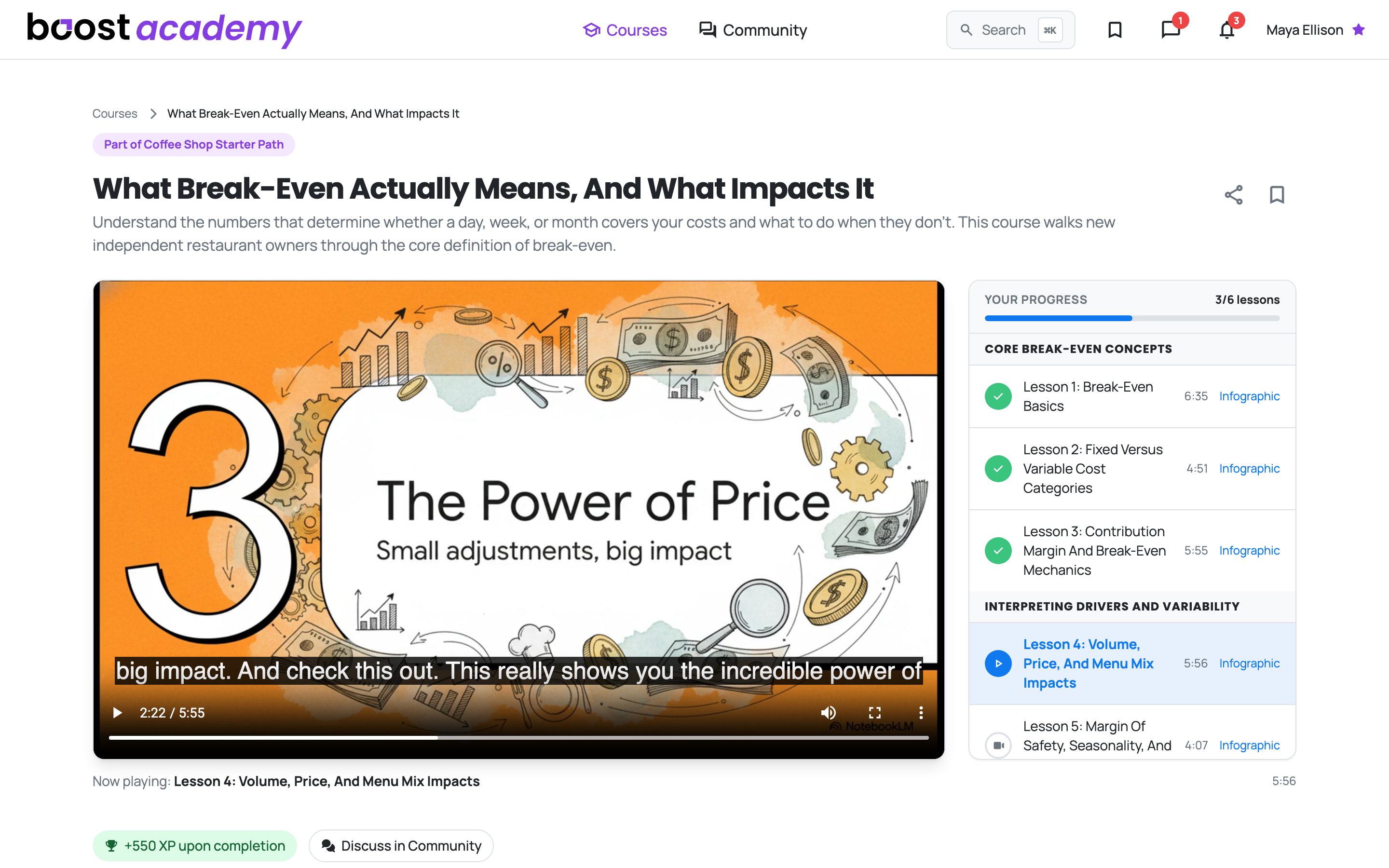
A Worked Example: A lesson that runs 5:55 is 355 seconds long. 95% of that is about 337 seconds, so the lesson completes once you have played roughly 5:37 of it. You can miss the last 18 seconds or so and it still counts.
Text, PDF and checklist lessons: Mark as Complete
You Say When You're Done: A text or PDF lesson has a Mark as Complete button under it. A checklist lesson shows Mark as Complete once you have ticked every item on the list.
What a completed lesson does
- It gets a green check in the lesson rail, and Your progress counts it toward the total (3/6 lessons, say).
- It earns its XP, once per lesson, as long as you are enrolled in the course.
- If that XP moves you up a level or earns you a badge, a note appears in the top right corner: Badge Earned with the badge's name, or Level Up! with your new level. It clears itself after five seconds, or close it yourself.
Courses taken in order
Videos Set the Pace: Some courses unlock lesson by lesson. They say so on the course page with This course is taken in order, or Some lessons unlock in order when only some lessons do. A lesson that unlocks in order opens once every video before it has been 95% played. Text, PDF, audio and checklist lessons earlier in the course never hold the next one back. A lesson marked as a free preview stays playable either way.
Finishing the course
The Last Lesson Finishes It: The moment every lesson in the course counts as complete, the course is recorded as finished. A completion screen shows the XP you earned and your certificate, with View Certificate and Share. Finishing your first course earns the First Course badge, and your fifth earns Scholar.
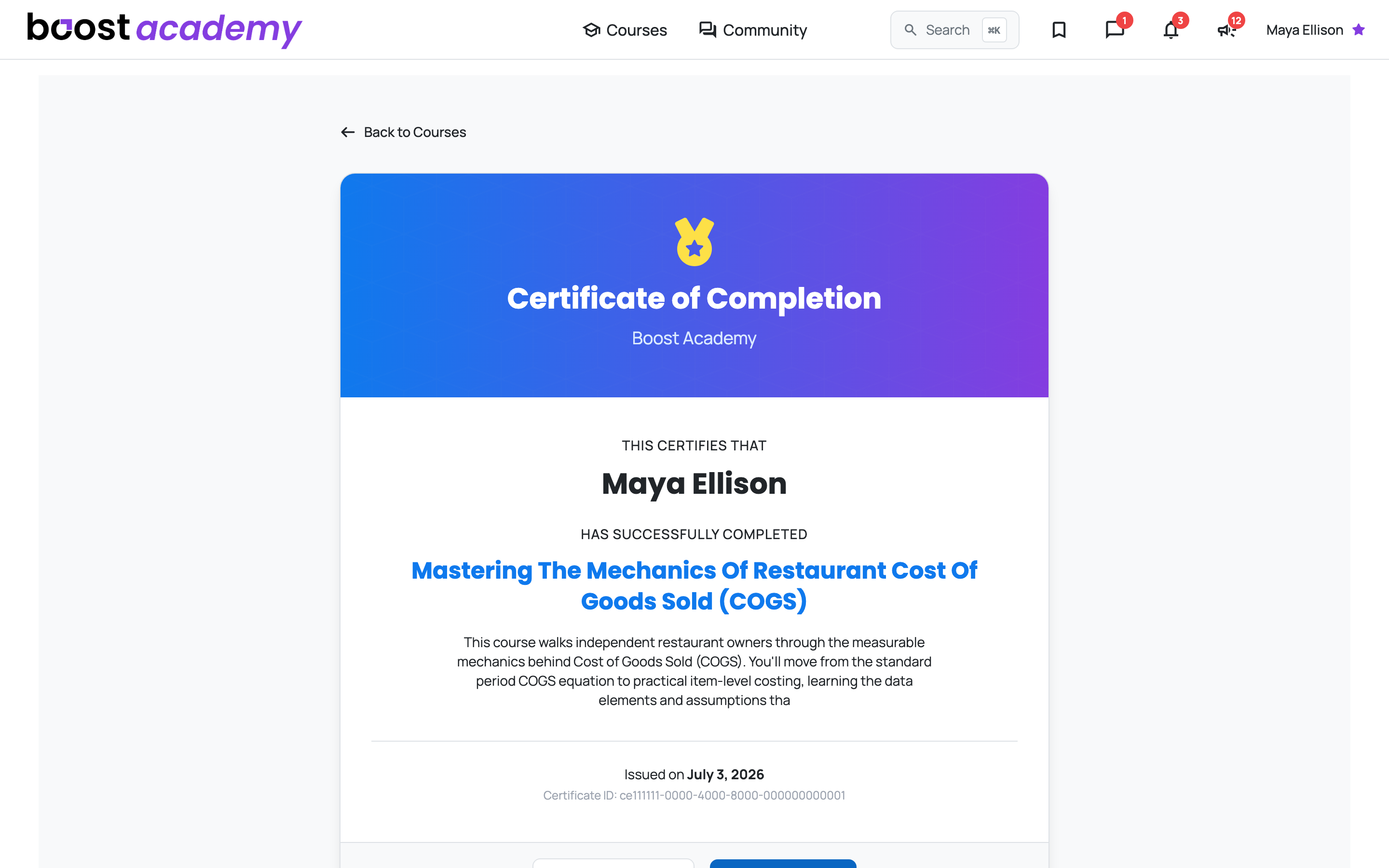
A course is only finished once, and it stays finished. Each course issues you one certificate, and if lessons are added to a course after you complete it, your completion and certificate stay put.
What changes it
- Taking a Lesson and Tracking Your Progress: watch lessons, follow the rail, and pick up where you stopped.
- Earning and Sharing a Certificate: find the certificate a finished course issues and share its link.
- How XP, Levels, and Badges Work: what lessons and courses are worth, and where badges and levels show up.
Common questions
I watched the whole video. Why is there no check? Something in it didn't count as played: a stretch you skipped, or a stretch played faster than about 1.5x. Go back and play the part you missed. You need to be signed in for any of it to save.
Do I have to sit through the end credits? No. 95% is enough, so the last few seconds of a lesson never decide it.
Why is the next lesson locked when I finished the reading before it? In a course taken in order, only videos gate what comes next. Look for an earlier video you haven't played to 95%.
Do I earn XP for lessons I watch before enrolling? No. XP and certificates come with enrolling, so enroll first and then work through the lessons.
The course added a new lesson after I finished. Do I lose my certificate? No. A finished course stays finished, and your certificate stays with it.
Related
Access: All members