

How Course Access Works
Contents7 sections
Every course on Boost Academy is one of three kinds: free, members-only, or paid. The kind decides which button you see on the course page and how long your access lasts once you are in. Your account type (a free account, or one holding the Underground Training Pass) decides the rest.
How it works
The three kinds of course
| Course | The panel on the right says | How you get in | How long it lasts |
|---|---|---|---|
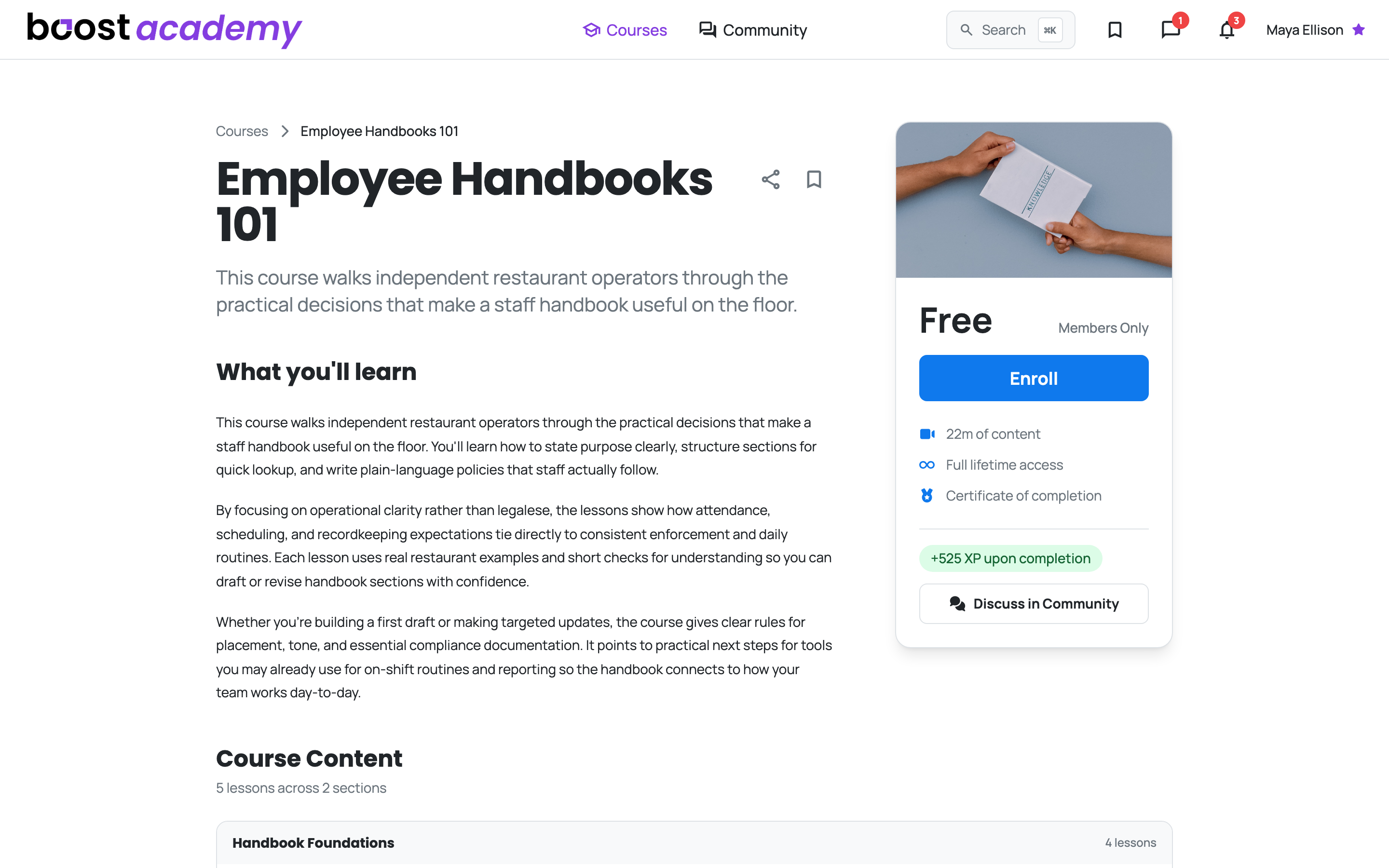
| Free | Free, Full Access | Sign in and press Enroll | Kept with your account |
| Members-only | Free, Members Only | Sign in and press Enroll | Kept with your account |
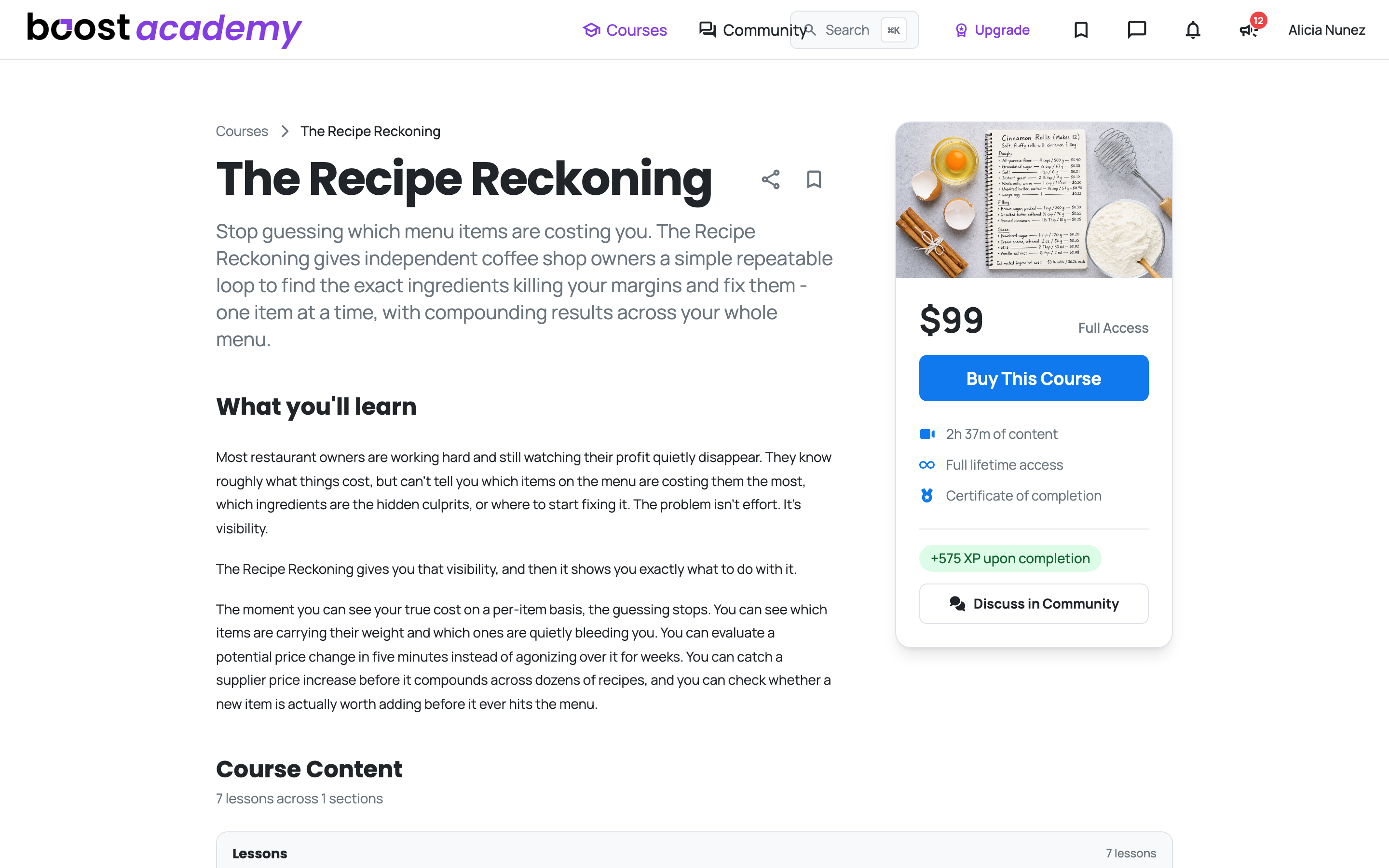
| Paid | The price, or Included if you hold the Training Pass | Buy it once, or press Enroll with the Training Pass | A purchase is permanent. Training Pass access lasts while the pass is active |
Members Only Means Members of Boost Academy: A members-only course needs a Boost Academy account, nothing more. A free account enrolls in it the same way a Training Pass holder does, at no cost.
The button you see
| Course | Signed out | Free account | Training Pass holder |
|---|---|---|---|
| Free or members-only | Free - Login for Access | Enroll | Enroll |
| Paid | Buy This Course | Buy This Course, then a comparison with the Training Pass | Included, with an Enroll button |
Signed out, either button sends you to sign in first and then back to the same course. Once you are enrolled and have access, the page opens straight on the lessons and the sales panel goes away.
Before you enroll, every lesson in the curriculum carries a padlock. Hover one and it tells you what unlocks it: Enroll to unlock this lesson, Register for access to unlock this lesson when you are signed out, or Purchase this course to unlock this lesson on a paid course. A lesson marked as a free preview plays without any of that.
What the Training Pass includes
Every Paid Course, Included: Hold the Training Pass and a paid course shows Included in place of the price, with an Enroll button. No purchase and no comparison screen. Beyond Academy's courses, the pass covers the Operator Underground's members-only rooms and live sessions, every Sprint (past ones self-guided), and member-only resources and tools. The pass is sold here on Boost Academy: on a paid course, Buy This Course shows the comparison, and Get the Training Pass opens checkout right on the page.
Bought versus included: a worked example
Two operators take the same paid course.
- Dana buys it. The purchase is recorded against her enrollment, so the course is hers for as long as she keeps her account. Getting the Training Pass later, or letting it go, changes nothing.
- Marcus enrolls with the Training Pass. He gets three lessons in, then his pass lapses. The course page goes back to Buy This Course and the lessons lock. His enrollment and his progress are not deleted: renew the pass and the course opens again where he stopped. If he buys the course instead, the purchase attaches to the enrollment he already has, and from then on it stays with him like Dana's.
The rule of thumb: a purchase is permanent; access that comes with the Training Pass lasts while the pass does. A course you bought before you had the pass stays yours whatever happens to the pass.
The full rules, including refunds and closing your account, are in our Course Access Policy, which is part of the Terms and Conditions.
What changes it
- Enrolling in a Course: join a free or members-only course, or a paid one with the Training Pass.
- Buying a Single Course: buy a paid course once and keep it, after seeing the Training Pass comparison.
Common questions
Do I need the Training Pass for members-only courses? No. Any signed-in Boost Academy account can enroll in a members-only course for free, and that enrollment stays with your account.
My Training Pass ended. Where did my course go? If you entered a paid course through the pass, it locks again until you renew or buy it. Your progress is still there either way. Free, members-only and purchased courses are unaffected.
I joined a Sprint and a paid course opened up. Is it mine now? A Sprint can include a paid course for a set window. A banner across the top of the course tells you the date that access ends. After that the course locks the same way it would after a Training Pass lapse, unless you buy it or hold the pass.
Can I try a paid course before buying it? Look for a lesson marked as a free preview. It plays without enrolling or buying.
I hold the Training Pass. Why is there no Buy button? Paid courses are included with the pass, so you see Enroll in place of Buy This Course.
Access: All members. Paid courses are included with the Training Pass while it is active; a one-time purchase is yours permanently.