

Creating an Inventory Order on the Tablet
Contents2 sections
Noticing you are low happens at the shelf. Ordering can happen there too, instead of turning into a note you hope somebody reads later.
Build the order
Open Create Order on the tablet.
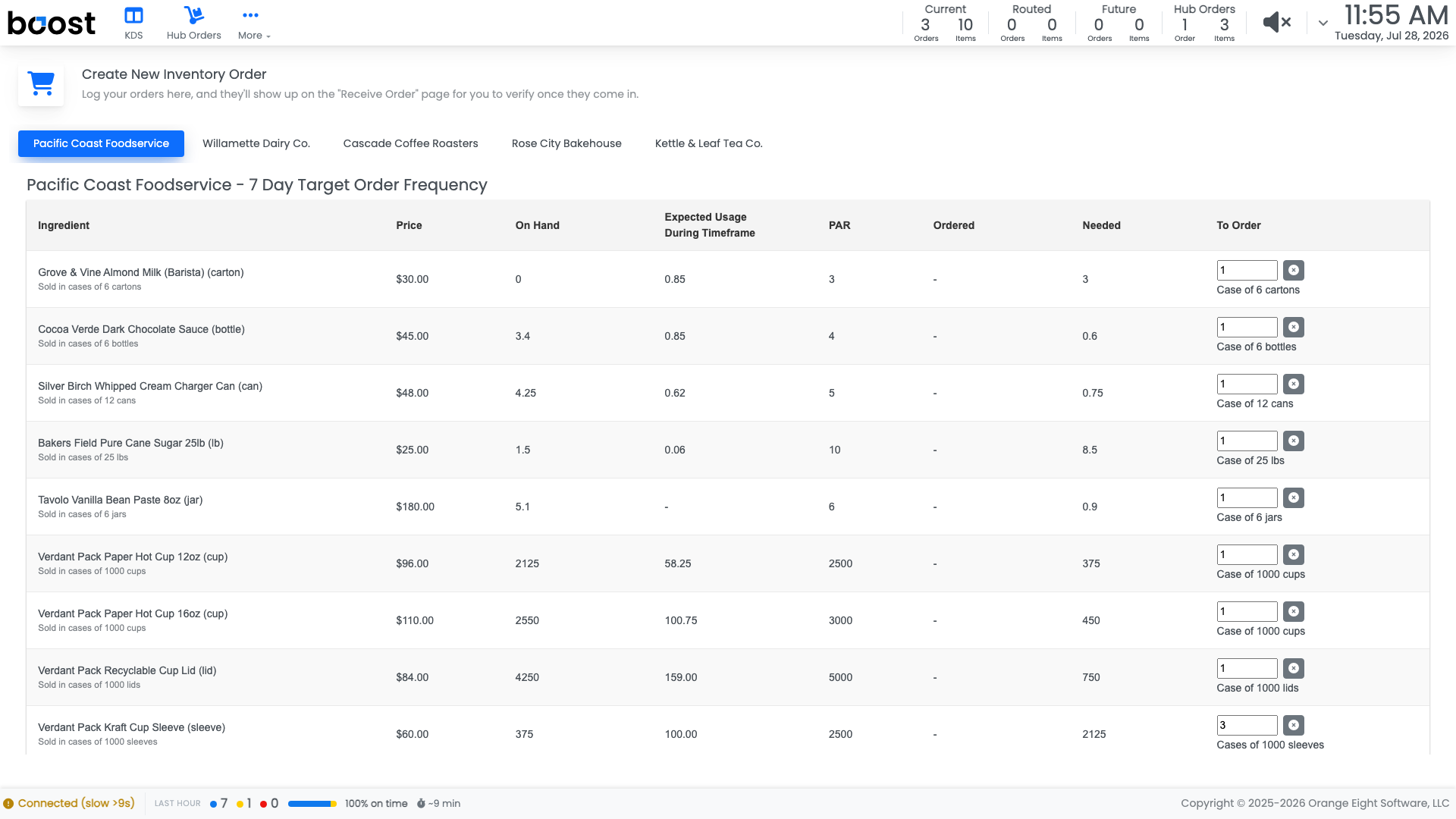
The tablet builds the same supplier order the back office does: suggestions worked out from your PAR, your on-hand, and what you have actually been using, grouped by supplier.
Adjust the quantities where you know better than the maths, then log the order. It appears on the Receive Order screen ready for the delivery.
Tip
The suggestion is a starting point, not an instruction. Boost knows your usage; you know about the wedding party on Saturday.
What you should see
An order logged from the floor in a couple of minutes, waiting to be received when the delivery arrives.
Account Level: All