

Receiving a Delivery on the Tablet
Contents2 sections
Deliveries arrive at the back door, not at a desk. Receiving on the tablet means the person unpacking the boxes is the person recording what turned up, which is the only way the numbers stay honest.
Open your deliveries
Open Receive Order on the tablet. Every order that has been logged and is waiting to arrive is listed.
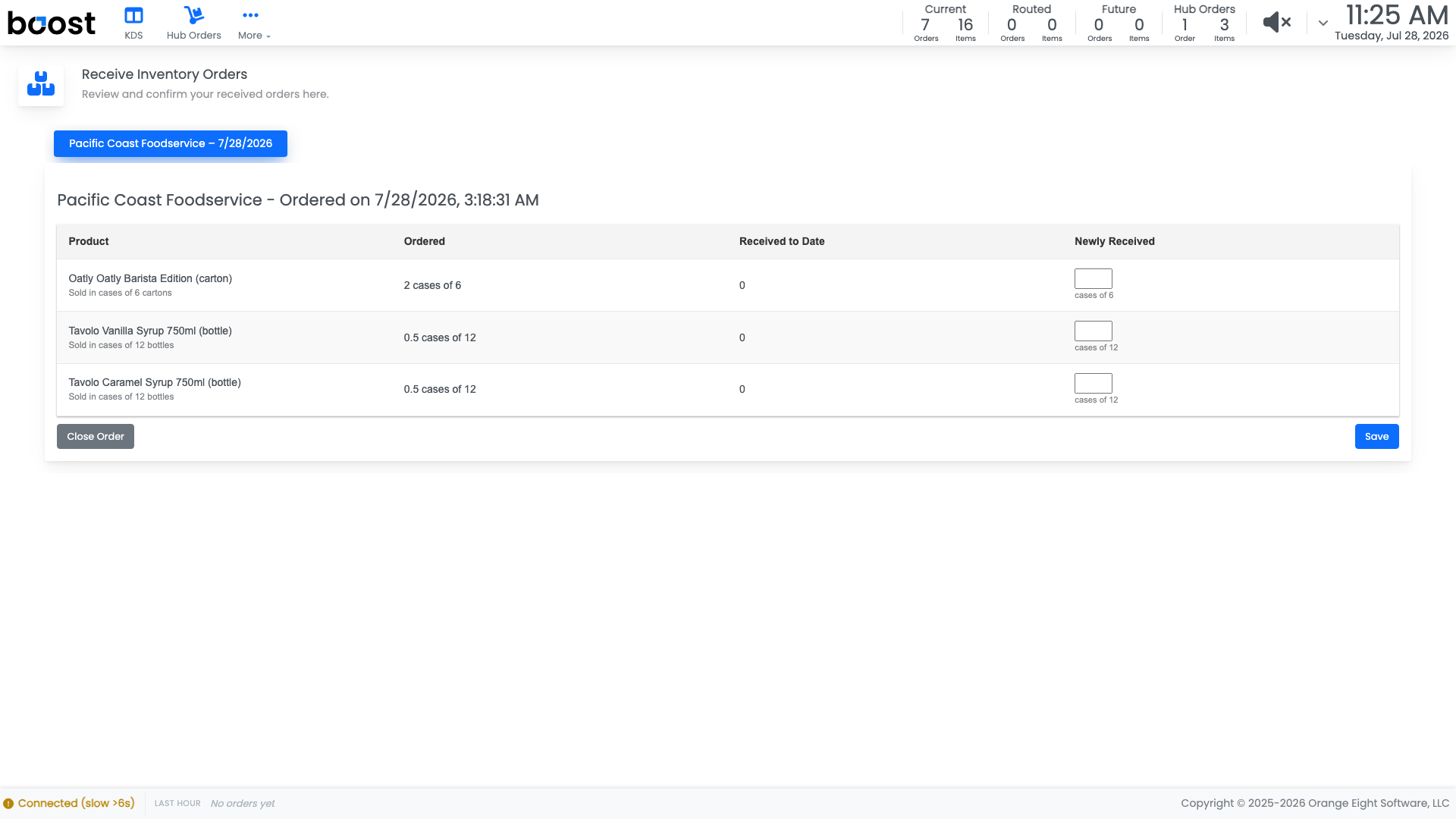
Enter what actually arrived against each line, in the case sizes on the box, and save. That quantity goes straight onto your shelves.
Important
Record what came, not what was ordered. A short delivery ticked off as complete becomes a shortage you discover mid-rush, and an invoice query you cannot back up.
Partial deliveries are normal. Save what arrived, leave the order open, and save again when the rest turns up.
What you should see
On-hand numbers that jump when the delivery is saved, a Purchased line in the ledger for each item received, and an order that closes only when everything has actually arrived.
Account Level: All