

Doing a Full Count on the Tablet
Contents3 sections
Counting happens at the shelf, not at a desk. The tablet runs the same full count the back office does, which removes the step where somebody transcribes a clipboard into a computer and drops a digit.
Open the count
Open Inventory Count on the tablet.
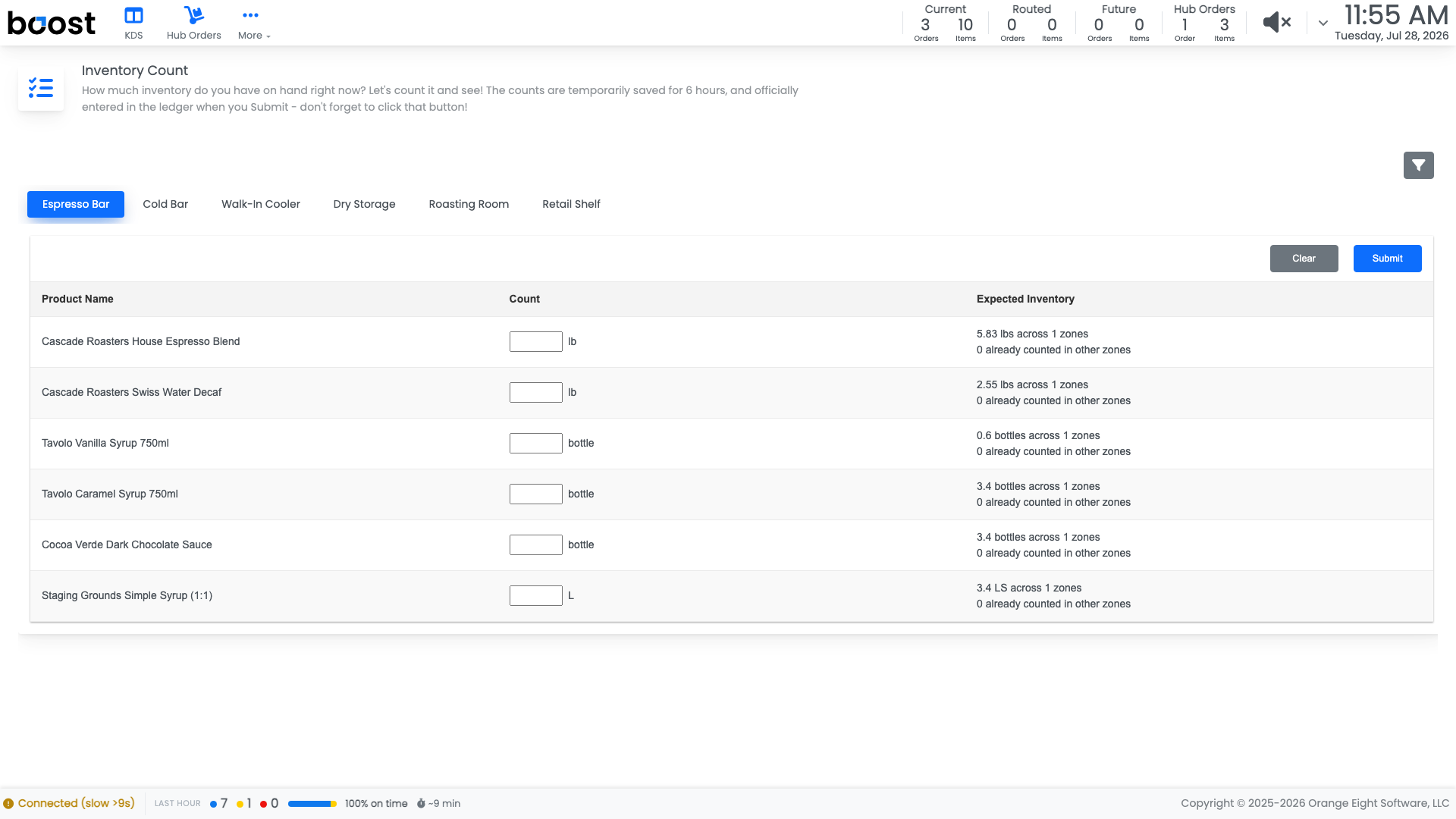
The zone tabs across the top are the same ones you set up in the back office, in the same order, so the count follows the walking path you designed.
- Pick the zone you are standing in.
- Enter what you actually have in the Count box for each product, in the unit shown beside it.
- Move to the next tab and keep going.
Expected Inventory shows what Boost thinks should be there and how much has already been counted in other zones, so an ingredient stored in two places does not get double counted or missed.
Tip
Counts are held for six hours while you work, so a count started before the morning rush is still waiting when the rush is over.
Submit when the shop is done
Submit checks your work first and tells you which zones are still missing counts. When everything has a number, confirming posts the count.
Careful
Submitting posts the count to the ledger and resets on-hand to what you entered. Finish the whole shop before you confirm.
What you should see
Every zone counted, a submit that goes through without complaining about blanks, and inventory numbers that match the shelf you just walked.
Account Level: KDS & Pro