

Handling Hub Orders on the Tablet
Contents3 sections
When your location supplies the others, somebody has to pack the van. Hub Orders on the tablet is that list, in the place where the packing actually happens.
See what the other shops need
Open Hub Orders on the tablet.
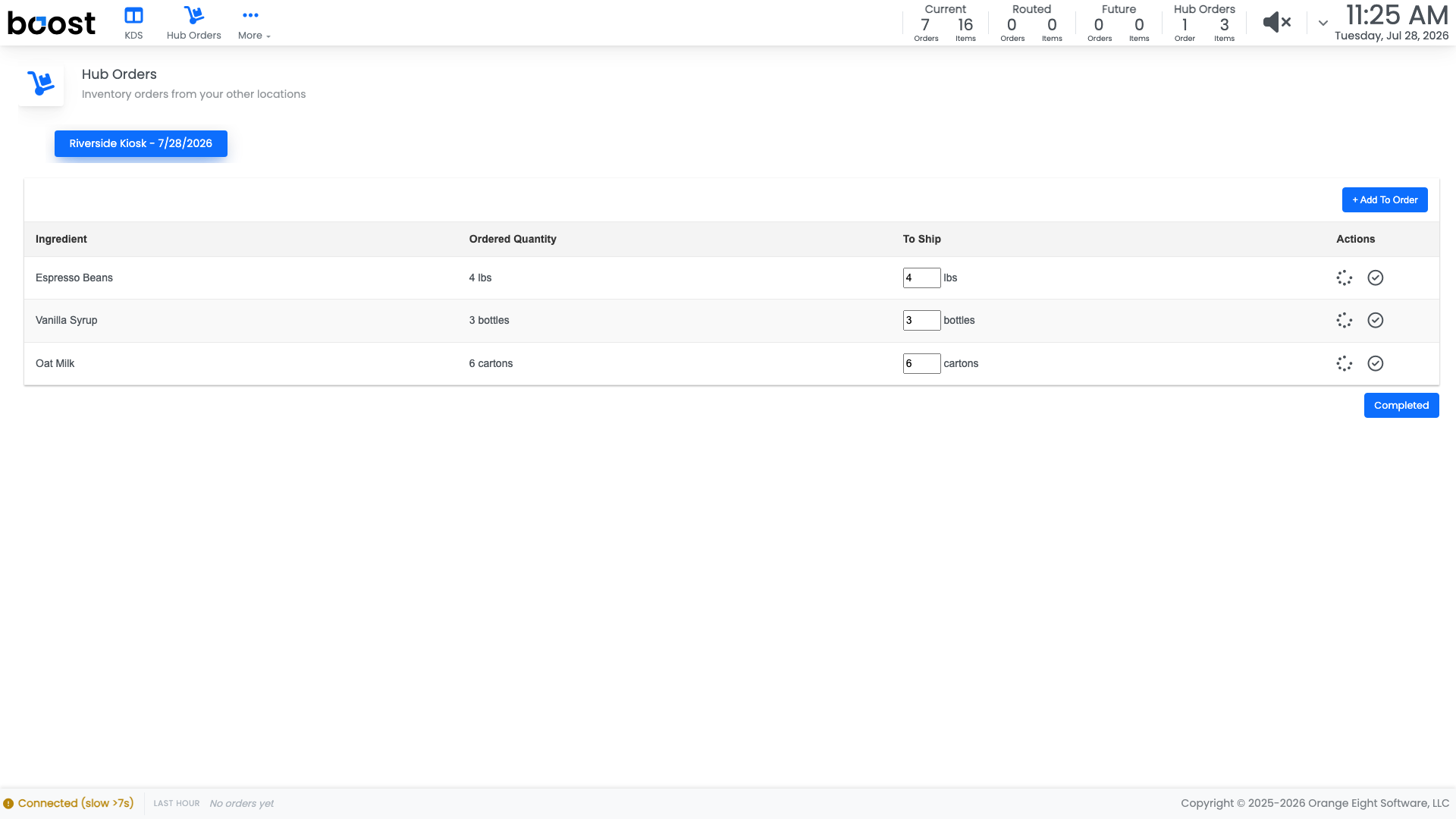
Every internal order placed by your other locations is here, with what they asked for. The counter in the header keeps a running total of hub orders and items, so you can see the size of the job from the KDS board without switching screens.
Work it like a picking list
Pack against the list and mark what you are actually sending. What leaves the hub comes off the hub's inventory and lands on the receiving shop's, so both sets of numbers stay right without anybody re-keying a transfer.
Important
Send what you are really putting in the van. A hub order marked complete when a case was short becomes a shortage at the other shop that nobody sees coming until they open the box.
What you should see
An empty hub order list at the end of the run, and receiving shops whose on-hand numbers match what actually arrived.
Account Level: Pro