Adding a New Ingredient
Contents6 sections
An ingredient in Boost Back Office is the thing your recipes call for: whole milk, vanilla syrup, a 12oz cup. Getting one set up properly takes about a minute, and it is what makes every cost, count, and order suggestion after it trustworthy.
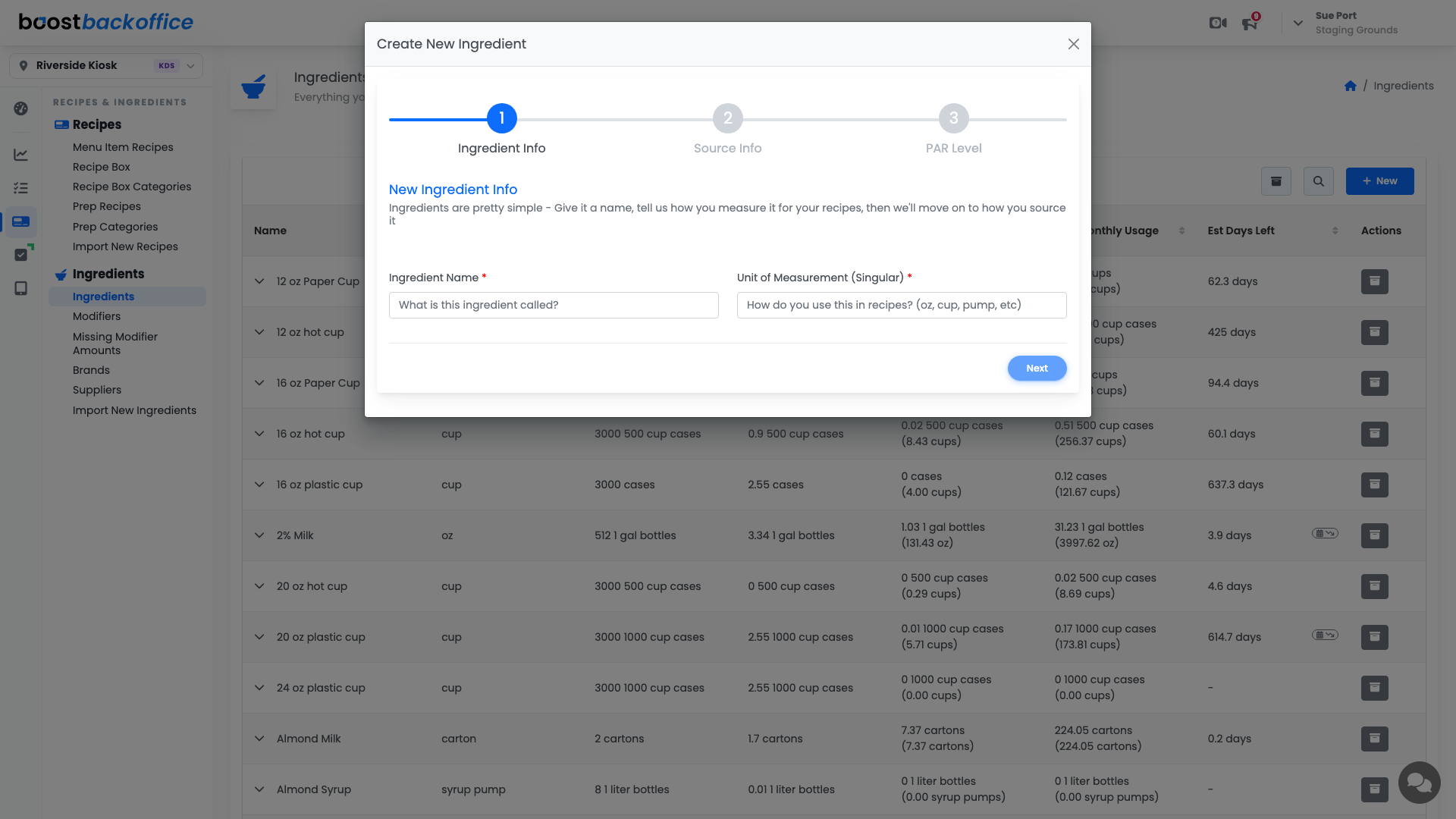
Open your ingredient list
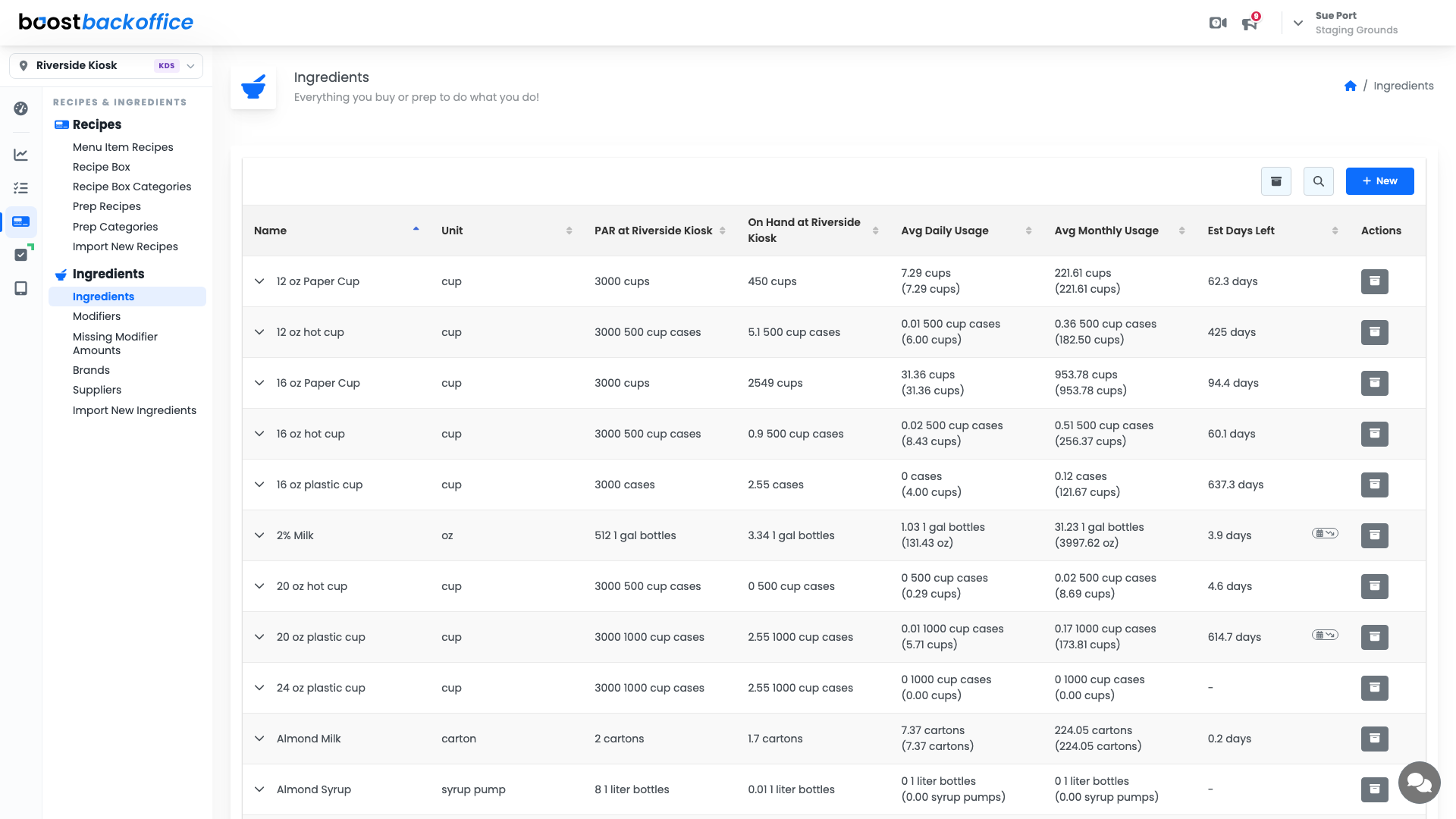
Go to Recipes & Ingredients > Ingredients > Ingredients. Every ingredient you track is here, with the unit you use it in, your PAR, recent usage, and how many days you have left.
Start the wizard
Press New. The wizard separates the two things people usually mix together: how you use an ingredient, and how you buy it.
Step 1: what it is
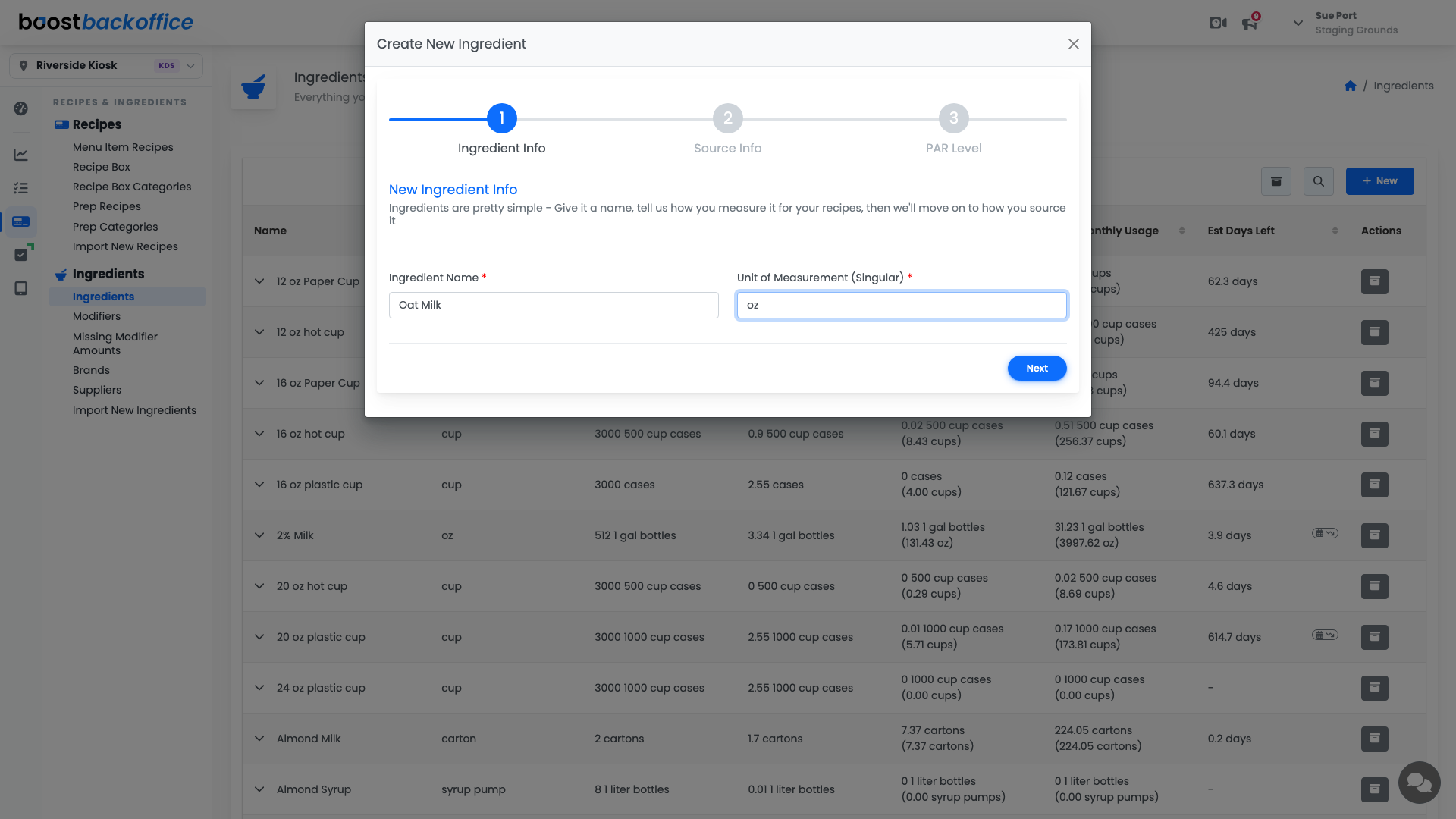
- Ingredient Name is what your team calls it.
- Unit of Measurement (Singular) is what a recipe would ask for:
oz,pump,shot,cup.
Tip
Pick the unit you would say out loud while building a drink. Recipes are written in this unit, so "oz" beats "gallon" even though the gallon is what shows up on the truck.
Step 2: how you buy it
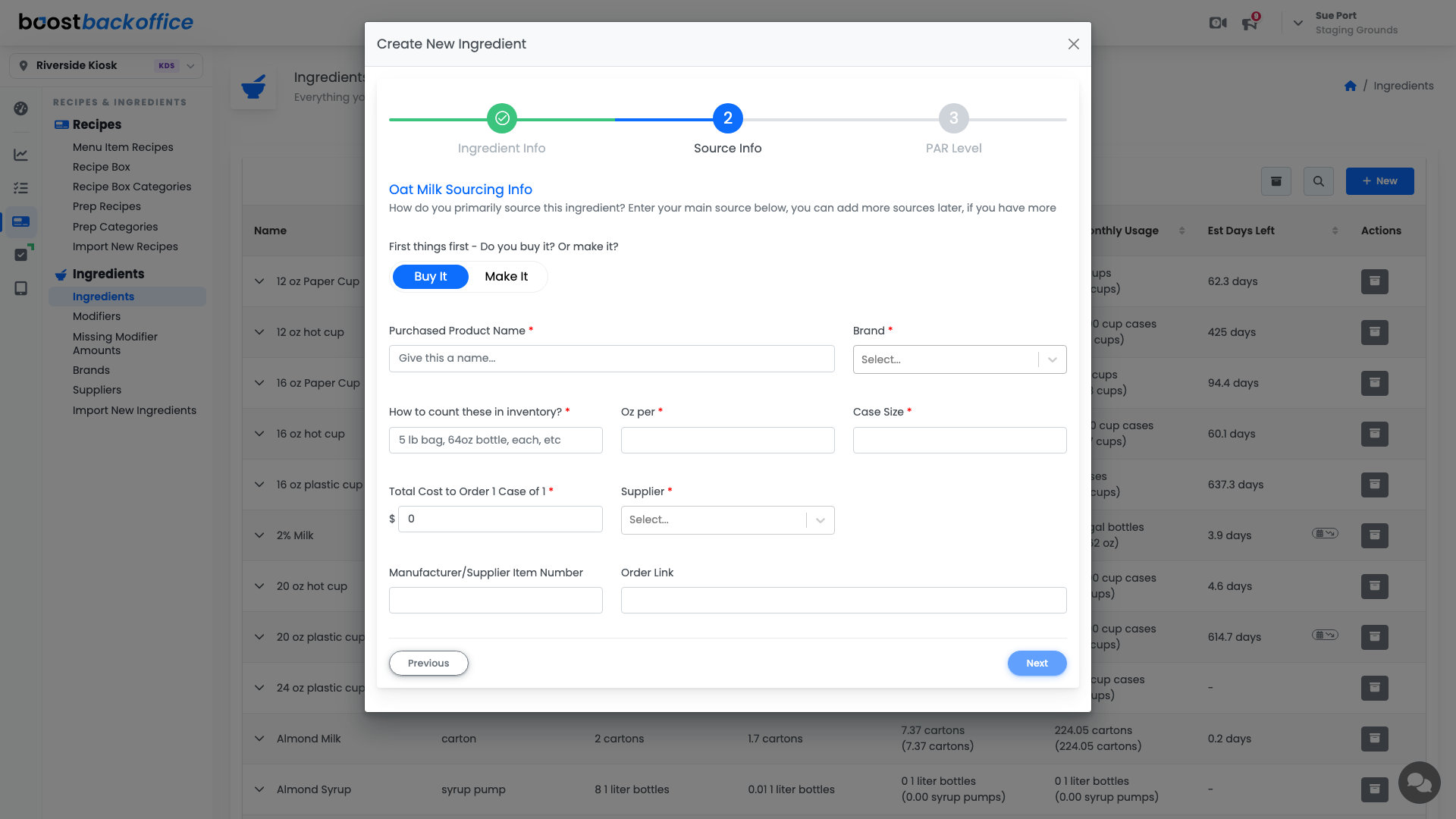
Say whether you Buy It or Make It, then fill in the product you actually order:
- Purchased Product Name and Brand, so the same ingredient can come from more than one product later.
- How to count these in inventory?, the thing you physically count:
5 lb bag,64oz bottle,each. - Oz per, the bridge between the two. How many recipe units are in one of those countable things.
- Case Size and Total Cost, which together give Boost your real per-unit cost.
- Supplier, so this ingredient lands on the right order.
Step 3: PAR level
PAR Level is how much you want to keep on hand. It is the number order suggestions aim at, so an honest PAR is worth more than a generous one.
Press Finish and the ingredient joins your list.
Important
The unit-to-product bridge is the field to get right. If a 64oz bottle is entered as 6 ounces, every recipe cost and every order that uses it inherits that mistake.
What you should see
The ingredient in your list with the unit you use in recipes, ready to be added to a recipe, a zone, and your next order.
Account Level: All