

Setting Up Prep Recipes
Contents4 sections
Plenty of what you use, you make: simple syrup, cold brew concentrate, the caramel sauce nobody will let you stop making. A prep recipe is how Boost Back Office tracks both halves of that batch, the ingredients it eats and the product it produces.
See what you make in house
Go to Recipes & Ingredients > Recipes > Prep Recipes. Prep recipes are grouped into tabs by prep category.
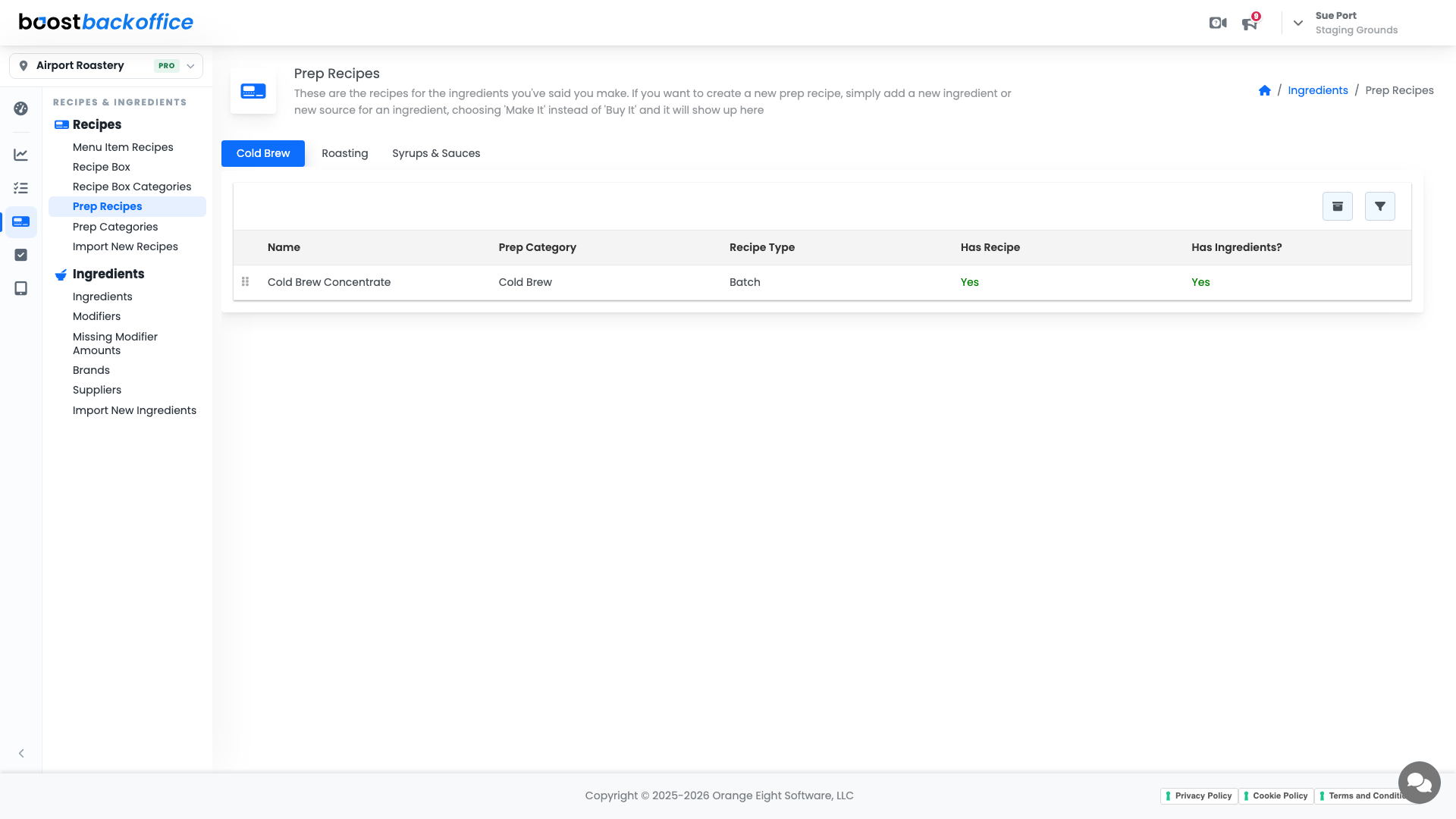
Each row tells you where a recipe stands:
| Column | What it means |
|---|---|
| Prep Category | The group it belongs to, usually a station or a batch run |
| Recipe Type | How the prep is measured, for example a batch |
| Has Recipe | Whether you have written down what goes into it |
| Has Ingredients? | Whether those ingredients are linked to things you actually track |
Two greens on a row means that batch is fully costed, and making it will move the right inventory.
How a prep recipe gets here
You do not create prep recipes on this page. A prep recipe appears when you tell Boost you make an ingredient rather than buy it.
- Add a new ingredient, or add another source to an existing one.
- On the sourcing step, choose Make It instead of Buy It.
- The prep recipe shows up here, ready for its ingredients.
Important
The Make It choice is what creates the prep recipe. If something you batch is missing from this list, its source is still set to Buy It.
Group them the way you prep
Recipes & Ingredients > Recipes > Prep Categories manages the groups, and category names are click-to-edit.
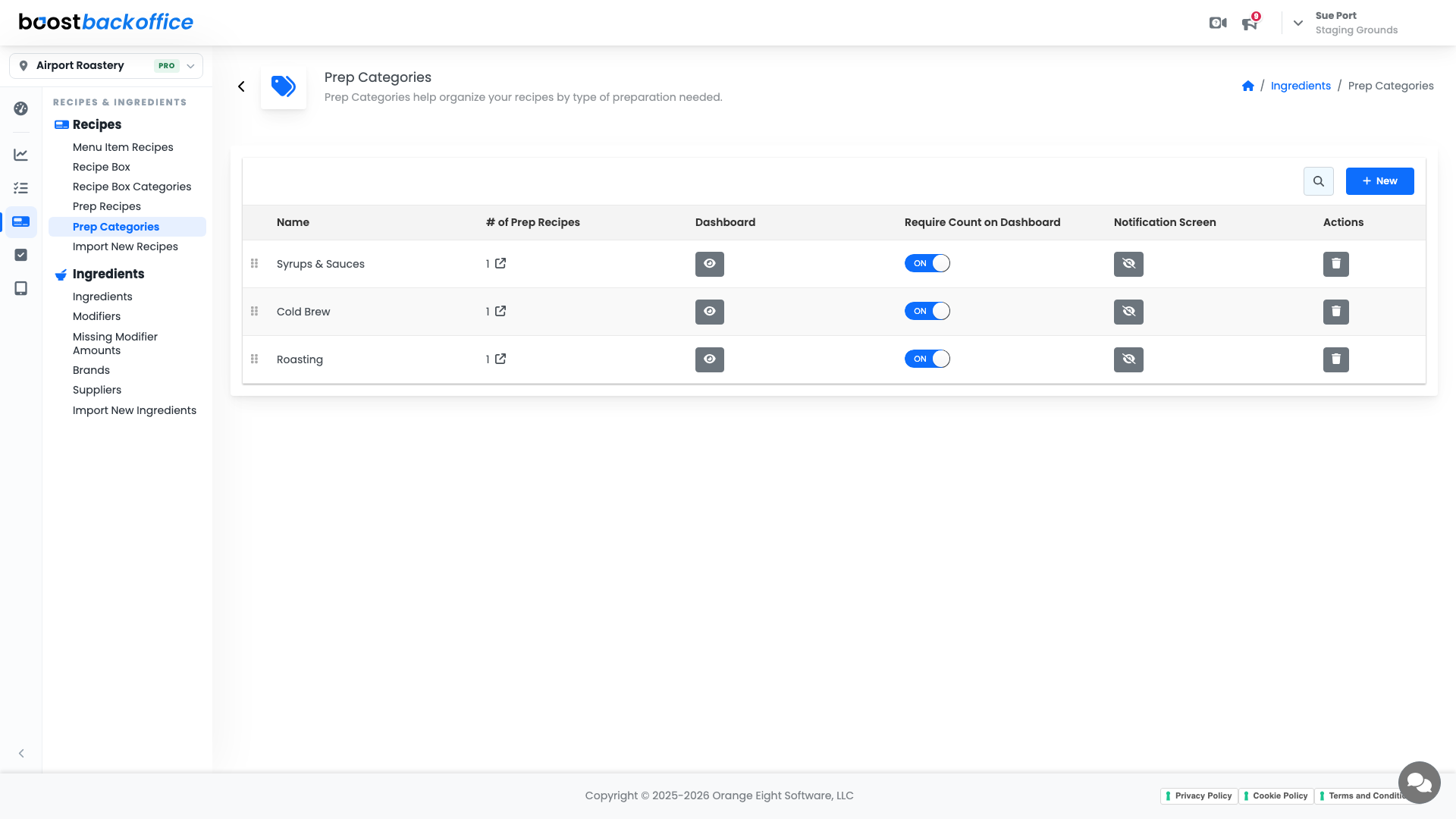
Name them after how prep actually runs in your shop, by station or by batch day, and the morning list becomes one tab instead of a scroll.
What you should see
Every in-house batch listed with a recipe and linked ingredients, so a prep run shows up in the ledger as ingredients consumed and concentrate produced.
Account Level: All