Linking Modifiers to Ingredients
Contents6 sections
Modifiers are every choice a customer makes at the register: oat milk instead of whole, an extra shot, a pump of vanilla. Each one moves real product off your shelf. Linking them is what stops a busy Saturday of substitutions from quietly wrecking your numbers.
Open your modifier lists
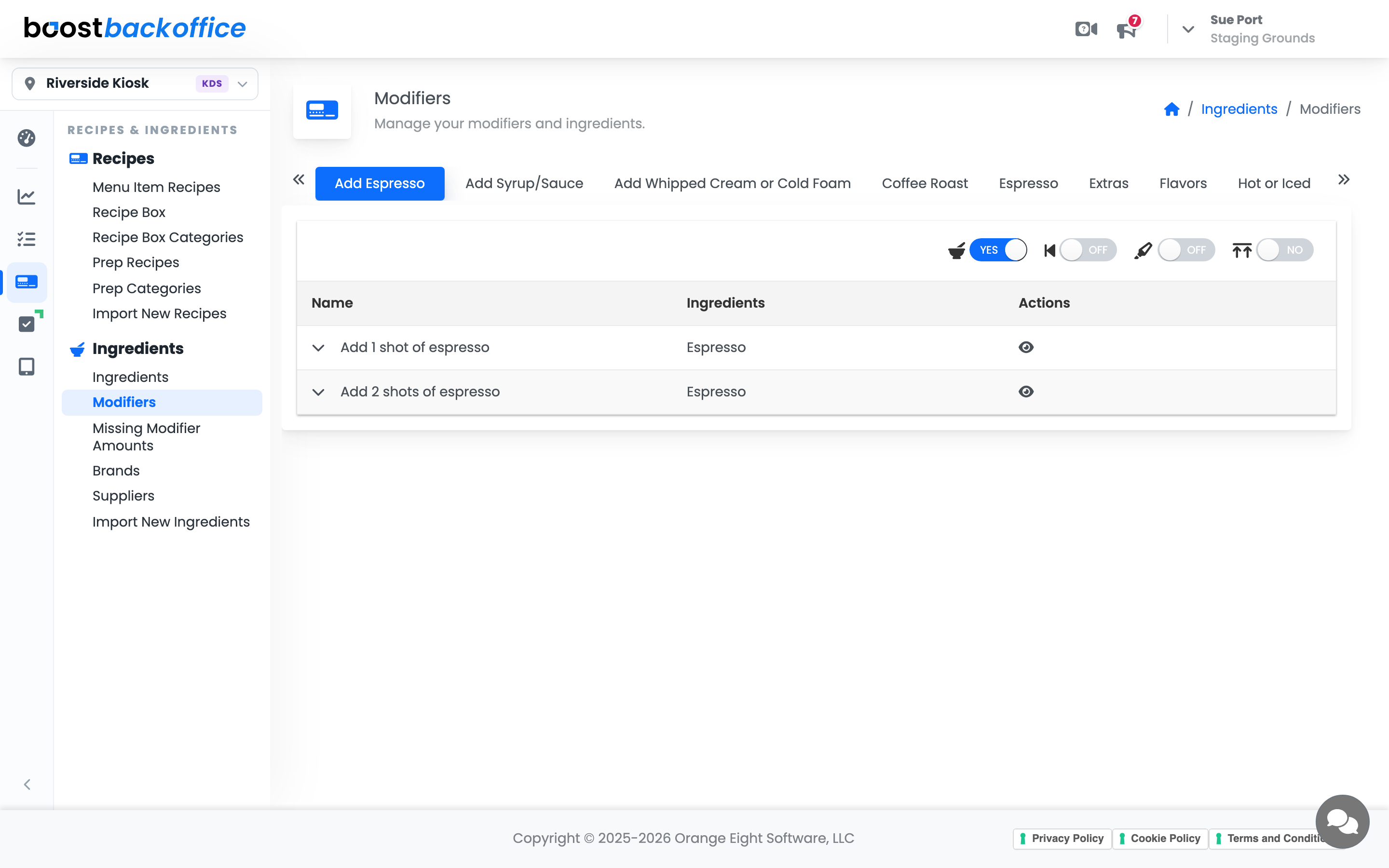
Go to Recipes & Ingredients > Ingredients > Modifiers. Your POS modifier lists run across the top as tabs: Milk, Flavors, Extras, and whatever else your menu offers.
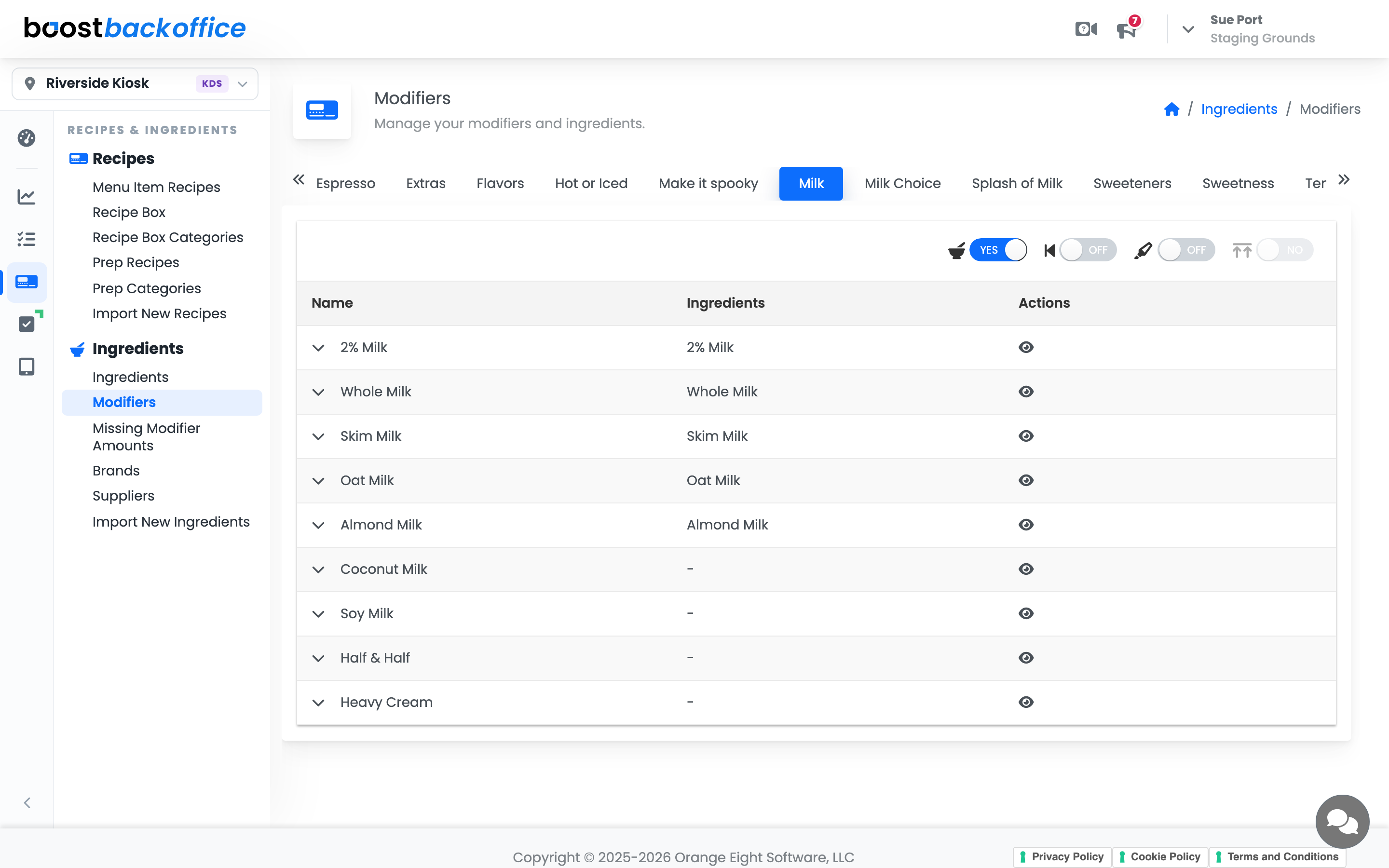
Each row is one choice, with the ingredient it consumes beside it. A dash means that choice is not linked yet, so it currently costs you nothing on paper and everything in real life.
Link a choice to an ingredient
Click the Ingredients cell for a modifier and pick the ingredient it uses. From then on, a customer who asks for oat milk pulls oat milk out of inventory rather than whole milk.
Important
Link the alternatives first. Substitutions are where inventory quietly disappears, because the recipe still charges the default while the shelf loses something else.
Set default amounts once per size
Expand a modifier's row (the chevron on the left) to open its default amounts grid: one column per size the modifier reaches, one row per linked ingredient.
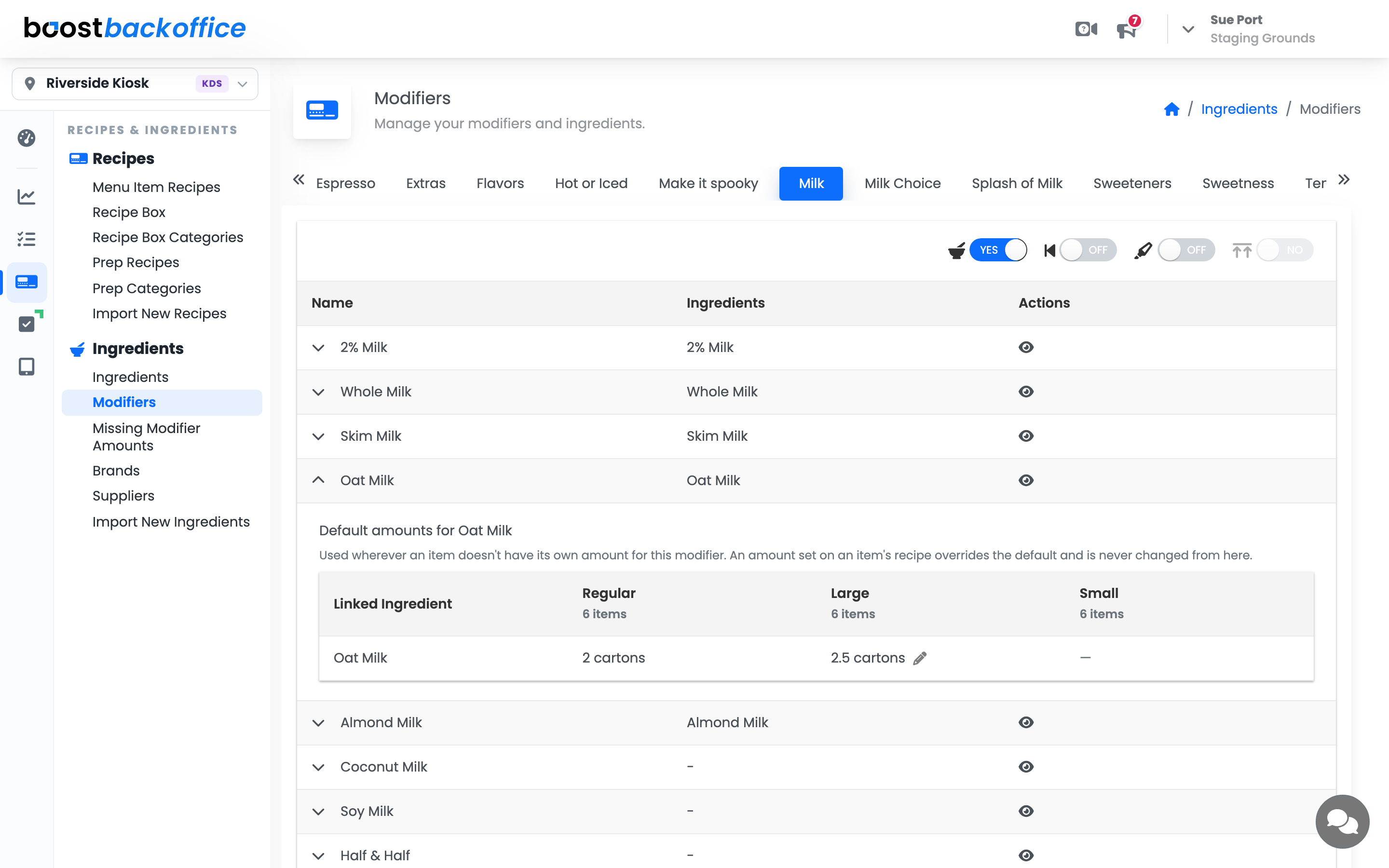
Fill in a cell and that amount applies to every menu item offering the modifier in that size, without touching each item's recipe. A milk list offered on thirty drinks in two sizes is two cells here instead of sixty amounts on the items.
Note
An amount set on an item's own recipe always wins over the default. Defaults fill the gaps; they never change a drink you have already tuned, and fixing a typo in a default reaches every item that was relying on it.
Clearing a cell removes the default rather than storing zero. If one specific item should deduct nothing for a choice, set 0 on that item's recipe: an explicit zero means "deliberately consumes nothing" and is never replaced by the default.
The four switches on a list
The toggles above the table apply to the whole list.
| Toggle | What it controls |
|---|---|
| Has ingredients | Whether choices in this list consume inventory at all |
| Prefix | Whether the choice reads as a prefix on the ticket, like "Oat Latte" |
| Highlight | Whether the choice stands out for the person making the drink |
| Shared limit | Whether the choices in this list share one maximum between them |
A list like Hot or Iced changes how a drink is made without consuming anything extra, so it does not need ingredients. A list like Milk absolutely does.
Catch what is still unlinked
Go to Recipes & Ingredients > Ingredients > Missing Modifier Amounts for the catch-up list. It shows the modifiers your POS offers that are not yet pointing at an ingredient. A choice covered by a default clears from this report too: only choices with an amount from neither layer stay on it.
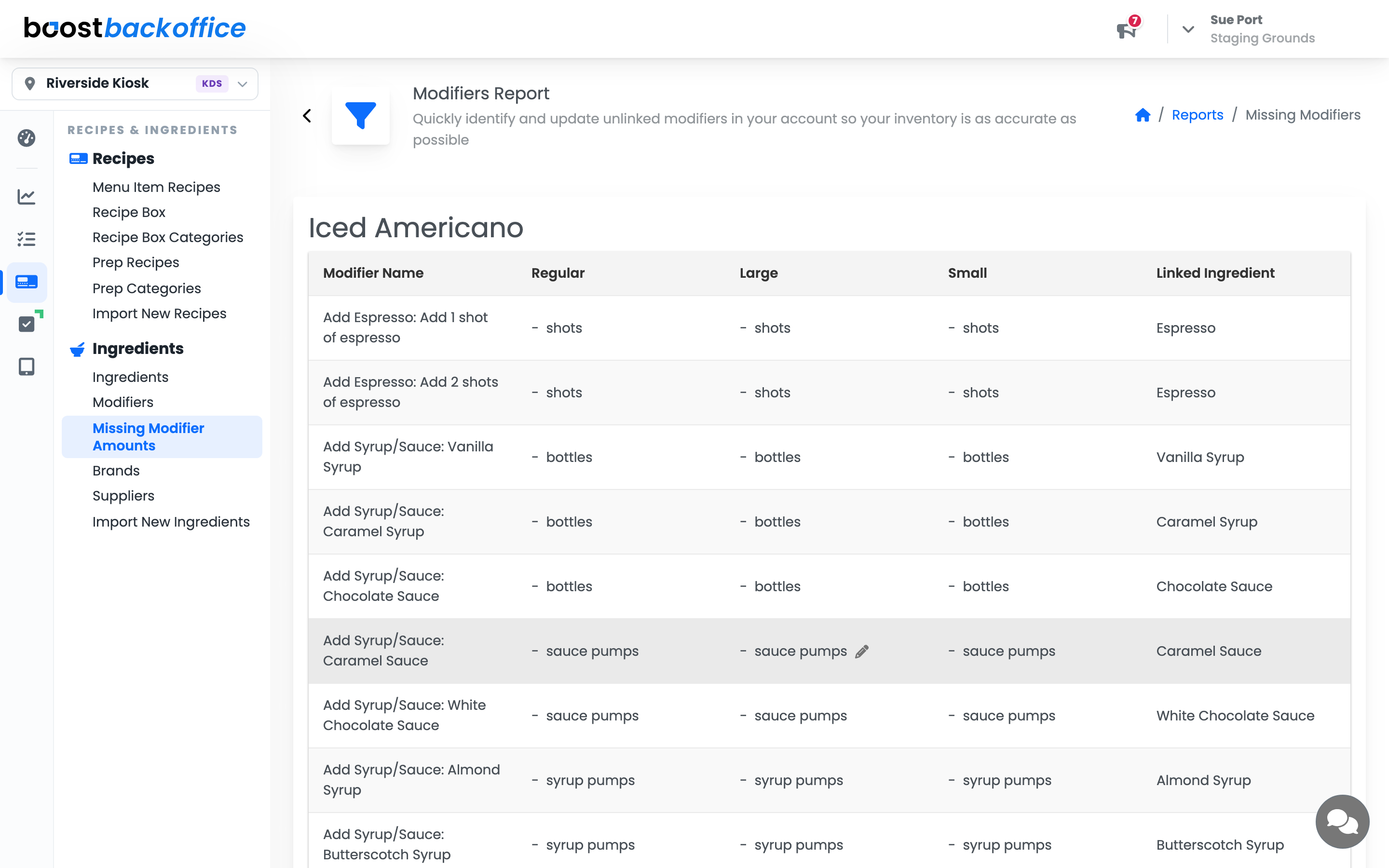
Working this list to empty is one of the highest-value hours you can spend in Boost. Every row on it is usage you are currently not counting.
What you should see
Every choice that consumes product pointing at an ingredient, an empty report, and COGS numbers that stop drifting on the days full of substitutions.
Account Level: KDS & Pro