

Reading the Inventory Alerts Report
Contents7 sections
The dashboard tells you how many things need attention. This report tells you which ones, and shows its working: your real usage, your supplier's lead time, and how many days you have before the shelf runs dry.
Open the report
Go to Reports > Location Reports > Inventory Alerts. It arrives split into the three problems, in the order they should worry you.
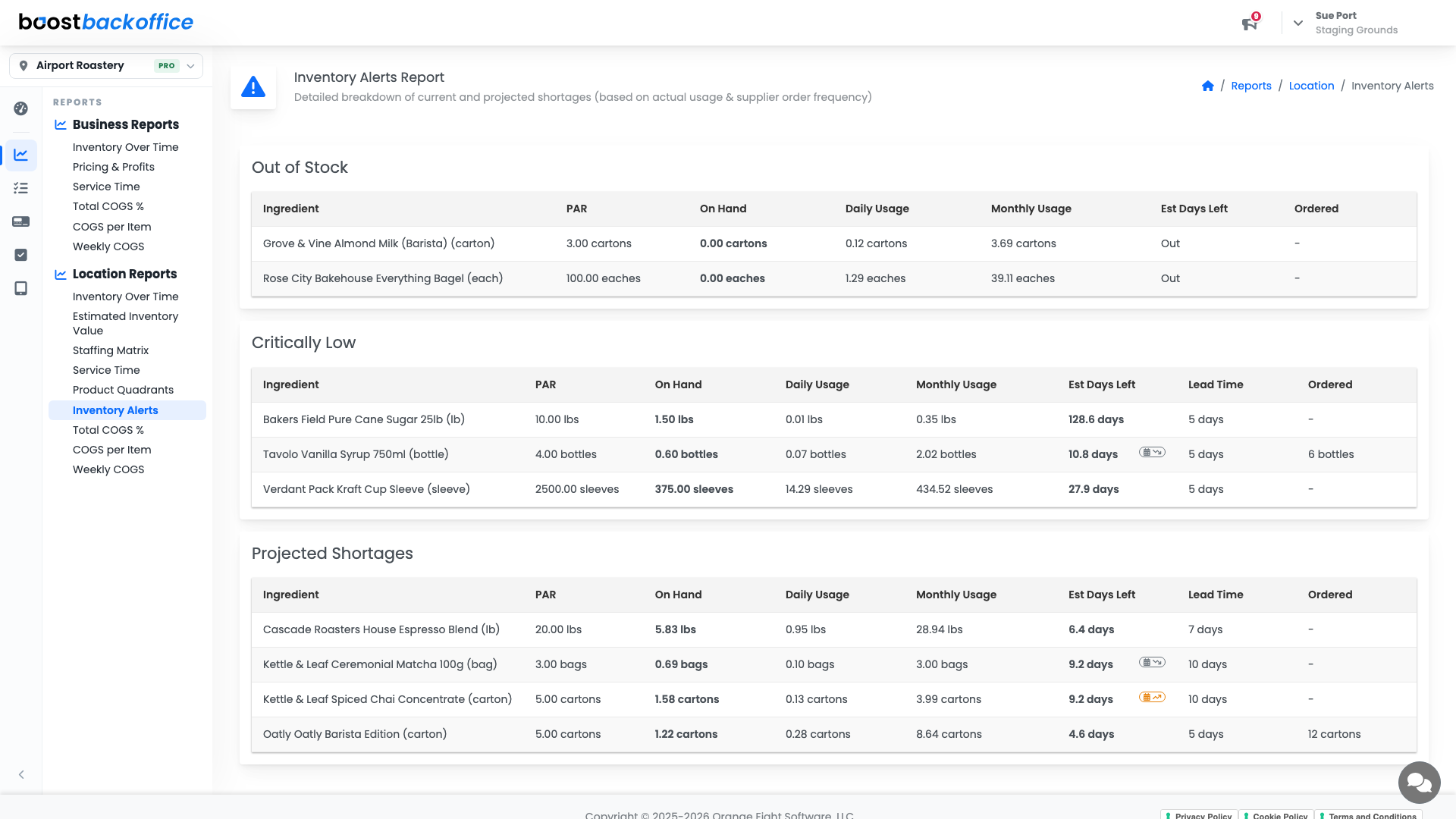
Out of Stock
Already at zero. Every row here is something you cannot serve right now, so it is the section to read first and the one worth a phone call rather than a purchase order.
Critically Low
Not out yet, but close enough that normal ordering will not save it. Each row shows PAR, On Hand, Daily Usage, Monthly Usage, Est Days Left, the supplier's Lead Time, and whether any is already Ordered.
Days left against lead time is the whole calculation. Ten days of stock and a five-day lead time is fine. Four days of stock and a five-day lead time is a problem that has already happened, you just have not felt it yet.
Projected Shortages
The one that earns its keep. These items look healthy today, but your own usage says they will not last the gap between now and your next delivery. Catching them here is the difference between adding a line to Thursday's order and paying for an emergency run.
Tip
Work this report top to bottom once a week, right before you place your biggest order. Every row you fix here is a shortage that never happens.
Switch to what you make yourself
The report opens on the things you buy. Prepped switches it to your in-house recipes, which are judged a different way: there is no supplier to order from and no lead time to beat, so the only question is how much of PAR is left.
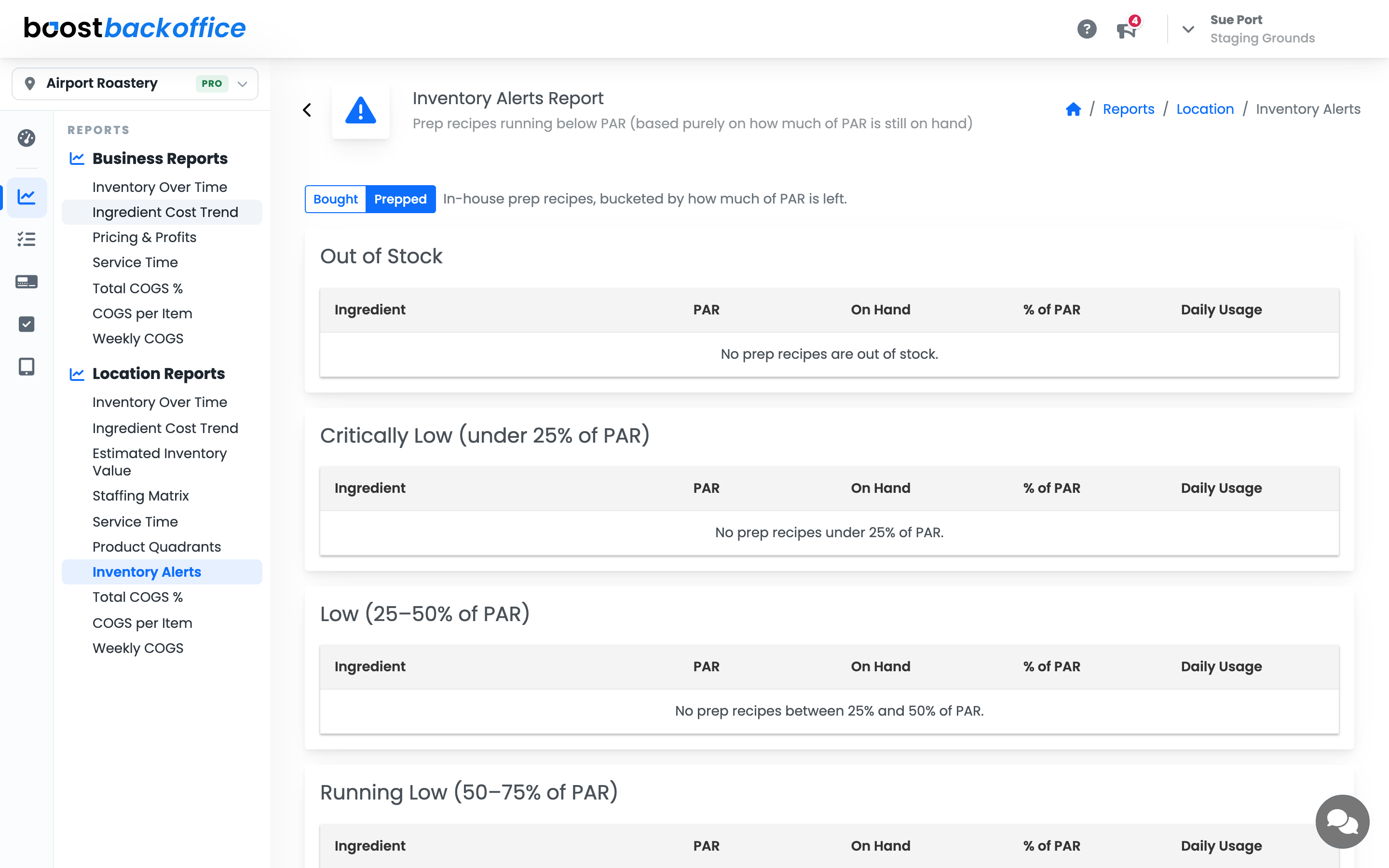
Prep items are grouped into the same four bands the dashboard card counts: out of stock, under 25% of PAR, 25 to 50%, and 50 to 75%.
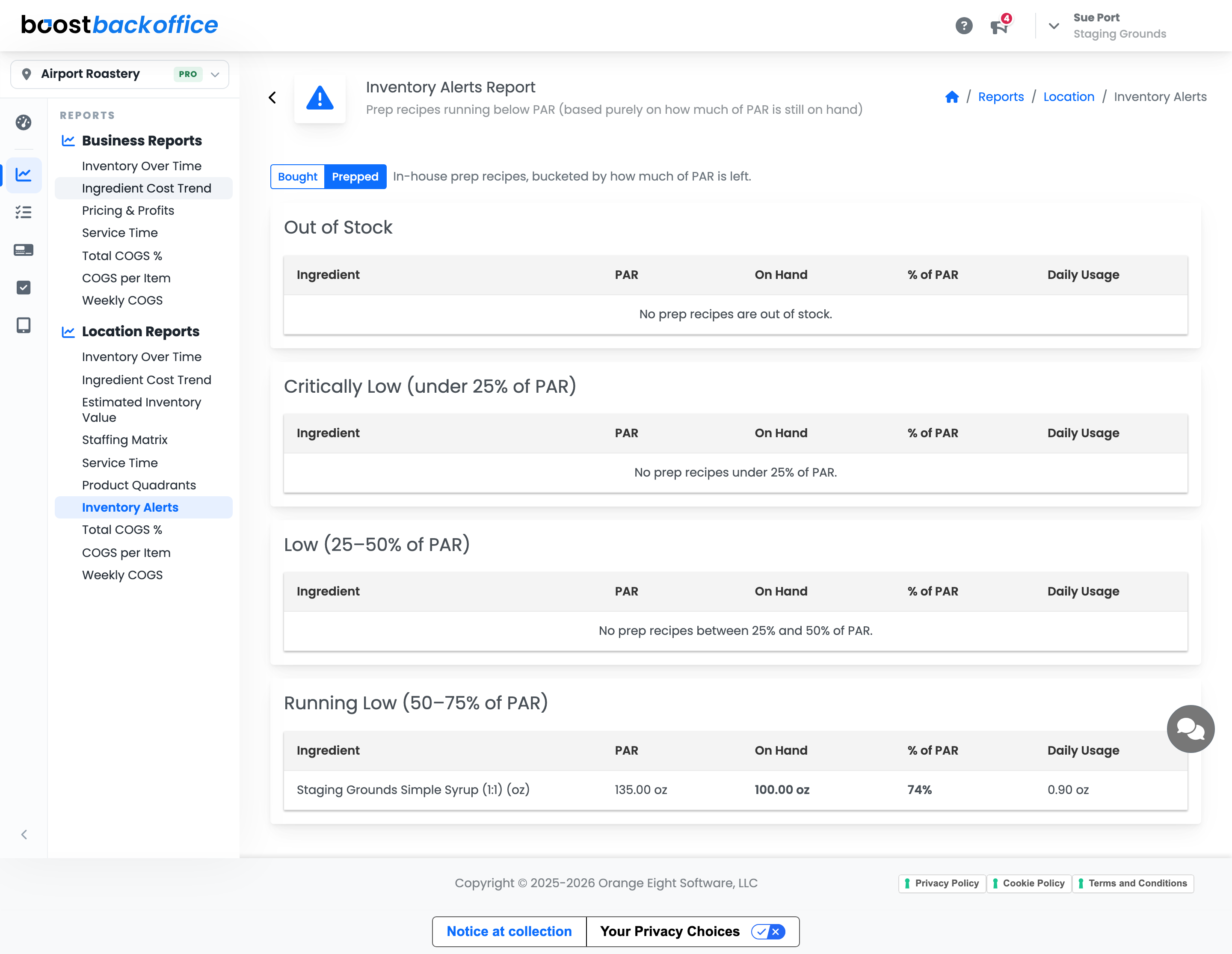
Each row shows the ingredient with its PAR, what is on hand, the percentage left and how fast you go through it. There is no Ordered or Lead Time column here, because you do not place a supplier order for something you make. PAR is still editable right in the table, and the row moves to the right band as soon as you change it.
Where the numbers come from
Daily and monthly usage come from your ledger, so they reflect what your shop actually got through rather than what a recipe suggests. Lead time and order frequency come from the supplier record, which is why keeping those two fields honest under Recipes & Ingredients > Ingredients > Suppliers makes this report sharper.
An ingredient with no supplier will never appear in Projected Shortages, because Boost has no delivery window to measure against.
What you should see
An empty Out of Stock section, a short Critically Low list you already have orders in for, and a Projected Shortages list that turns into next week's order.
Account Level: Pro