

Reading the Staffing Matrix
Contents5 sections
Schedules tend to follow habit rather than trade. The Staffing Matrix lays out when your shop is actually busy and turns that into a recommended number of people on the floor.
Open the report
Go to Reports > Location Reports > Staffing Matrix, then set the window you want to plan from.
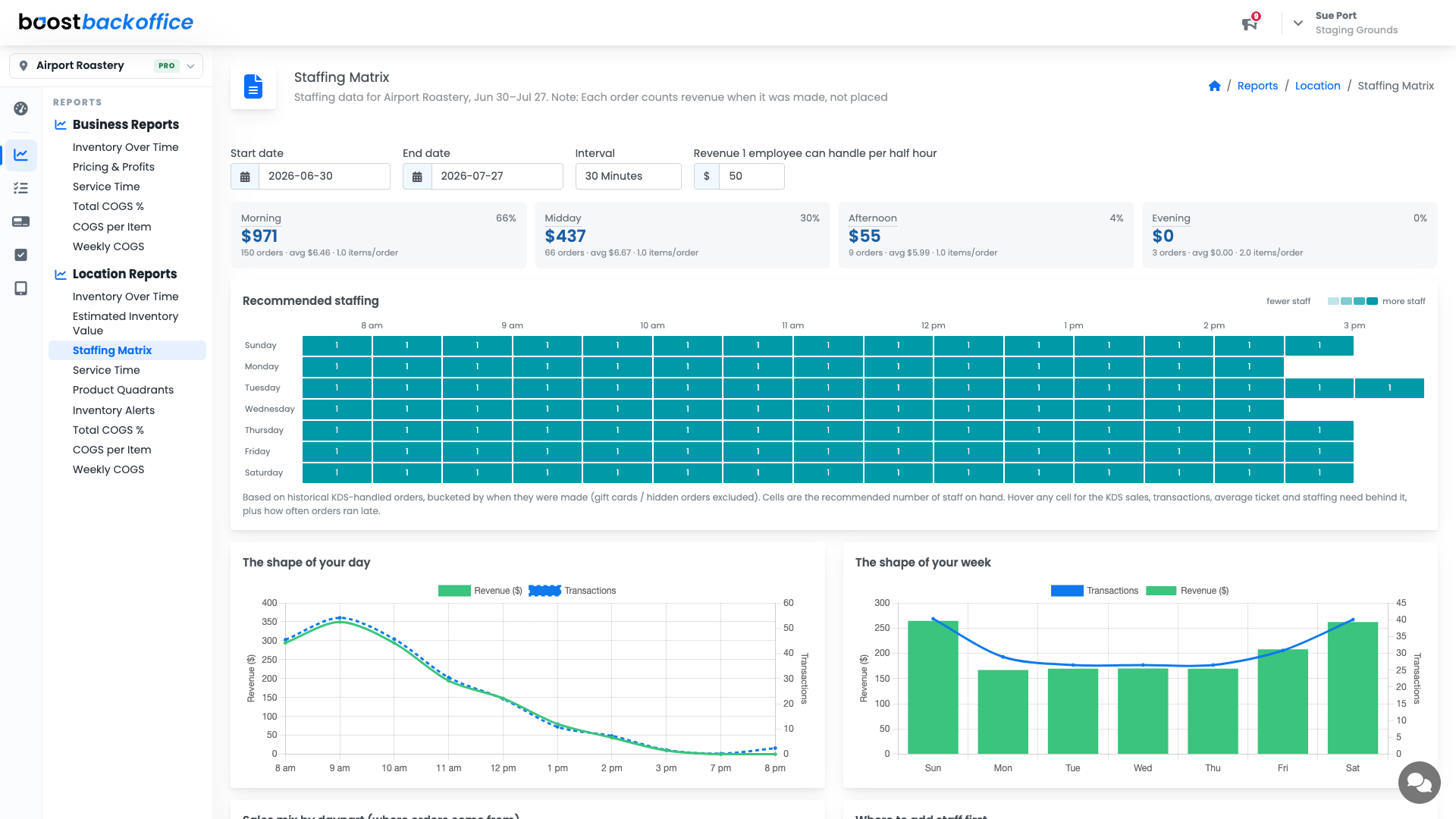
Four controls shape the whole page:
- Start date and End date set the history it learns from.
- Interval sets the grid resolution, for example 30 minutes.
- Revenue 1 employee can handle per half hour is your call on throughput, and it is what turns revenue into a headcount.
Read your dayparts first
The four cards across the top break the period into Morning, Midday, Afternoon, and Evening, each with its revenue, its share of the day, order count, average ticket, and items per order.
A shop doing two thirds of its money before midday is a different business from one that trades all afternoon, and it should not be staffed the same way.
The recommended staffing grid
The grid is a cell per day and time slot, shaded from fewer staff to more, with the recommended number of people in each cell. Hover any cell for the sales, transactions, average ticket, and staffing need behind it, plus how often orders ran late in that slot.
Note
Recommendations are built from historical KDS-handled orders, bucketed by when the order was made, not when it was placed. Gift cards and hidden orders are left out, so the grid reflects drinks your team actually had to produce.
The shape of your day and week
Two charts sit underneath: revenue and transactions across the hours of the day, and across the days of the week. They are the sanity check on the grid. If the curve peaks at 9am and your schedule brings the second person in at 10, that is a hole you can see rather than argue about.
Tip
Change the revenue-per-employee figure and watch the grid move. It is the fastest way to test whether a busy Saturday is a staffing problem or a throughput one.
What you should see
A grid that matches the mornings your team remembers, and a schedule that puts people on the floor before the rush rather than during it.
Account Level: KDS & Pro