

Browsing Discussions on the Underground
Contents5 sections
There is a lot going on in the Underground on any given day. Here is how to cut it down to the conversations that matter to your shop this week.
Everything, newest first
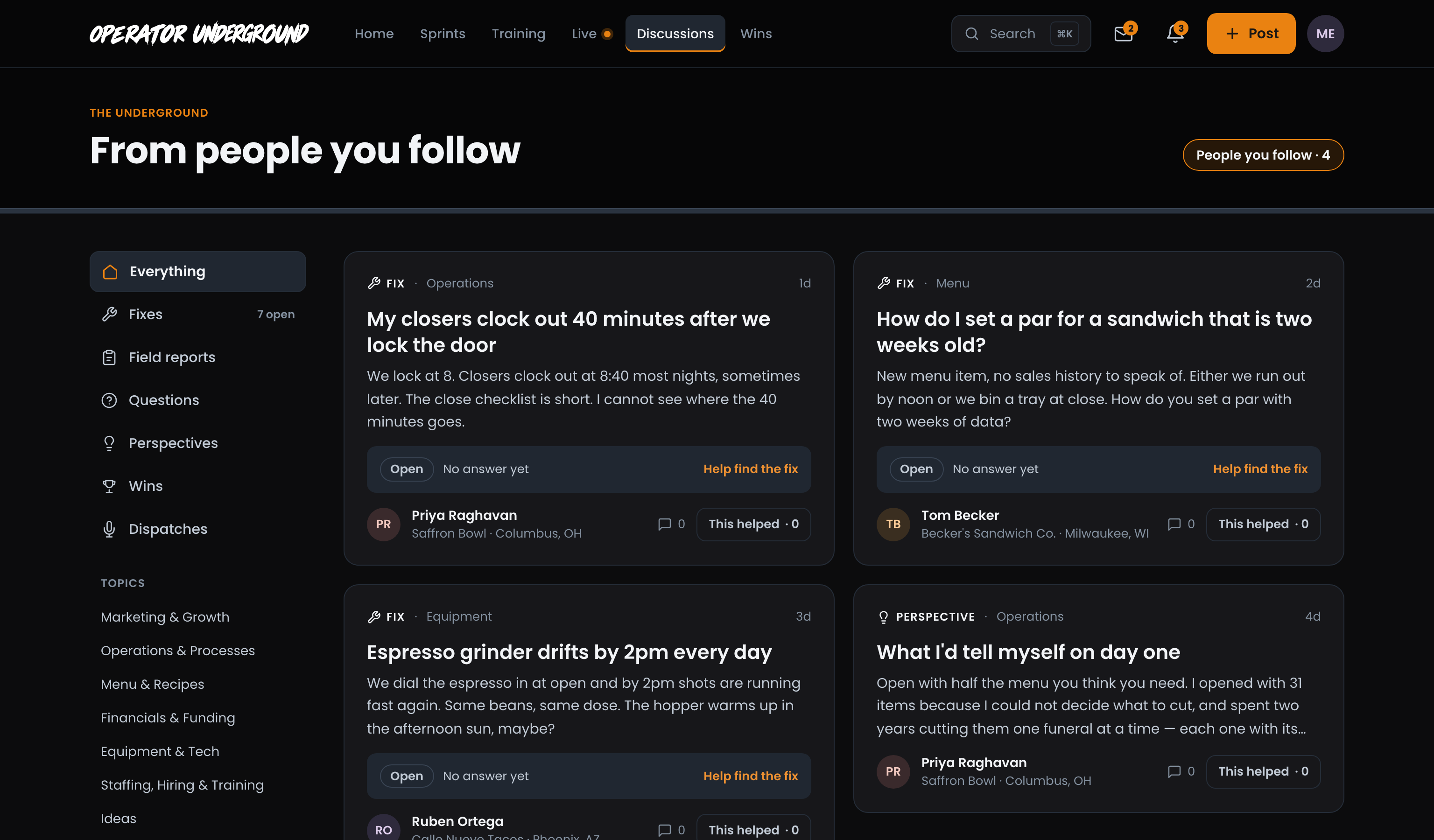
One Place for Every Conversation: Discussions in the top nav is every Fix, Field Report, Question, Perspective and Dispatch, newest first, 20 to a page with Newer and Older at the bottom. (Wins have their own home on The Board.)
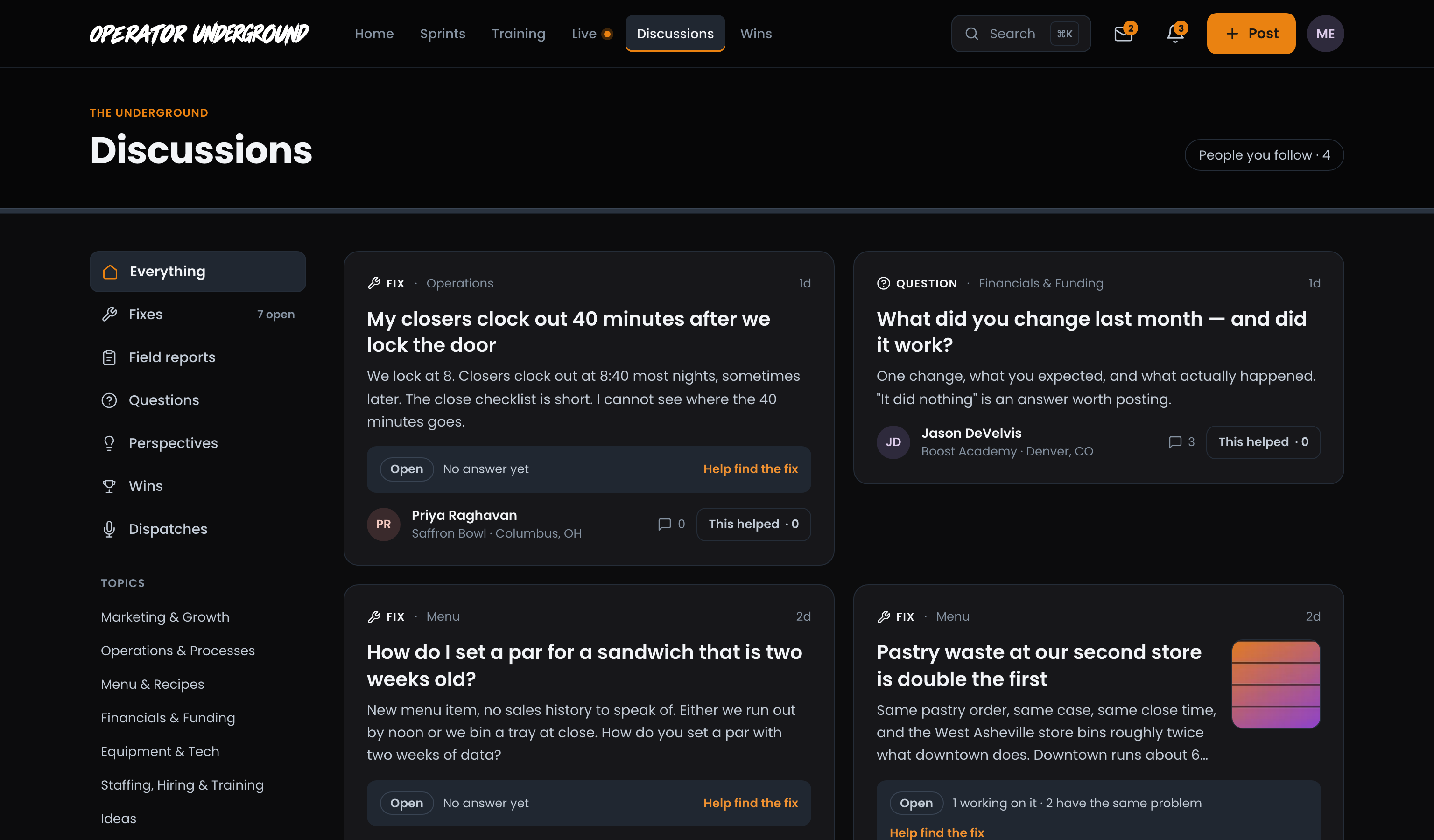
Read a Card at a Glance: Each card shows what kind of post it is, its topic and how old it is, then the title and a short preview in plain words. Open Fixes add where they stand (No answer yet, or 1 working on it · 2 have the same problem) and Help find the fix. Field Reports show what the operator Changed next to the Result, and Dispatches have a Listen button. Every card shows its reply count and This helped.
Narrow it down
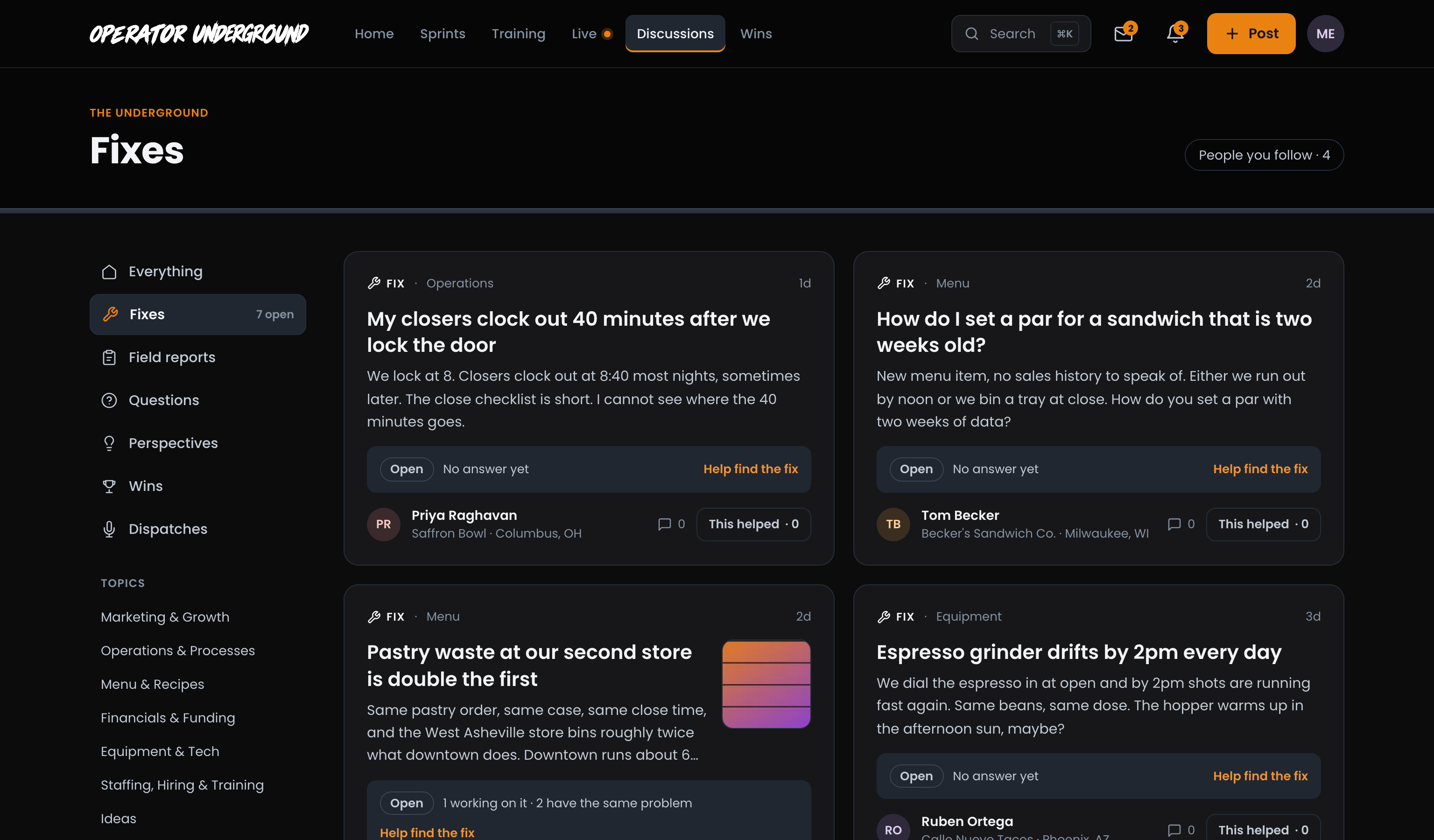
By Type: The left column filters to Everything, Fixes (with how many are open), Field reports, Questions, Perspectives, Wins or Dispatches, and the page takes the type's name, so Fixes is headed Fixes. On a phone, the same filters are a row of chips across the top.
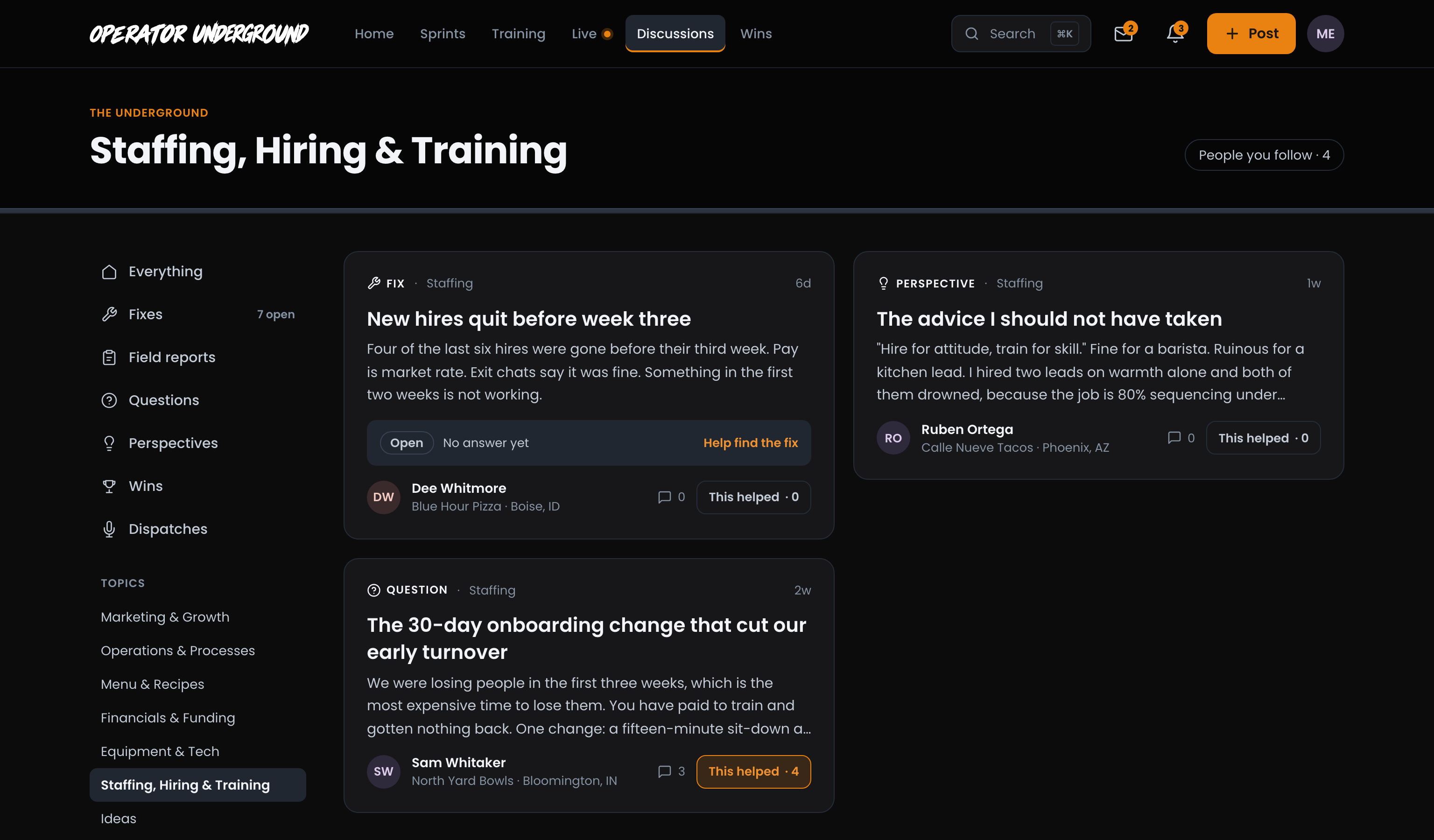
By Topic: Under Topics, pick the part of the business you care about: Marketing & Growth, Operations & Processes, Menu & Recipes, Financials & Funding, Equipment & Tech, Staffing, Hiring & Training or Ideas. The page takes the topic's name.
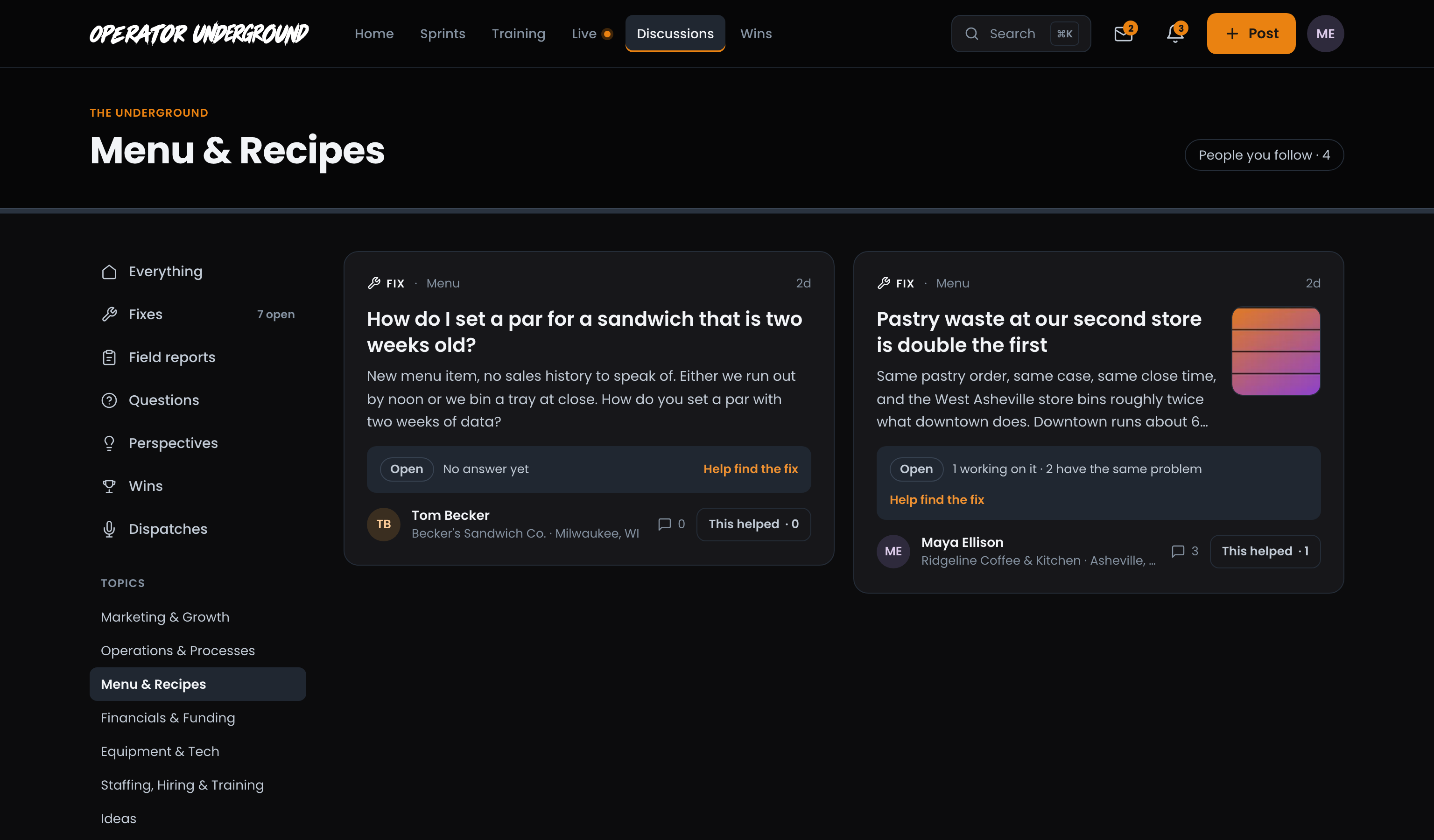
Both at Once: Pick a type first, then a topic, and you get both: Fixes, then Menu & Recipes, shows only the Menu Fixes. (Picking a different type afterwards clears the topic.)
People You Follow: The People you follow button at the top right shows only posts from operators you follow, under From people you follow. The People you follow card in the left column tells you how many of them have posted since you were last here; Catch up opens the same view. Press the button again to go back to everyone.
A Course's Discussion: Every course has its own discussion, titled About and the course's name. Discuss in the Underground on a Boost Academy course page brings you straight there. A sprint has one too, titled From and the sprint's name.
Sort Home's feed
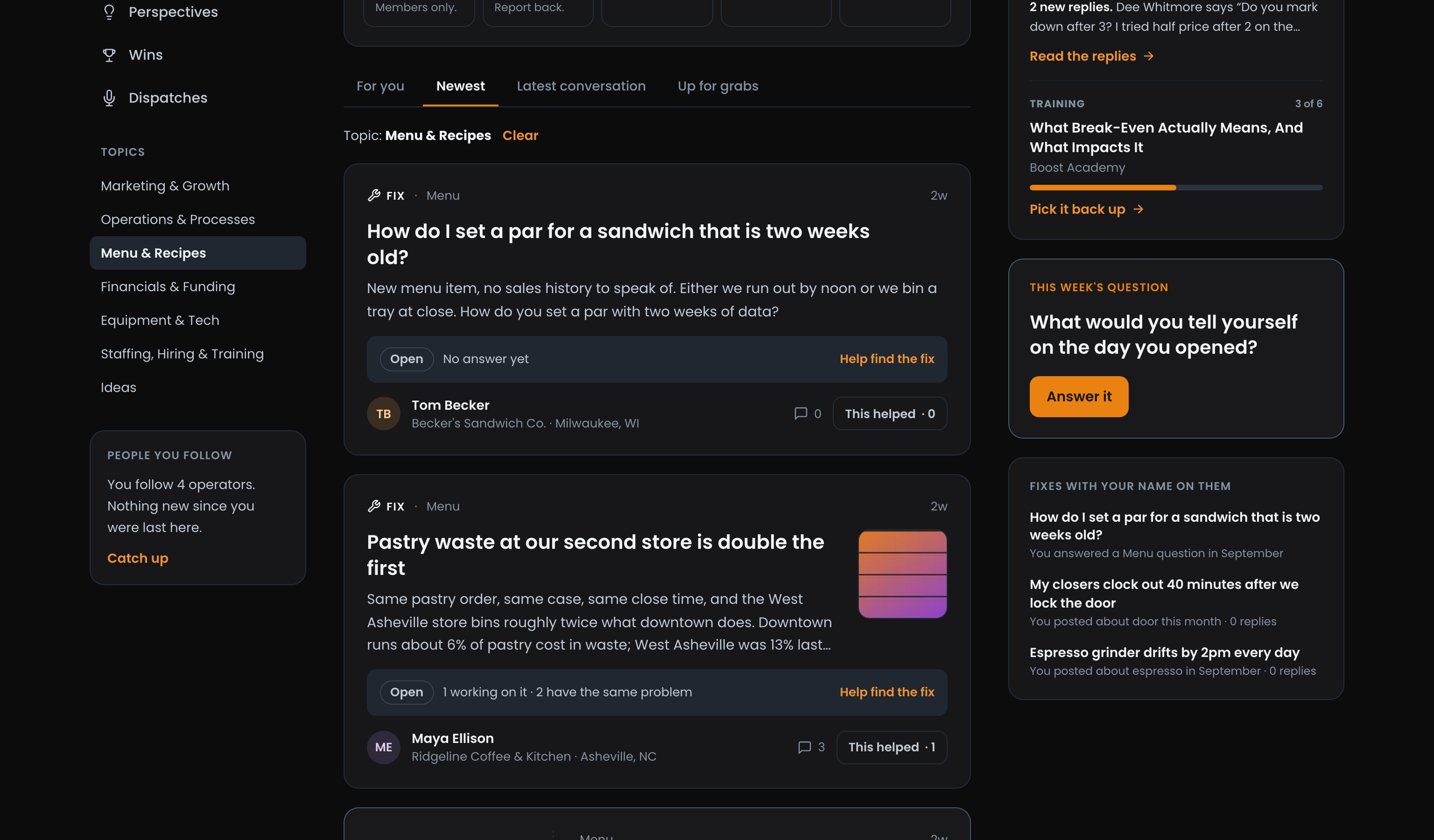
Four Ways to Read It: Home's feed has the same type filters and topics in its left column, plus four tabs:
- For you: posts picked for you first, then everything else.
- Newest: everything, newest first.
- Latest conversation: the conversations with the newest replies first, so a thread that just picked up an answer comes back to the top. A post nobody has replied to yet counts from when it went up.
- Up for grabs: open Fixes nobody has said they are trying yet. See Helping on another operator's Fix.
Pick a topic on Home and the feed says so above the cards (Topic: Menu & Recipes), with Clear to go back to everything. Tabs, filters and topics change Home's feed right where you are, and a tab you have already looked at comes straight back.
Good to know
- Fixes are members only. If you are not signed in, they do not show up anywhere in the feed.
- Posts from anyone you have blocked never show up in your feed.
- Looking for something specific? Search is faster: press Cmd/Ctrl+K from any page. Searching the Underground covers it.
Ready to dig in?
Sign in to the Operator Underground, open Discussions, and pick the topic that is keeping you up at night.
Access: All members