

Posting a Fix on the Underground
Contents5 sections
Something in your shop keeps going wrong and you are tired of guessing. Post it as a Fix. A Fix is a real problem, said plainly, that other operators help you work through until it is fixed and you can prove it.
Post a Fix
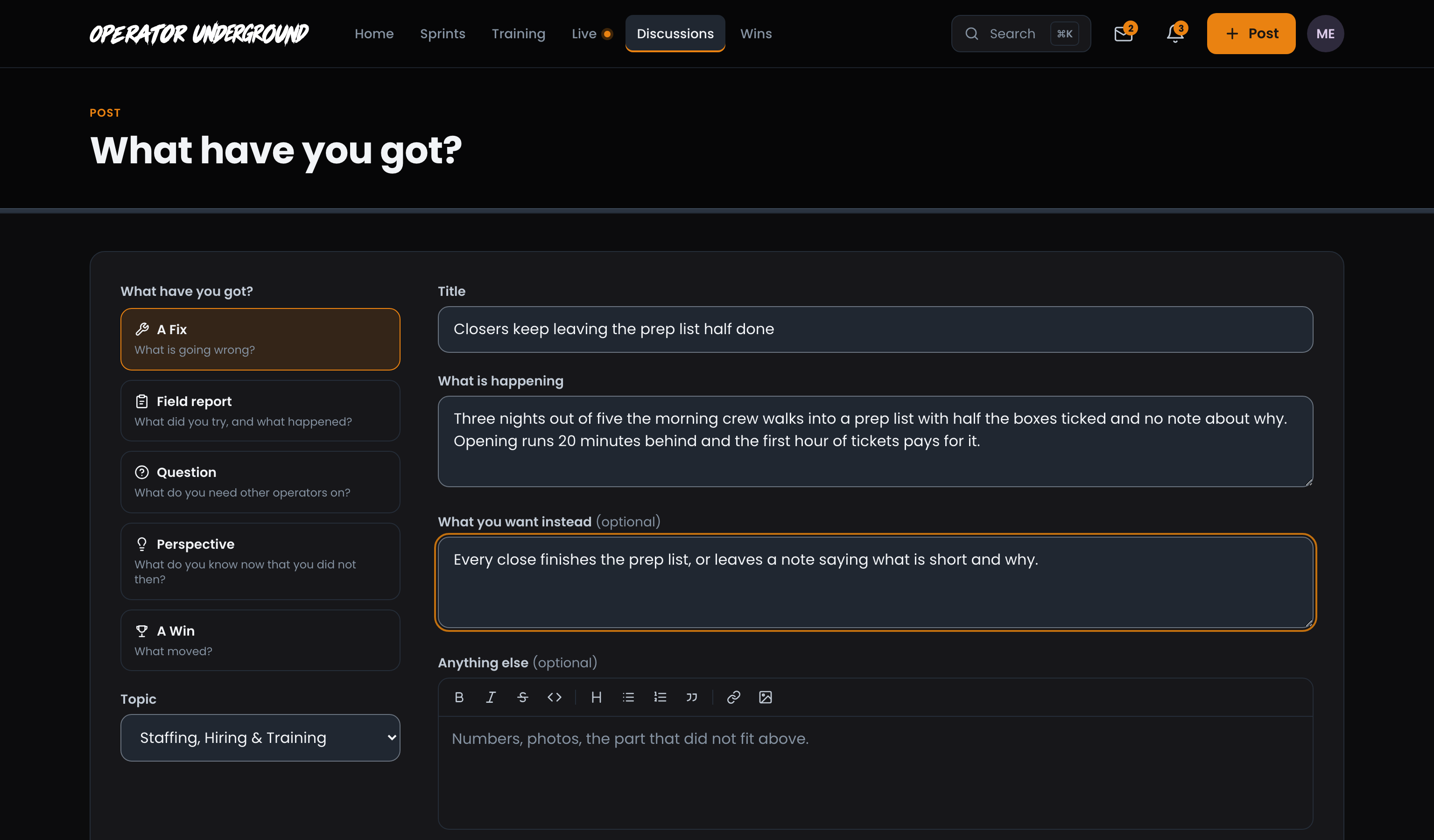
Say It the Way You Would Over Coffee: Press Post in the header (or the A Fix tile on Home) and pick A Fix. It asks for:
- Topic: the part of the business it lives in, like Staffing, Hiring & Training or Menu & Recipes. That becomes the Fix's area.
- Title: the problem in one line. Closers keep leaving the prep list half done beats Closing issues.
- What is happening: describe it the way you would to another operator. This one is required.
- What you want instead (optional): what fixed looks like. A number helps.
- Anything else (optional): numbers, photos, what you have already tried.
Press Post fix and you land on your new Fix.
Who Can Read It: Fixes are members only and never show up in search engines, so you can be honest about labor, waste and the shift that keeps going sideways. Anyone signed in to the Underground can read one and help, whatever their plan. Someone who is not signed in sees Sign in to read this instead. Replies to a Fix stay inside the Underground too.
Watch it move
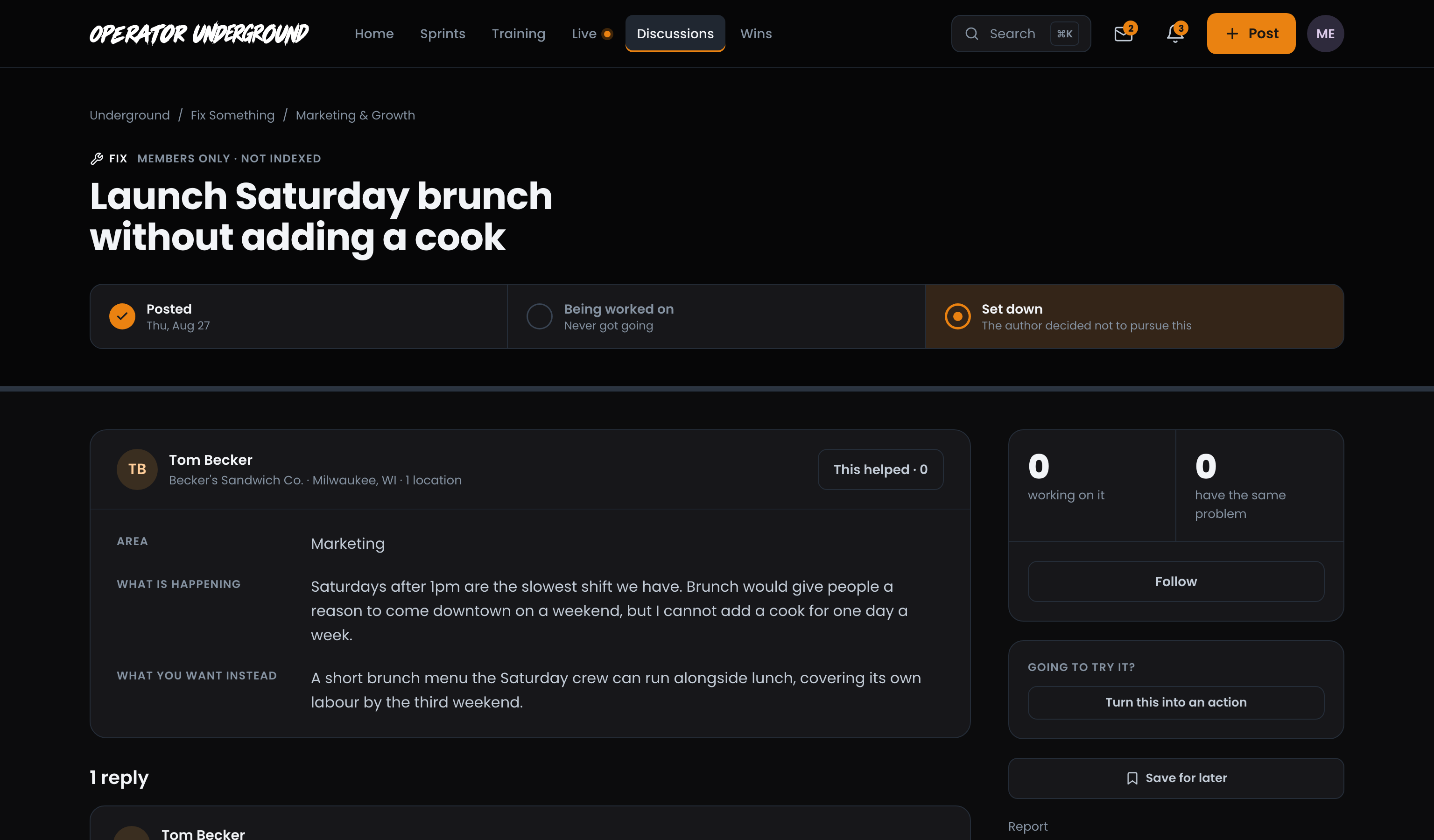
Know Where It Stands: Every Fix carries three steps across the top:
- Posted, with the day you posted it.
- Being worked on. This lights up as soon as anyone says they are trying an idea from the replies, and it names who ("Tom is trying something").
- Fixed. This needs proof: a Field Report or a Win that says what you changed and what happened.
The side panel counts how many operators are working on it and how many have the same problem. You follow your own Fix automatically, so new replies come to you.

Change its status yourself
You Call It: As the author, the ... button next to Close with proof gives you:
- I'm working on it, when you have started on something yourself. (Back to open undoes it.)
- Set it down, when you have decided not to pursue it.
- Close with a Win instead, when the proof is a number on The Board.
Trying an idea from a reply moves it along too: press I'm trying this on that reply and your Fix shows Being worked on.

Set It Down Without Shame: Not every problem is worth chasing this quarter. A set-down Fix says so (The author decided not to pursue this) and stays readable, so the next operator with the same problem can see how far you got. Changed your mind? Open the ... menu and press Reopen. A Fix you closed with proof can be reopened the same way.
Take It Live: On a sprint with the Training Pass? While your Fix is open, a Take it live card offers to put it on the list for your next live session, and the host pulls it up on screen.
Close it with proof
When the change works, press Close with proof and tell the room what you did. Closing a Fix with proof walks through it, and Helping on another operator's Fix covers the other side: saying you have the same problem and marking the idea you are trying.
Ready to dig in?
Sign in to the Operator Underground, press Post, and bring the problem you have been putting up with.
Access: All members. Take it live comes with the Training Pass.