

Your Home page on the Underground
Contents4 sections
You open the Underground between a supplier call and the lunch rush. Home's right-hand column is built for that moment: it answers "what needs me right now?" before you have scrolled a single post.
The feed and the What have you got? tiles are covered in Using the Operator Underground site. This article is about the cards around them.
For You: what is waiting on you
The Short List, Not the Whole Feed: For You sits at the top of the right column. Its header shows today's date and how many things are waiting, and under it are at most four items, the most urgent first.
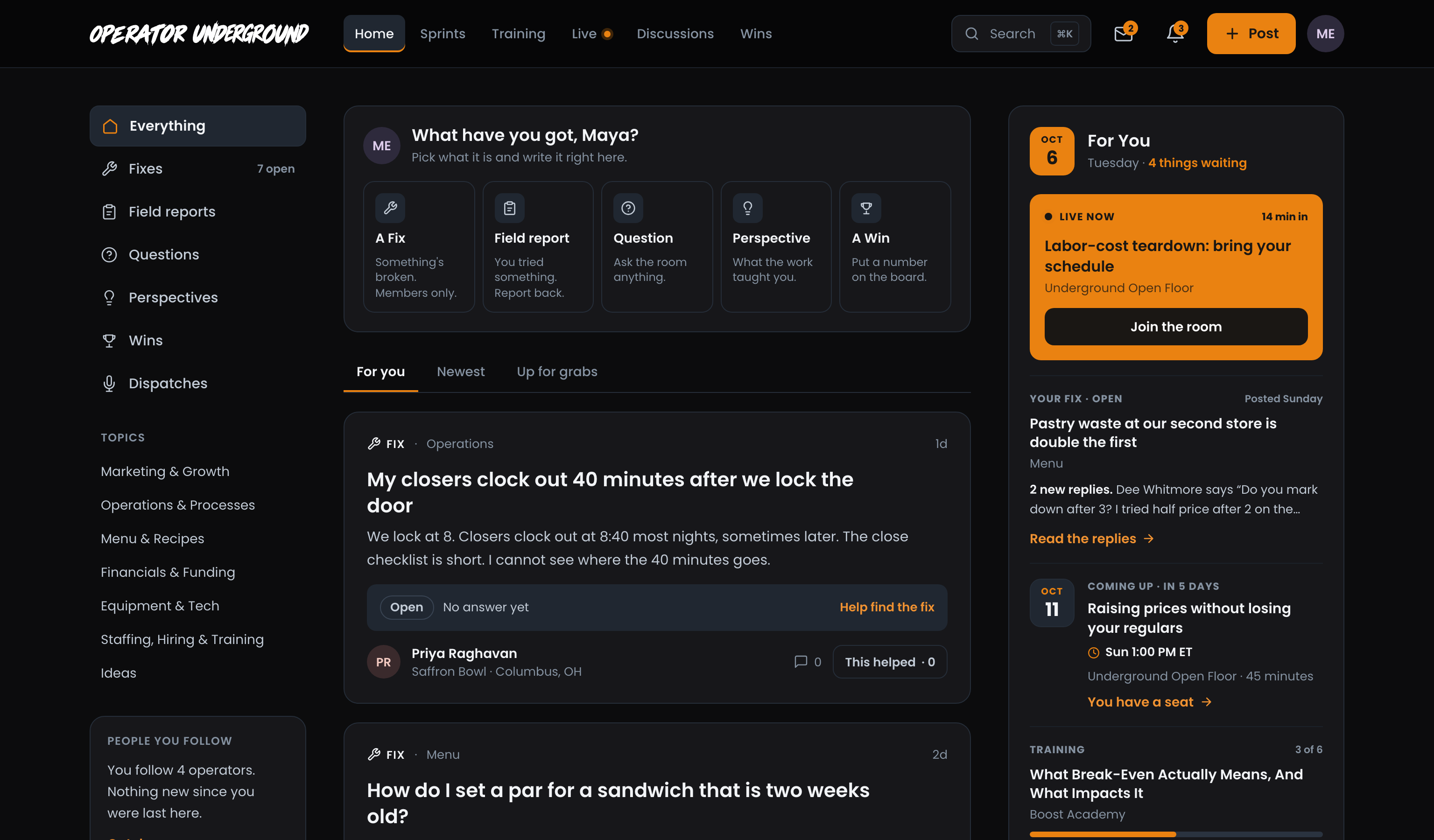
Here is what can show up, in the order it is picked:
| What | When it shows | What to press |
|---|---|---|
| Live now | A live session you have a seat in is running. It shows how many minutes in it is. | Join the room |
| Sprint | You are on a sprint (up to two). It names today's job, how long it takes, and whether it is due tonight or you are catching up, with a strip of the days you have done. | Open today's work |
| Your Fix | Your own open Fix has replies you have not read. It shows how many and a line from the latest. | Read the replies |
| Coming up | The next session you have a seat in, with its date, In 3 days (or however long), its time and how long it runs. | You have a seat |
| Training | A course you are partway through, with how many lessons you have done. It only fills a spot nothing more urgent needs. | Pick it back up |
A second Fix with unread replies gets a spot only if the others leave one free. A training course always comes last on purpose: it is the one thing with no clock on it and nobody waiting on you.
Clear It by Doing It: Items drop off as you deal with them. Read the replies on your Fix and it leaves the list. Finish today's sprint job and the sprint shows Today's work is done.
Tip
Nothing waiting? For You says so and offers Help someone find a fix?, which opens the feed sorted Up for grabs: open Fixes nobody has said they are trying yet.
On a narrower screen, For You moves above the composer so it is still the first thing you see, and it hides itself when there is nothing in it.
The rest of the right column
Under For You, Home adds a card only when it has something to say, so the column changes with what you are doing.
What You're On: Your current focus (the one line on your profile) and the one action most likely to slip: the overdue one first, then the soonest due, then the oldest. Past its date shows when it is late. The foot of the card counts how many actions are open and how many you finished in the last 30 days. Your actions on the Underground covers actions in full.
Your Number This Sprint: On a sprint that tracks a number, like labor or food cost, Home shows where you started, where you are now, and a bar toward your goal. Log today's number takes you to the sprint's results.
Your Crew: The people in your sprint crew, each with how many of the sprint's jobs they have done. See the crew opens the crew on the sprint page.
In the Room Now: When a live session you have a seat in is running, this card shows who is in the room with Join the room. If For You already lists the live session, this card stays out of the way.
This Week's Question: The question everybody answers this week. Using the Operator Underground site explains how it works.
Keep Up by Email: In your first month, if you have not set up the email digest yet, Home offers it right under This Week's Question. Press Weekly or Daily and it is on, with a note saying when it arrives. No thanks hides the card in that browser. Once your digest is set (to anything, here or in Settings), or once your first month is up, the card does not come back. Notifications on the Underground covers what the digest holds and how to change it.
Fixes with your name on them
Help Where You Will Actually Help: This card picks up to three open Fixes and tells you why each one is there. It skips your own Fixes, ones you have already replied to or said I have this too or I'm trying this on, and anything from someone you have blocked.
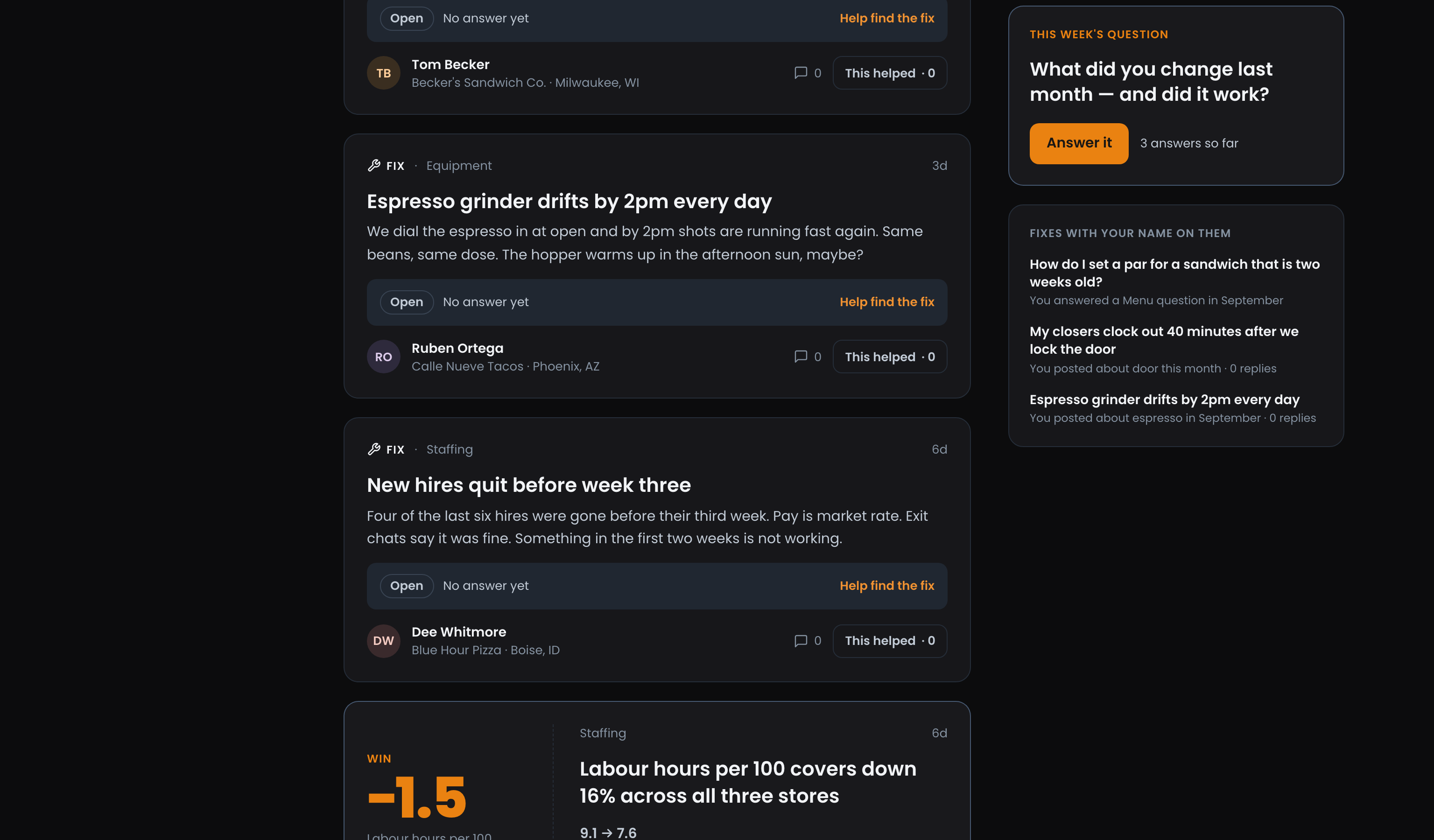
The reason is the strongest one it found, for example:
- You answered a Menu question in September: you have helped on that topic before.
- You posted about espresso in September: a word from your own posts shows up in the Fix.
- Matches your Staffing topic: you post in that topic a lot.
- Same kind of shop as yours: a similar concept, size or stage.
- Nobody has answered yet: it needs a first pair of eyes.
Fixes nobody has answered, or that nobody is trying anything on yet, rank higher, so your reply counts where it is needed most.
People you follow
Catch Up in One Click: In the left column, under the topics, People you follow tells you how many operators you follow and how many of them posted since you were last here. Catch up opens Discussions showing only their posts. Reloading Home during the same visit does not reset the count.
Not following anyone yet? The card offers Find operators. Finding operators on the Underground shows how to find people running shops like yours.
Ready to dig in? Sign in to the Operator Underground and see what is waiting for you under For You.
Access: All members