

Your First Week on the Underground
Contents7 sections
New to the Operator Underground? This is the order that gets you from signing up to a real problem with other operators working on it, with the replies coming to you instead of you checking for them.
Before you start
- You have an email address you can open on your phone or computer. There is no password: joining finishes with an emailed link or a 6-digit code.
- You have one thing in your shop you are tired of putting up with. You will need it in step 1.
1. Join and name what is in the way
Start With Your Shop, Not a Form: Joining asks what MORE looks like for you right now, then the one thing keeping you from it most. You leave with a first fix matched to that obstacle, saved to Your actions, and the tour ends on Discussions. The obstacle you name here is what the rest of the week is built around.
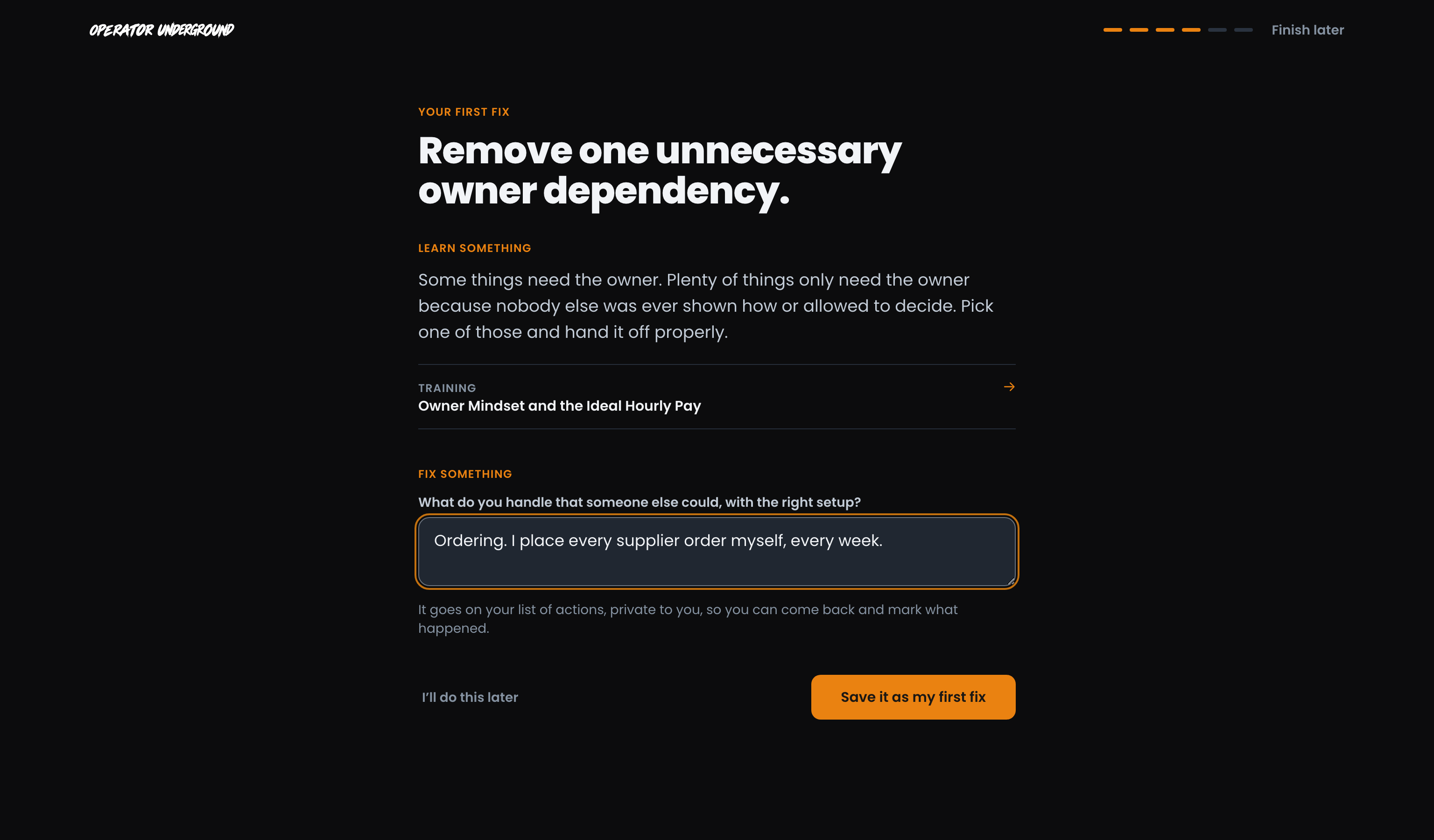
Step-by-step: Joining the Operator Underground
2. Read Home before the rush
Know What Needs You: Open Home first each visit. For You, at the top of the right column, lists the few things waiting on you today, most urgent first. Further down, Fixes with your name on them suggests open Fixes you are well placed to help with, and says why.
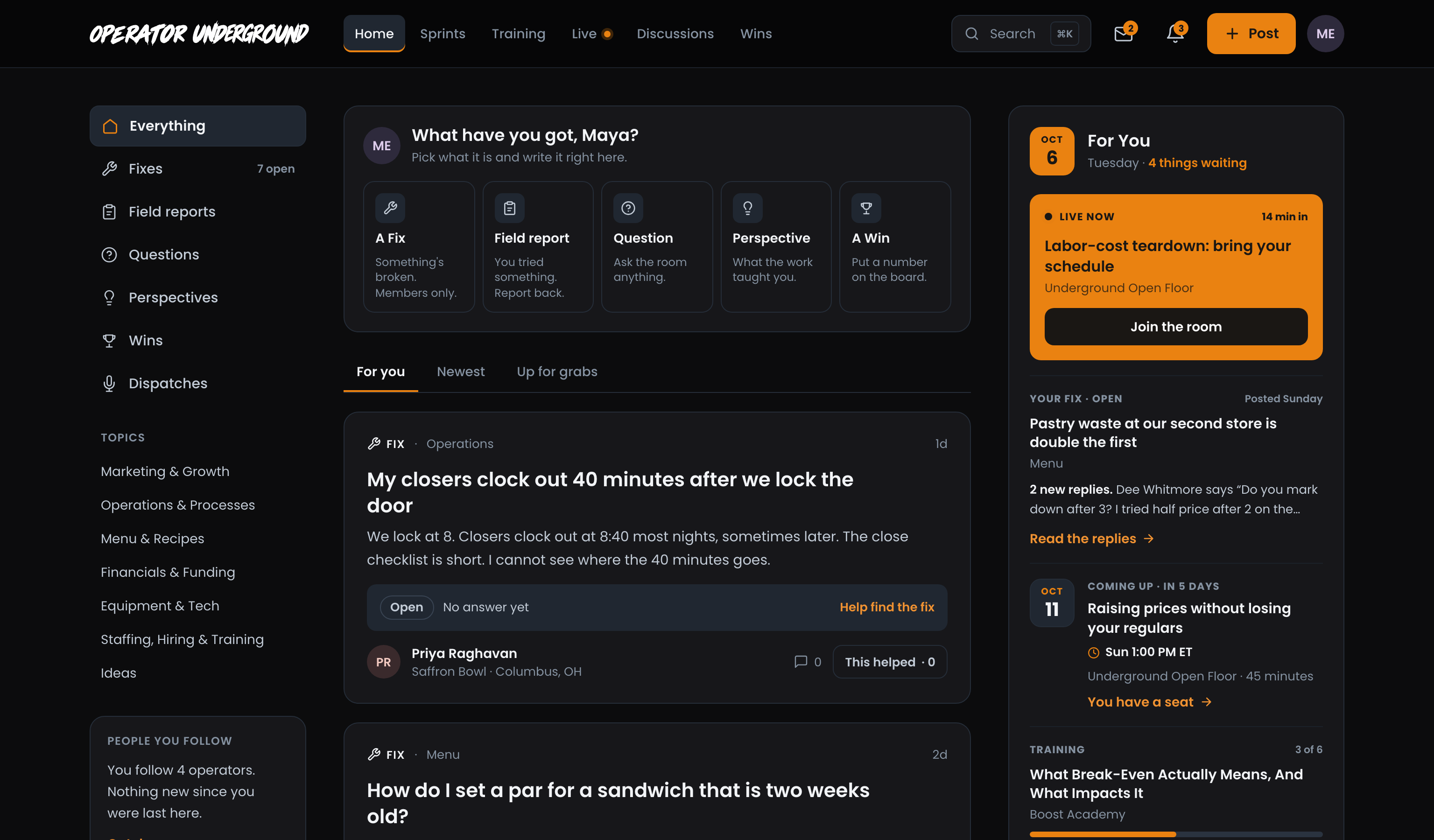
Step-by-step: Your Home page on the Underground
3. Post the problem as a Fix
Say It Out Loud: Take the thing you named when you joined and press Post, then A Fix. Pick a topic, give it a title and describe what is happening the way you would to another operator. That is the one required box. Fixes are members only and never indexed, so be specific about labor, waste and the shift that keeps going sideways.
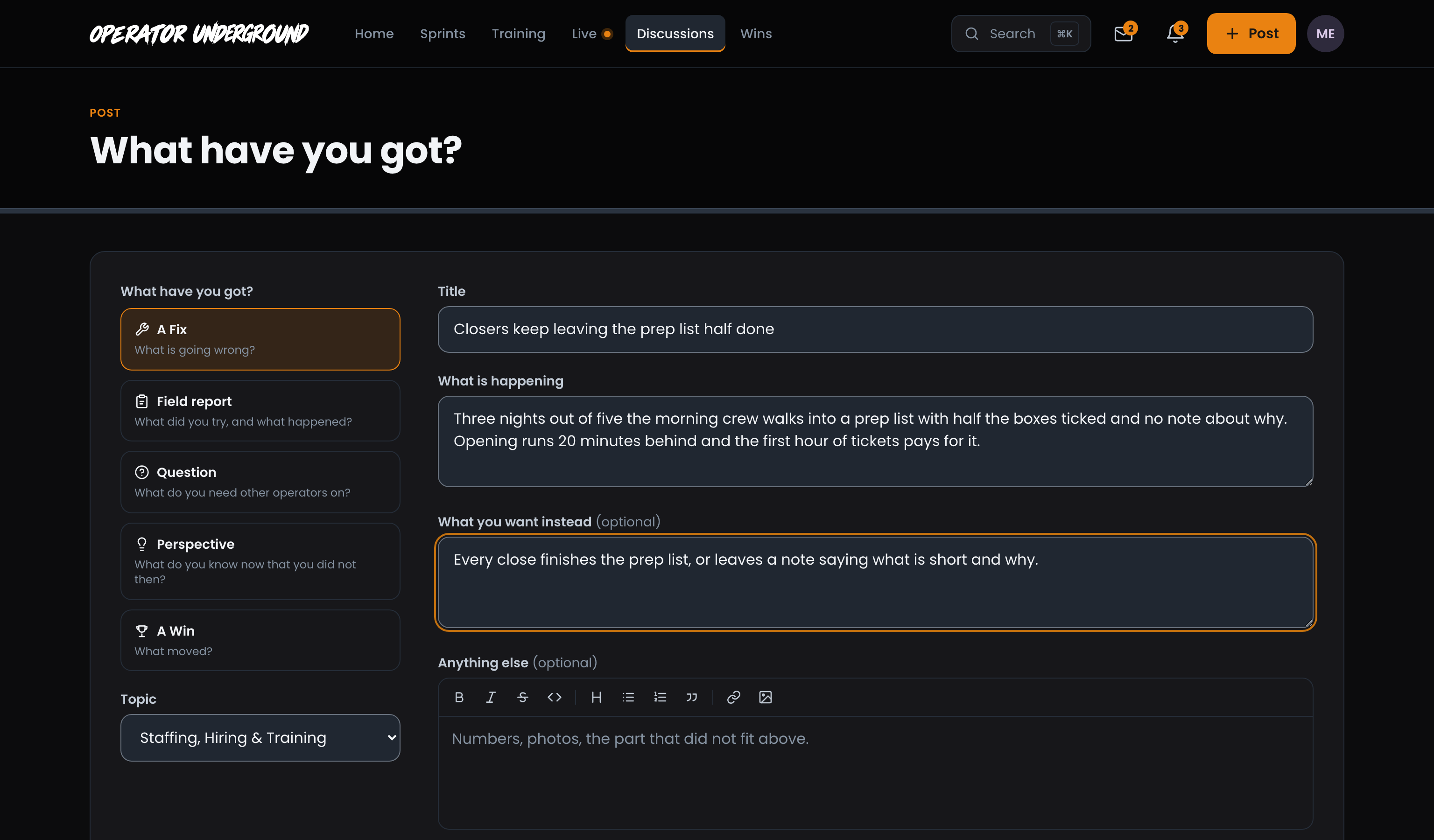
Step-by-step: Posting a Fix on the Underground
4. Answer, and mark what helped
Give Before You Ask Again: Open a thread in a topic you know and use Add what you know. Reply on someone's reply keeps a follow-up next to the answer it is about. Press This helped on the replies that actually helped you: replies sort by Most helpful, so your mark moves the best answer up for the next operator.
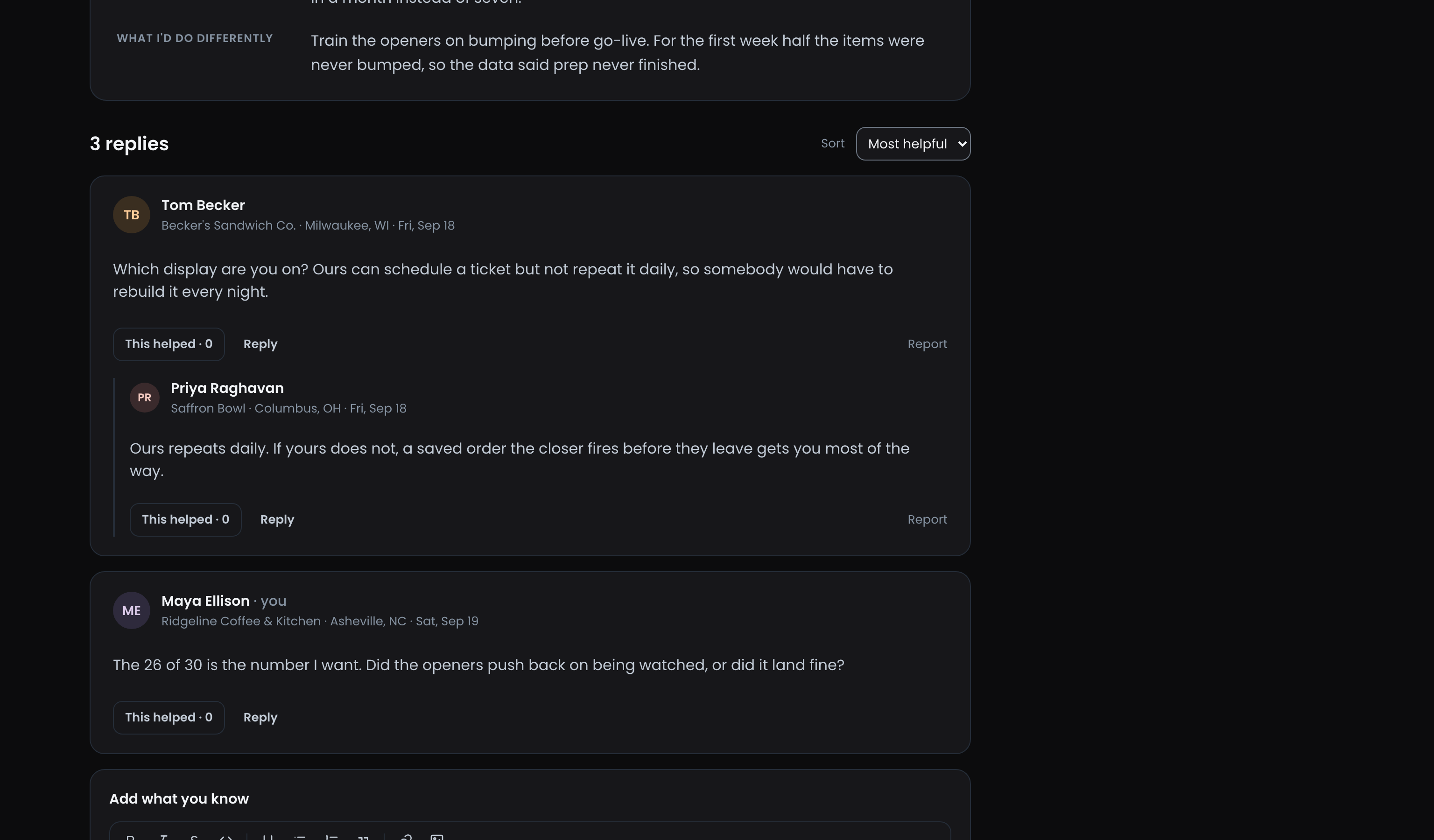
Step-by-step: Replying and This helped on the Underground
5. Let the replies come to you
Close the Tab With Confidence: Posting a thread or replying to one follows it for you, so new replies show up in the bell, including the ones on your Fix. In Settings, under Notifications, choose which kinds reach you, which replies also come by email, and whether you want a daily or weekly digest.
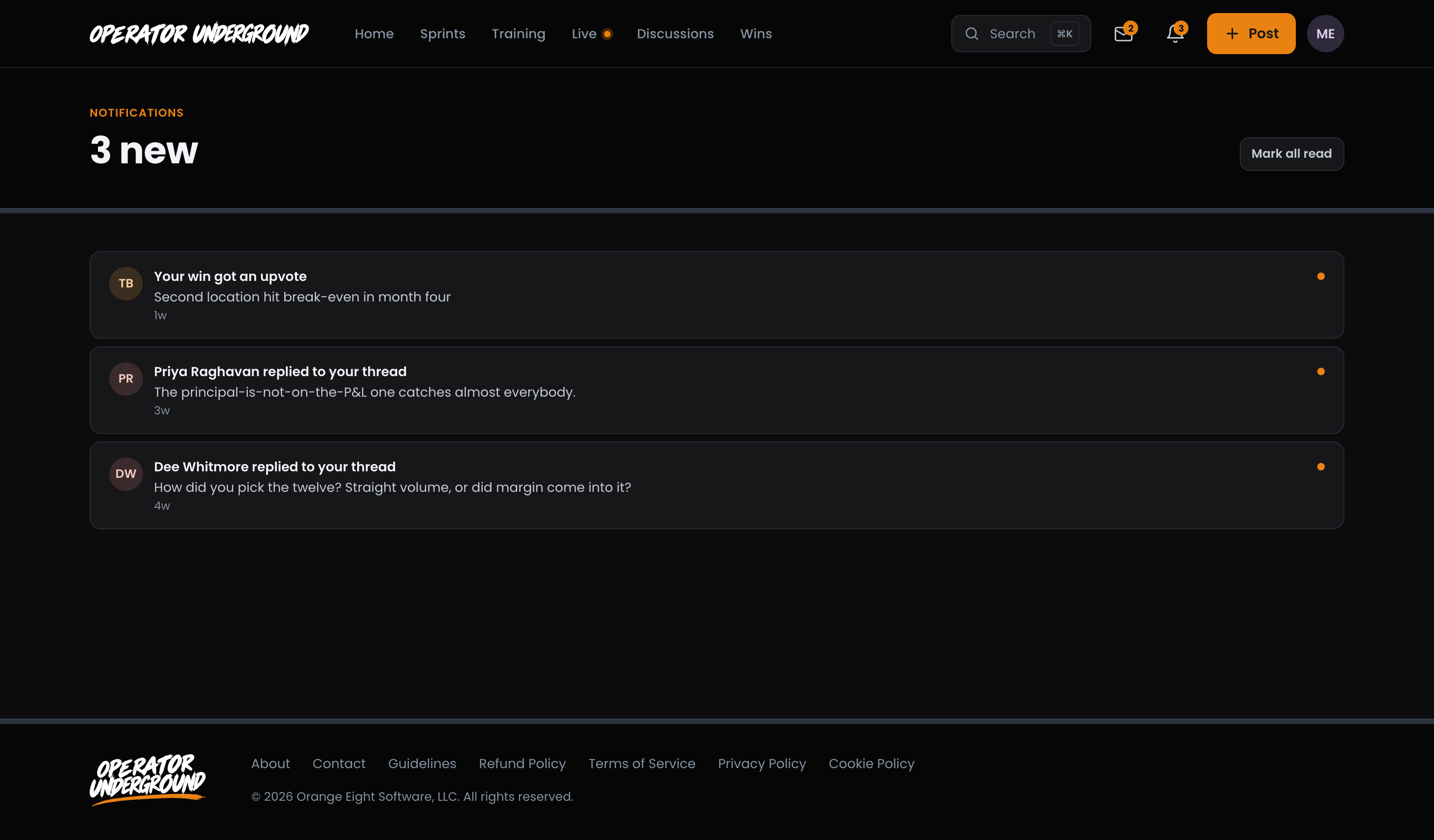
Step-by-step: Notifications on the Underground
Related
- Getting a Fix Solved: what happens after you post, all the way to proof.
- Post Types on the Underground: when to post a Fix, a Question, a Field Report, a Perspective or a Win.
- How the Underground Home Feed Sorts: what For you, Newest, Latest conversation and Up for grabs each show.
- Your actions on the Underground: where your first fix lives once you save it.
Access: All members