

Helping on another operator's Fix
Contents5 sections
The fastest way to fix your own shop is often to help fix someone else's. Every open Fix on the Underground is an operator stuck on something you may have already solved, or are stuck on too. Here is how to jump in.
Find a Fix nobody has picked up
Go Where You Are Needed: On Home, switch the feed to Up for grabs. It lists open Fixes nobody has said they are trying yet, the ones with the fewest ideas first. Every open Fix card has a Help find the fix link, plus a strip that tells you where it stands, like No ideas yet, 2 ideas · nobody trying anything yet or 1 working on it · 2 have the same problem.
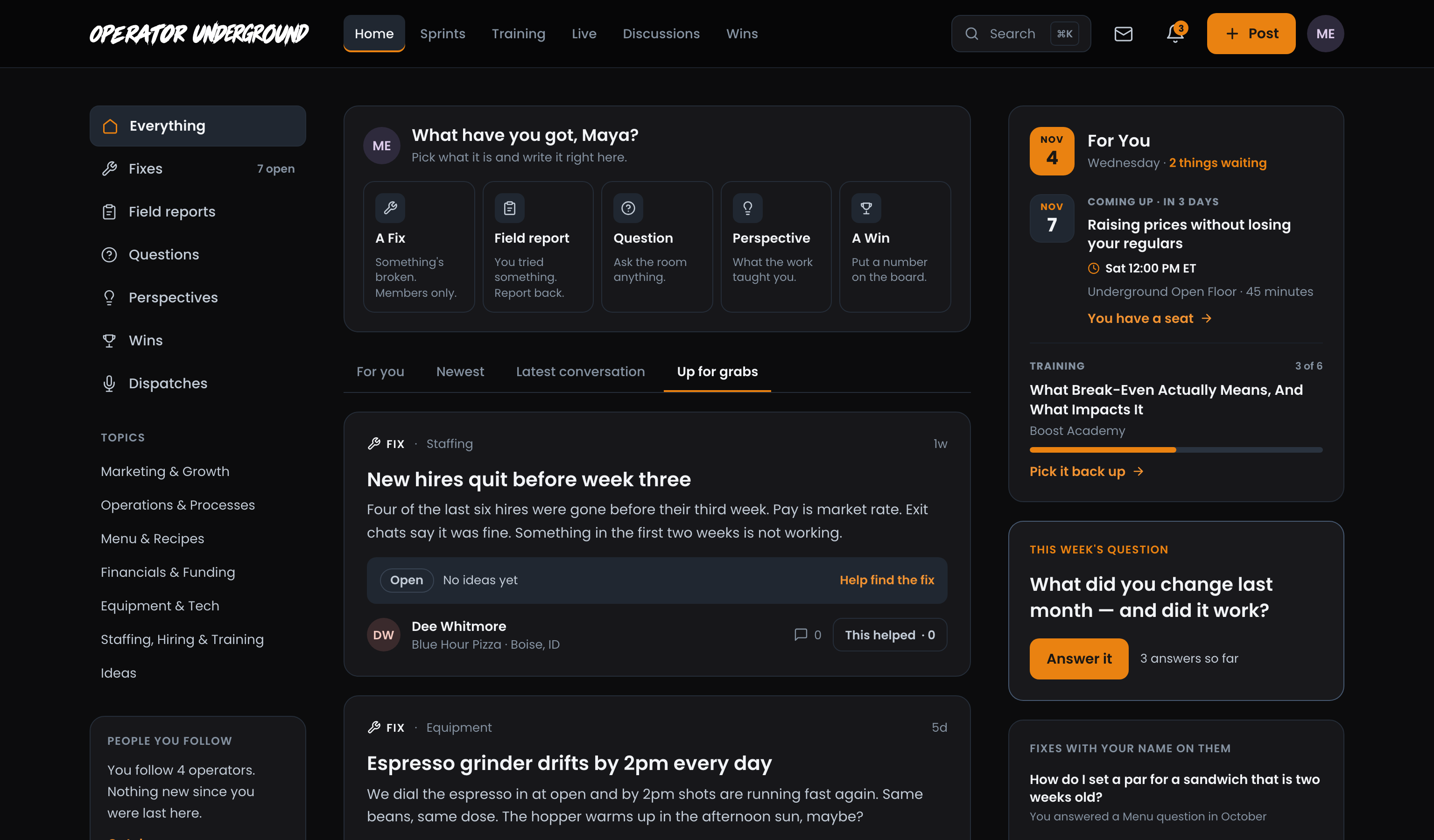
Want only Fixes? Pick Fixes in the left column; it shows how many are open. Home's right-hand column also suggests a few Fixes with your name on them, picked from topics you have helped in before.
Say you have it too
Stand Next to Them: Open someone else's Fix. In the side panel, press I have this too and the count of operators with the same problem goes up by one. The button turns into You have this too; press it again to take it back. It tells the author they are not the only one, and it tells everyone else this problem is worth solving.
Follow (beside it) sends you every new reply, so you see the answer when it lands.

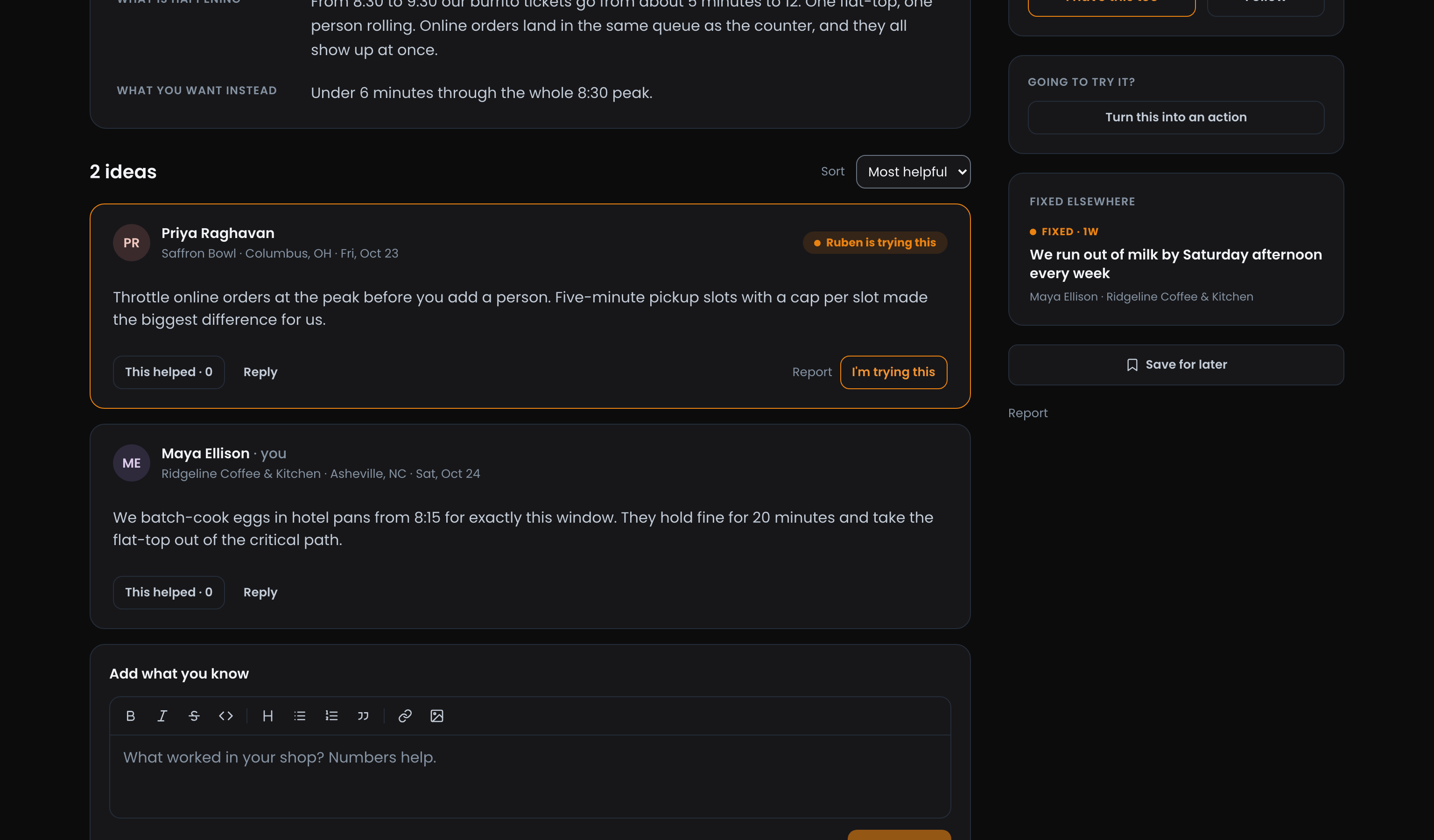
Fixed Elsewhere: Below that, Fixed elsewhere lists Fixes like this one that other operators have already closed, and close matches still open. Sometimes the answer is one click away.
Reply with what worked
Bring Your Numbers: The reply box on a Fix asks What worked in your shop? Numbers help. Say what you changed, what it cost, and what happened. Replies to a Fix stay inside the Underground, so be as specific as you like about your labor or your waste.
Ideas and Replies: A reply to the Fix itself is an idea, something the author could try. Replies under an idea are the back-and-forth about it, so they never count as more ideas. The count above the replies reads that way, like 1 idea · 2 replies, while the reply count on the feed card still counts every reply.
Mark the idea you are trying
Show the Fix Moving: Going to try someone's suggestion in your own shop? Press I'm trying this on that reply. The button turns into You're trying this, the reply gets an orange border, and it shows who is trying it (Ruben is trying this). You can be trying one idea per Fix at a time; press it on a different reply to switch, or press it again to stop.
As soon as anyone is trying something, the Fix moves to Being worked on and says who. That is what the progress bar is for: a Fix that is visibly moving gets more help, not less.
When the author's change works, they close the Fix with proof, and it shows Fixed for everyone who said they had the same problem. See Posting a Fix on the Underground for the author's side.
Ready to dig in?
Sign in to the Operator Underground, open Up for grabs on Home, and pick one Fix you know something about.
Access: All members