

Closing a Fix with proof
Contents3 sections
A Fix on the Underground is not finished when the problem goes quiet. It is finished when you can say what you changed and what happened. That proof is what turns your Fix into something the next operator can copy.
Open the closing form
Proof, Not a Checkbox: On your own open Fix, press Close with proof beside your name. The form opens with a banner naming the Fix you are closing, and asks What did you change, and what happened?
You get two choices:
- Field report, which asks for The problem, What I changed (specific enough to copy), What happened (numbers if you have them, honestly if you do not) and, optionally, What I'd do differently.
- A Win, when the proof is a number: what moved, before, after and over how long.
Proving it with a number from the start? The ... menu on your Fix has Close with a Win instead, which opens the same form on A Win.
The proof goes on the Fix's topic by default. Press Post field report (or Post win) and you land on your new post.
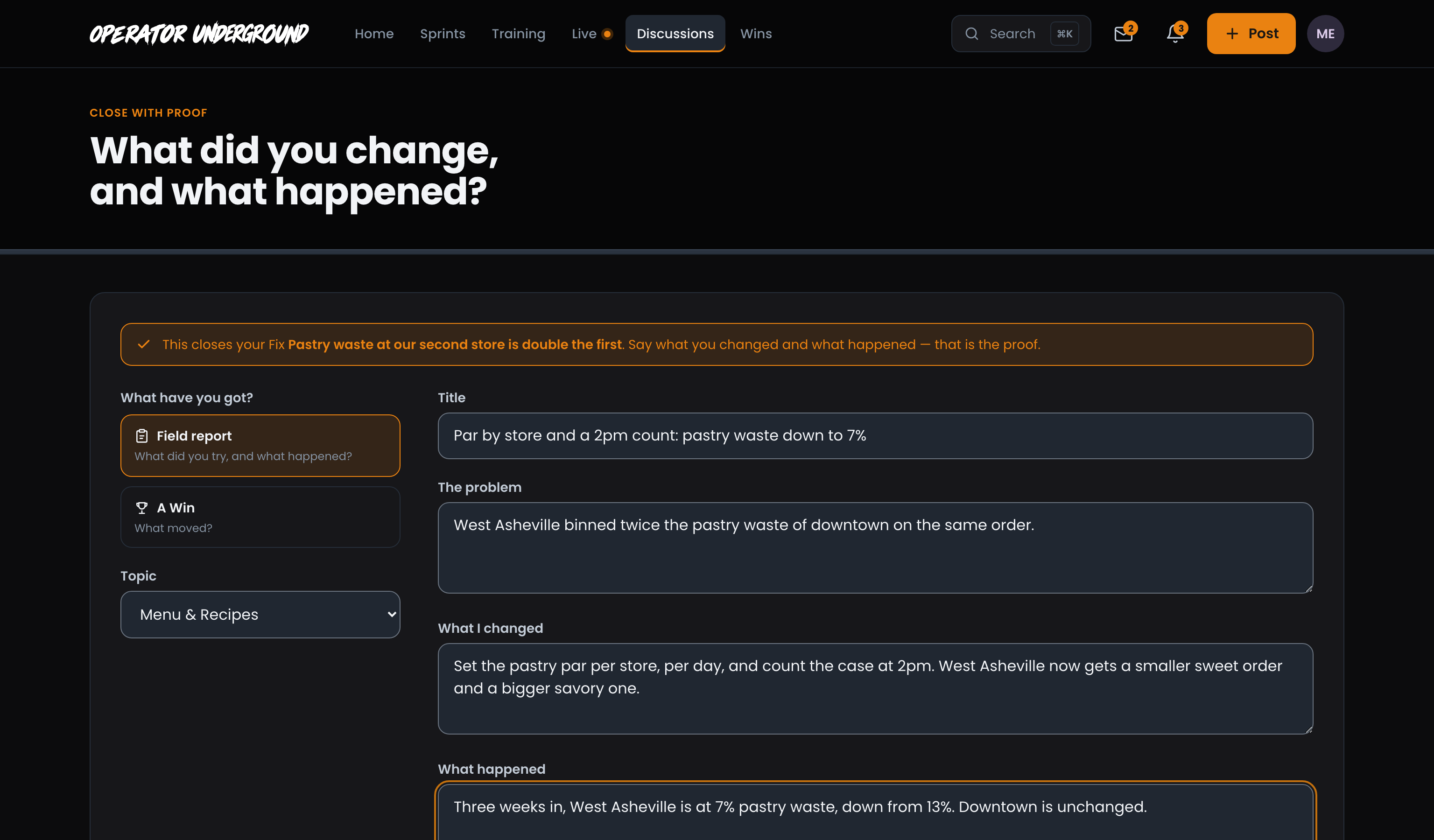
Only the person who posted a Fix can close it. If the post goes up but the link to the Fix does not, the form tells you and offers Try the link again, so your proof is never lost.
What everyone sees
The Fix Shows Fixed: All three steps on the Fix turn orange: Posted, Being worked on (Worked on and proven) and Fixed (Proven by a Field Report or Win). A banner across the top reads Closed with proof and links straight to your report, and the Fix shows up under Fixed elsewhere on similar Fixes in the same topic.

The Proof Links Back: Your report carries This is the proof that closed the Fix, with the Fix's title, so anyone who finds the report first can read the whole story.

Changed Your Mind? A closed Fix can be reopened from the ... menu with Reopen. Writing a Field Report has more on writing one that other operators can actually use.
Ready to dig in?
Sign in to the Operator Underground, open your Fix, and press Close with proof.
Access: All members