Working a sprint on the Underground
Contents10 sections
Sprints run on the Operator Underground: one small job a day for a few weeks, with a crew of shops like yours. They were Boost Academy's Workshops, and Academy's workshop links now bring you here.
The board
One Thing At A Time: Sprints is a board, not a catalogue. The Underground runs one sprint at a time, occasionally two. The sprint that wants something from you today leads the page: today's job, how far through you are, your crew, and the dates the run covers.
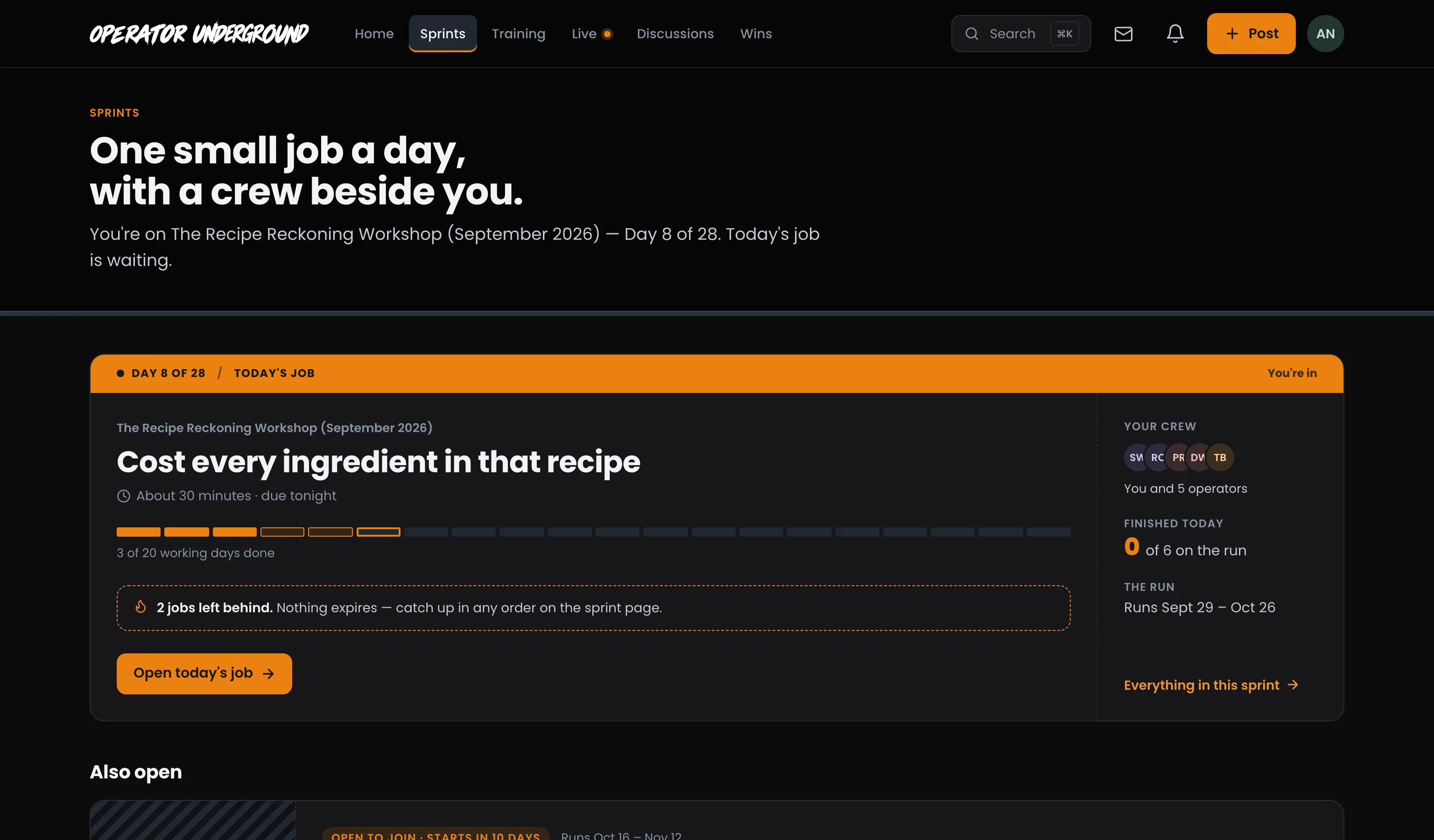
If you have fallen behind, it says so plainly: how many jobs are left behind, and that nothing expires. You can pick them up in any order.
Sprints that have not started yet queue up below by date, and finished ones drop to a quiet shelf.
Join a sprint
Pick a Month to Fix Something: Open Sprints and choose one. Before you join, the sprint shows the course that comes with it (and until when), what Free gets you next to what the Training Pass adds, and the kickoff call, when there is one. Joining asks what time you want the day's job sent and for your consent to session recordings.
Know where you stand
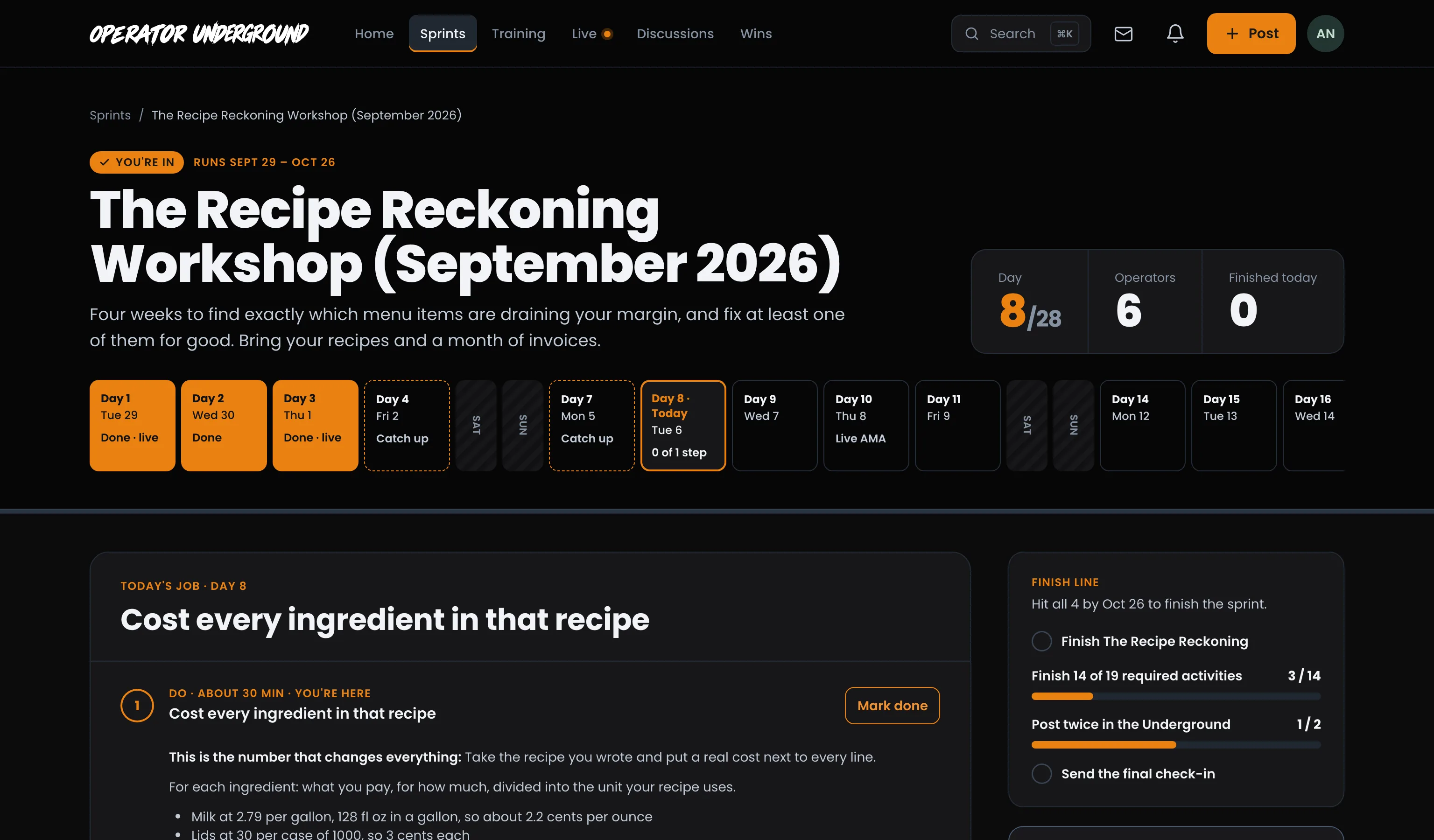
One Look, Whole Month: The top of the sprint shows the day you are on, how many operators are in it, and a strip with every day of the sprint:
- Finished days are orange.
- Today is outlined.
- Days you still need to catch up are dashed.
- Weekends are rest days.
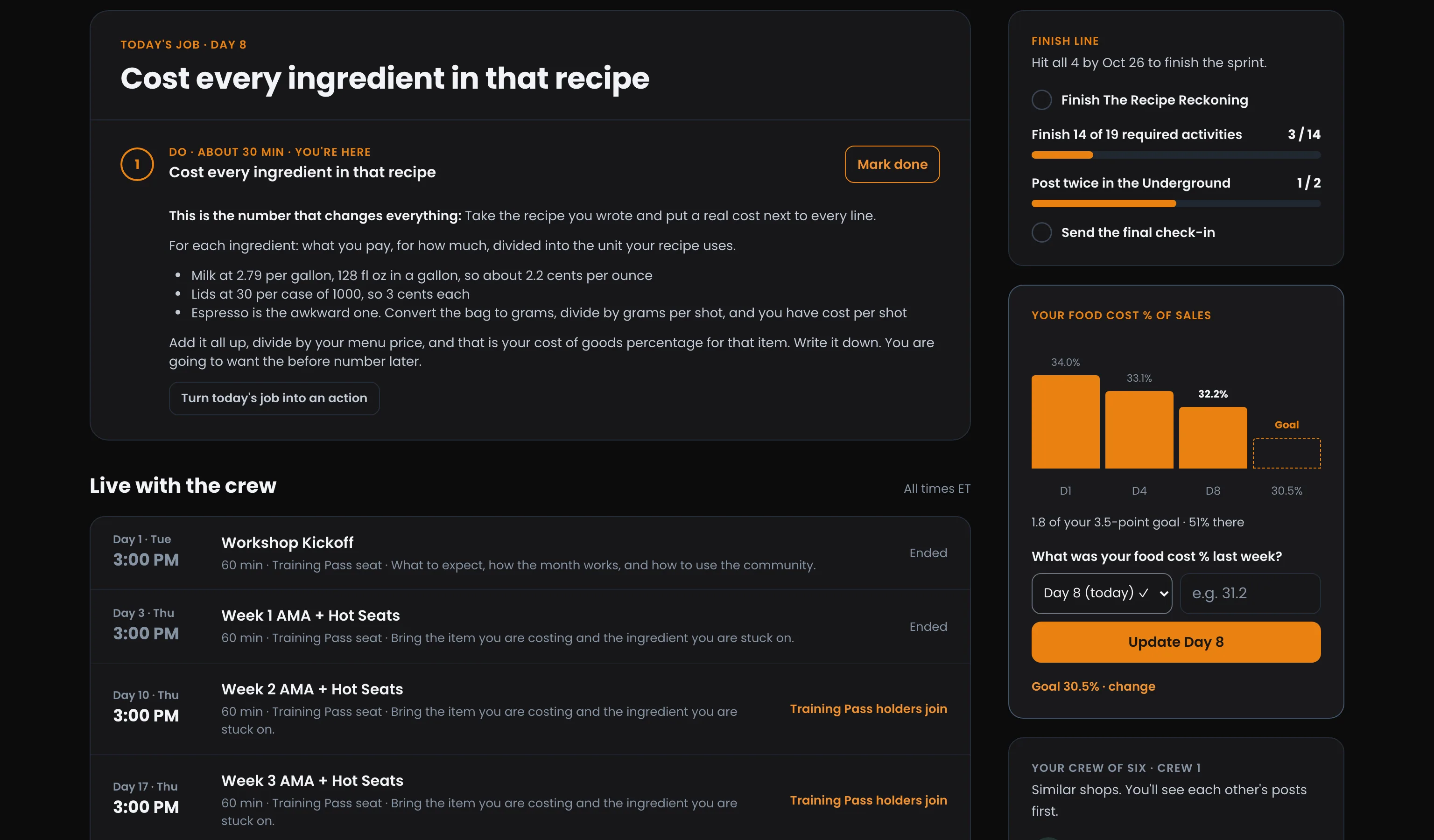
Today's job lists the day's steps in order. The step you are on also offers Turn today's job into an action, which puts it on Your actions with the sprint recorded as where it came from.
Today's job in full: Steps you check off yourself have Mark done. A course lesson opens in Training, here on the Underground, and a check-in or a resource opens right on the sprint page. Fell behind? Fell behind? lists the jobs from earlier days by the day they were for, and days stay open until the sprint ends.
Log your number
Watch It Move: Some sprints track one number, like food cost % of sales. Pick a day, enter your number and press the Log button. You get a bar for each day you log, next to your goal. Set or change your goal from the link under the tracker.
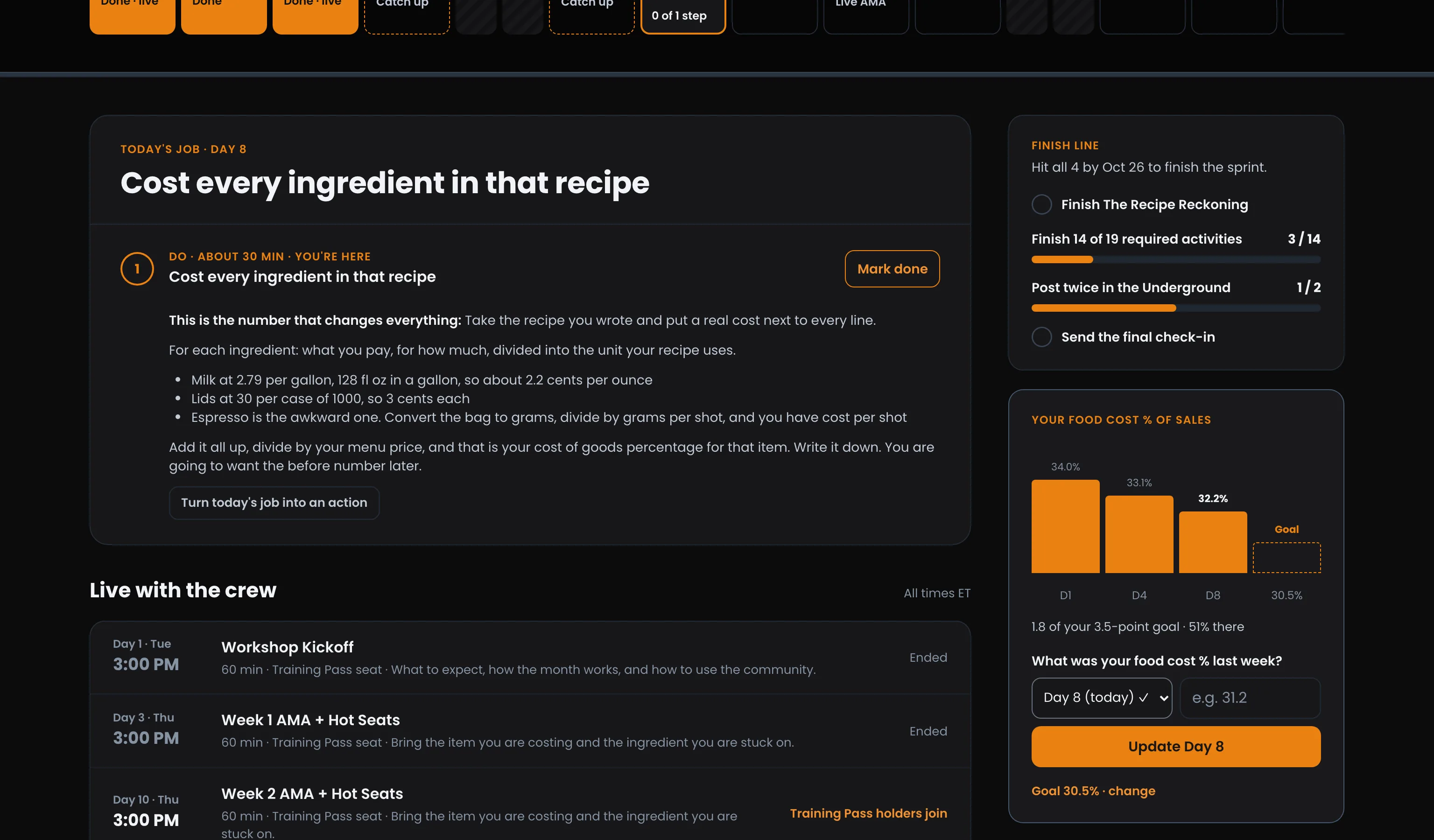
- Log for today or any earlier day of the sprint, never a future day.
- Logging the same day again updates that day's number.
- Your numbers and your goal are private to you.
In the last three days of a sprint, if your latest number beats the first one you logged, Put your number up offers you a Win with your before and after already filled in.
Check in
See What Changed: A few times in a sprint you're asked where you stand: once at the start, again halfway, and a final check-in on the last day. While one is due it sits at the top of the sprint page. It takes a couple of minutes. Press Submit check-in and the matching step on your job ticks itself off.
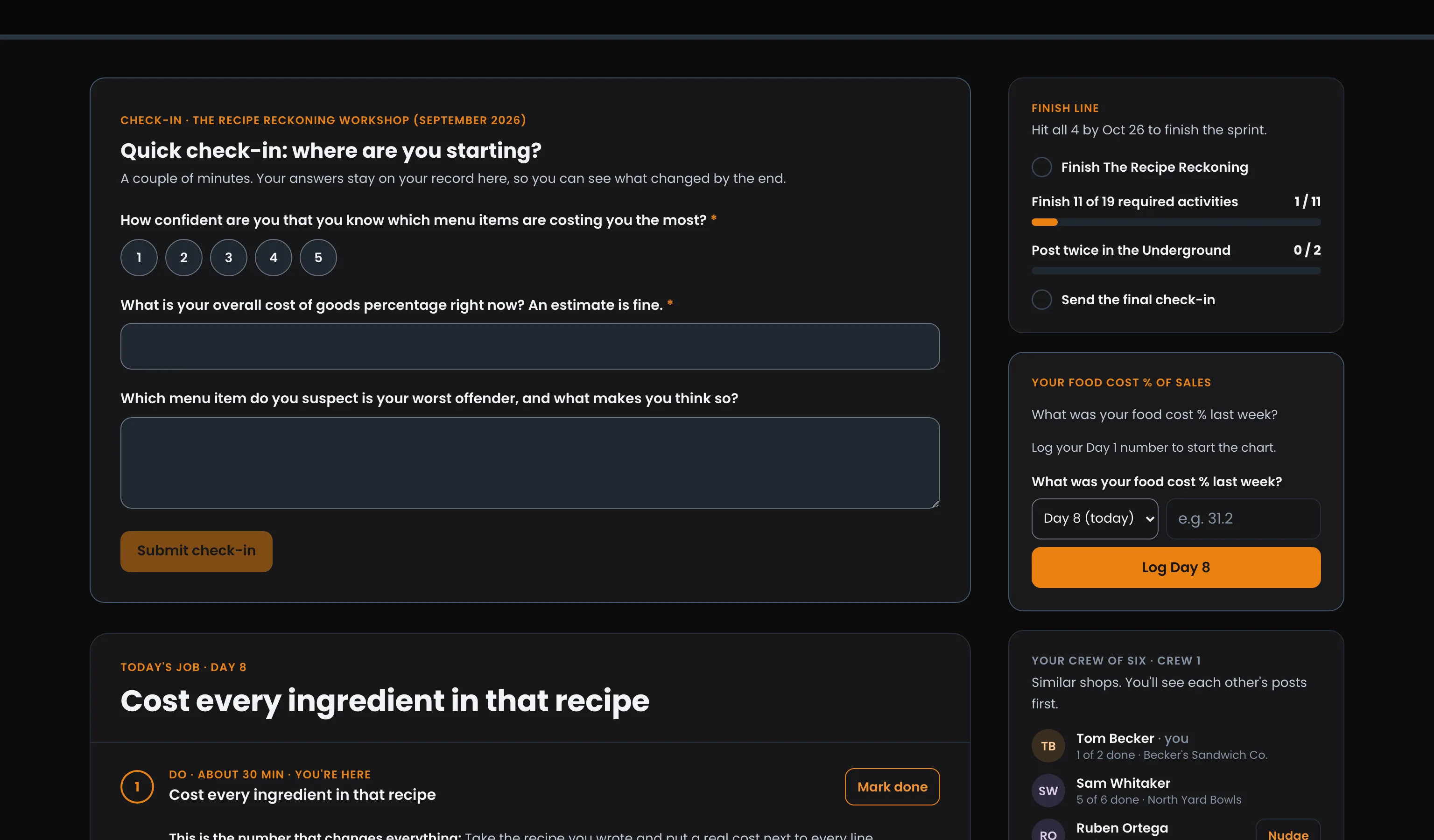
Your check-ins, in the side column, keeps every one you've sent. Press View your answers to see what you said, and what moved since.
After the final check-in, one optional question asks whether Operator Underground may quote your feedback. It is never needed to finish the sprint or earn its rewards.
Sprint resources
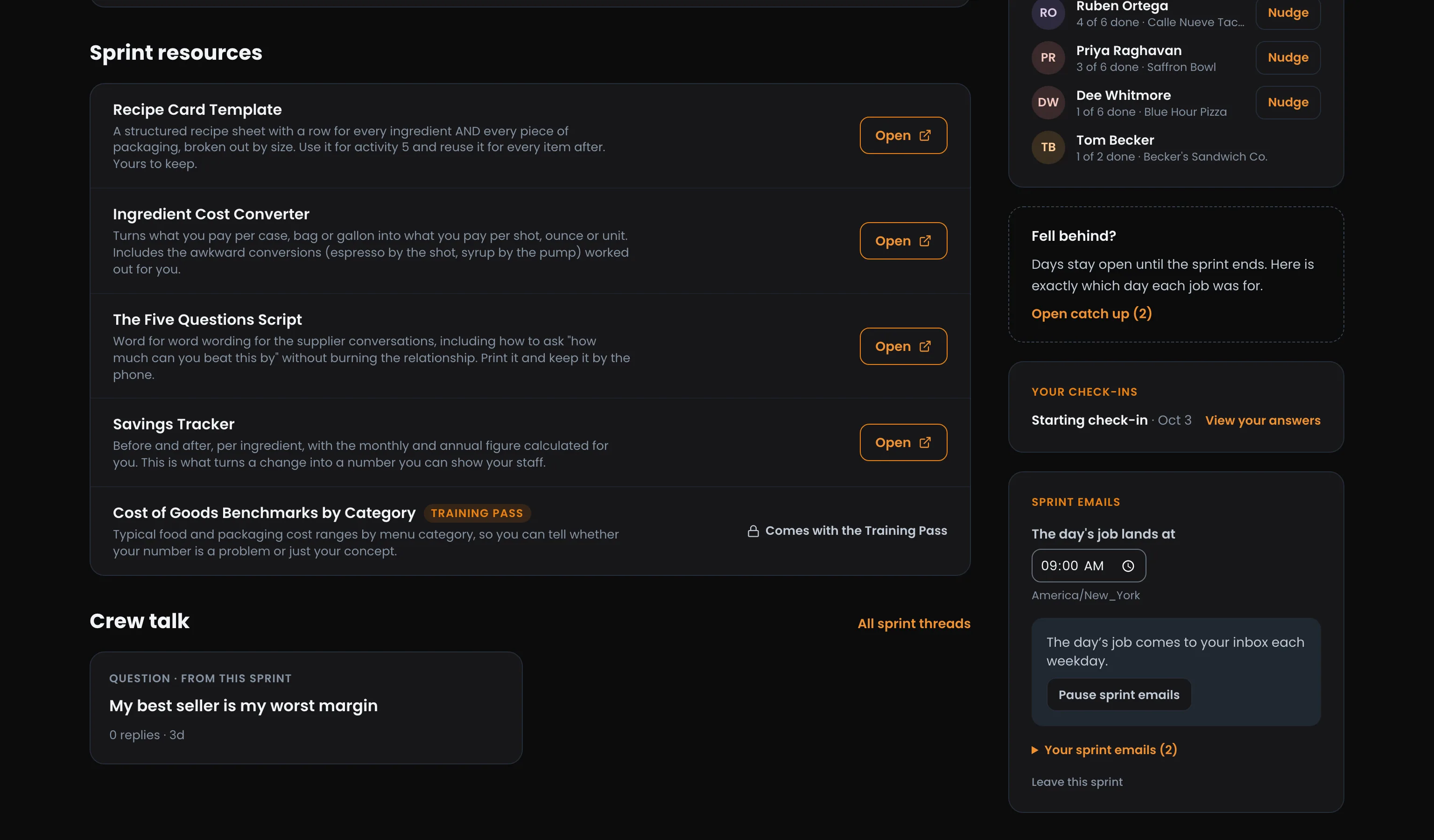
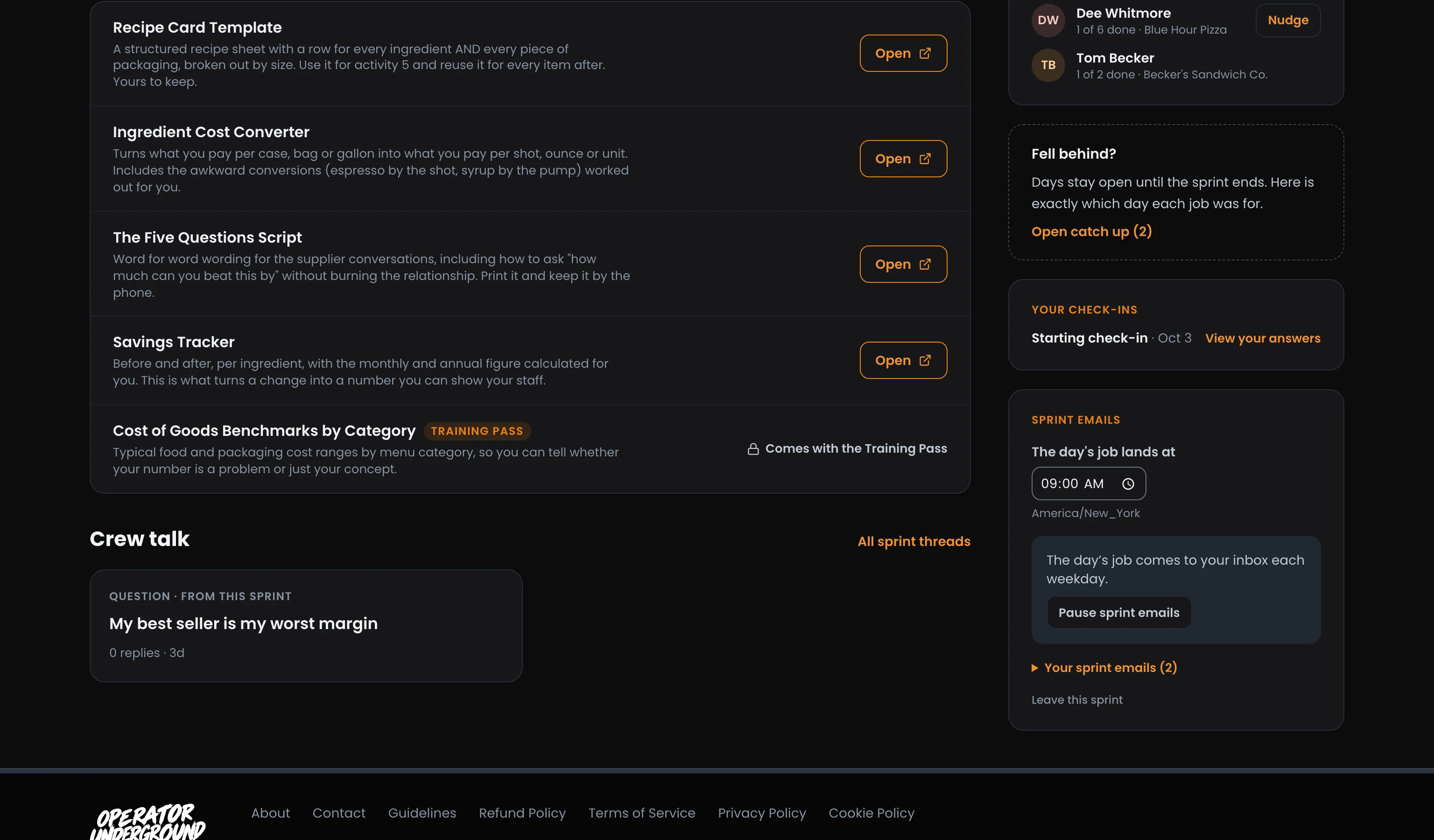
Every Template in One Place: Sprint resources lists the templates, scripts and trackers the steps point at. Press Open on any of them. One marked Training Pass shows Comes with the Training Pass if you don't have the pass.
Sprint emails
Your Job, In Your Inbox: The Sprint emails card, in the side column, runs the email side of the sprint:
- The day's job lands at sets the time it arrives, in your time zone. If your browser is in a different zone, it offers to switch.
- Pause sprint emails stops them, and Resume sprint emails starts them again. Everything stays on the sprint page either way.
- Your sprint emails opens every email the sprint has sent you, so missing one never means missing the sprint.
- Leave this sprint takes you off it. Your progress is kept if you rejoin.
Live with the crew and replays
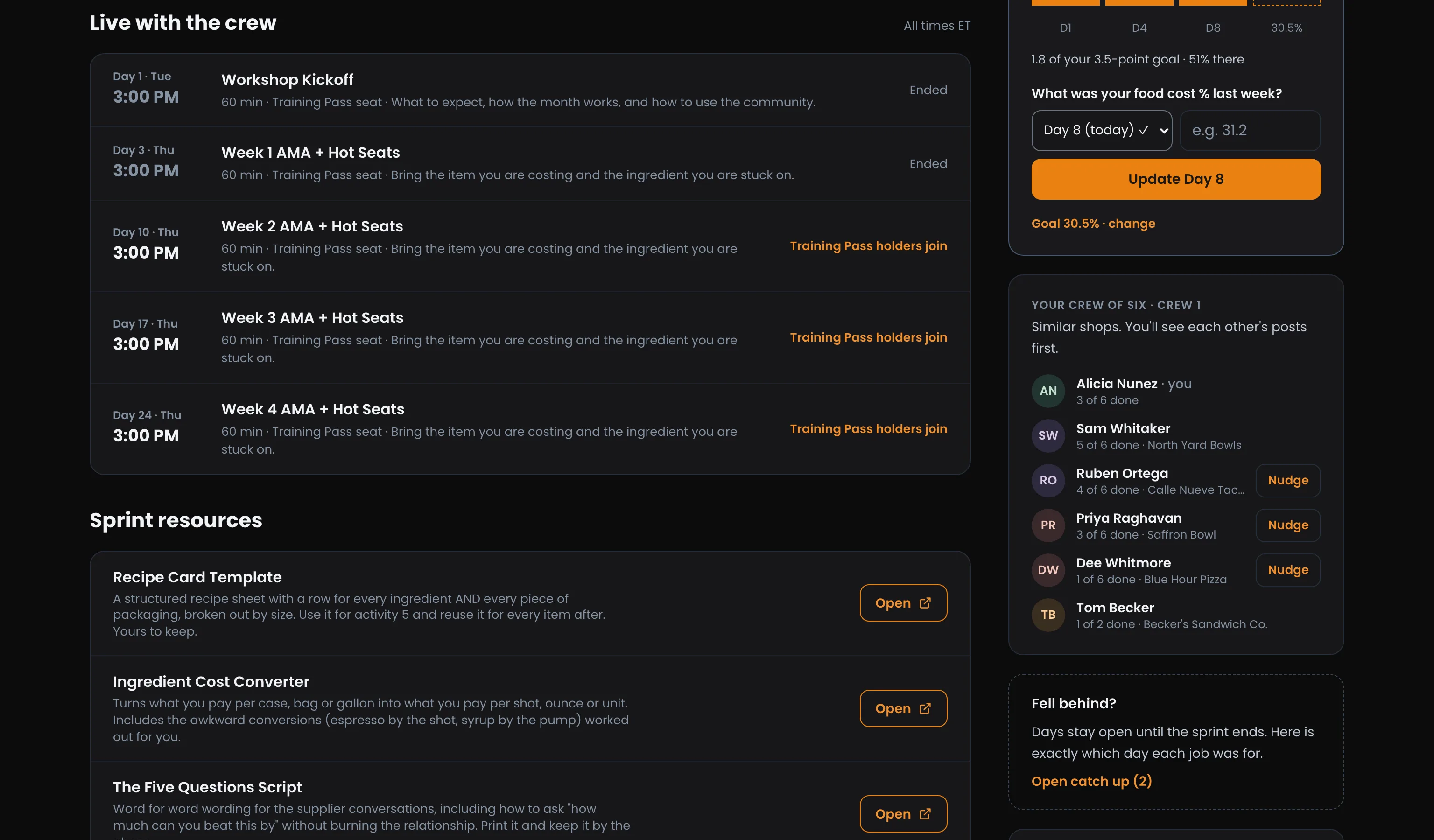
Live with the crew lists the sprint's calls: past, live now and coming up. When one ends, it shows where its replay stands:
| You see | What it means |
|---|---|
| Watch replay | The recording is up and you can watch it |
| Replay with the Training Pass | The replay is for Training Pass holders |
| Ended · replay coming soon | The recording is still being processed |
| Ended | There is no replay for this one |
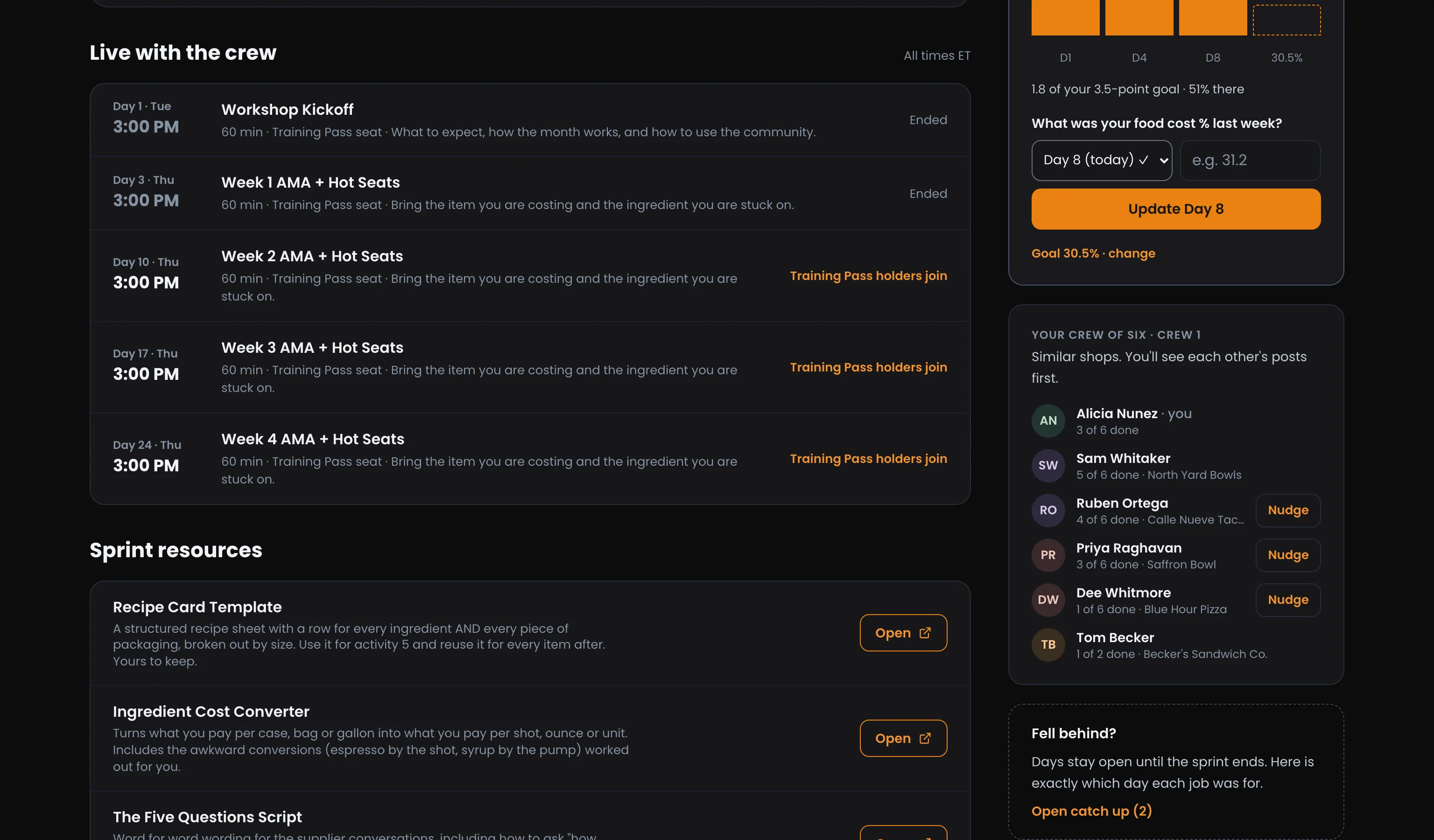
Joining a live room on the Underground covers the calls themselves and who can watch which replay.
Keep pace with your crew
Nobody Works It Alone: When the sprint starts (or when you join late), you are put in a crew of about six similar shops. The crew list shows how far each crewmate is. While you're on the sprint, your crew also shows on the Underground's Home page, under Your crew.
When a crewmate falls two or more activities behind, press Nudge to send them a notification. You can nudge each crewmate once a day while the sprint is running.
Finish line shows everything you need to do to finish the sprint, with your progress on each one.
When a sprint ends
Your Record Stays: A finished sprint keeps your record: how far you got, the rewards you earned, the crew's key takeaways, your check-ins, and the resources that are yours to keep. Without the Training Pass, the next sprint is offered at the top of the page.
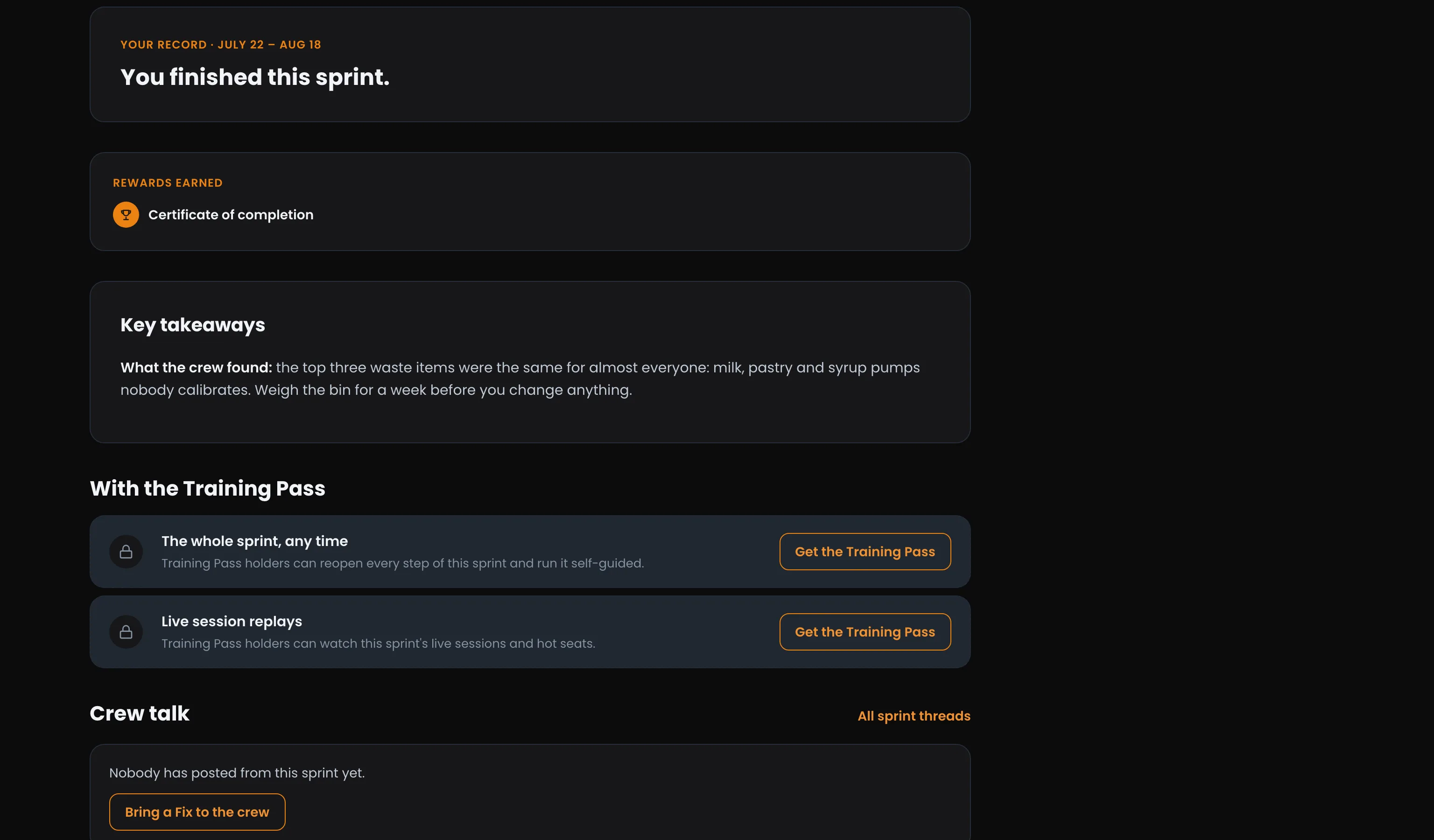
Run It Again, Any Time: With the Training Pass you can reopen any finished sprint and run it self-guided, with every step open and its replays, at your own pace. There are no emails or check-ins on a self-guided run.
Access: All members. Some live sessions and replays in a sprint are for Training Pass holders.
Ready to dig in? Open Sprints on the Operator Underground and pick your month.
Note
Sprints were called missions until September 2026. Old /missions links still work and send you to the same place.