

Getting a Fix Solved
Contents6 sections
A Fix is not finished when the problem goes quiet. It is finished when you can say what you changed and what happened. Here is the whole run, from posting the problem to the report that proves it.
Before you start
- You are signed in to the Operator Underground and have finished joining. See Joining the Operator Underground.
- You have one problem specific enough to describe in a few sentences.
1. Post the problem
Say What Is Broken: Press Post, pick A Fix, choose its topic and say what is happening. What you want instead is optional, but a number there ("tickets under four minutes at lunch") makes the proof easy to judge later. Your Fix shows three steps across the top, Posted, Being worked on and Fixed, and you follow it automatically, so every reply reaches you.

Step-by-step: Posting a Fix on the Underground
2. Let other operators pick it up
Get It in Front of the Right People: While nobody has said they are trying anything on it, your Fix is listed under Up for grabs on other members' Home feeds, and it can show up in Fixes with your name on them for operators who have helped in that topic before. Other operators can:
- press I have this too, so the count of operators with the same problem goes up
- reply with what worked in their shop (the reply box asks for numbers)
- press I'm trying this on the idea they are going to try
As soon as anyone is trying something, your Fix shows Being worked on and names who. You can move it there yourself, too: I'm working on it is in the menu next to Close with proof. A Fix that is visibly moving gets more help, not less.
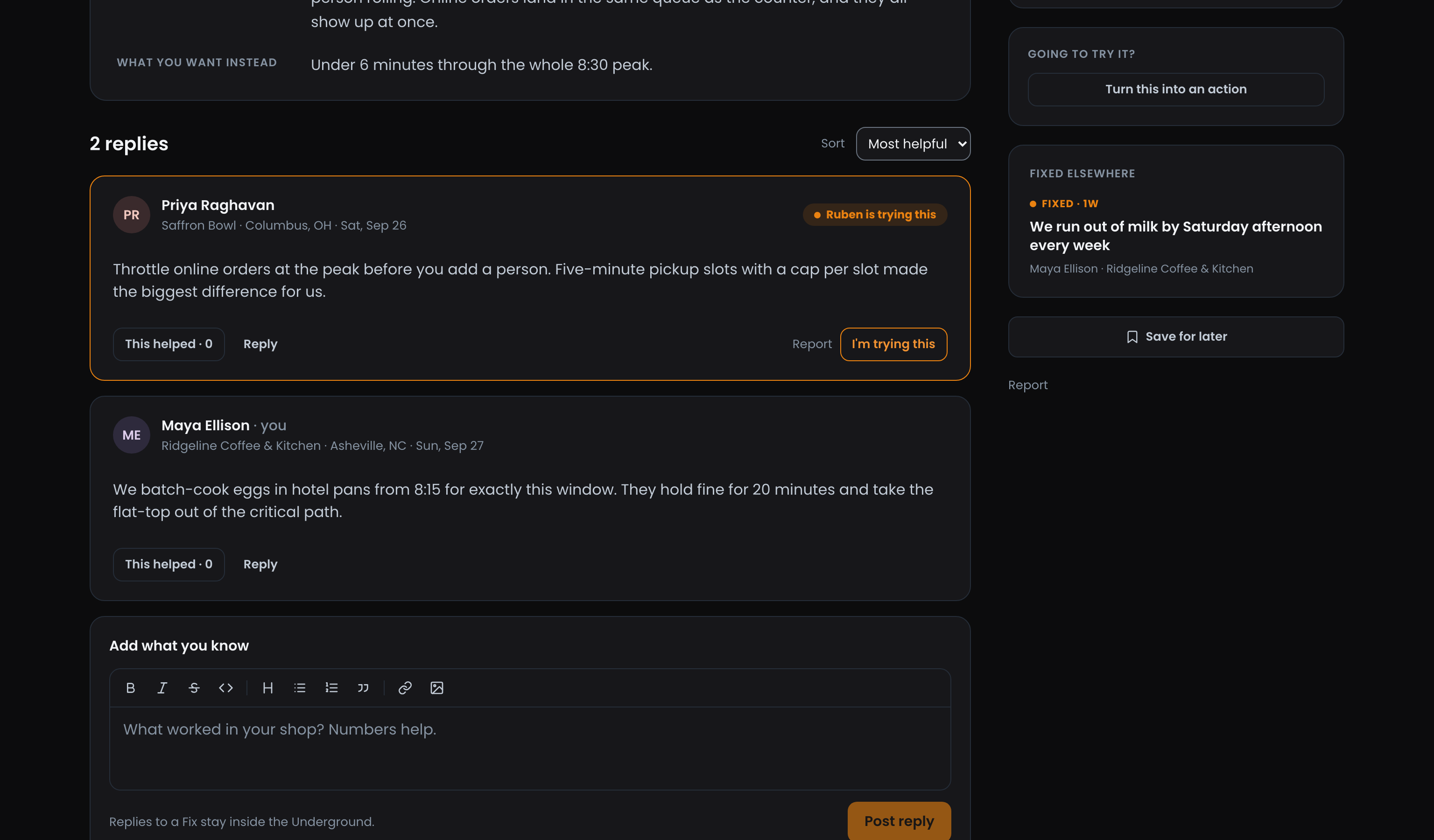
Step-by-step: Helping on another operator's Fix
3. Close it with proof
Proof, Not a Checkbox: When the change works, press Close with proof on your Fix. The form names the Fix and asks what you changed and what happened, as a Field report or A Win. Post it and the Fix shows Fixed, with Closed with proof linking straight to your report. Only you, as the Fix's author, can close it.

Tip
Decided it is not worth chasing? Set it down from the same menu. The Fix stays readable so the next operator can see how far you got, and Reopen brings it back.
Step-by-step: Closing a Fix with proof
4. Leave a report the next operator can copy
Turn Your Fix Into Know-How: The proof is a Field Report, and Field Reports are open to everyone. It lays out The problem, What I changed, What happened and What I'd do differently under their own headings, and carries This is the proof that closed the Fix so a reader who finds it first can follow it back. On Discussions, the Field reports filter shows what each operator Changed next to the Result.

Step-by-step: Writing a Field Report on the Underground
Related
- Post Types on the Underground: why a Fix, a Field Report and a Win ask different questions.
- How the Underground Home Feed Sorts: how Up for grabs picks which open Fixes to show.
- Posting a Win on The Board: when your proof is a number.
Access: All members