

Working a Sprint From Start to Win
Contents9 sections
A sprint is one small job a day for a few weeks, with a crew of shops like yours, and it is built to end with a number you can put on The Board. Here is the whole run, from joining to the Win.
Before you start
- You are signed in to the Operator Underground and have finished joining. Any member can join a sprint while it is open to join.
- You can make time for one small job a day for the length of the sprint.
1. Join the sprint
Pick a Month to Fix Something: Sprints is a board, not a catalogue, led by the sprint that wants something from you today. Before you join, a sprint shows the course that comes with it, what Free gets you next to what the Training Pass adds, and the kickoff call. Joining asks what time you want the day's job sent.
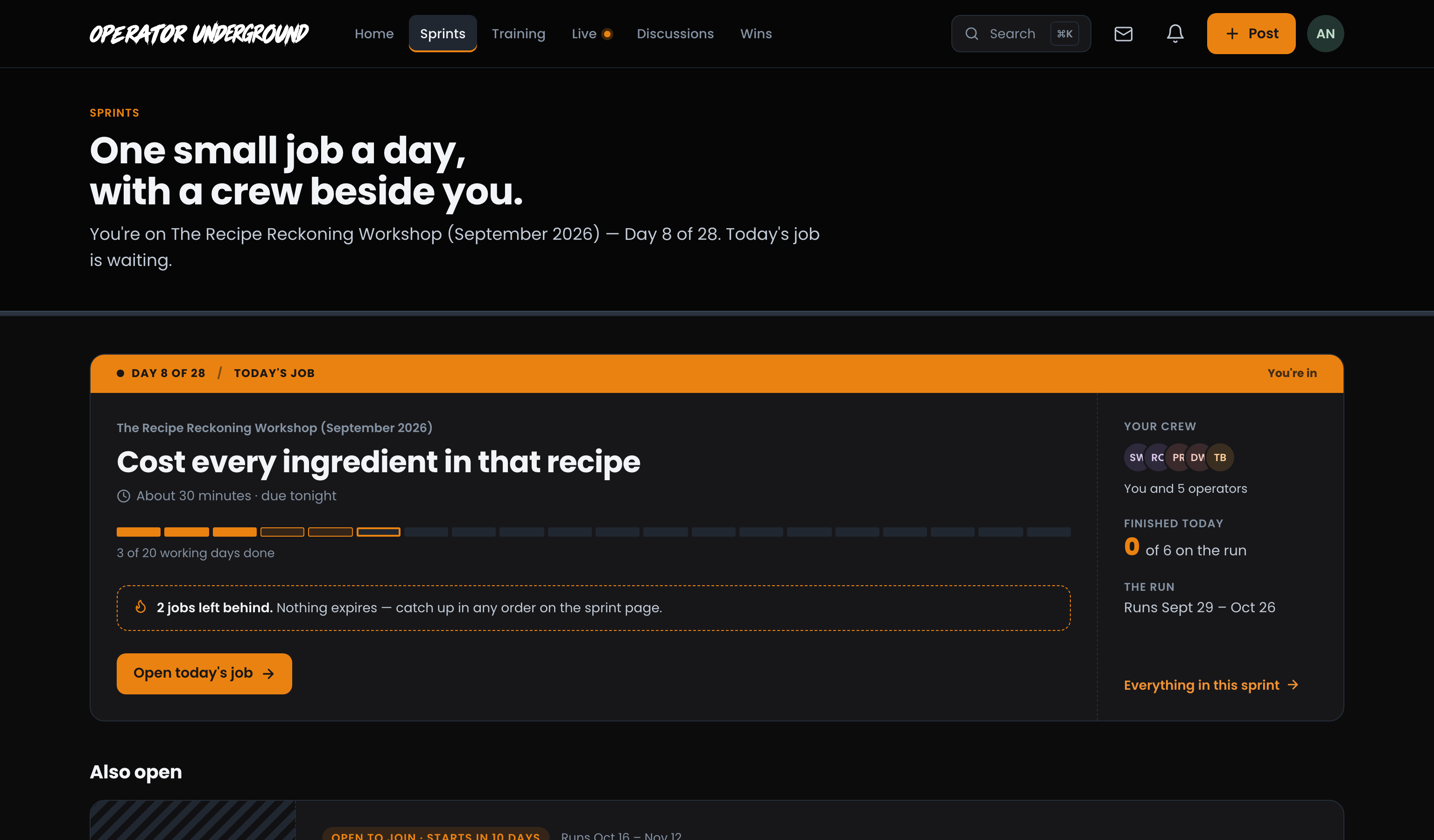
Step-by-step: Working a sprint on the Underground
2. Do today's job
One Small Job a Day: Today's job lists the day's steps in order. Press Mark done on the ones you check off yourself; a course lesson opens in Training, and a check-in sits at the top of the sprint page while it is due. Fell behind? Nothing expires, and Fell behind? lists the earlier jobs so you can catch up in any order.
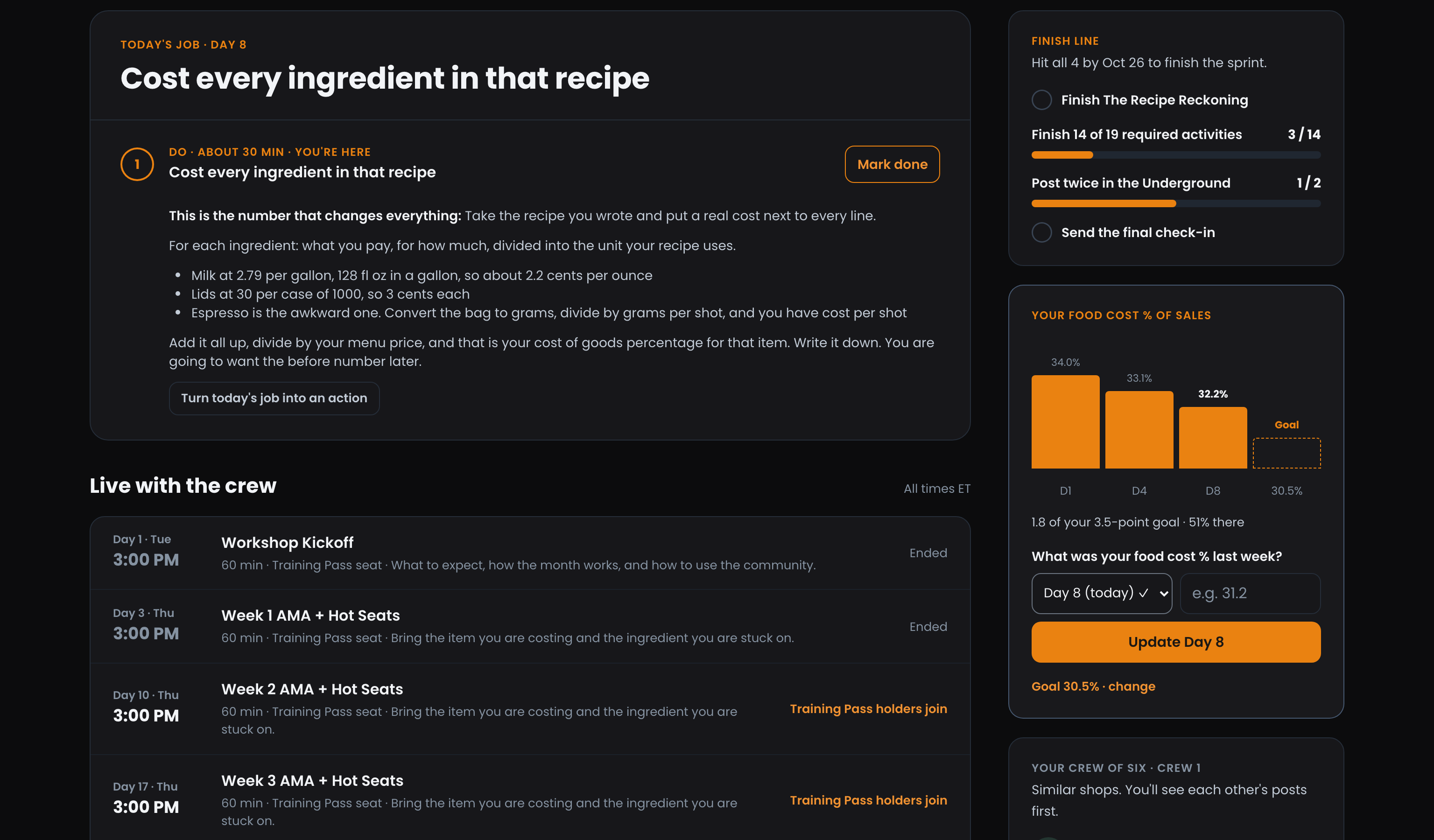
Step-by-step: Working a sprint on the Underground
3. Log your number
Watch It Move: Some sprints track one number, like food cost % of sales. Log it and you get a bar for each day next to your goal. You can log today or any earlier day of the sprint, never a future day, and logging the same day again updates it. Your numbers and your goal are private to you.
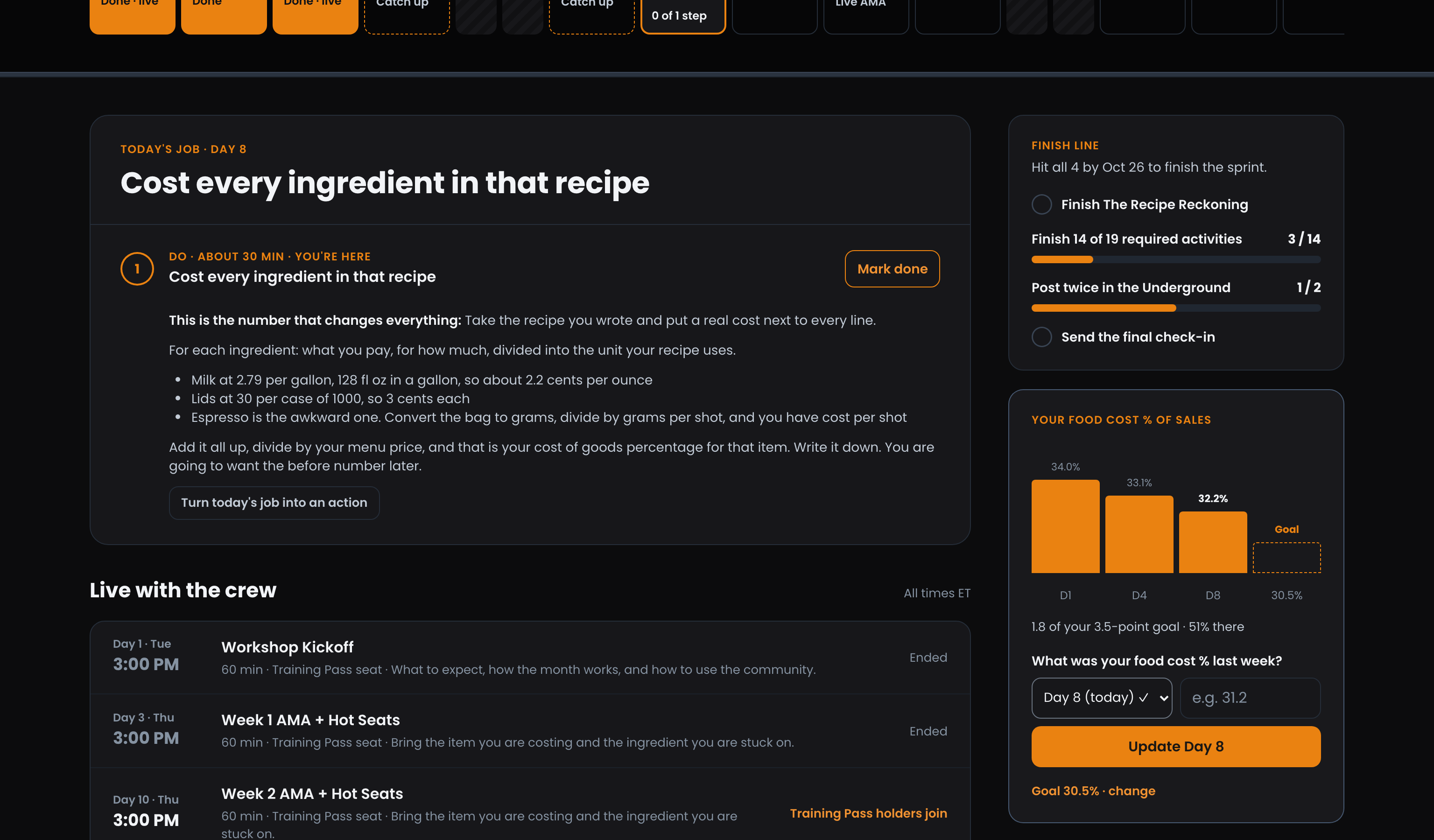
Step-by-step: Working a sprint on the Underground
4. Keep pace with your crew
Nobody Works It Alone: When the sprint starts, or when you join late, you are put in a crew of about six similar shops. The crew list shows how far each crewmate is, and your crew also shows on Home while you are on the sprint. When a crewmate falls two or more activities behind, Nudge sends them a notification, once a day each.
Step-by-step: Working a sprint on the Underground
5. Show up live
Work It Through With the Room: The sprint's calls are listed on Live and in Live with the crew on the sprint page. Being on the sprint is your seat; a session marked for the Training Pass also needs the pass. Press Join the call in Meet, and keep the room page beside it to raise your hand and ask questions. Missed one? The replay plays on the Underground once its recording is up.
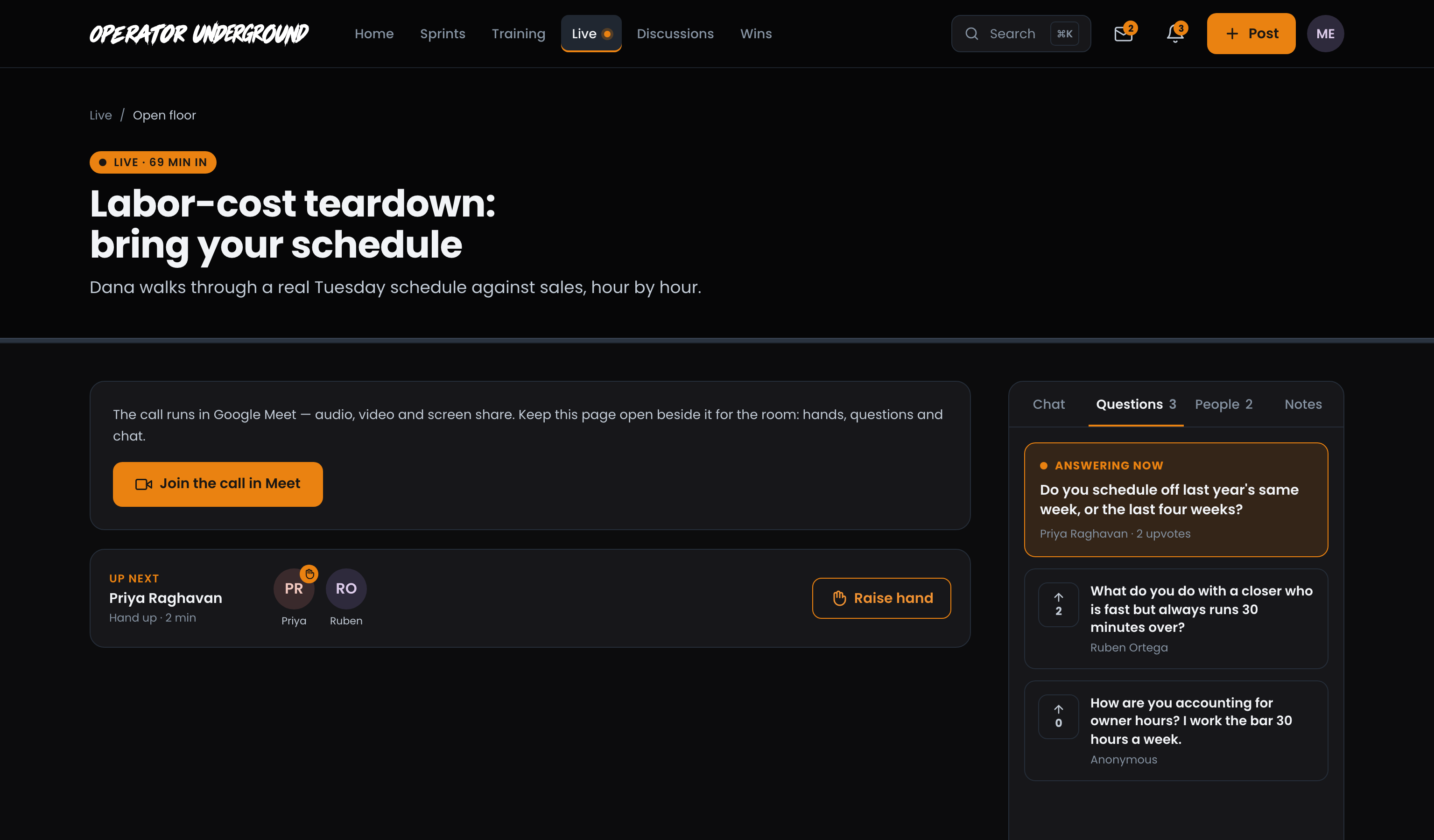
Step-by-step: Joining a live room on the Underground
6. Put your number up
Make It a Win: In the last three days of the sprint, if your latest number beats the first one you logged, the tracker offers Put your number up. Post the Win opens a Win with What moved, Before, After and Over (the days between your first and latest number) already filled in, and filed to the sprint. Add what you changed under Anything else and post it.
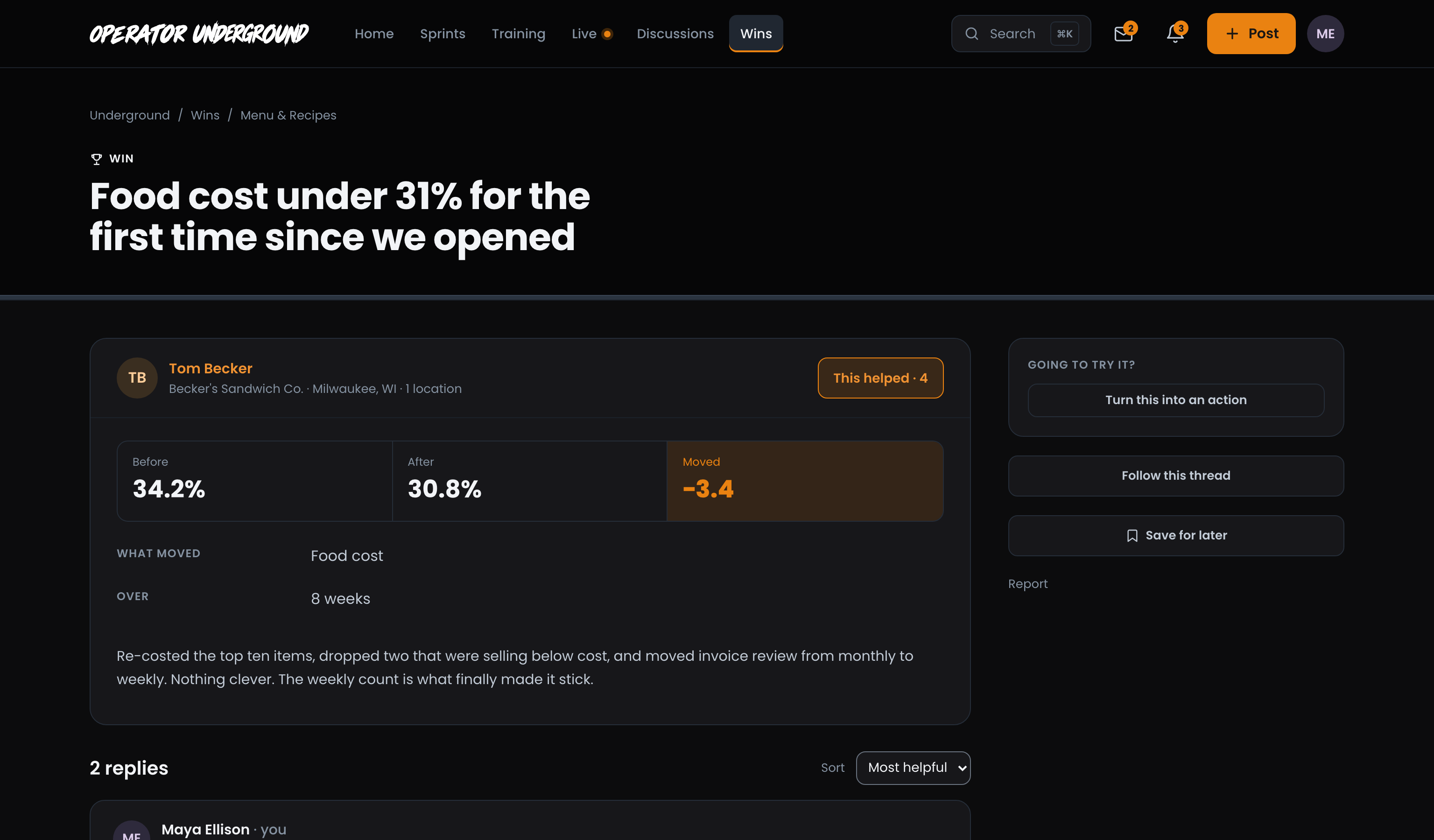
Your Win lands on The Board, which counts how many of this month's wins came out of a sprint.
Step-by-step: Posting a Win on The Board
7. Keep your record
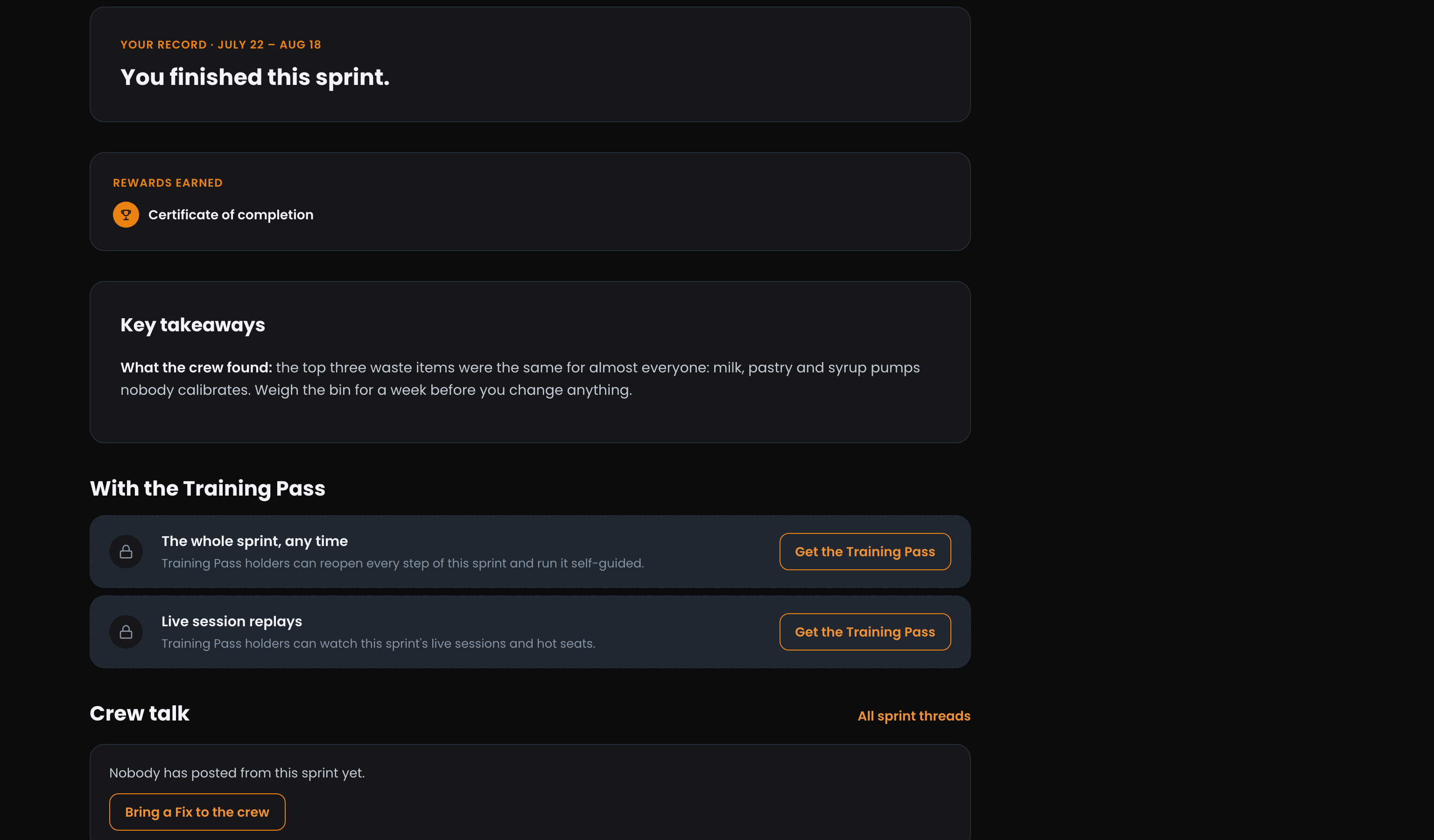
Your Record Stays: When the sprint ends, it keeps how far you got, the rewards you earned, the crew's takeaways, your check-ins and the resources that are yours to keep. With the Training Pass you can reopen it later and run it self-guided.
Step-by-step: Working a sprint on the Underground
Related
- Getting the Most From the Training Pass: every replay and every finished sprint, self-guided.
- Post Types on the Underground: when a result is a Win and when it is a Field Report.
Access: All members. Some live sessions and replays in a sprint are for Training Pass holders.