

Writing a Field Report on the Underground
Contents4 sections
You tried something in your shop. Maybe it worked, maybe it half worked, maybe it flopped. Either way, another operator is about to try the same thing. A Field Report saves them the detour.
Write one
Four Questions, Honest Answers: Press Post in the header (or the Field report tile on Home) and pick Field report. Choose the Topic it belongs to, give it a Title, then answer:
- The problem: what were you trying to solve?
- What I changed: the actual change, specific enough to copy. "Dial in again at 1pm and write both settings on the grinder" beats "adjusted the grinder."
- What happened: numbers if you have them, honestly if you do not.
- What I'd do differently (optional): the part that saves someone else the detour.
- Anything else (optional): photos, the par sheet, the part that did not fit above.
The first three are required. Leave one empty and the form tells you which, right next to the box. Press Post field report and you land on it.
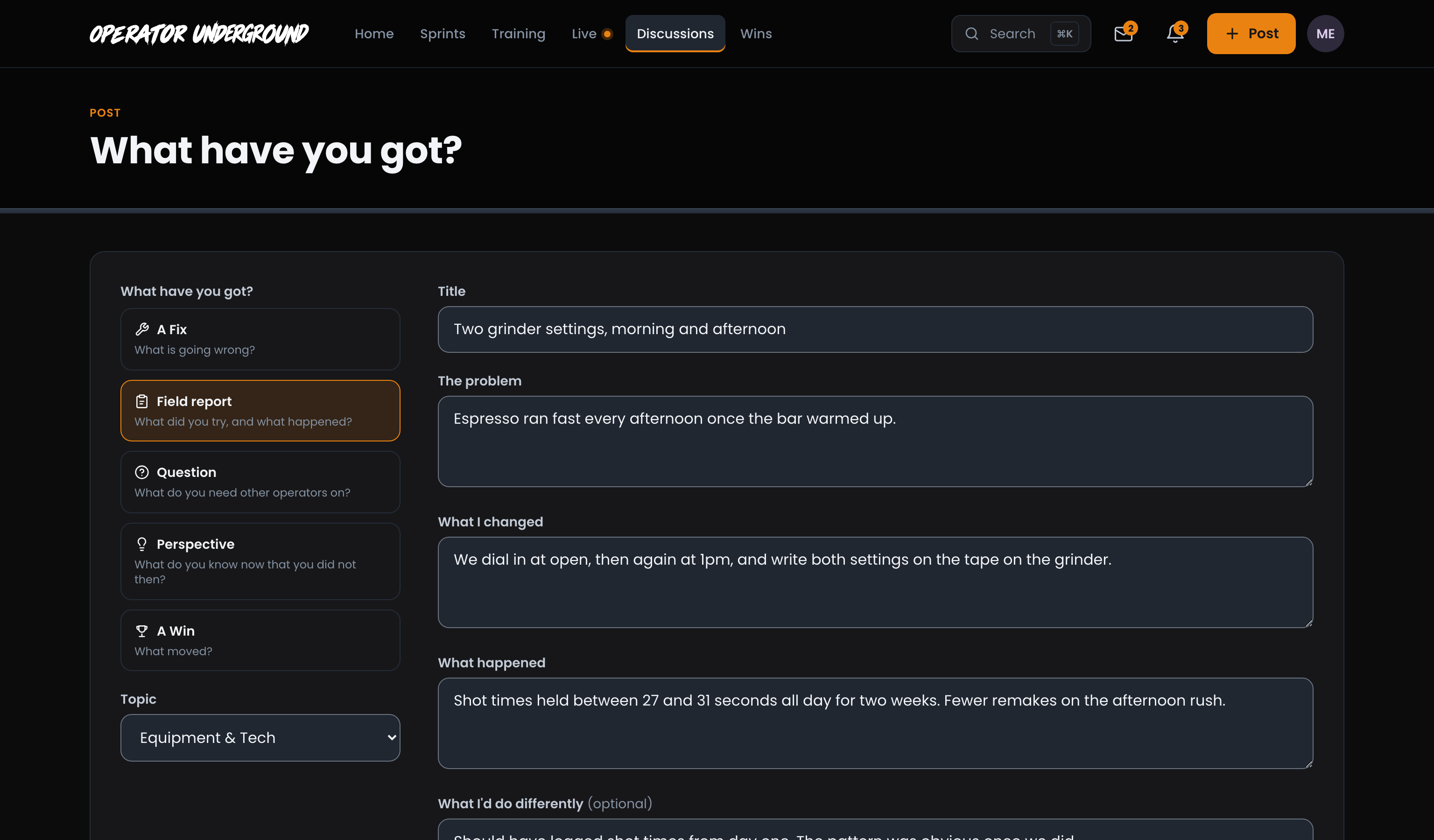
A Flop Counts: "We tried it for three weeks and it made no difference" is a result. It might be the most useful thing anyone reads all month.
How it reads
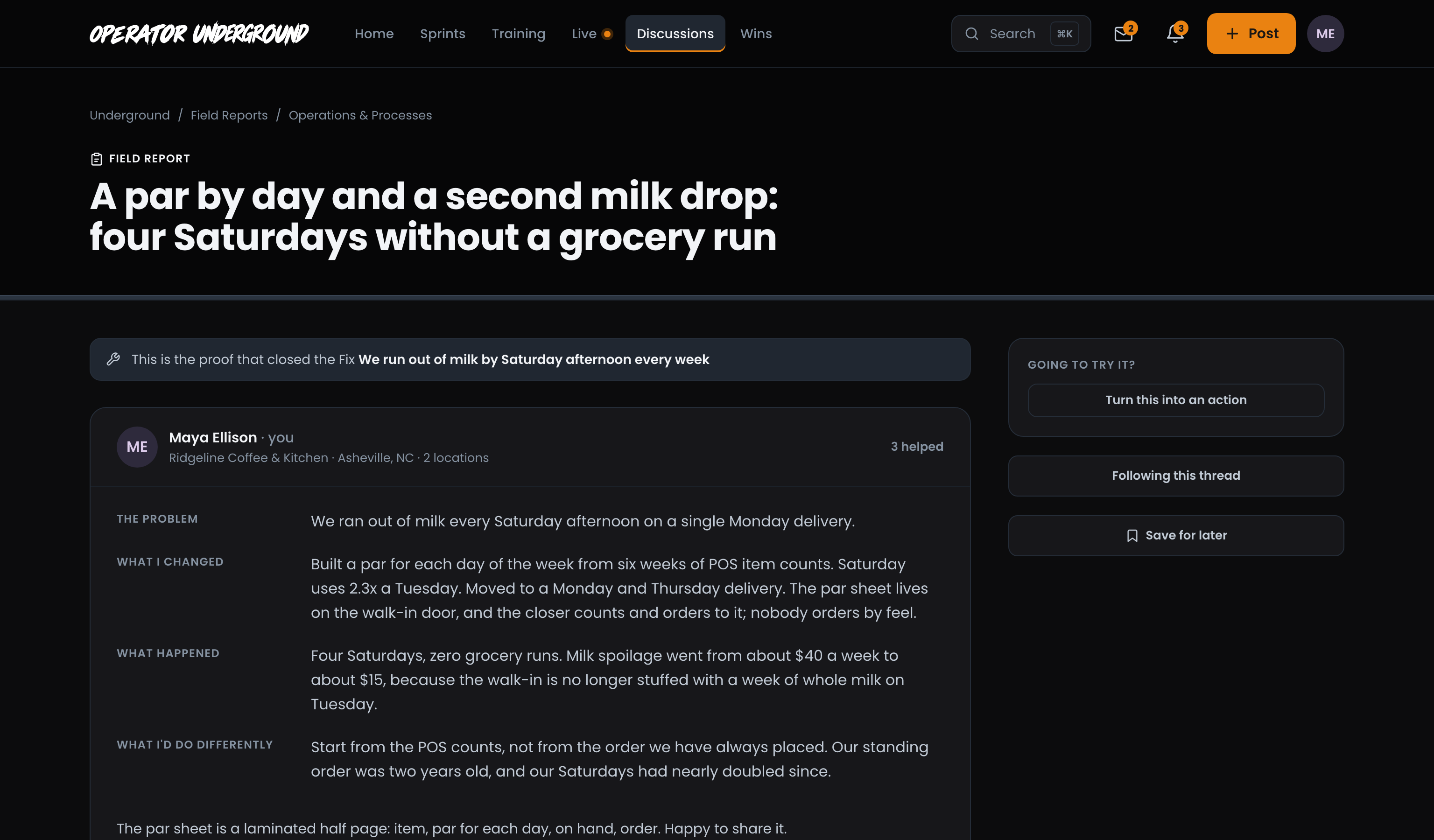
Built to Be Copied: Your report shows each answer under its own heading (The problem, What I changed, What happened, What I'd do differently), with your free note underneath. Field Reports are open to everyone, signed in or not, so a good one keeps helping long after you post it.
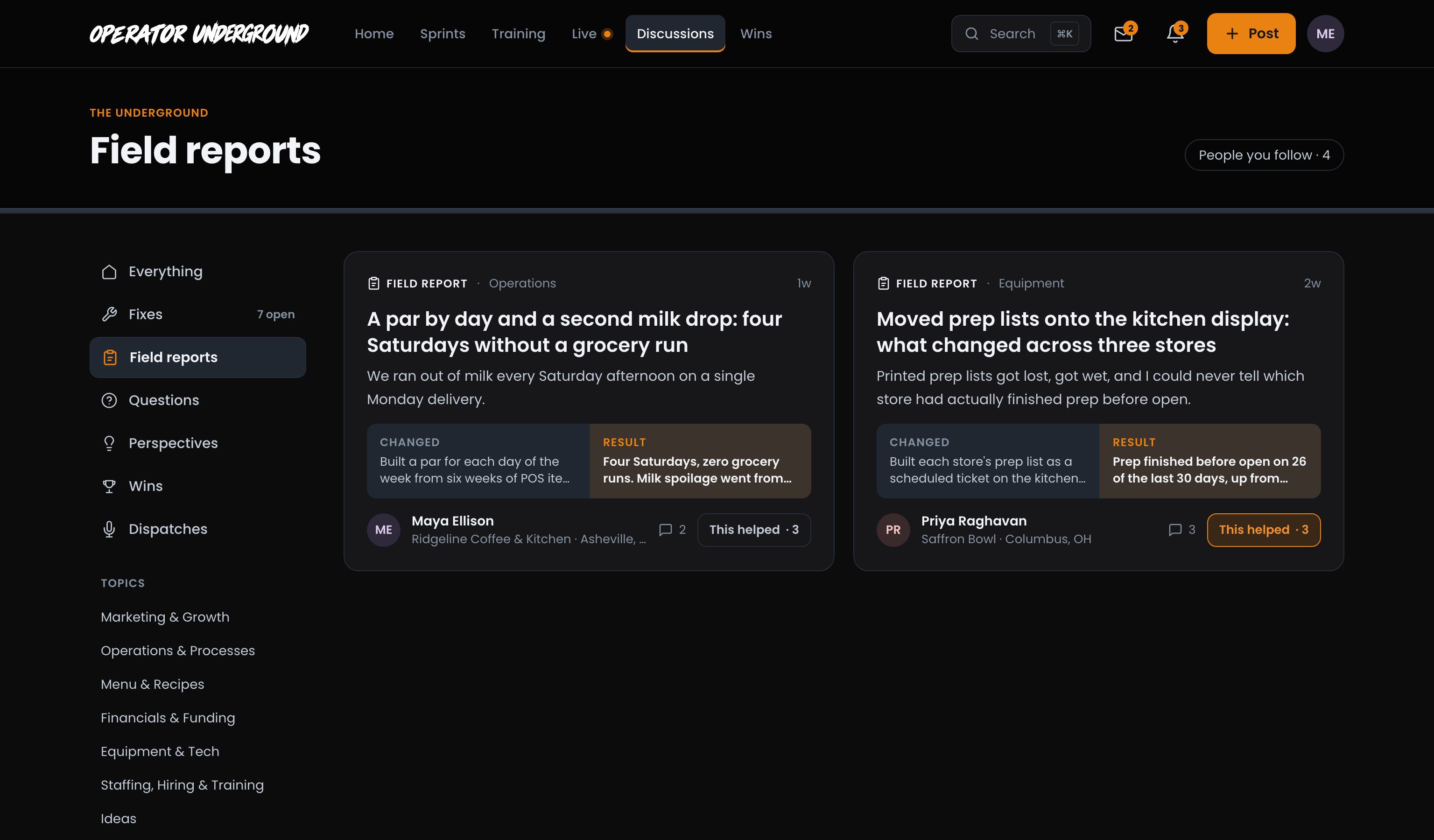
Find other reports
Read Before You Reinvent: Open Discussions and pick Field reports in the left column. Each card shows what the operator Changed next to the Result, so you can scan a page of experiments in a minute. Add a topic to narrow it further.
Closing a Fix? A Field Report is also how you prove a Fix is fixed. Start it from Close with proof on your Fix and posting the report closes the Fix too. Closing a Fix with proof has the details.
Ready to dig in?
Sign in to the Operator Underground, press Post, and report back on the last thing you changed.
Access: All members