

Dispatches on the Underground
Contents3 sections
Most of the Underground is written by operators. Dispatches are the exception: Operator Underground episodes and editorial from the team, each one with its own discussion attached, so you can bring what you heard back to your shop and talk it through with the room.
Listen, then join in
Press Play on the Page: A Dispatch opens with a Dispatch badge and a Listen panel: the episode number, how long it runs, and an audio player right there. Play, pause and skip around while you prep, no app needed. When the episode has a transcript, Transcript (top right of the panel) opens it in a new tab.
Notes Underneath: Below the player are the show notes: what the episode covers and the question it leaves you with.
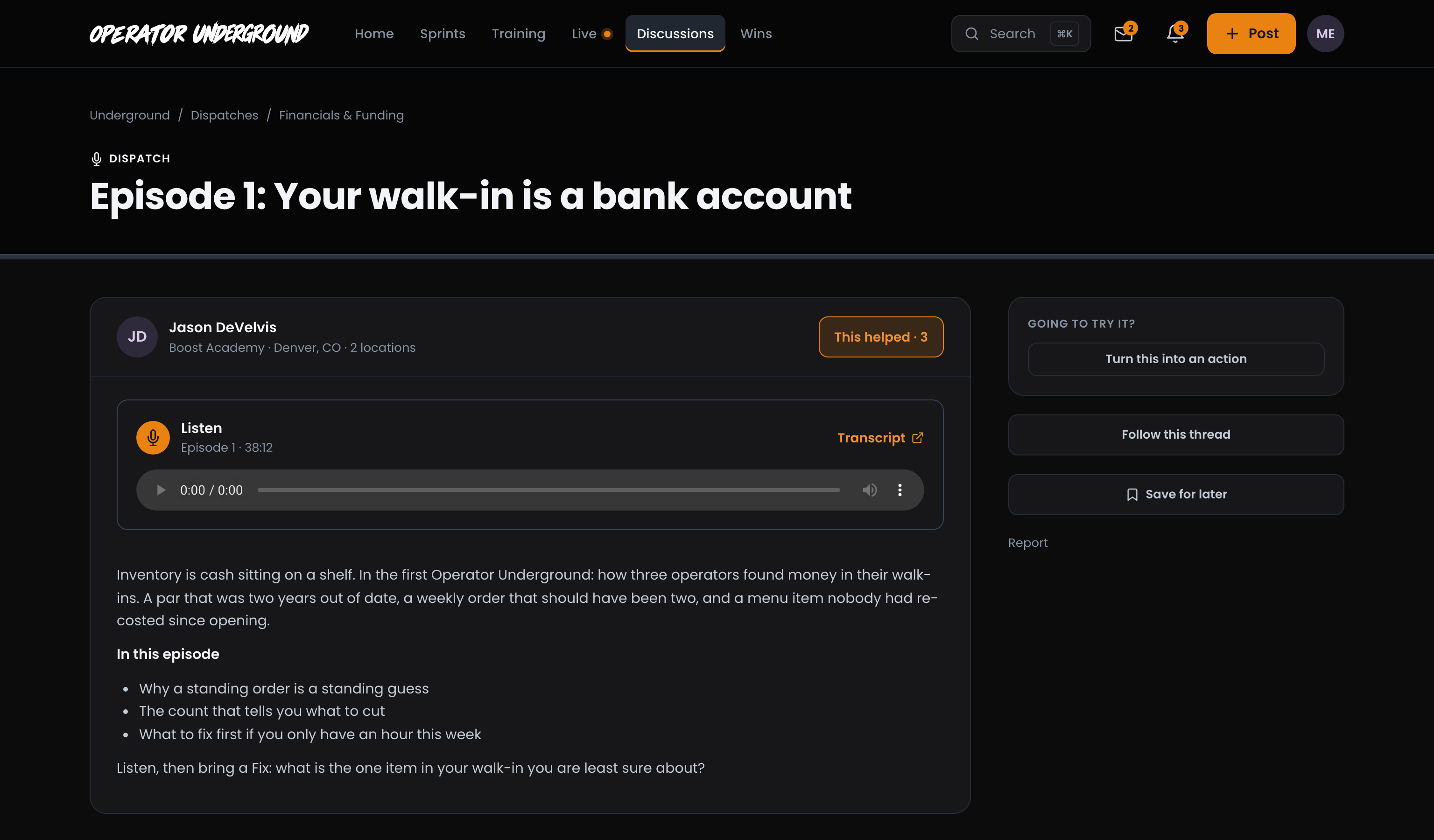
Then the Room: The replies work like any other thread. Add what you know, press This helped on the replies that land, Follow this thread to hear when others weigh in, or Save for later to come back to it.
Bring a Fix: Episodes often end with a nudge, like what is the one item in your walk-in you are least sure about? That is a Fix waiting to be posted. See Posting a Fix on the Underground.
Find every episode
All in One List: Open Discussions and pick Dispatches in the left column (on a phone, the Dispatches chip), and the page becomes Dispatches: every episode, newest first. Each card carries a Listen button with the episode number and running time (Listen · Ep 1 · 38:12); press it to jump straight to the player.
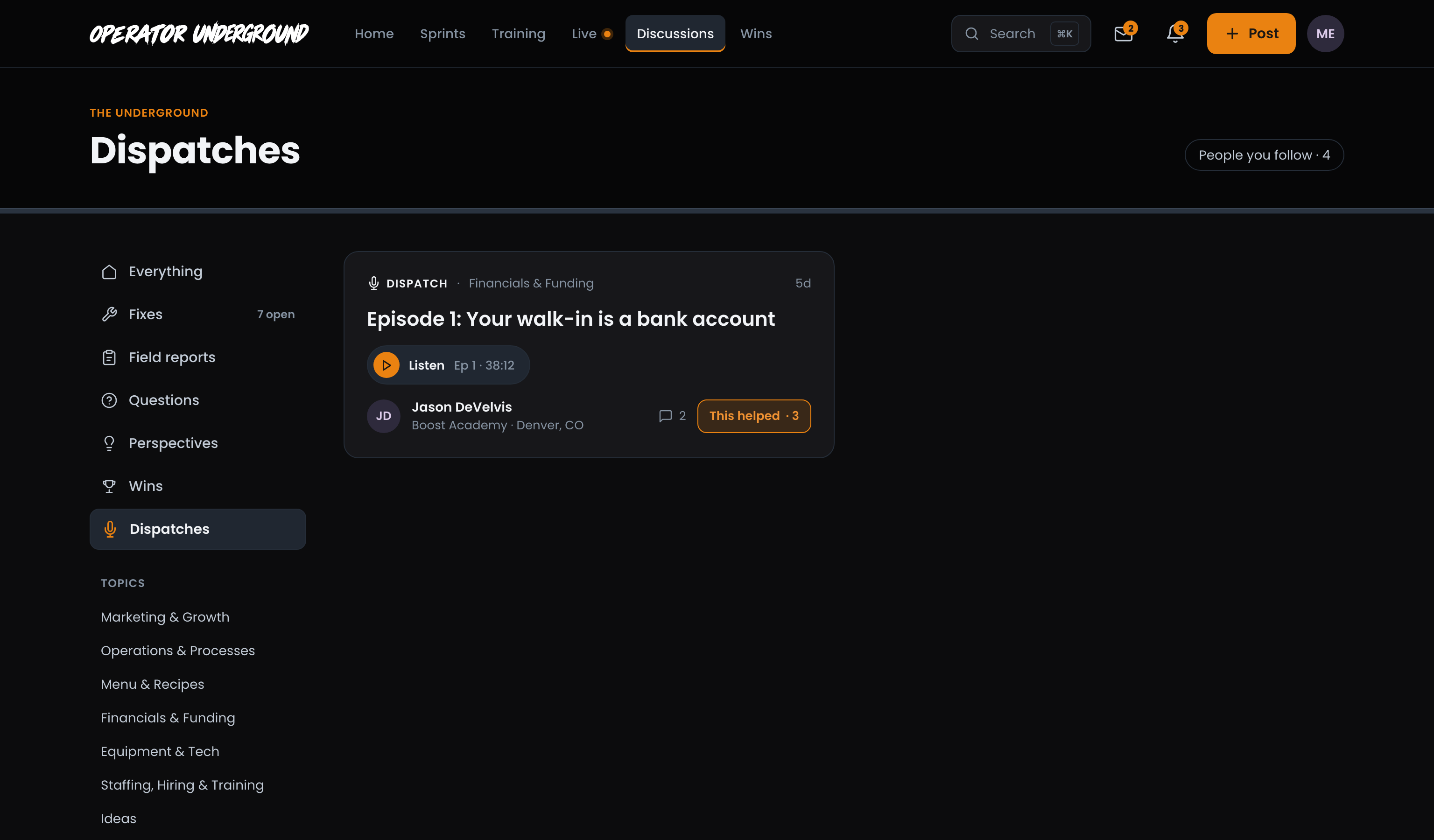
Dispatches also show up in Home's feed and in Everything on Discussions, alongside what operators post. Anyone can read and listen, signed in or not.
Only the Team Publishes Them: You won't find Dispatch in What have you got? Members post Fixes, Field Reports, Questions, Perspectives and Wins; Dispatches come from the Underground.
In Your Podcast App: Training Pass holders can also get the episodes in a private podcast feed, next to their course audio. Set it up from Settings in your account menu.
Ready to dig in?
Sign in to the Operator Underground, open Dispatches, press Listen, and tell the room what you are going to try.
Access: All members. The private podcast feed comes with the Training Pass.