

Finding operators on the Underground
Contents3 sections
The fastest fix is usually one another operator already found. The Underground makes it easy to find the people running shops like yours, see what they have actually done, and know what to ask them.
The operators directory
Find Your People: Operators lists the people active in the Underground. It is not in the top nav: press Cmd/Ctrl+K and pick Operators, or press Find operators on Home if you do not follow anyone yet.
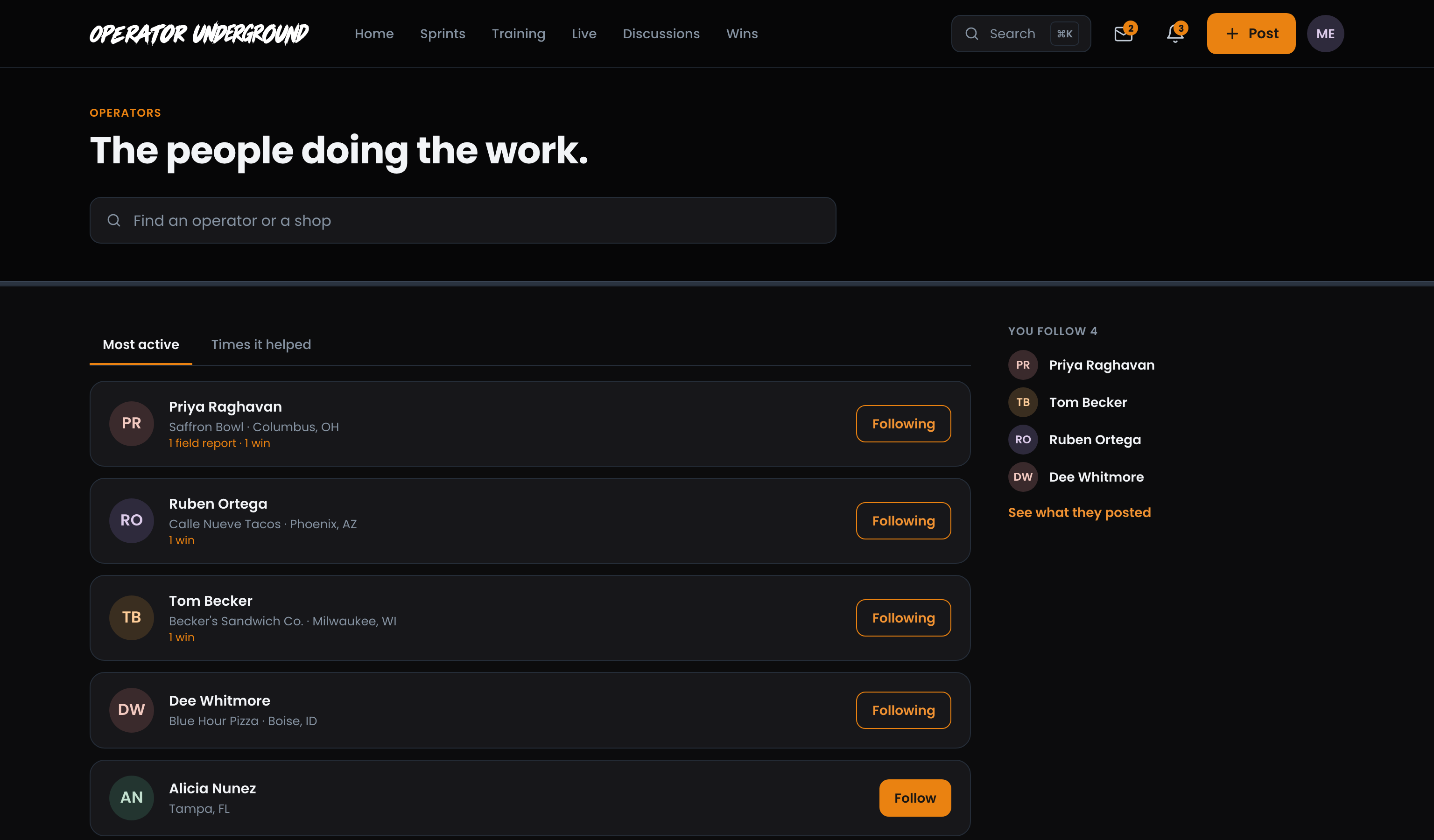
Each operator shows their shop and city, and Follow (it reads Following once you do). Sort the list two ways:
- Most active: who has posted the most proven work, with a line like 1 field report · 1 win.
- Times it helped: who has helped the most, by how many times other members marked their posts and replies This helped.
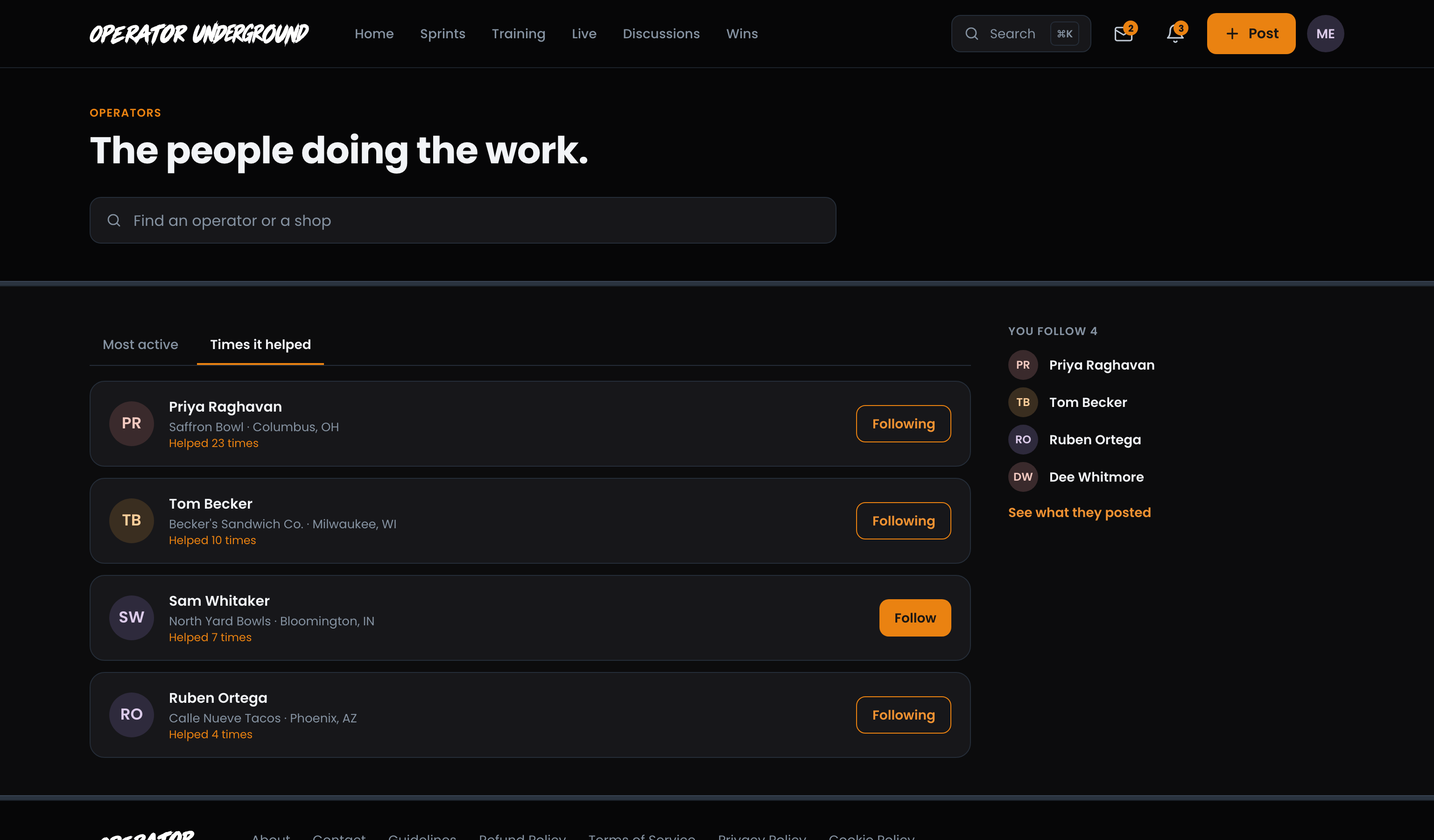
Search by Name or Shop: The box at the top, Find an operator or a shop, matches names and shop names, so pizza finds Blue Hour Pizza.
Keep Tabs on Your Follows: The right-hand column lists everyone you follow. See what they posted opens Discussions showing only their posts. Follow operators whose shops look like yours and their posts come first when you sort the feed For you.
Note
Operators who keep their activity private are not in the directory. You can still reach their profile from their posts, where it shows their name and shop and says they keep their activity private.
Reading a profile
What They Have Done, Not What They Claim: Press any operator's name to open their profile. Up top: their role, shop, city, kind of shop, number of locations and followers, with Follow, Message and Add friend.
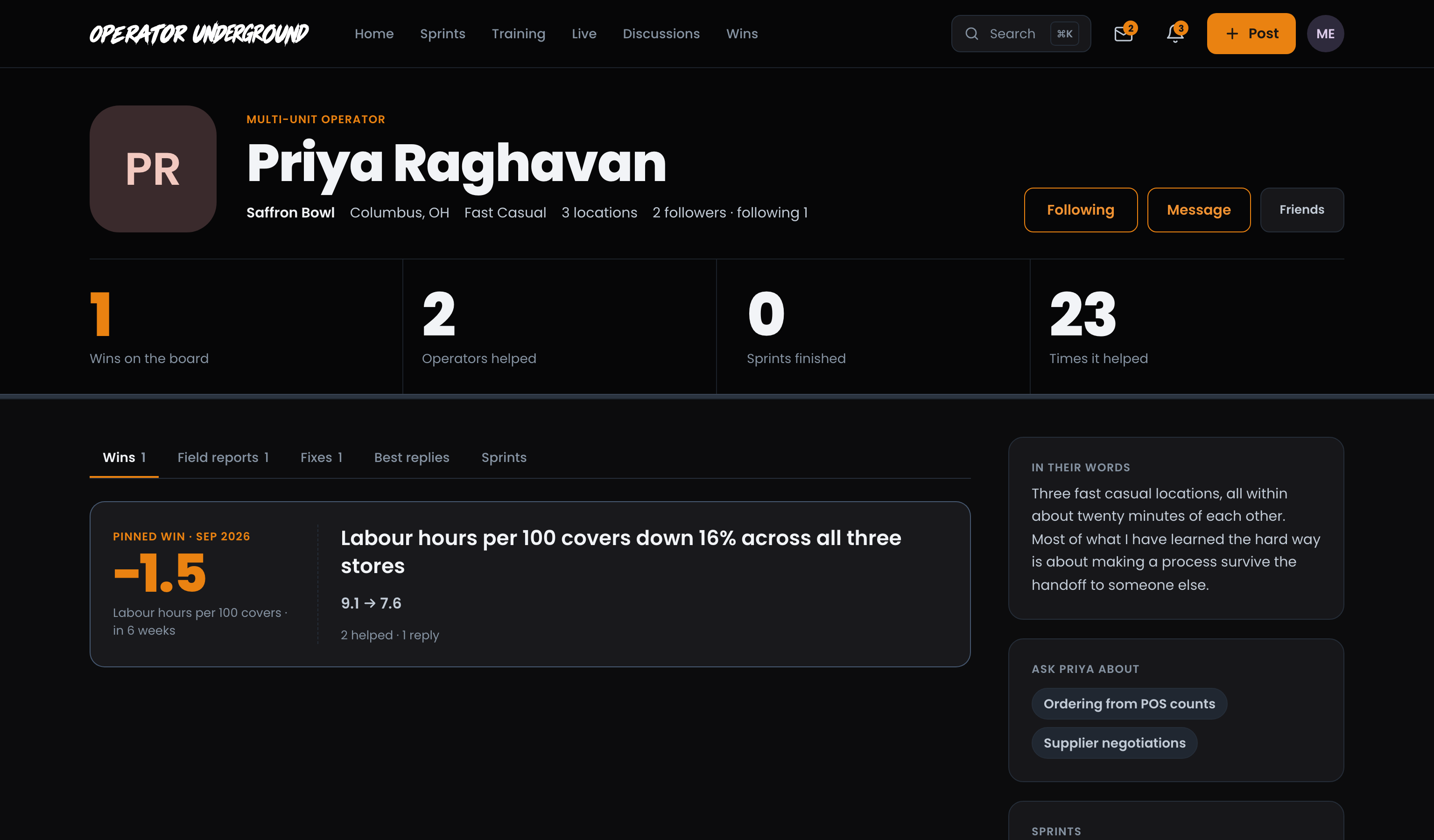
Then four numbers:
| Number | What it counts |
|---|---|
| Wins on the board | Wins they have posted to The Board |
| Operators helped | Different operators whose question they answered with the accepted reply (helping the same person twice counts once) |
| Sprints finished | Sprints they completed |
| Times it helped | This helped marks other members gave their posts and replies |
Dig Into Their Work: The tabs show their Wins, Field reports, Fixes, Best replies (their replies, most helpful first) and Sprints. If they have pinned a win, it leads the Wins tab with its number.
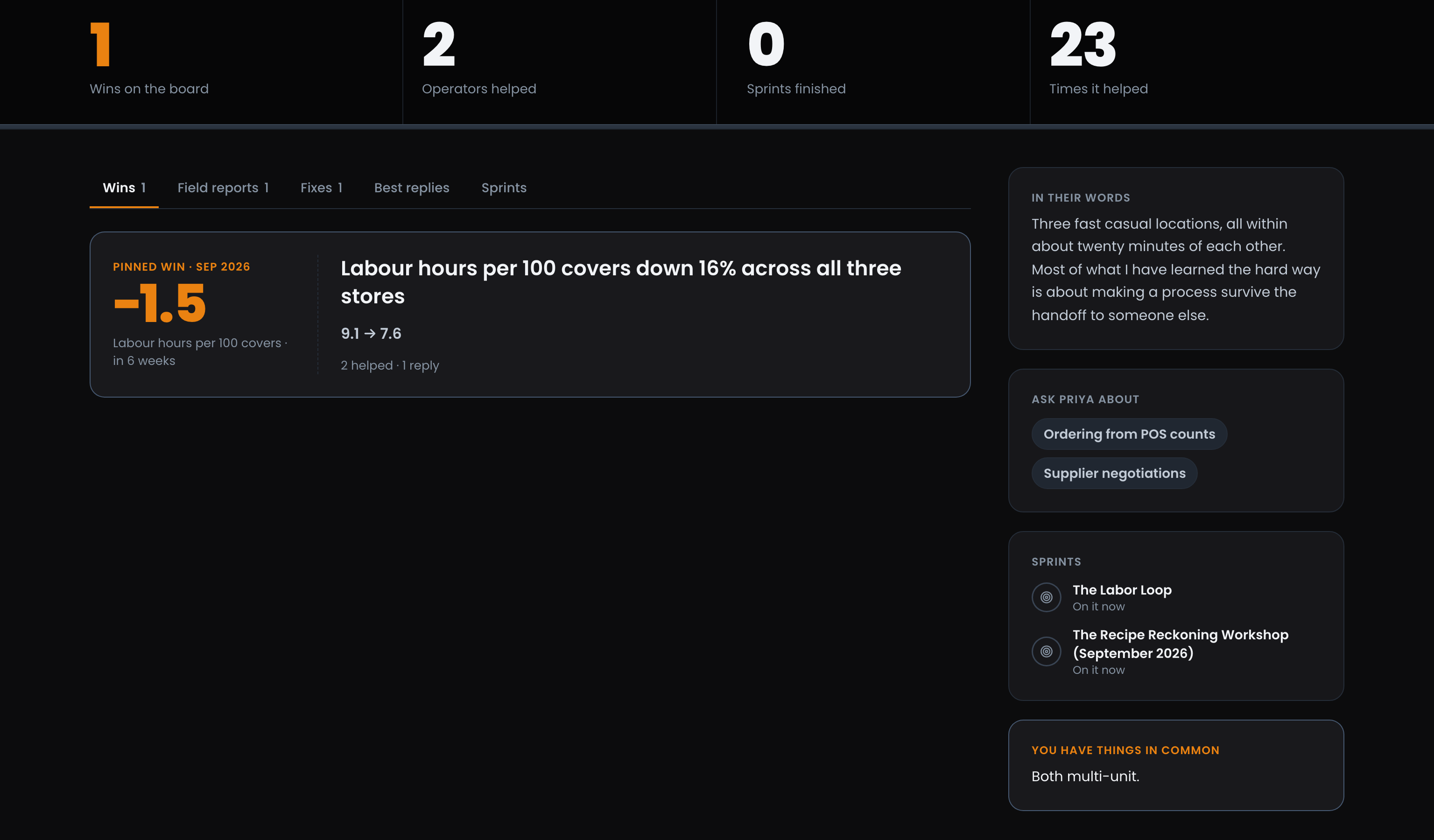
Know What to Ask: The side column carries:
- In their words: what they say about themselves and their shop.
- Working on: their current focus, the one thing they are in the middle of.
- Ask Priya about (with their first name): the topics they are happy to be asked about.
- Sprints: the ones they are on or finished.
- You have things in common: for example the same sprint crew, the same kind of shop, both multi-unit, the same stage, or operators you both follow.
Tip
Ask about topics plus You have things in common is the shortcut to a good first message. Press Message and lead with the thing you share.
Setting up your own profile
Let the Right Operators Find You: Open Your profile from your account menu. Your page shows the same numbers and tabs everyone else sees, plus a few things only you can change, right on the page:
- Pin to profile: on any of your wins. The pinned win leads your profile. Unpin takes it off, so you can pin another.
- What you are working on: Add it (or Change it) to set one line about what you are in the middle of, like getting food cost under 30%. Other operators see it as Working on.
- Ask you about: Add topics (or Edit) to list up to eight things people can ask you about, each up to 40 characters, then Save.
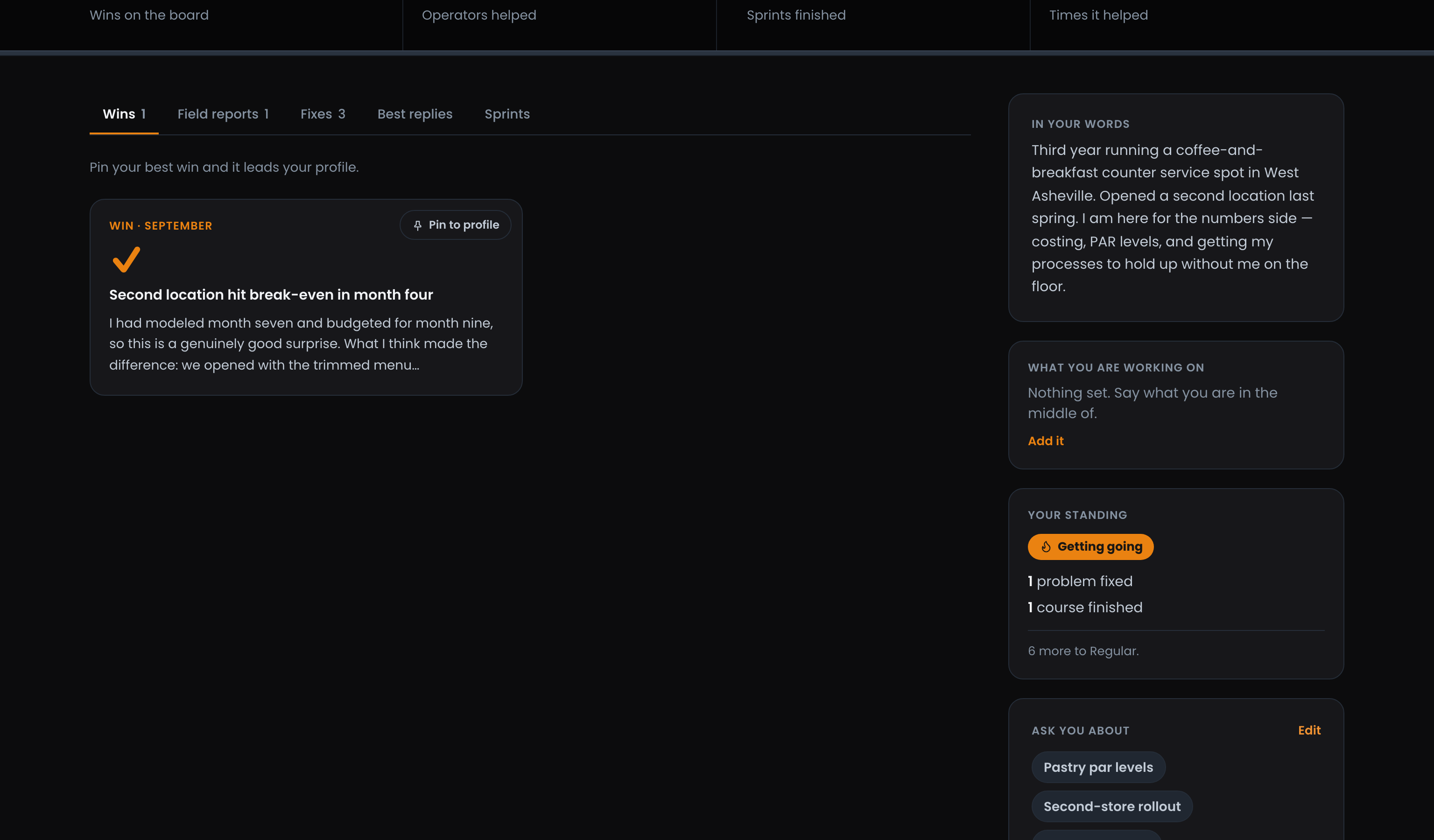
Your Standing, for Your Eyes Only: Your own page also shows Your standing: a title and a count of what you have actually done, like problems fixed and courses finished, and how many more to the next title. Nobody else sees it, and you will not see anyone else's. Posting for the sake of it does not move it.
Your name, shop, photo and In your words are under Edit profile. Your profile and settings on the Underground covers them, including Who sees your activity if you would rather keep your activity private.
Ready to dig in? Sign in to the Operator Underground, press Cmd/Ctrl+K, choose Operators and find someone running a shop like yours.
Access: All members